 Yasine Imerie


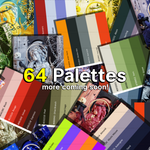

🎨 Quick Palette – Simplify Color, Amplify Creativity
Quick Palette is the ultimate color management addon for Blender — designed to help artists, designers, and creators work faster and stay visually consistent.
It lets you create, organize, and apply color palettes directly inside Blender with just a few clicks, making color selection effortless and precise.
Forget the hassle of copying hex codes or guessing tones — your favorite colors are now one click away.
✨ Key Features
-
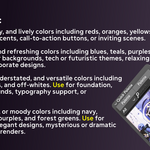
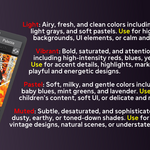
🎨 Built-in Color Collections: Explore a curated selection of color palettes grouped by tone and mood.
-
⚡ Instant Access: Quickly apply colors to materials, lights, or any part of your scene.
-
💡 Consistent Workflow: Keep your visual style unified across different scenes and assets.
-
🖌️ Artist-Friendly Design: A clean and simple interface made for speed and creativity.
🚀 Why You’ll Love It
Quick Palette keeps your creativity flowing without breaking your rhythm.
Whether you’re crafting stylized renders, realistic scenes, or product designs — it helps you find the right tone instantly and maintain perfect color harmony throughout your project.
Make Blender brighter, faster, and more colorful — with Quick Palette 🌈
⚙️ Installation Guide
-
Unzip the main
Quick Palette.zipfile you downloaded. - Open Blender Preferences → Add-ons → Install...
- Select the
Quick Palette Addon.zipfile (which was inside the first zip). - Enable Quick Palette from the Add-on list.
- Go to the Add-on Preferences and set the Library Path to your Quick Palette Library folder.
💬 Support
Contact me via [email protected] for support.
Discover