 PlugIn3D






Overview
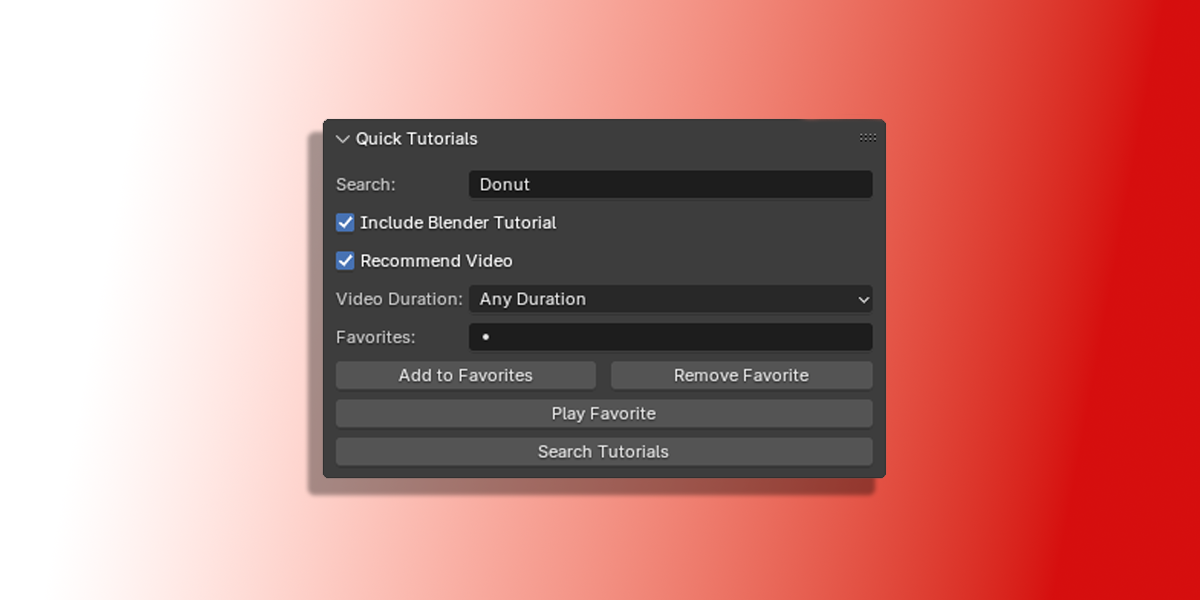
The Quick Tutorials add-on lets you search for YouTube tutorials directly from Blender. With seamless integration into Blender's sidebar, you can quickly find relevant tutorials, save your favorites, and even play the first recommended video—all without interrupting your workflow.
Key Features
-
YouTube Tutorial Search
- Perform tutorial searches directly from Blender.
- Optionally append "Blender tutorial" to focus on Blender-specific content.
- Filter results by video duration (Short, Medium, or Long).
-
Favorites Management
- Save tutorial searches for future reference.
- Remove outdated favorites easily.
- Play saved favorites with one click.
-
Recommended Video Playback
- Play the first video from search results instantly.
- Access full search results if needed.
-
Customizable Options
- Toggle between general and Blender-specific searches.
- Set duration filters to match your learning needs.
Why Choose This Add-on?
- Convenience: Quickly access tutorials from Blender’s interface.
- Productivity: Save time by managing your favorite searches within Blender.
- Ease of Use: A clean and intuitive UI integrated into Blender's sidebar.
How to Install
-
Download the ZIP File:
- Ensure you have the
.zipfile containing the add-on.
- Ensure you have the
-
Install via Blender:
- Open Blender and go to Edit > Preferences > Add-ons.
- Click Install and select the downloaded
.zipfile. - Enable the add-on by ticking the checkbox next to Quick Tutorials.
-
Save Preferences:
- Save your preferences to keep the add-on active for future sessions.
How to Use
Search Tutorials
- Go to 3D View > Sidebar > Quick Tutorials (press
Nto toggle the Sidebar if hidden). - Enter your topic in the Search Query field.
- Configure optional settings:
- Check Include Blender Tutorial to append "Blender tutorial" to your search.
- Check Recommend Video to play the first video automatically.
- Choose a video duration filter (Short, Medium, Long, or Any).
- Click Search Tutorials to open the results in your default web browser.
Manage Favorites
-
Add a Favorite:
- Enter a query in the Search Query field and click Add to Favorites.
- The query will be saved for quick future searches.
-
Remove a Favorite:
- Select a favorite from the dropdown menu and click Remove Favorite.
-
Play a Favorite:
- Choose a favorite and click Play Favorite to open the associated tutorial or recommended video.
Technical Requirements
- Blender Version: Compatible with Blender 3.0 and above.
- Internet Connection: Required for searching and playing tutorials.
- Platforms: Works on all operating systems supported by Blender.
Troubleshooting
- Favorites Not Saving: Ensure Blender has write access to its user resource directory.
- Search Errors: Check your internet connection or verify that YouTube is accessible from your device.
- UI Not Appearing: Restart Blender or ensure the add-on is enabled in Preferences.
Support
For assistance, contact the developer or visit the Blender community forums. Feedback and feature suggestions are always welcome!
Future Updates
- Improved video search and playback via YouTube API.
- Advanced filtering options for more precise searches.
- Export/import functionality for sharing favorite tutorial lists.
Streamline your learning process and stay focused on your projects with the Quick Tutorials Blender add-on. Download the ZIP now and take your 3D skills to the next level!
Have questions about this product?
Login to message
| Dev Fund Contributor | |
| Published | almost 2 years ago |
| Blender Version | 4.3, 4.2, 4.1, 4.0, 3.6, 3.5, 3.4, 3.3, 3.2, 3.1, 3.0, 2.93, 2.92, 2.91, 2.9, 2.83, 2.82, 2.81, 2.8 |
| Extension Type | N/A |
| License | Mit |
Discover more products like this
Blender Studio Add-ons Digital Art Creation Save Tutorials Blender Community Tools Blender Search Features Blender Artists Community blender helper Blender Favorites Tool Blender Professional Tools Blender Creation Tools Search Tool digital-art Blender Video Integration Blender Artists Blender Educational Add-ons CGI Tutorials blender-utility Blender content tools Creative Blender Add-ons Boost Productivity blender training Blender Productivity Add-ons. Blender Community Tutorial Manager Learning Tool Learn Blender Faster Blender Workflow blender tutorials Blender Tutorial Finder blender learning Blender efficiency Blender Learning Tools YouTube Integration Blender Beginner Tools Blender Video Manager Blender Sidebar Blender Beginners Blender Efficiency Tools motion graphics Blender projects Blender Video Tools Blender Professionals blender tools workflow tools game designers Blender enhancement Organize Learning Blender Scene Management Favorites Management YouTube Tutorials