Quick Views Paramertric
 Arq. Gustavo Garcia ARCHS


How do I report bugs or suggest features?
Contact the developer via Instagram or Patreon.
Why is the sidebar panel missing?
o to the 3D Viewport, press N to open the sidebar, and select the "View" tab. Ensure the add-on is enabled in preferences.
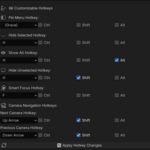
How do I reset to default hotkeys?
Reinstall the add-on or manually reset each hotkey in the preferences panel.
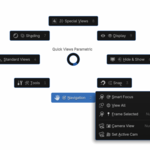
How does "Smart Focus" work?
It frames selected objects with extra padding. Adjust the padding in the pop-up dialog or enable "Auto Execute" in preferences to skip the dialog.
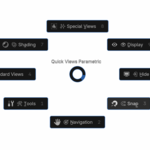
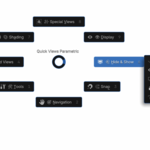
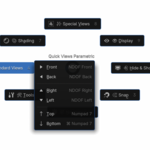
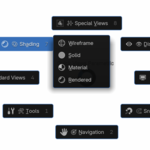
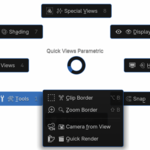
Can I change the pie menu layout?
The pie menu structure is fixed, but you can toggle advanced options (e.g., navigation, tools) in the preferences under Feature Toggles.
How do I hide objects from render?
Enable "Hide from Render" in the add-on preferences. When hiding objects, they’ll also be excluded from renders.
How do I toggle between cameras?
Use the Shift+Up Arrow (next) and Shift+Down Arrow (previous) hotkeys. Customize these in the preferences.
Why aren’t my hotkeys working?
Ensure the hotkeys aren’t conflicting with Blender defaults.
Click "Apply Hotkey Changes" in the add-on preferences.
Restart Blender if issues persist.
How do I open the pie menu?
By default, press the ` (Grave) key. You can customize this in Preferences > Quick Views Parametric > Hotkeys.
How do I install the add-on?
Download the ZIP file, go to Edit > Preferences > Add-ons, click Install, select the ZIP, and enable the add-on. Restart Blender if needed.
-
$1
Buy it to support and give better add-ons in the future :3 When I have an active subscription, I will give it away for free, to improve the community, this is a great program.
Have questions about this product?
Login to message
| Dev Fund Contributor | |
| Published | about 1 year ago |
| Blender Version | 2.6x - 4.5 |
| Extension Type | N/A |
| Render Engine Used | Blender-Internal, Blender-Game-Engine, Cycles, Eevee |
| License | GPL |
