
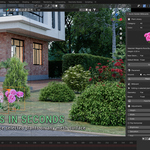
Quick Garden Plants Billboards
Does the add-on work with Eevee and Cycles?
Yes. Quick Garden Billboards uses standard Blender image textures, transparent materials, and shader nodes compatible with Eevee and Cycles. Because the assets use lightweight image planes instead of complex plant geometry, they are suitable for scenes containing large amounts of vegetation.
Can I change the size and color of the plants?
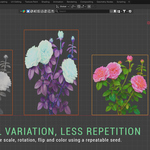
Yes. Every QGB asset includes controls for height, width, overall scale, horizontal flipping, brightness, saturation, and hue. Multiple selected QGB assets can be adjusted together. Reset buttons restore the original scale and photographic colors.
Can the assets automatically face the camera?
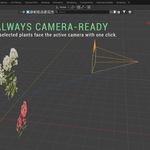
Yes. Select the asset and enable Face Camera, or click Face Active Camera. The asset will rotate around the global Z axis toward the active scene camera while remaining upright. Make sure an active camera is assigned to the scene.
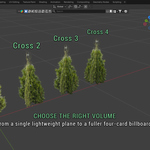
What is the difference between Flat, Cross 2, Cross 3, and Cross 4?
Flat uses one image plane and offers the best performance. Cross 2, Cross 3, and Cross 4 use two, three, or four intersecting planes to make plants appear fuller from multiple viewing angles. Flat is ideal for distant assets, while Cross 3 is usually the best balance for bushes and other vegetation.
Are the plant images original?
Yes. Every included plant asset is made from my own unique photographs, personally captured in my private garden. The collection is exclusive, and these exact photographs and prepared assets are not available anywhere else.
Discover more products like this
landscaping ArchViz Trees architecture low poly flowers billboards vegetation garden foliage plants #nature