 KalthireddyAbhishek


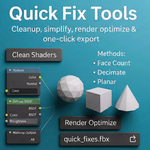

Fix, optimize, and export Blender scenes in seconds — not hours.
Quick Fix Tool is the ultimate emergency button for Blender artists.
Turn messy, heavy, broken scenes into clean, optimized, render-ready files — instantly.
Whether you’re a 3D artist, animator, game developer, or a Blender beginner,
this tool saves you time, stress, and sanity.
💡 Why Quick Fix Tool Exists
We all know the pain:
-
Gigantic scenes that lag
-
Shaders full of unused nodes
-
1 million poly assets
-
Cycles renders taking forever
-
Blender freezes right before deadlines…
Quick Fix Tool solves ALL of it. Fast.
🚀 Key Features
✔ One-Click Scene Export
FBX / OBJ /
Auto-safe folder
Auto-ZIP
No overwrite errors
No OS permission failures
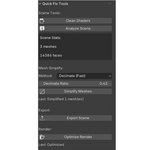
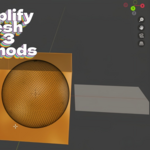
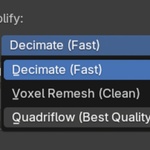
✔ Smart Mesh Simplifier (3 Modes)
Decimate → Fast
Voxel Remesh → Clean
Quadriflow → Best topology
Automatically detects high-poly meshes → simplifies only those.
✔ Shader Cleanup (Safe Mode)
Deletes only unused nodes
Preserves outputs
Never breaks materials
✔ Scene Analyzer
Get instant poly + mesh counts
Perfect for optimization planning
✔ Render Optimizer
One-click Cycles boost
GPU ready
Adaptive sampling
Denoising
Clamped indirect lighting
🎯 Made for Beginners — Powerful for Pros
No menus.
No hunting for settings.
No guesswork.
Just click. Fix. Export. Done.
🛡 Stable & Tested
-
Compatible with Blender 3.x → 4.5+
-
All exports verified
-
No console spam
-
Works with 2M+ face scenes
-
Fully undo-safe