 R2raghu
R2Armature Node
By Raghuram
First time bone node like geometry node system
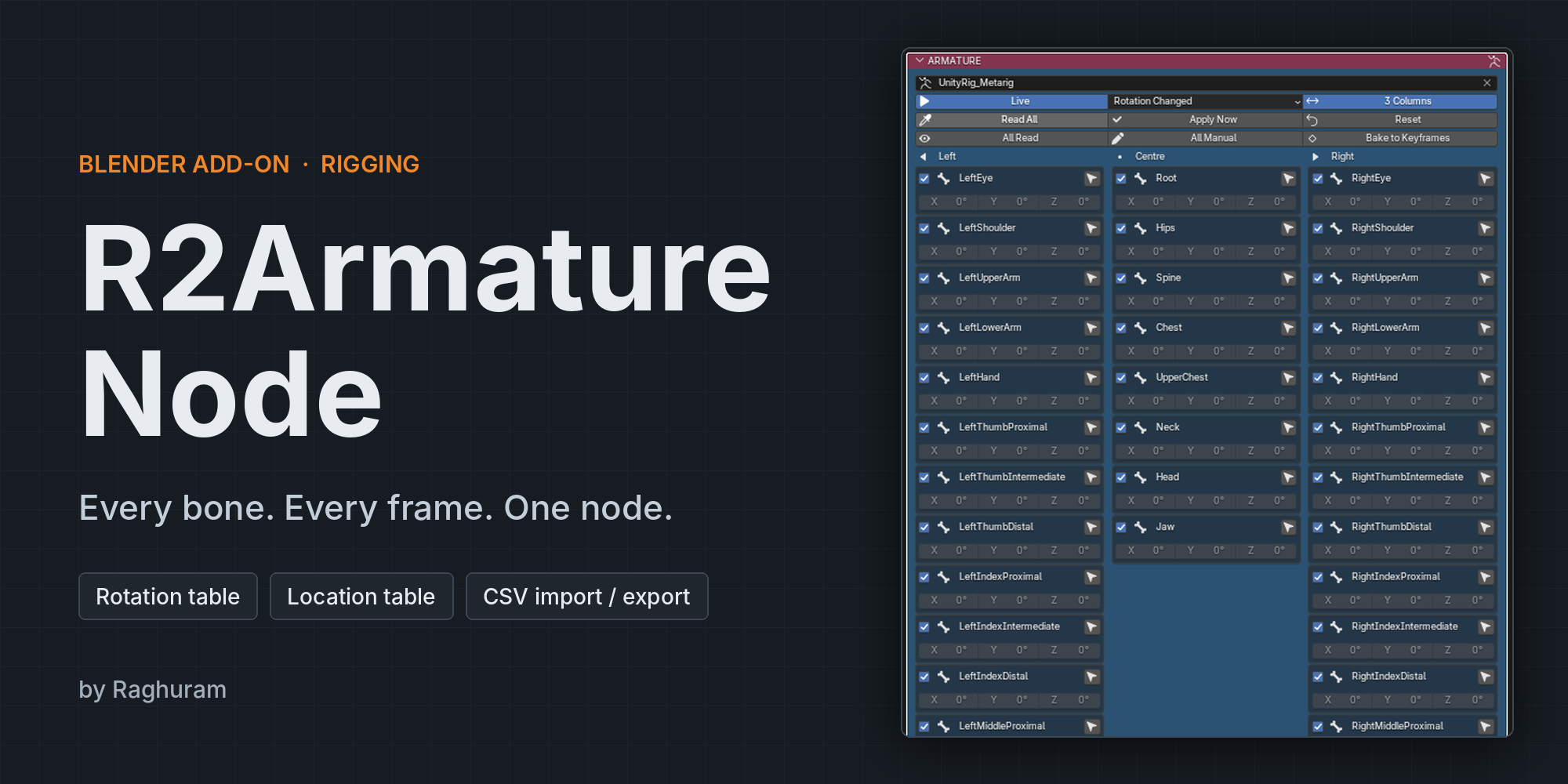
One node for every bone.
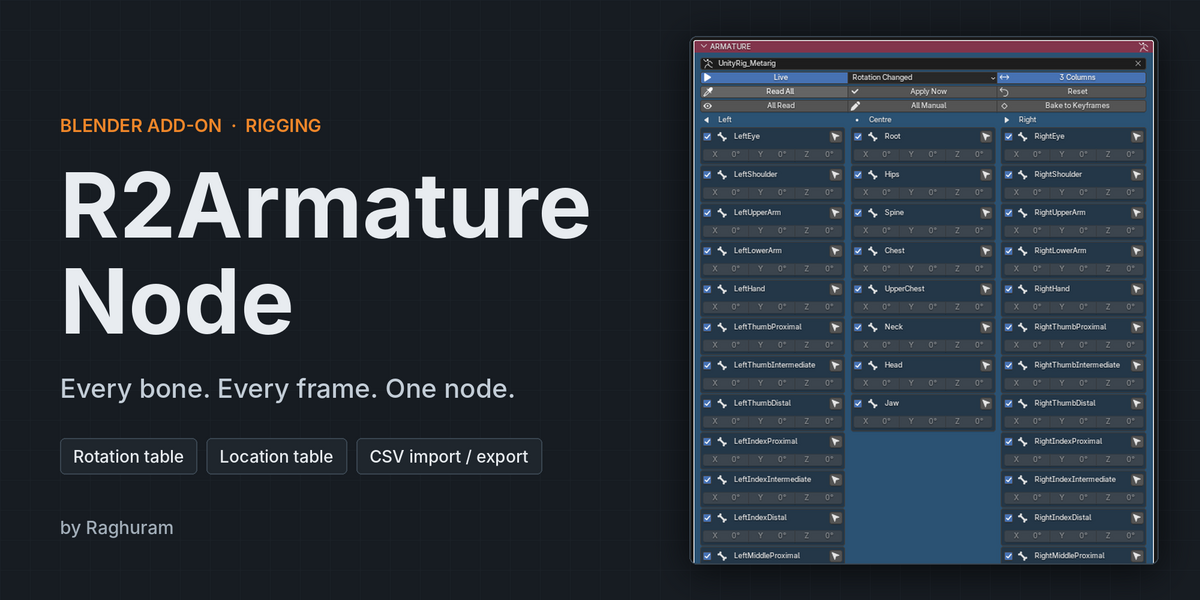
R2Armature Node adds a single ARMATURE node to Blender that holds the rotation and location of every bone, on every frame, and plays them back into your rig. Pick an armature, see all its bones in one place, and animate them with typed values, frame keys, or the live pose.
Every bone in one node
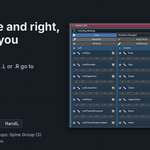
Pick an armature and the node lists all of its bones in hierarchy order. Each bone has its own rotation fields, an enable tick and a select button that makes it the active bone. Armature objects you delete never appear in the dropdown.
Left, centre and right, sorted for you
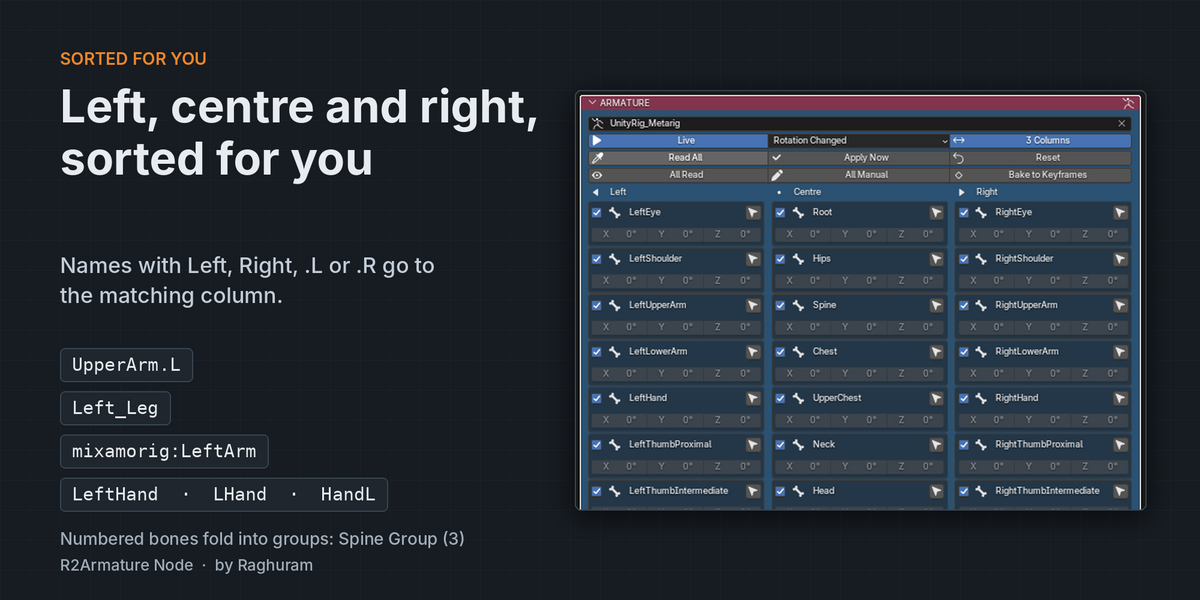
Bones with Left in the name go to the left column, bones with Right go to the right, and everything else sits in the centre. It reads names such as UpperArm.L, Left_Leg, mixamorig:LeftArm, LeftHand, LHand and HandL.
Numbered bones such as Spine-1, Spine.002 and Spine 3 fold into one collapsible group, for example Spine Group (3), with Read and Manual buttons for the whole group. Switch off 3 Columns for a single column in narrow panels.
Read the pose or write it
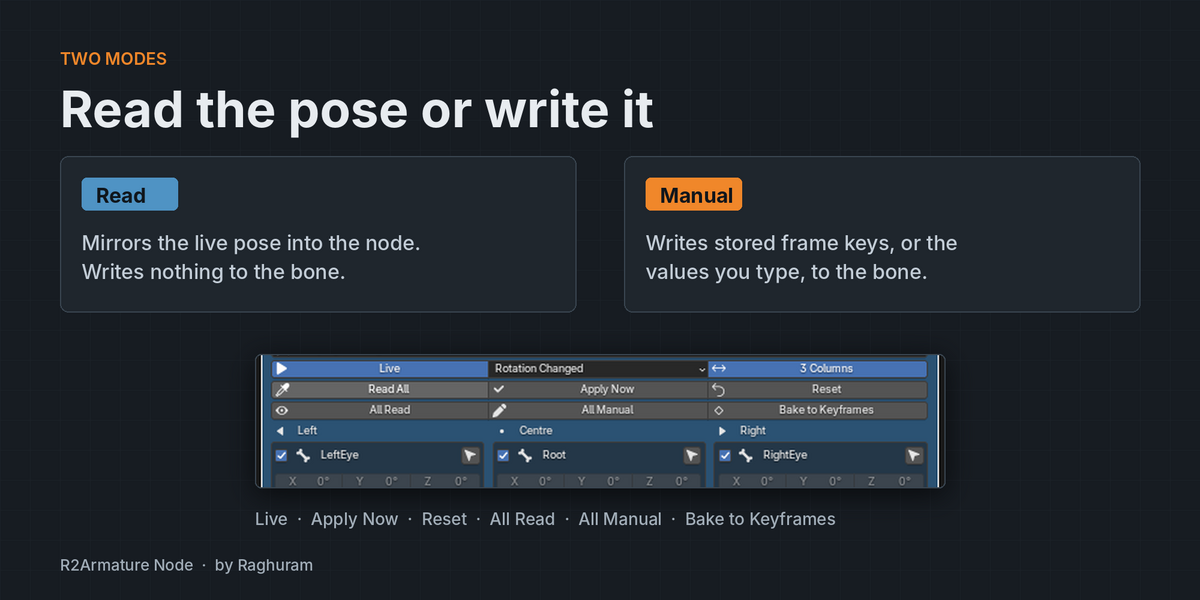
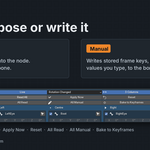
- Read mirrors the live pose into the node and writes nothing to the bone.
- Manual writes the stored frame keys, or the values you type, to the bone.
- Set a per-bone influence from 0 to 1 to blend the node with the existing pose.
- Live evaluates on every change and frame change. Apply Now writes once when Live is off. Reset zeroes typed values and keeps your keys.
- Highlight shows bones whose rotation changed, or bones that are not at rest, and turns their row red.
Rotation and location tables
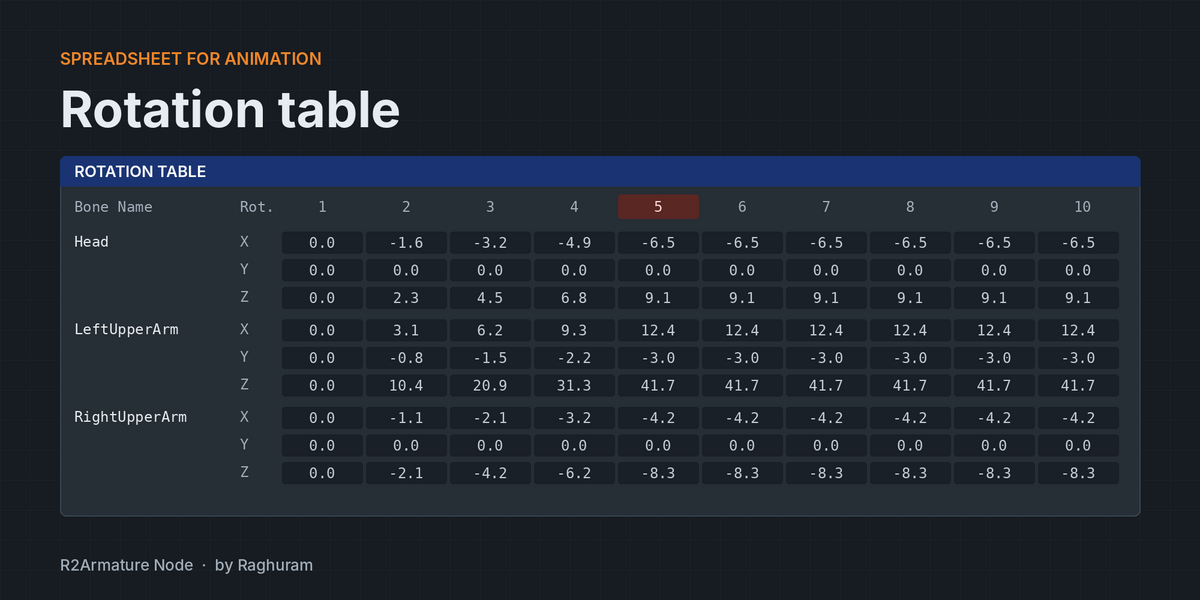
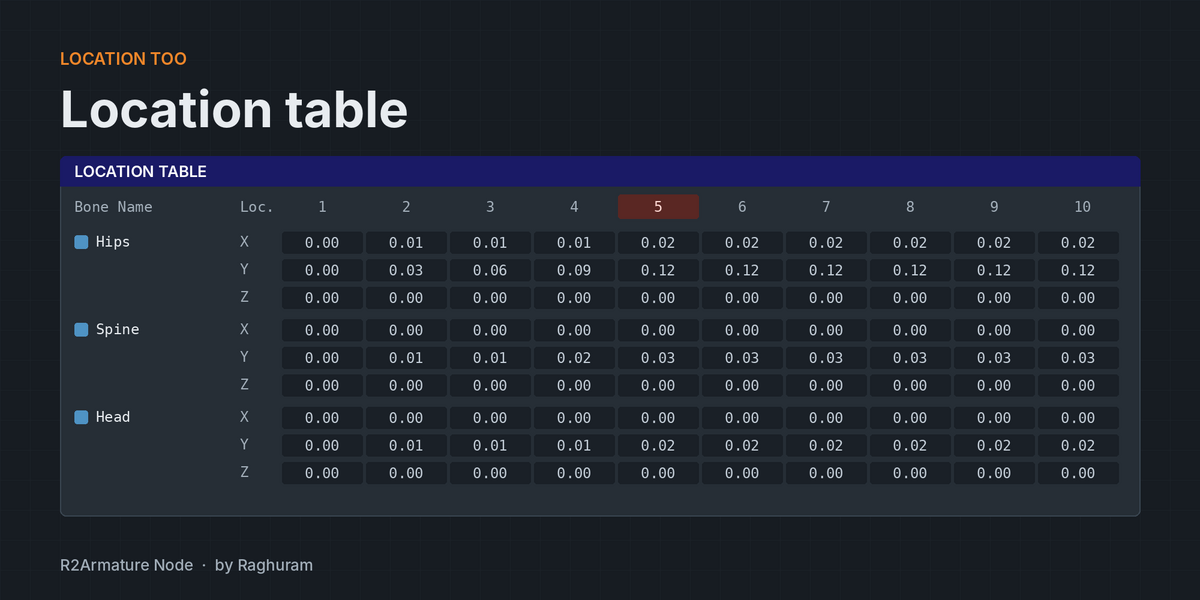
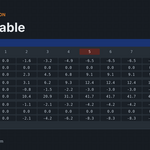
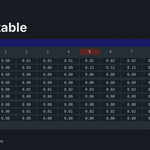
The ROTATION TABLE and LOCATION TABLE nodes show a spreadsheet: bone name, axis X Y Z, then one column per frame. Edit any cell and that bone switches to Manual and updates the pose live. Frames between keys are interpolated.
- Scroll the frame columns, jump to the current frame, or press Fit Range to match the scene range.
- Show from 3 to 240 columns, filter bones by name, and page through large rigs.
- Short Names turns mixamorig:Hips into Hips.
- Location is written only to bones with Loc ticked. Loc On and Loc Off switch every bone at once.
Capture, key and bake
- Capture All Bones steps through the scene frame range and stores every bone’s rotation and location, using the Step you set.
- Key All stores the current frame. Clear All Keys empties every bone.
- Bake to Keyframes turns the node’s animation into regular Blender keyframes, with an option to switch Live off afterwards.
Works with any rotation mode
Quaternion, axis angle and every Euler order are read and shown as XYZ Euler, so every bone looks the same in the node. Keep Rot Mode converts the values back into each bone’s own rotation mode when writing.
CSV import and export
Export the bone list and both tables to a CSV file, edit them in a spreadsheet, and import them again. With no armature picked, Import CSV creates the armature and its animation from the file.
Start in five steps
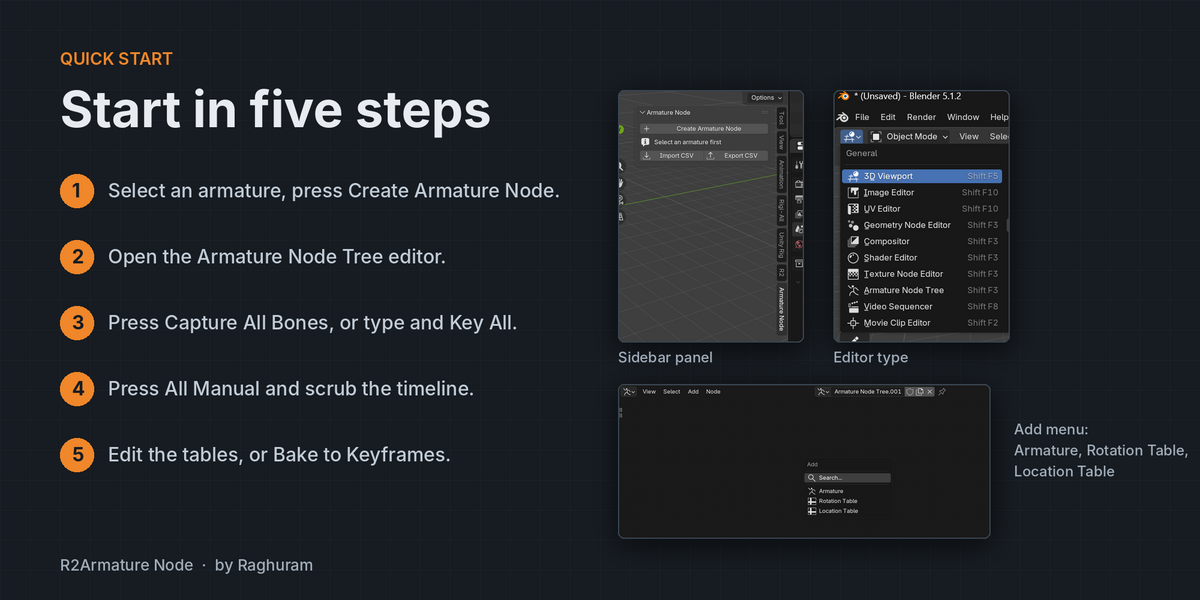
- Select your armature and press Create Armature Node in the 3D Viewport sidebar.
- Switch an area to the Armature Node Tree editor, or press Open Armature Node Editor.
- Set the frame range, then press Capture All Bones, or type values and press Key All.
- Press All Manual. Scrub the timeline and the node drives the rig.
- Edit cells in the tables, export a CSV, or press Bake to Keyframes for plain Blender keyframes.
In the box
ARMATURE node, ROTATION TABLE node, LOCATION TABLE node, a sidebar panel in the 3D Viewport and the node editor, and CSV import and export.
FAQ
Does it replace Blender’s keyframes? No. Frame keys live inside the node and play back on every frame change. Press Bake to Keyframes when you want regular Blender keyframes.
Will it work with my own rig? Yes. It lists the bones of any armature in your scene. Left and right sorting works best when names contain Left, Right, .L or .R.
What happens if I rebuild the bone list? Sync Bones keeps modes, values and keys for every bone it already knows on the same armature.
Can I animate location as well as rotation? Yes. Tick Loc for a bone, or use Loc On for all bones.
Can I move animation in and out of a spreadsheet? Yes. Export CSV writes the bone list and both tables, and Import CSV reads them back.
