 ArtTalentStudio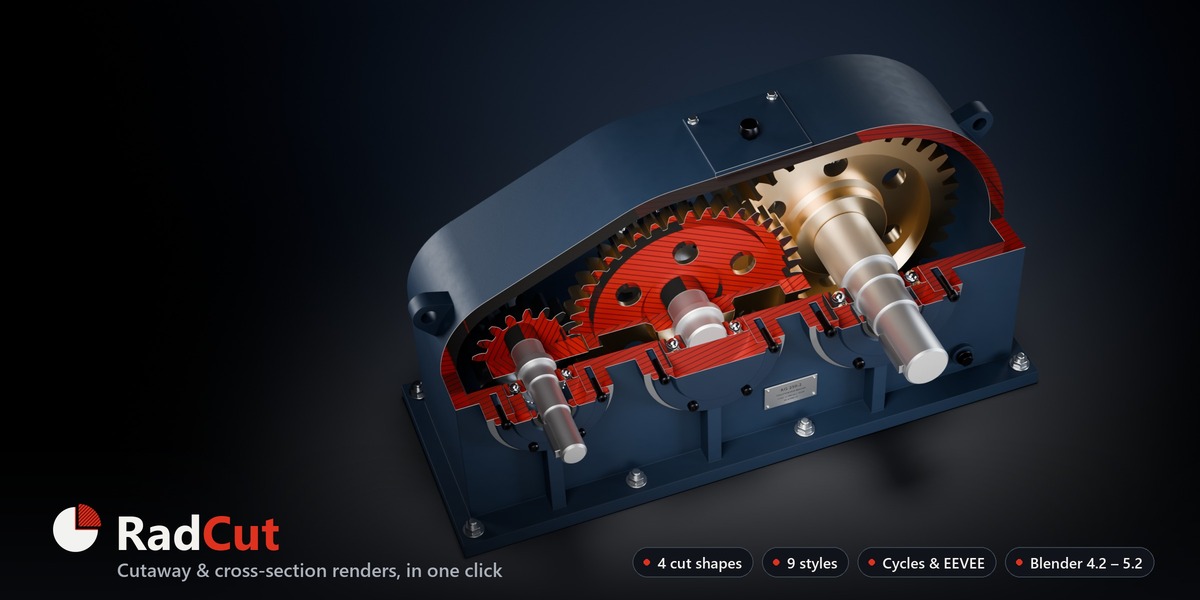
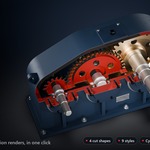
Cut it open. Render it clean.
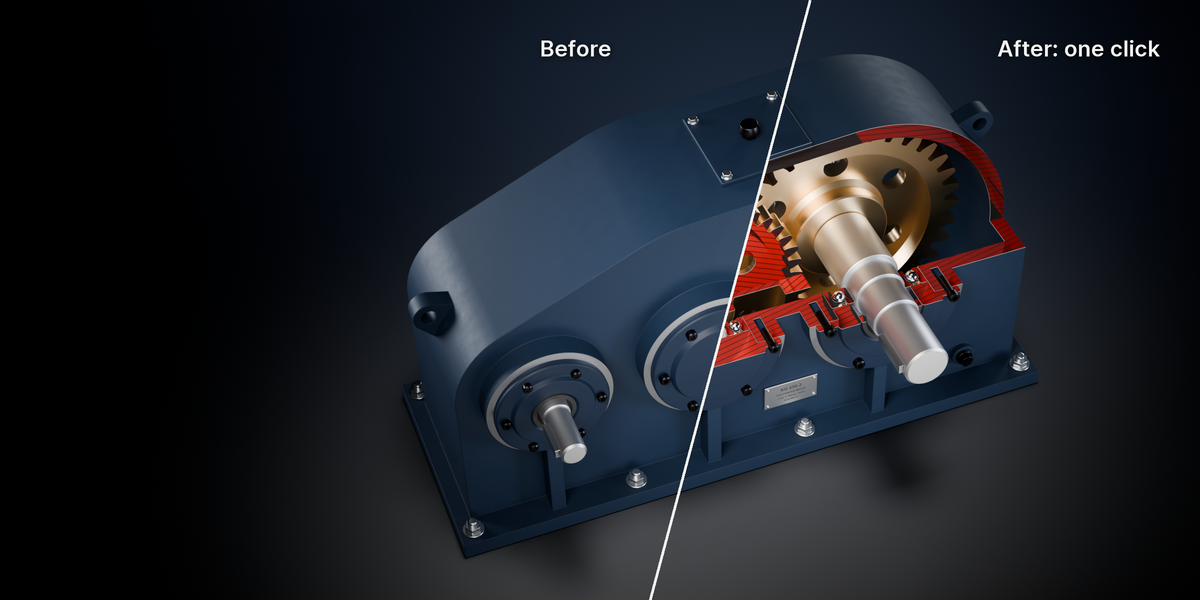
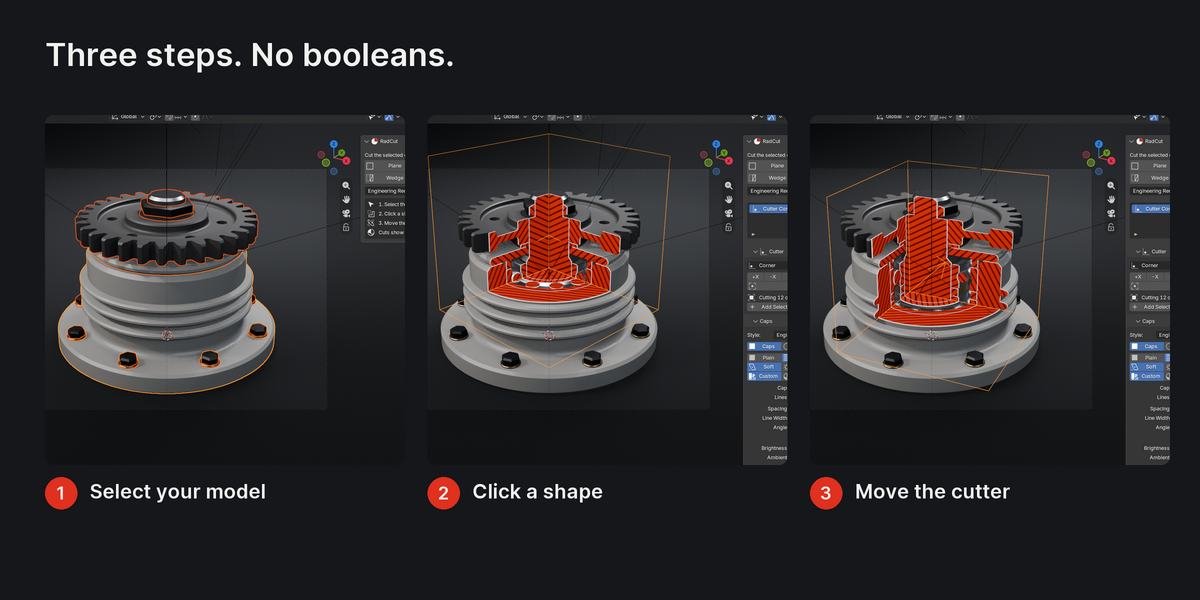
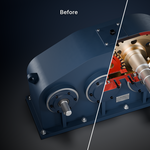
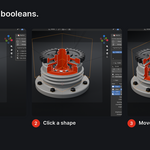
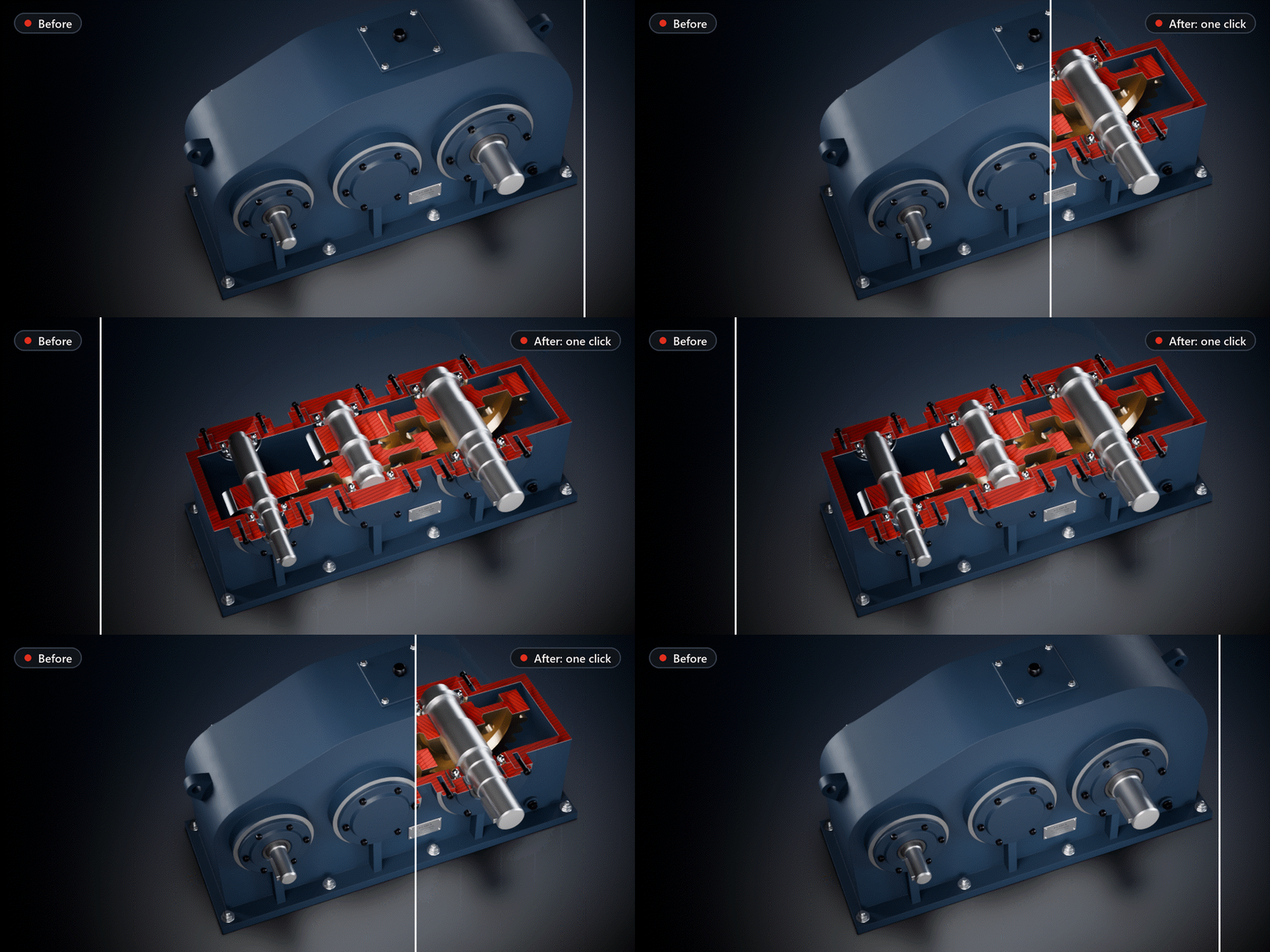
Select your model, click a shape, and RadCut slices it open with clean section caps (solid, hatched or cross-hatched) in Cycles and EEVEE. No booleans, nothing applied: switch it off and your model is back.
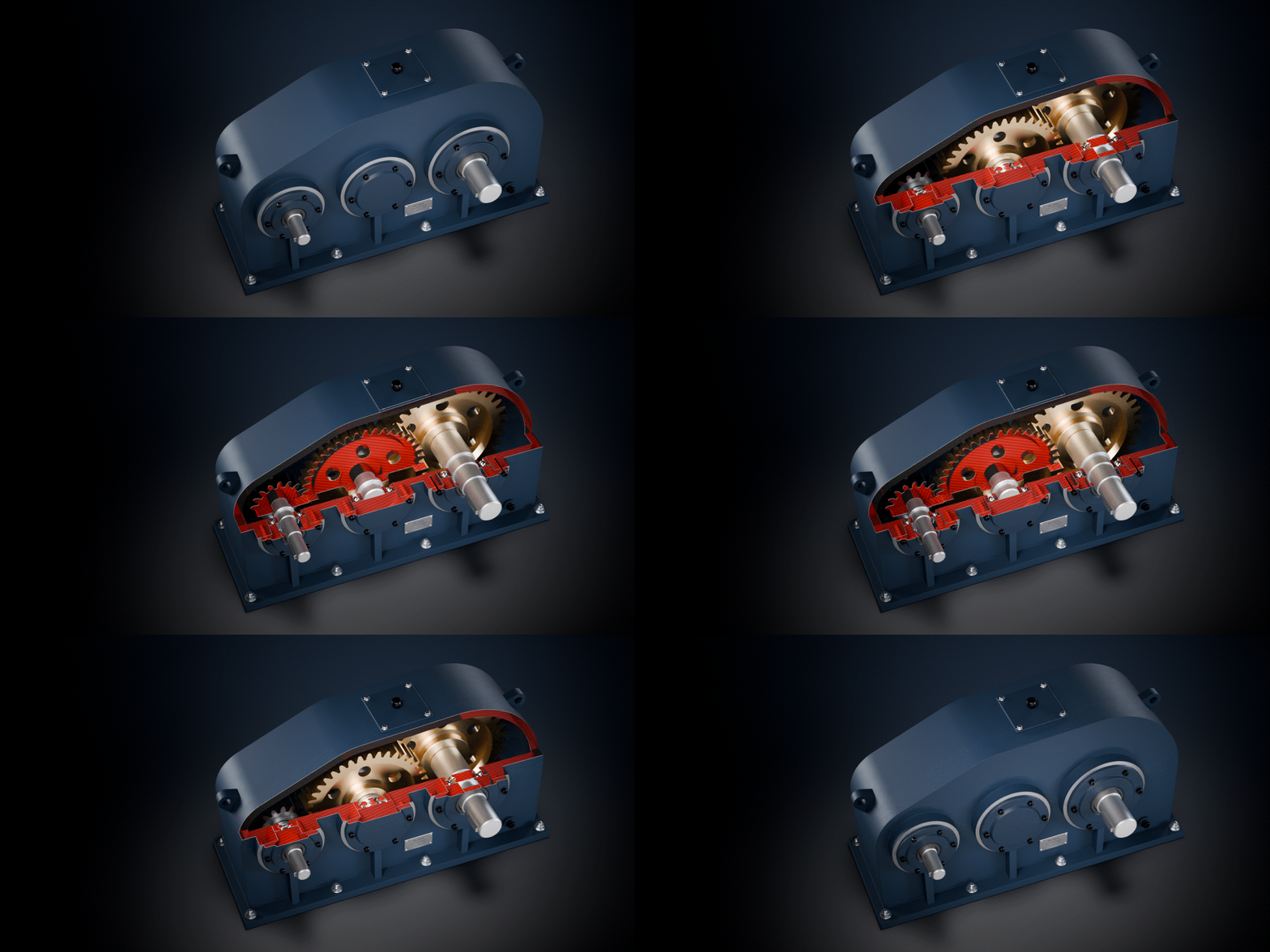
1.1 s
to cut all 58 parts of the demo gearbox, in one click
|
4 + 9
cut shapes and one-click styles
|
187 / 187
automated checks passed on Blender 4.2, 4.5 and 5.1 (188 / 188 on 5.2)
|
0
mesh edits: no booleans, no modifiers, Remove restores every material
|
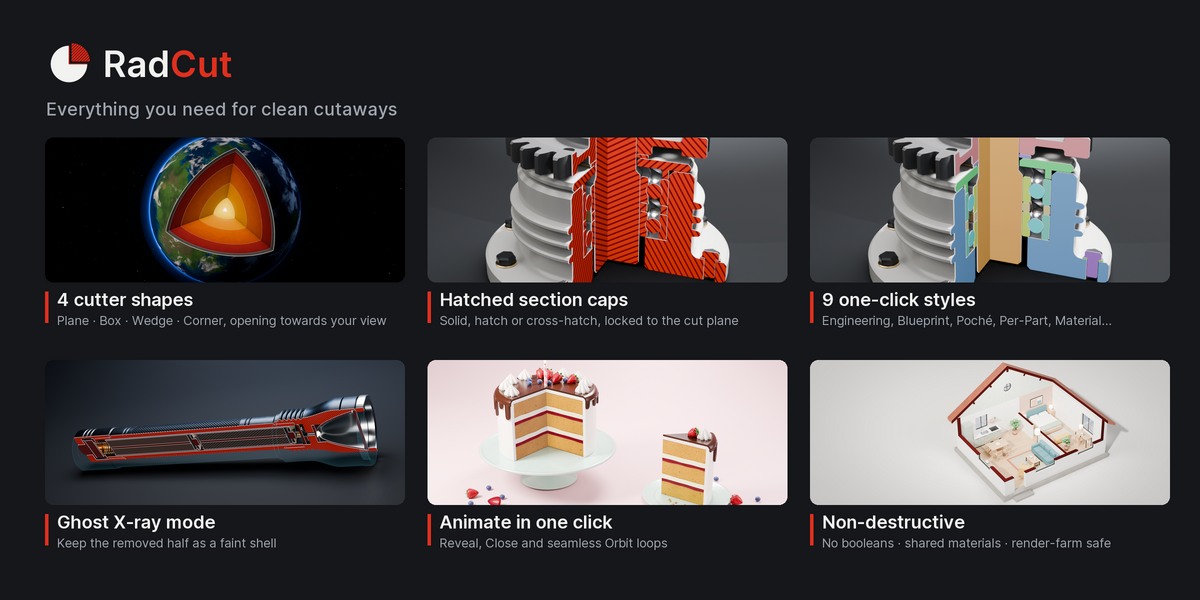
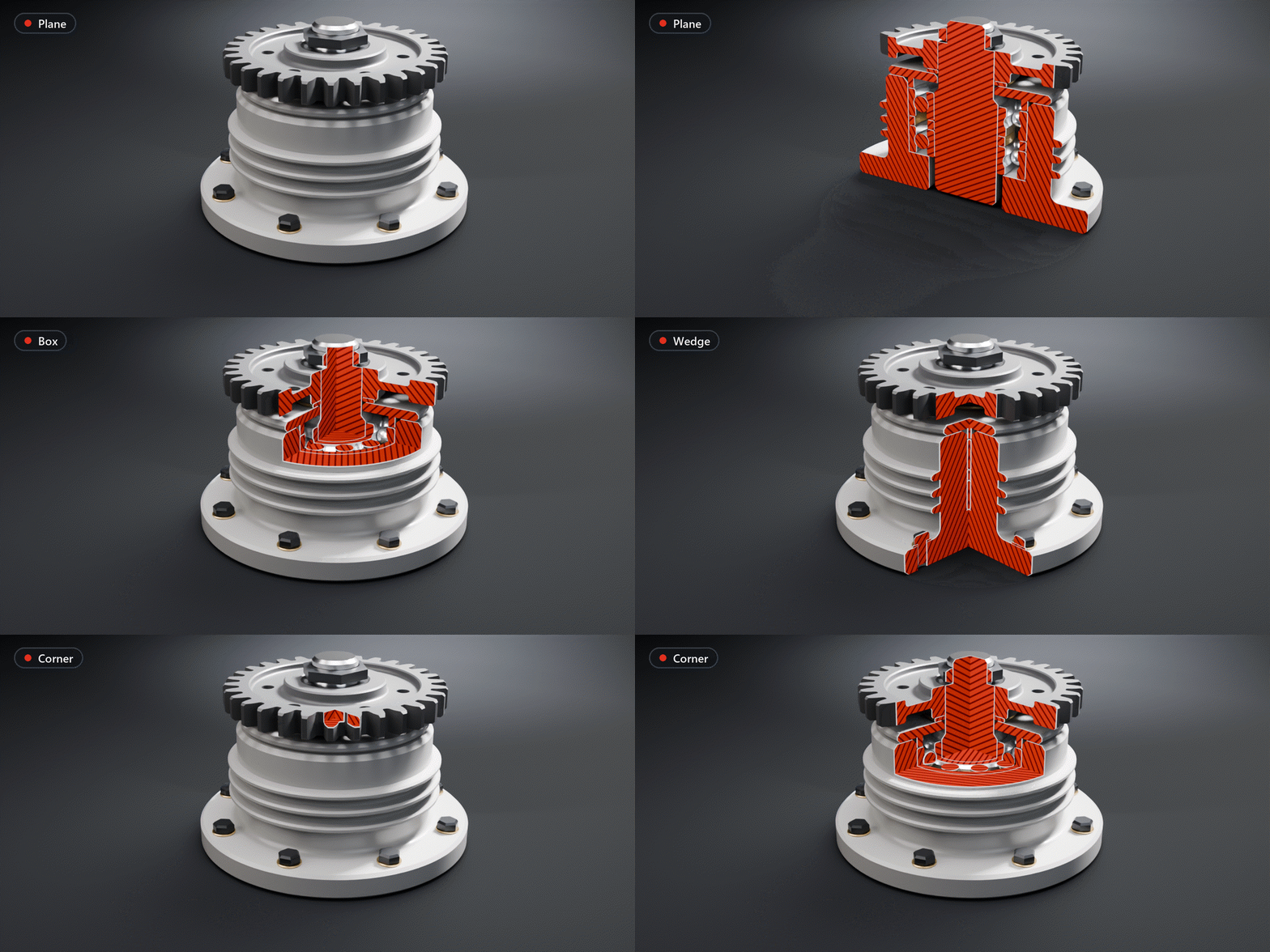
Plane, Box, Wedge, Corner.
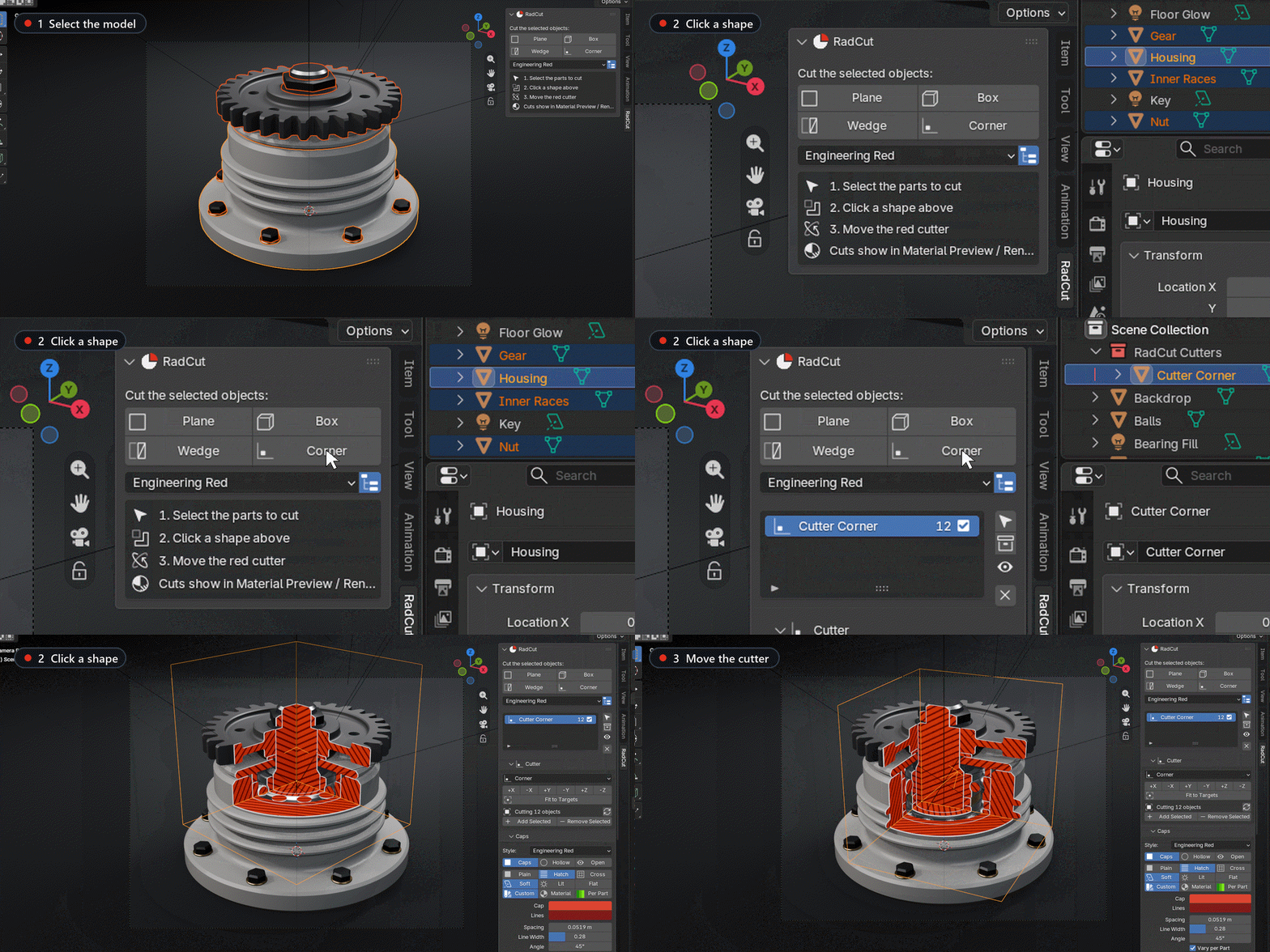
Click a shape and the cutter is placed over your selection, opening towards your view, so the first click already shows the inside. Move, rotate or scale it like any object and the cut follows.
| ✓ | Plane: the classic half-section. Flip swaps the side. |
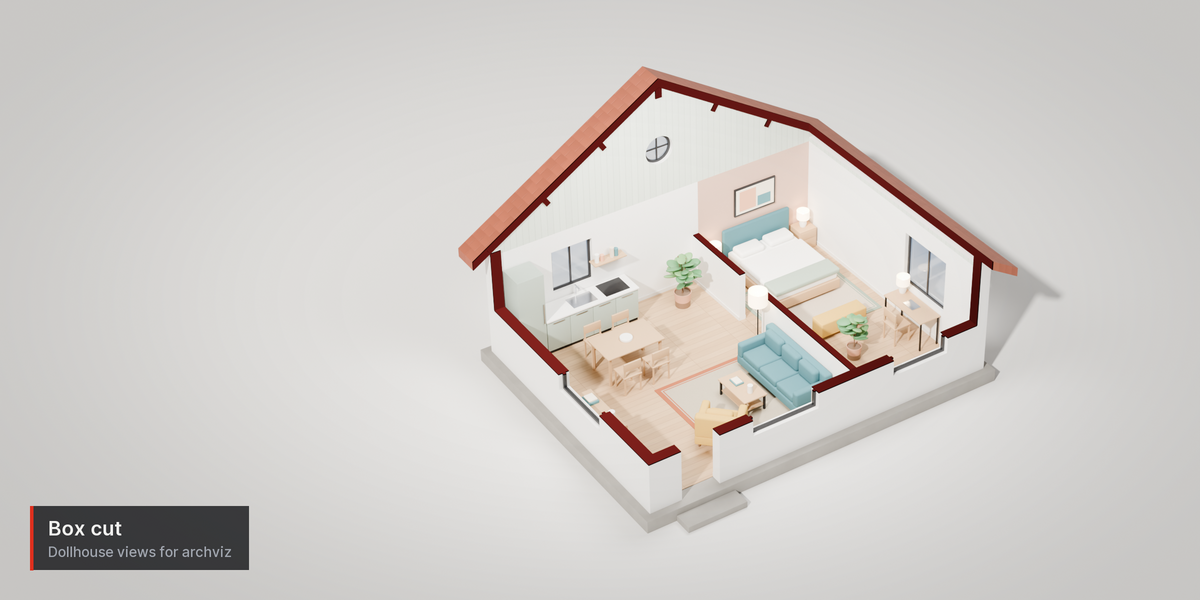
| ✓ | Box: bite a window out of an assembly, or make a dollhouse view. |
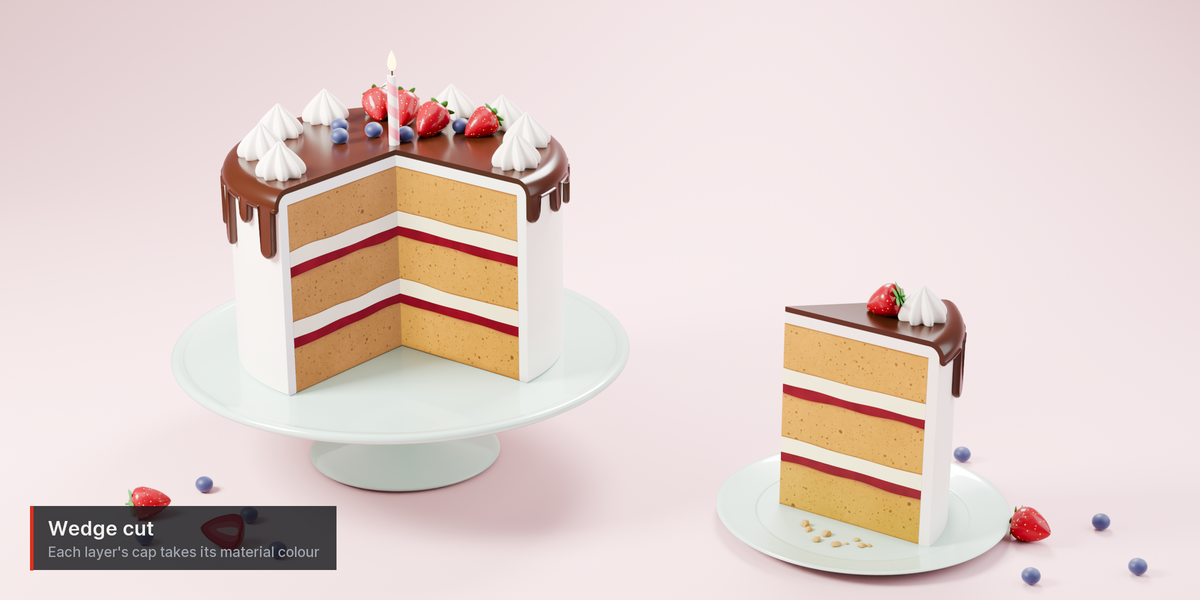
| ✓ | Wedge: a 90° quarter, all the way through. |
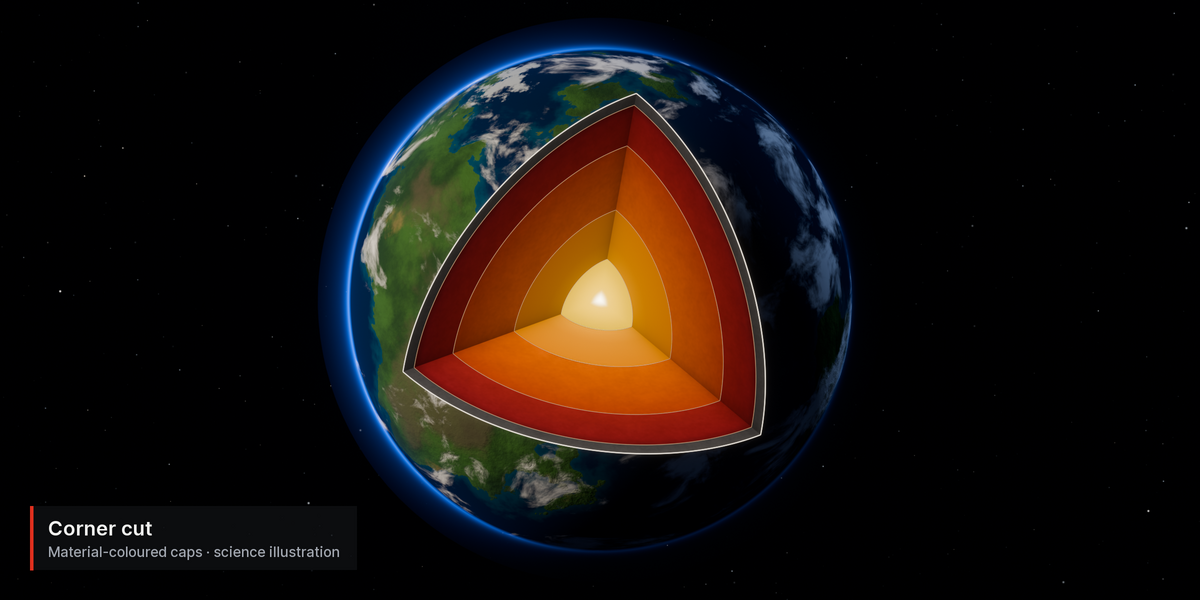
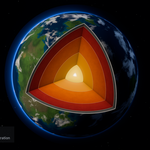
| ✓ | Corner: the ¾ cutaway of engines, buildings and planets. |
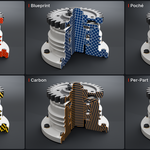
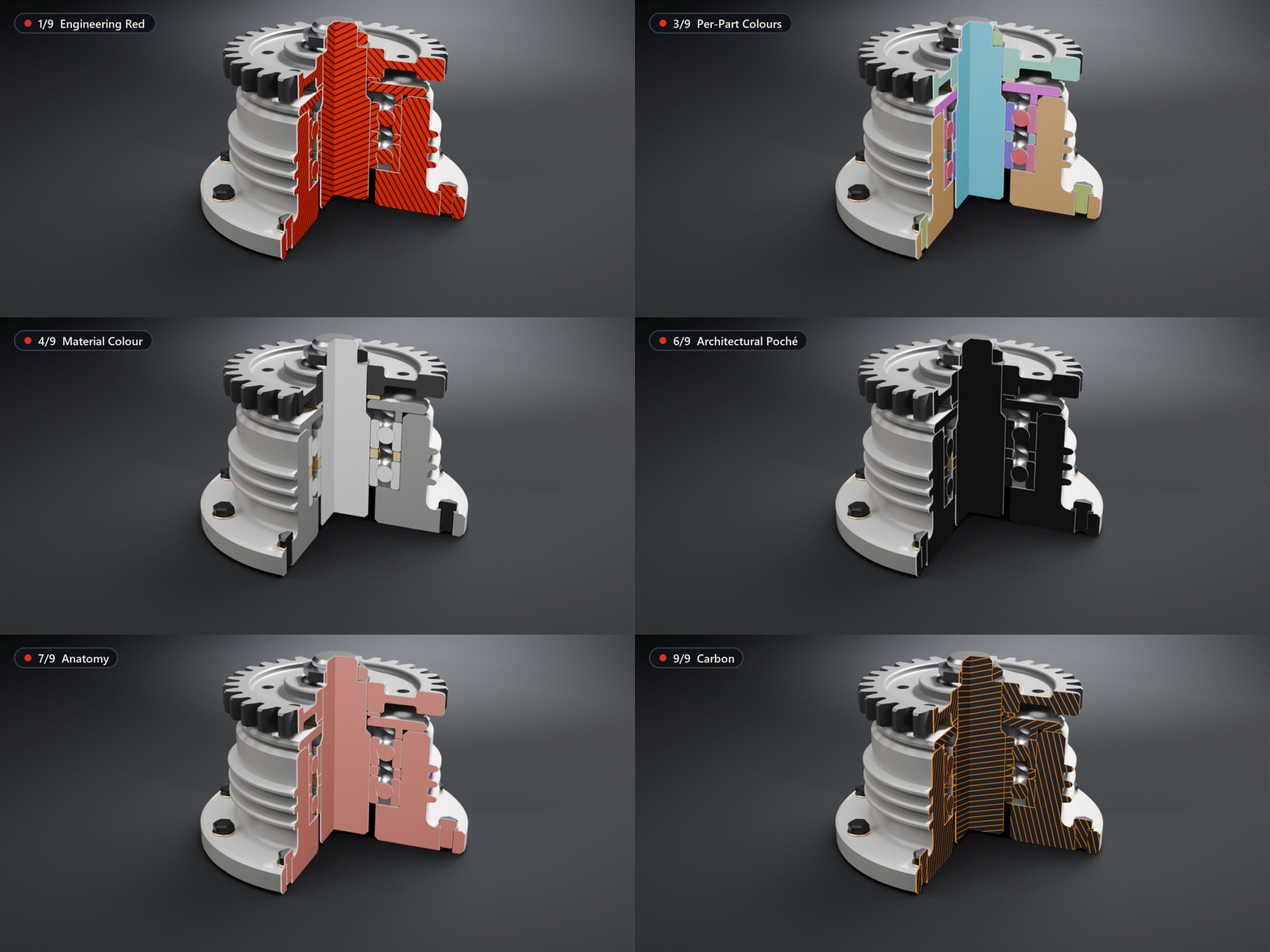
Nine looks, one click each.
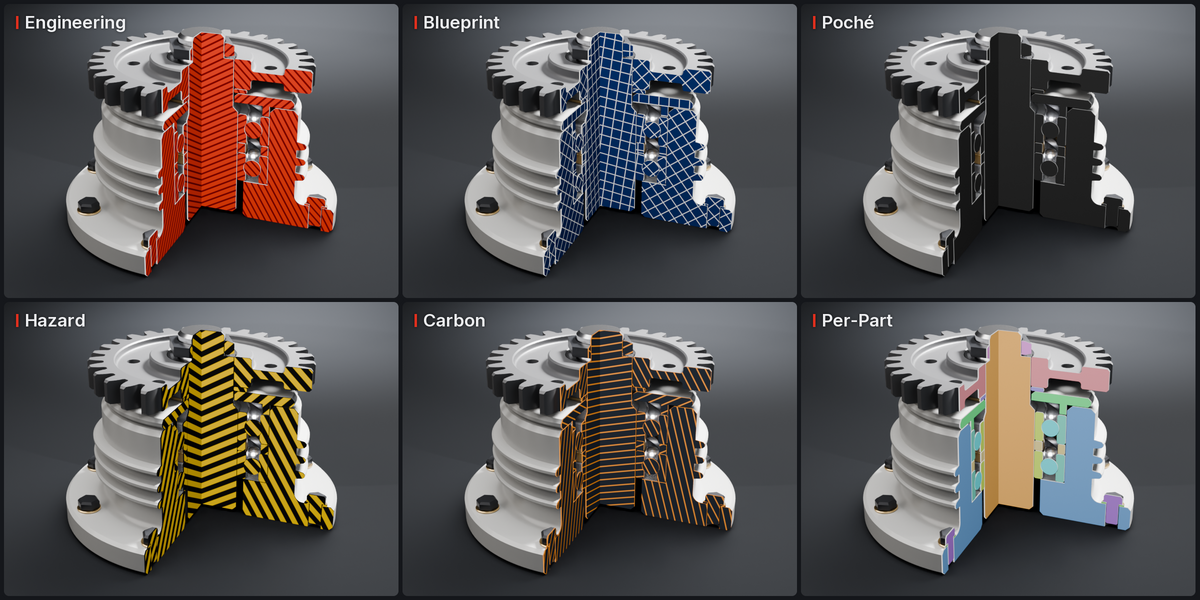
Engineering Red, Blueprint, Per-Part Colours, Material Colour, Clean White, Architectural Poché, Anatomy, Hazard Stripes and Carbon. A style only sets the cap settings, so you can change any of them afterwards.
| ✓ | Caps can be plain, hatched or cross-hatched. |
| ✓ | Soft shading looks the same in Cycles and EEVEE; Lit reacts to your lights; Flat is pure colour, like a drawing. |
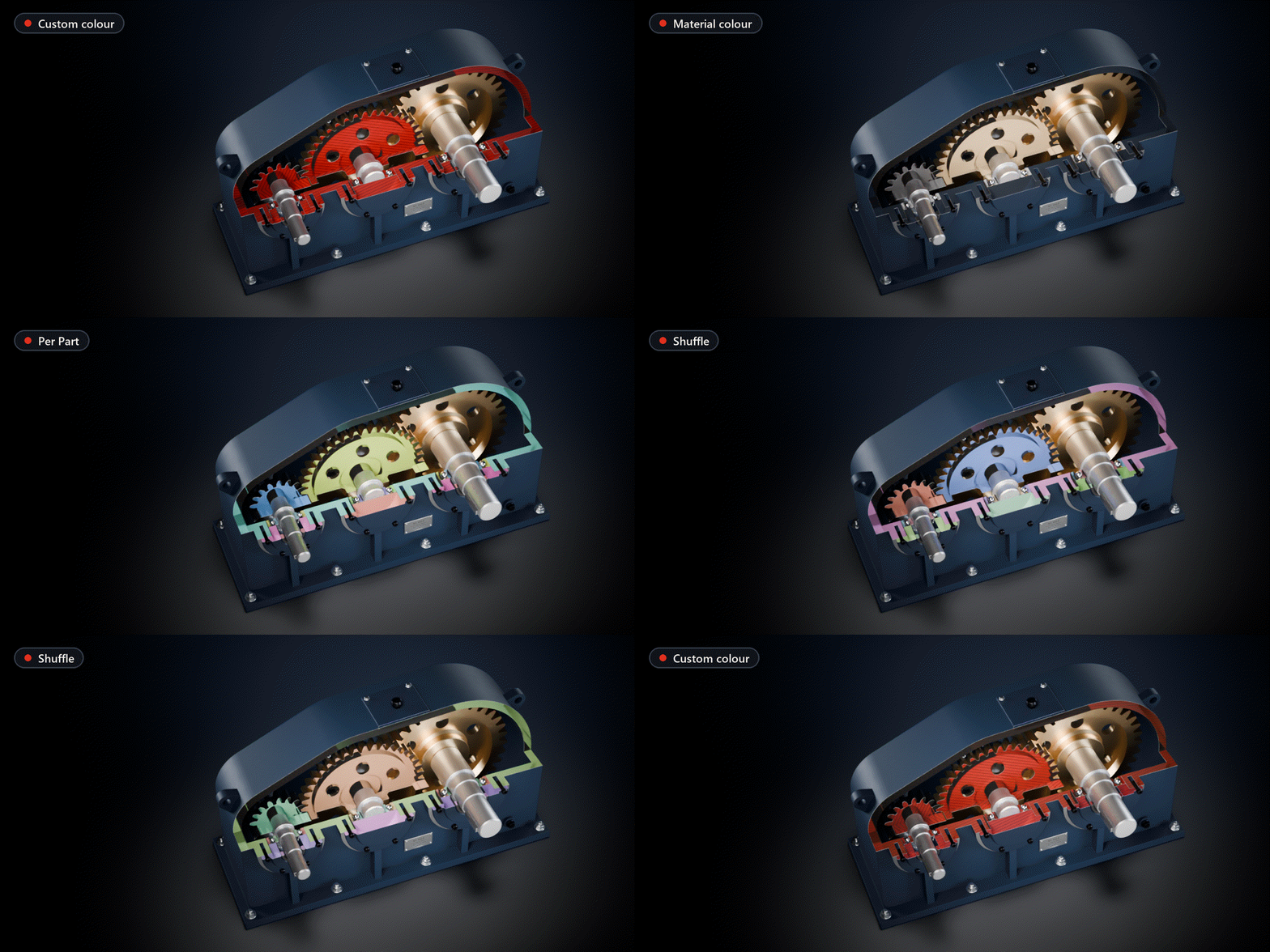
One colour, the material's, or one per part.
Colour From switches between a custom colour, each material's own base colour, and a distinct colour per object for assemblies. Shuffle gives a new palette; parts you add later never recolour the ones you have.
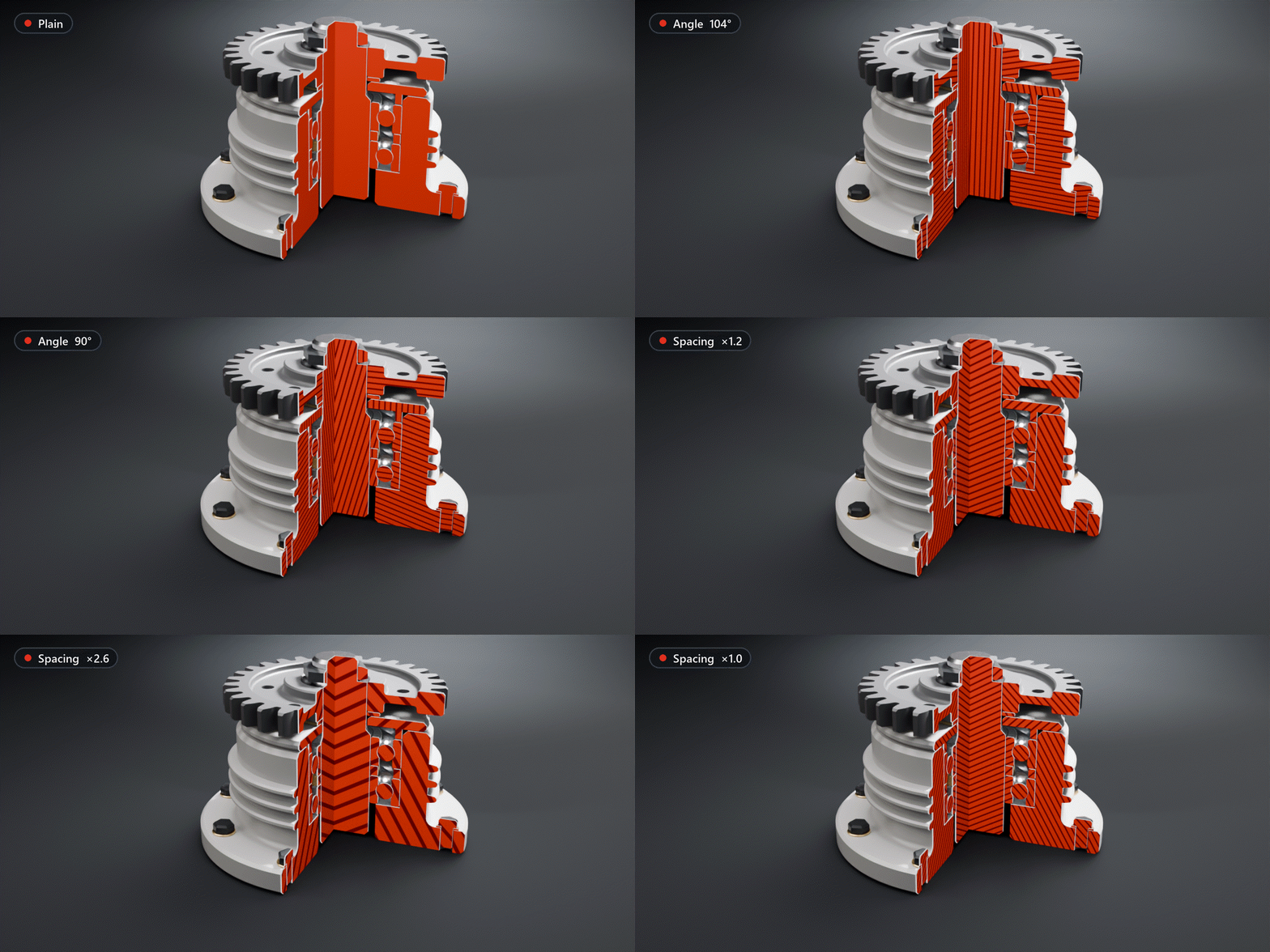
Section lines you can tune.
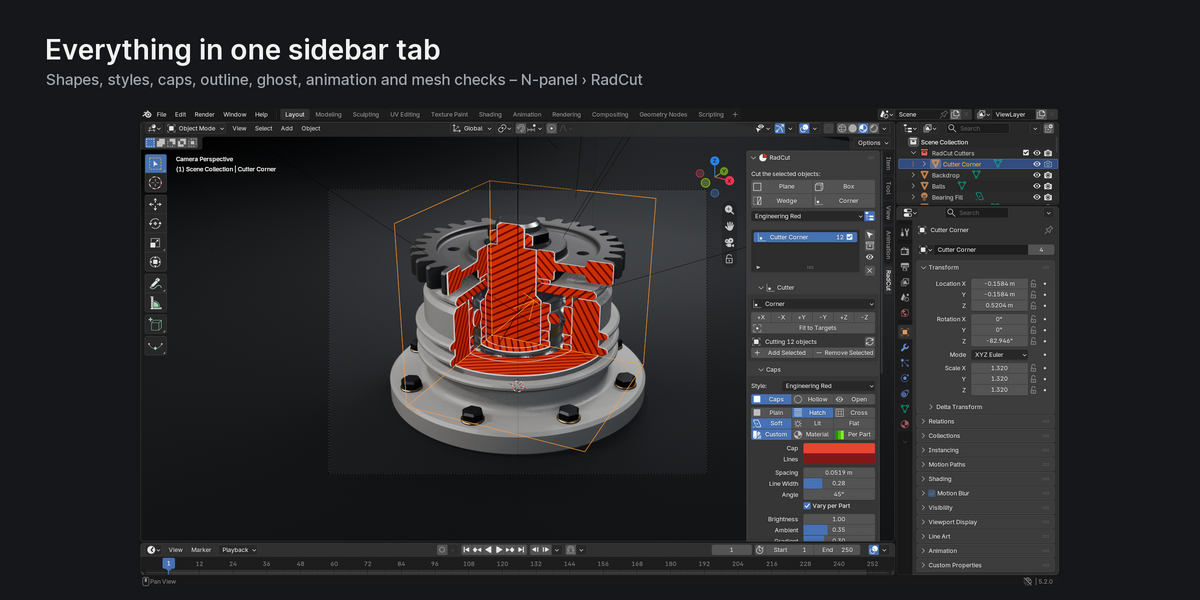
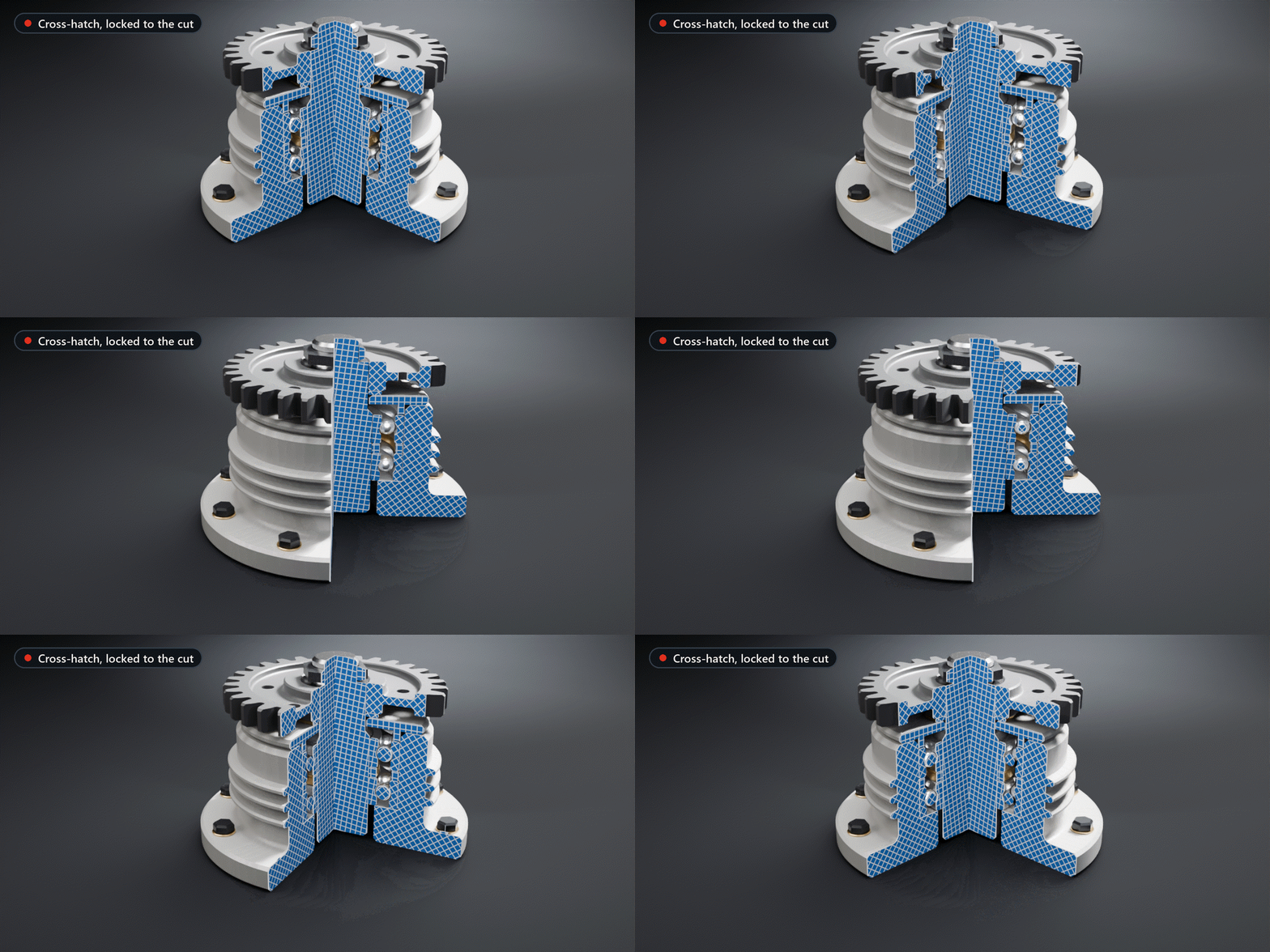
Spacing, line width and angle are plain sliders; spacing is in scene units and starts at a size that suits your model. With Vary per Part neighbouring parts get different hatch directions, as in technical drawings (ISO 128), so touching sections never merge.
Straight, even lines while it moves.
The pattern is worked out on the exact cut plane, so the lines stay straight and evenly spaced in perspective and while the cutter or the camera moves. No UVs needed.
Keep the silhouette.
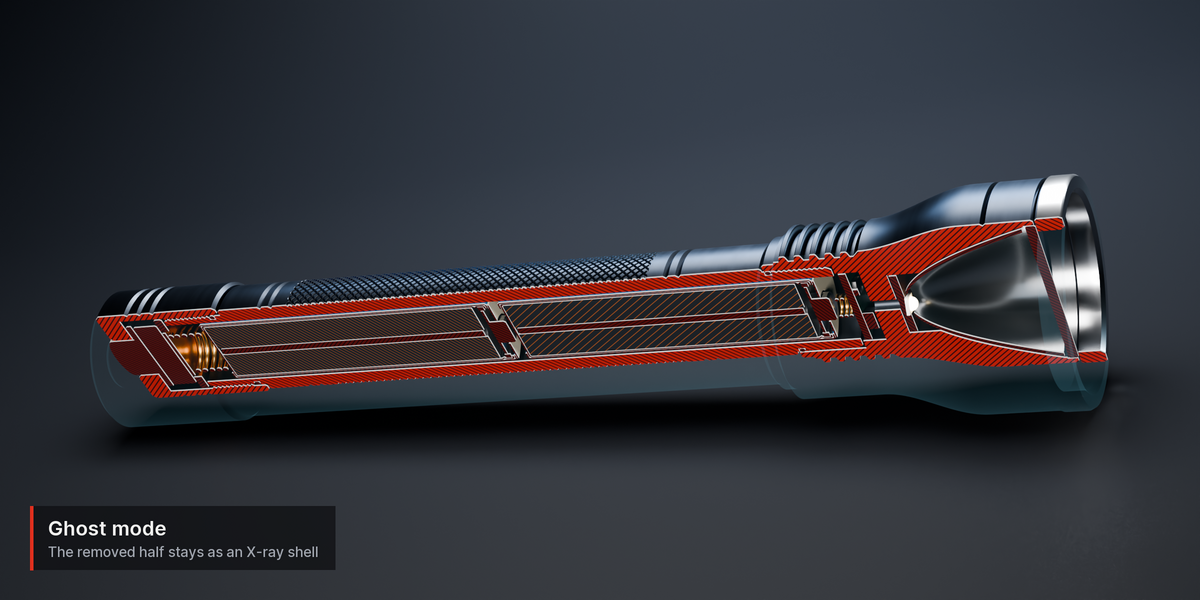
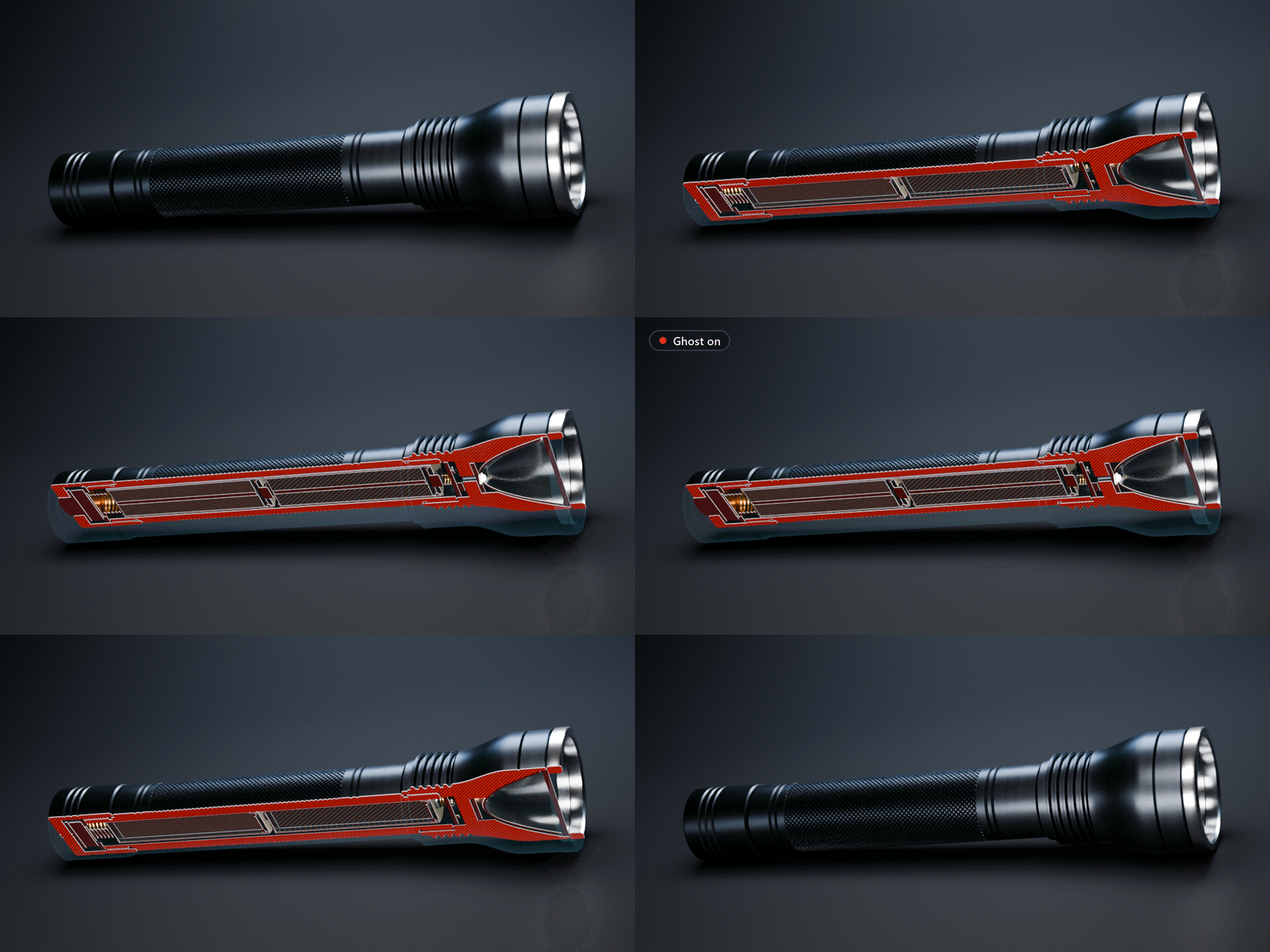
Ghost shows the removed part as a faint X-ray shell, so the viewer still reads the whole object. You pick its colour and opacity.
| ✓ | In EEVEE, 64 or more render samples give the smoothest ghost. |
Reveal, Orbit, Close: keyed for you.
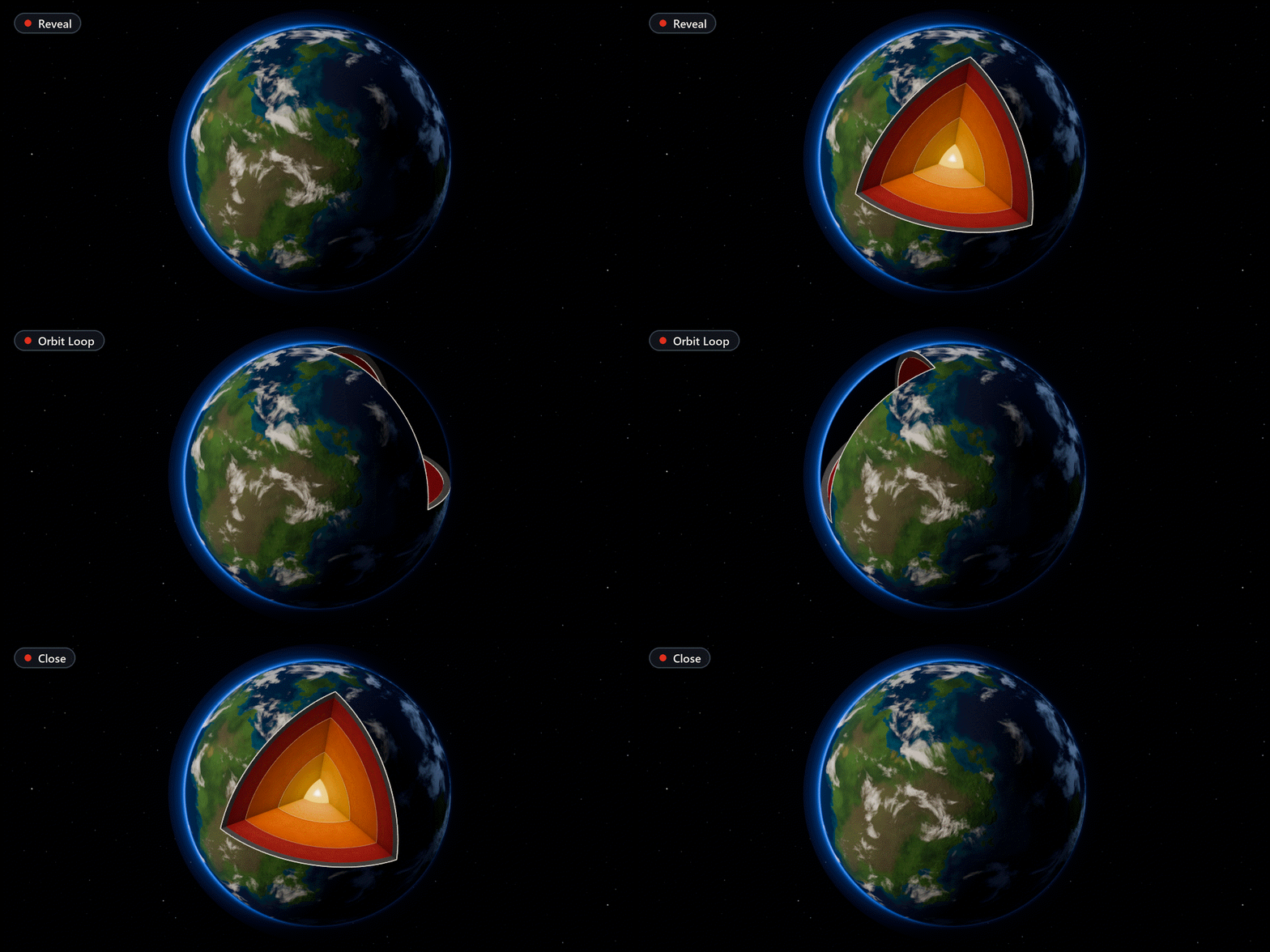
Reveal sweeps the cut in from nothing to where you placed it, Close plays it backwards and Orbit Loop spins the cutter once around, as a seamless loop for turntables and GIFs. They only key the cutter, so your other animation stays.
| ✓ | Ease In-Out, Ease In, Ease Out or Linear. |
| ✓ | Works with a cutter parented to a rig, or keyframe the cutter by hand like any object. |
Every layer in its own colour.
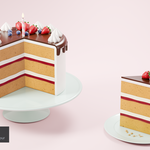
With Material Colour each cap takes the colour of the material it cuts: sponge, jam and cream here all come from their own materials. A second cutter halves a strawberry on the table.

Dollhouse views of a whole building.
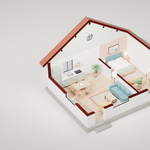
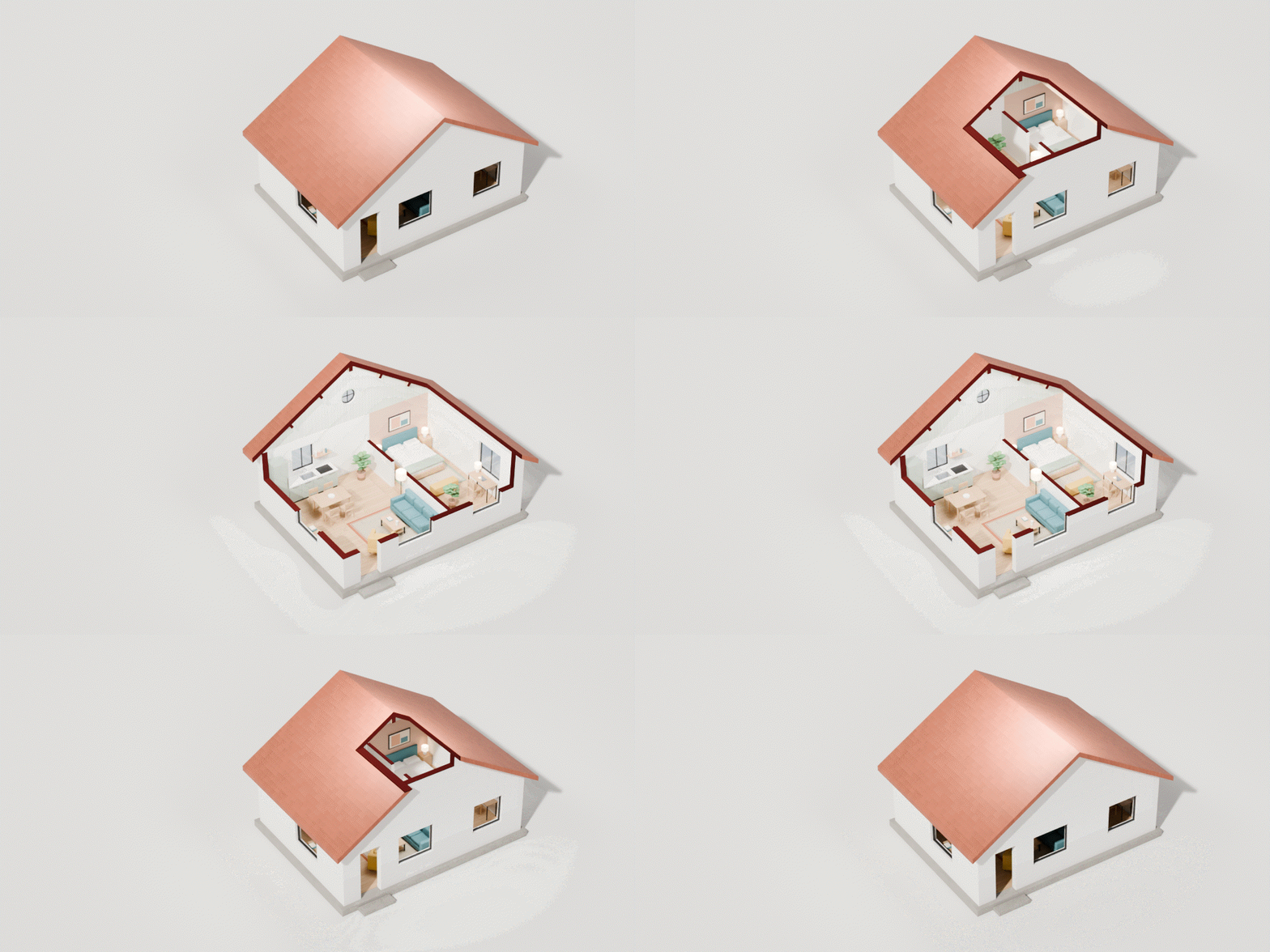
One Corner cutter opens the front and the roof, a second, horizontal Plane cuts the inner walls at the same height. The furniture stays whole, because RadCut only cuts the objects you give it.
One cutter per layer.
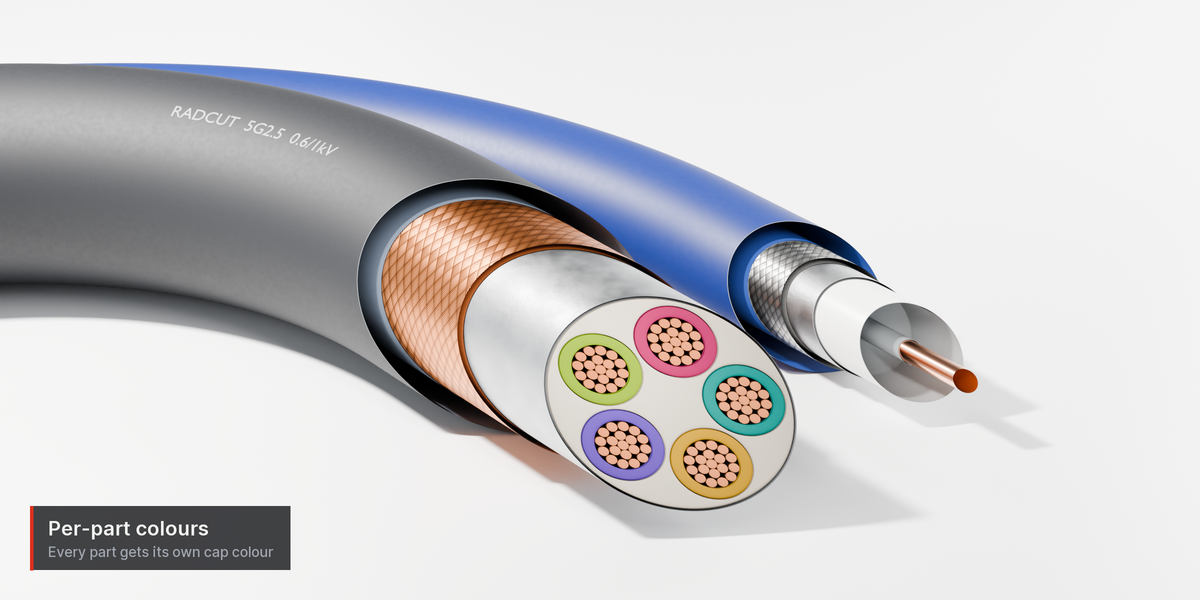
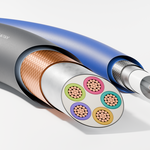
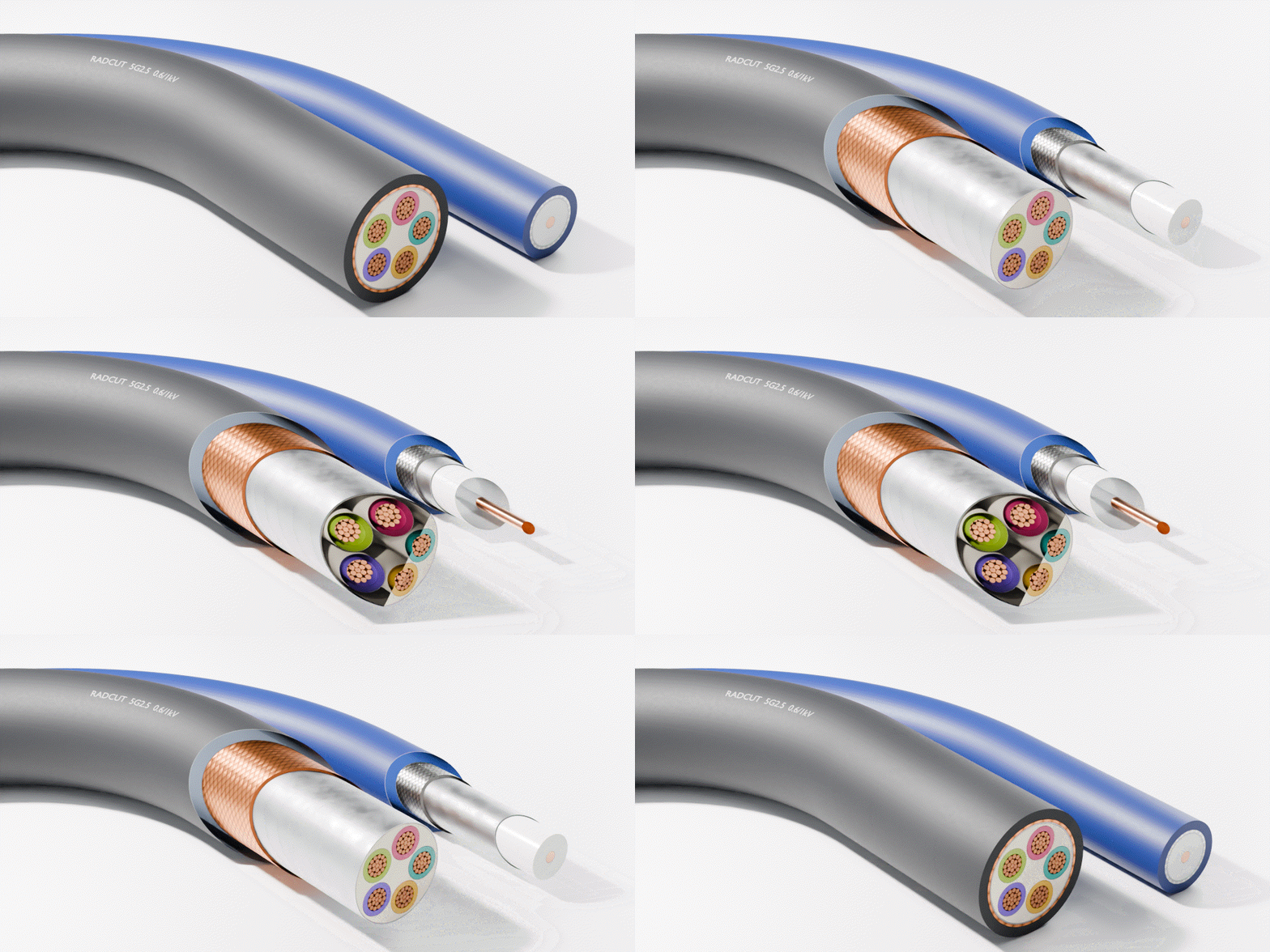
Each cutaway has its own shape, place and look, and every object follows one of them. Here the jacket, braid, foil and core of two cables each have their own Plane, stripped back in turn with Reveal.
| ✓ | Several cutters per scene; collection instances and parented hierarchies are supported. |
Open up a character.
A toy robot with a hollow head and body: the Corner cut shows the batteries, motor, gears and boards inside, with a colour per part, and Ghost keeps the removed quarter as a faint outline.

Switch it off and your model is back.
RadCut adds one small node group in front of each material's output. It doesn't use booleans, add modifiers or edit meshes, so switching the cutaway off shows your model exactly as before, and Remove restores every material and its settings.
| ✓ | Shared materials stay shared: objects outside the cut are untouched. |
| ✓ | Render-farm safe: the file renders the same on a machine without RadCut (no Python at render time). |
| ✓ | Cycles (CPU and GPU) and EEVEE, plain shader nodes, no OSL. |
Open meshes found and fixed.
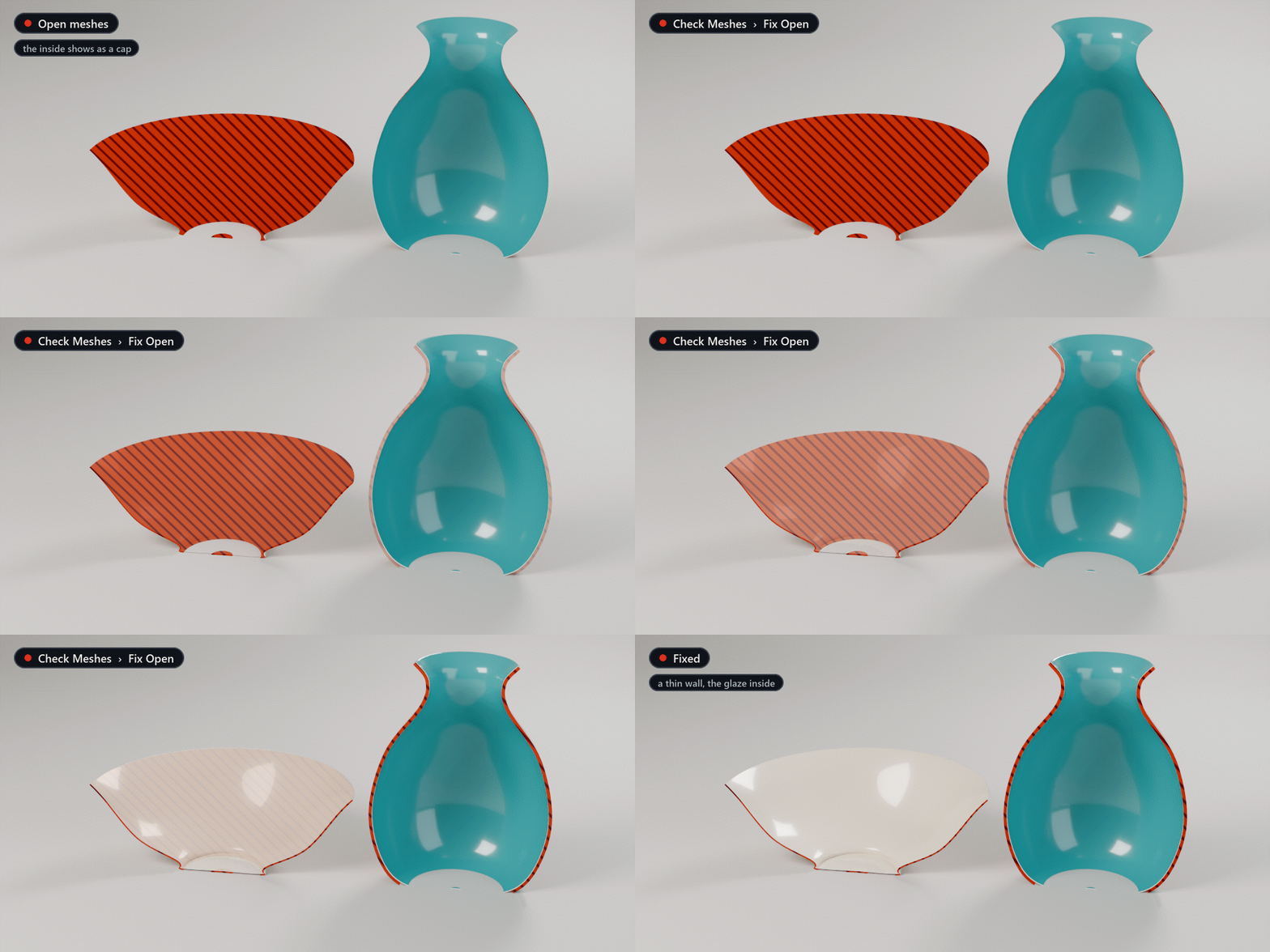
Caps need closed meshes. Check Meshes selects parts that are open or have flipped faces, as rendered (with modifiers). Fix Open gives open meshes a thin Solidify and fills the caps of bevelled curves; Fix Normals turns flipped faces round.
| ✓ | Lift Touching Parts raises parts that sit exactly on another surface by about 0.1 mm, which would show speckles in Cycles. |
Made for anyone who shows what's inside
Product & industrial visualisation
Half-sections and ¾ cutaways of assemblies with clean caps, straight from your Cycles or EEVEE scene.
|
Technical & mechanical illustration
Hatched sections with per-part directions (ISO 128), section outlines and flat, drawing-like caps.
|
Science, medical & explainers
Planets, anatomy and layered materials in their own colours, revealed and orbited with one click.
|
Archviz & motion design
Dollhouse views of buildings, and cut animations that stay non-destructive.
|
Select. Click a shape. Move the cutter.
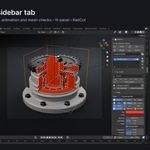
1. Select the objects; children are included. 2. In the sidebar (N) ▸ RadCut, click Plane, Box, Wedge or Corner: the viewport switches to Material Preview so you see the cut. 3. Move, rotate and scale the red cutter, pick a style and render as usual. RadCut is also in the Object menu, the right-click menu and on Shift+Alt+X.
- Caps need closed (watertight) meshes. An open mesh shows the inside of its shell instead; Check Meshes and Fix Open help, but very broken models may need a little cleanup.
- No section box that keeps only what's inside a box: a shader-only cut can't draw correct caps for that, so it isn't offered. Plane, Box, Wedge and Corner cover most shots.
- Volume shaders and displacement aren't clipped, and glass or refraction looks unusual when cut.
- Linked (library) objects and materials are skipped until you make them local.
- With Material colours, 3D procedural textures look stretched on the cap; plain colours and image textures are fine.
- The cap look isn't animatable: you animate the cutter. The cut shows in Material Preview and Rendered view, not in Solid view.
- Render passes (AO, Normal …) on caps come from the hidden inside face, not from the flat cap.
- radcut-1.0.0.zip: the add-on for Blender 4.2 LTS to 5.2 LTS, tested on 4.2, 4.5, 5.1 and 5.2. It is plain Python and shader nodes; nothing in it is Windows-only.
- A PDF user guide (install, every setting, tips, limitations, troubleshooting) and two demo scenes: the gearbox assembly from these images and a part to try every style on.
- The other scenes in these GIFs (cake, house, planet, flashlight, cables, robot) were made to show RadCut and aren't part of the download.
- Free updates for every 1.x version. The add-on is GPL-3.0-or-later; your renders are yours, commercial use included.
Questions, or a model that won't cut cleanly? Message me here or at [email protected] with your Blender version and, if you can, a small .blend. I answer every message.
Blender is a trademark of the Blender Foundation. RadCut is not made, endorsed or supported by the Blender Foundation.
