Random Backrooms Generator
 blender-world



English
Installation
- Open Blender.
- Go to Edit → Preferences → Add-ons.
- Click Install from Disk.
- Select the Procedural Backrooms Generator ZIP file.
- Enable the add-on.
Generation
- Open the Procedural Backrooms Generator panel.
- Set the World Size.
- Choose a Preset.
- Enter a Seed.
- Click Generate World.
Using the same Seed with the same settings will reproduce the same world structure.
Result
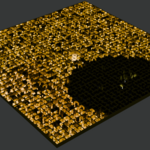
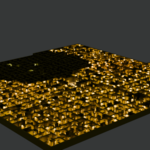
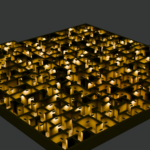
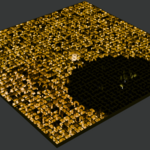
After generation, you get a complete Blender scene.
The main scene elements remain editable:
- walls and rooms;
- props;
- lighting;
- materials;
- individual scene objects.
They can be moved, deleted, duplicated, and edited manually like normal Blender objects.
$24.99
Have questions about this product?
Login to message
| Blender Extension Compatible | Yes |
| Published | about 1 month ago |
| Blender Version | 4.5 - 5.2 |
| Extension Type | Add-on |
| Render Engine Used | Cycles, Eevee |
| License | GPL |
Discover more products like this
procedural blender level design prefab environment models materials addon backrooms