 PlugIn3D


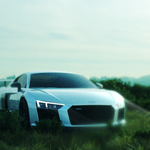
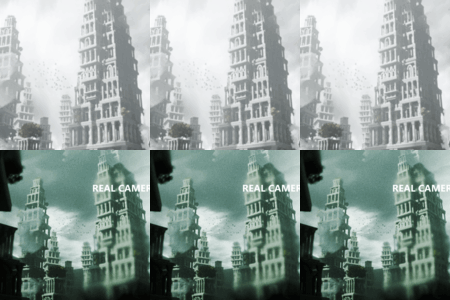
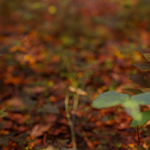
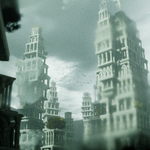
Real Camera is a Blender add-on that simulates real-world lenses and optical effects for cinematic rendering. It creates a realistic lens plane with procedural dirt, customizable depth of field, and physical lens properties based on real-world data.
✅ Installation
-
Download the
.zipfile (do not unzip it). -
In Blender, go to
Edit > Preferences > Add-ons. -
Click Install, select the
.zipfile, and enable Real Camera FX. -
The panel will appear in the N-panel under the RealCamera tab in the 3D Viewport.
🎥 How to Use
-
Press “Add Real Camera” in the panel.
-
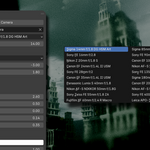
Choose a lens preset from 20 real-world options (e.g., 35mm Canon, 85mm Sigma).
-
Adjust the focus mode:
-
Empty: Focuses on a helper empty (good for animation).
-
Distance: Manual focus by distance.
-
Object: Focus on any selected object.
-
-
Enable or disable Depth of Field and set the F-Stop.
-
Use sliders to tweak:
-
Lens dirt and noise
-
Dust amount and spread
-
Glass color and exposure
-
Plane clipping and focus target position
-
🛠 Technical Notes
-
The shader uses procedural nodes for dust and dirt — no image textures needed.
-
Presets automatically update focal length, F-Stop, and IOR values.
-
Works with Cycles and Eevee.
-
All generated objects are parented to the camera for easy transformation.
🧑💻 License
This add-on is licensed under the GPL (open-source). You are free to use, modify, and distribute it.
Have questions about this product?
Login to message
| Sales | 10+ |
| Dev Fund Contributor | |
| Published | about 1 year ago |
| Blender Version | 3.0 - 4.5 |
| Extension Type | N/A |
| Render Engine Used | Cycles, Eevee |
| License | GPL |
Discover more products like this
realistic glass camera-shader film look dof Render Effects cinematic lens lens dirt Blender Add-on photorealism depth of field blender lens addon real camera