Real Particles
 topchannel1on1


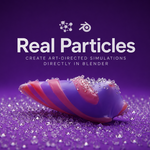


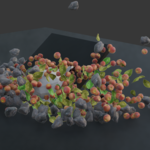
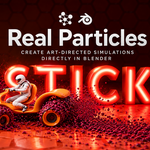
RealParticles Module Documentation
RealParticles is a realButtons module for Blender that provides particle creation tools and particle-system workflow helpers inside the 3D Viewport.
Location in Blender:
View3D > realButtons > Particles
Primary purpose:
- Create particle effects quickly.
- Work from selected scene objects, emitters, curves, or meshes.
- Build effects directly in the viewport.
- Prototype physical, reactive, sticky, and guided particle behaviors.
Main Tools
- Particle Pile
- Emits disk particles over time.
- Uses custom collision behavior.
- Designed for piling, stacking, and accumulating particle objects.
- Useful for:
- Falling debris
- Coins, stones, disks, or small objects
- Settling particle simulations
- Visual pile-up effects
- Reactor Particles
- Emits particles from source emitters.
- Spawns additional particles when impacts occur.
- Designed for chain-reaction particle effects.
- Useful for:
- Sparks
- Impact bursts
- Secondary debris
- Reactive motion tests
- Sticky Particles
- Spawns particles from the active emitter mesh.
- Particles attach or behave like scaffold-style surface particles.
- Designed for effects where particles cling to a form.
- Useful for:
- Growth effects
- Surface buildup
- Clusters attached to mesh surfaces
- Stylized particle structures
- Cluster Particles
- Creates breakable debug-point particle clusters from a mesh volume.
- Designed for grouped particle structures.
- Useful for:
- Testing clustered particle behavior
- Breakable forms
- Volume-based particle placement
- Experimental procedural structures
- Follow Curve
- Emits particles that follow selected curves.
- Responds to curve guidance and scene forces.
- Designed for directional particle motion.
- Useful for:
- Trails
- Flowing particles
- Guided effects
- Motion paths
- Voronoi Collapse
- Scatters Voronoi fracture seeds.
- Generates pieces that can collapse using physics.
- Designed for destruction-style particle and fracture effects.
- Useful for:
- Crumbling objects
- Collapse simulations
- Fracture previews
- Physics-driven breakage
Typical Workflow
- Select a source object
- Choose the mesh, curve, or emitter object that will drive the effect.
- The selected object acts as the starting point for particle creation.
- Choose a RealParticles tool
- Pick the behavior that matches the effect:
- Pile for accumulation
- Reactor for impact spawning
- Sticky for surface attachment
- Cluster for grouped particles
- Follow Curve for guided motion
- Voronoi Collapse for fracture-based collapse
- Pick the behavior that matches the effect:
- Adjust settings
- Tune particle count, emission behavior, collision behavior, or object references depending on the selected tool.
- Work directly in the viewport so changes are visible while adjusting.
- Preview the result
- Play or step through the scene to inspect the particle behavior.
- Refine the source object, particle settings, or physics setup.
- Bake or finalize
- Once the behavior is correct, bake or commit the result if the workflow requires stable simulation output.
Best Use Cases
- Motion graphics particles
- Destruction previews
- Falling object effects
- Reactive impact particles
- Surface-based particle growth
- Curve-guided particle trails
- Procedural scene dressing
- Fast visual effects prototyping inside Blender
Module Strengths
- Viewport-first workflow
- Focused particle tools
- Works from common Blender object types
- Good for fast iteration
- Designed for artists using realButtons panels
- Keeps particle setup close to the active scene context
$8
Have questions about this product?
Login to message
| Sales | 40+ |
| Published | 3 months ago |
| Blender Version | 5.1 - 5.2 |
| Extension Type | N/A |
| Render Engine Used | Cycles, Eevee |
| License | GPL |
