Real Time Soft Body Collision
 Blender Procedural



Documentation
Real Time Soft Body Collision
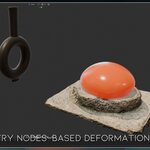
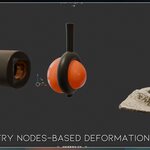
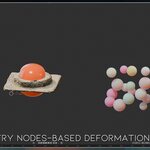
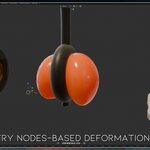
Real Time Soft Body Collision is a procedural Geometry Nodes system that creates soft-body-style deformation when an object interacts with selected colliders. It works directly in the viewport and does not require simulation baking.
Setup
Add the Geometry Nodes setup to the object you want to deform.
Apply the object scale for more predictable results.
Use a sufficiently dense mesh or add subdivision before the Geometry Nodes modifier.
Create a collection for your collider objects.
Select this collection from the Collection input.
Move or animate the colliders to create deformation.
Adjust the exposed settings until you achieve the desired result.
Controls
Collection
Selects the collection containing the collider objects. Multiple colliders can be placed inside the same collection.
Pressure Scale
Controls how strongly the object retains its original volume.
Lower values create softer and more compressed deformation. Higher values help the object preserve its shape.
Margin
Controls the distance at which the deformation begins.
Use lower values for tighter contact or increase the value if the collider intersects the surface before deformation appears.
Strength
Controls the overall intensity of the deformation.
Lower values create a subtle response, while higher values produce stronger compression.
Falloff Distance
Controls how far the deformation spreads beyond the contact area.
A low value creates focused indentation. A higher value produces wider and softer deformation.
Smooth Position
Smooths the deformed surface.
Increase this setting if the result appears sharp or noisy. Lower values preserve more contact detail.
Ray Limit Scale
Controls the collision detection range.
Increase this value when working with larger objects or when some collisions are not detected. The correct value depends on the scale of the scene.
Deform Collection
Determines whether the selected collection participates in the deformation workflow. Enable it when the collection objects need to be treated as deformable geometry.
Collision Mode
Defines how the selected collection interacts with the system.
Collider Only uses the collection objects only as collision sources. This mode is recommended for rigid objects that press against the deformable surface.
Have questions about this product?
Login to message
| Sales | 10+ |
| Downloads | 300+ |
| Rating | 2 ratings |
| Published | about 2 months ago |
| Blender Version | 5.0 - 5.2 |
| Render Engine Used | Cycles, Eevee |
| License | Royalty Free |
Discover more products like this
physics motion graphics procedural soft deformation real-time soft body collision deformation geometry nodes Blender geometry nodes