 Cognito Visuals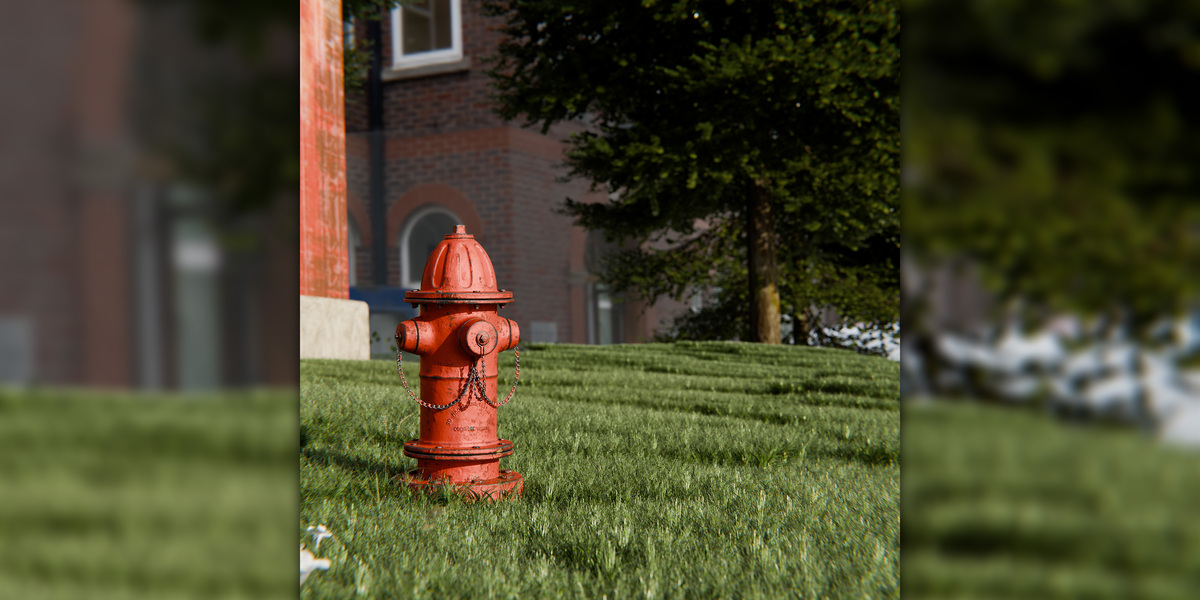
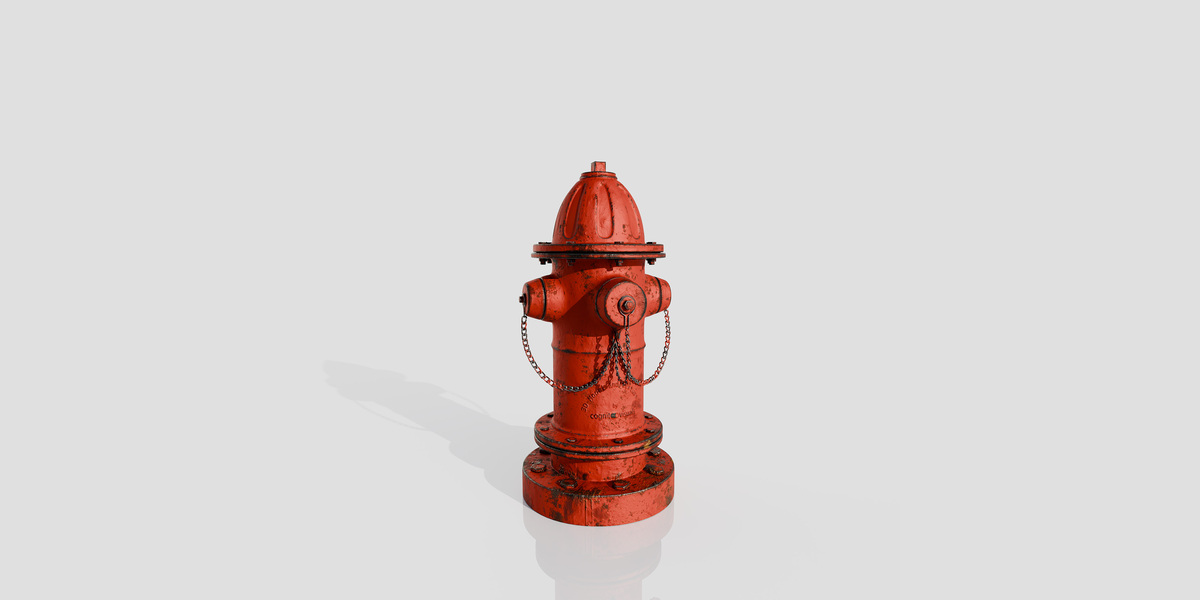


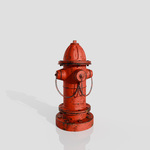
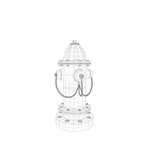
Realistic Fire Hydrant 3D Model
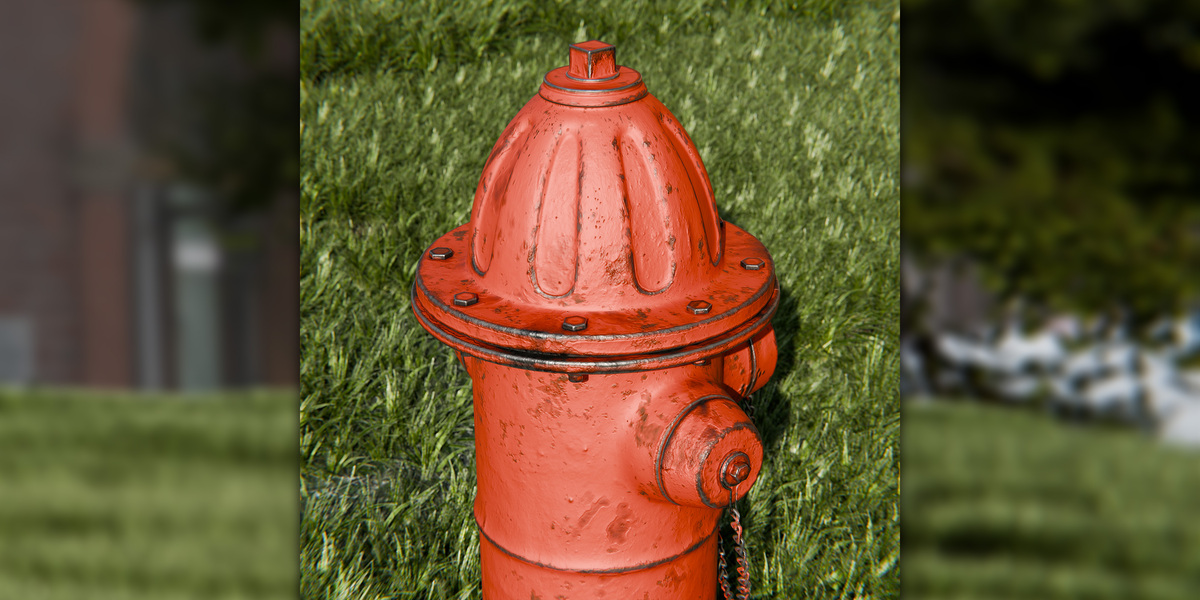
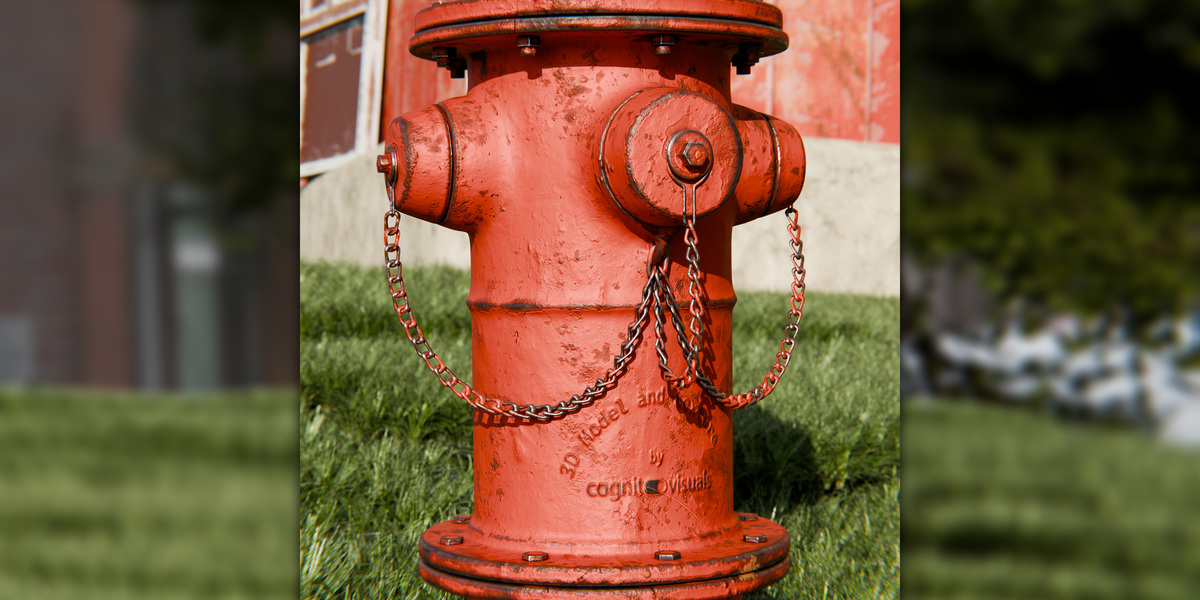
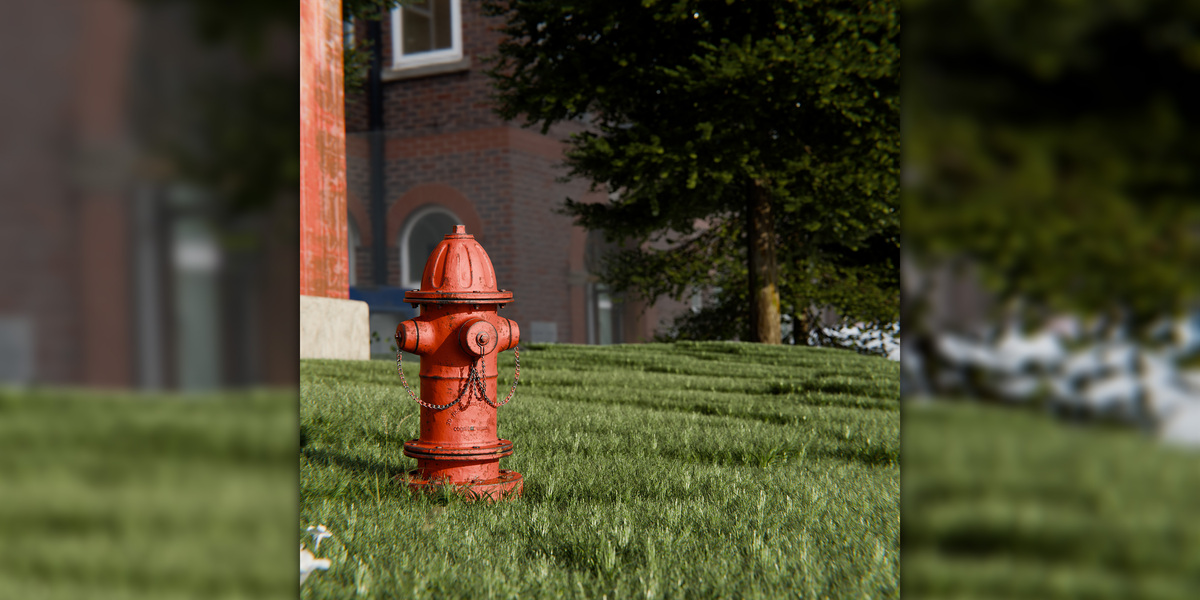
Bring authentic street and infrastructure detail to your 3D environments with this Realistic Fire Hydrant 3D Model.
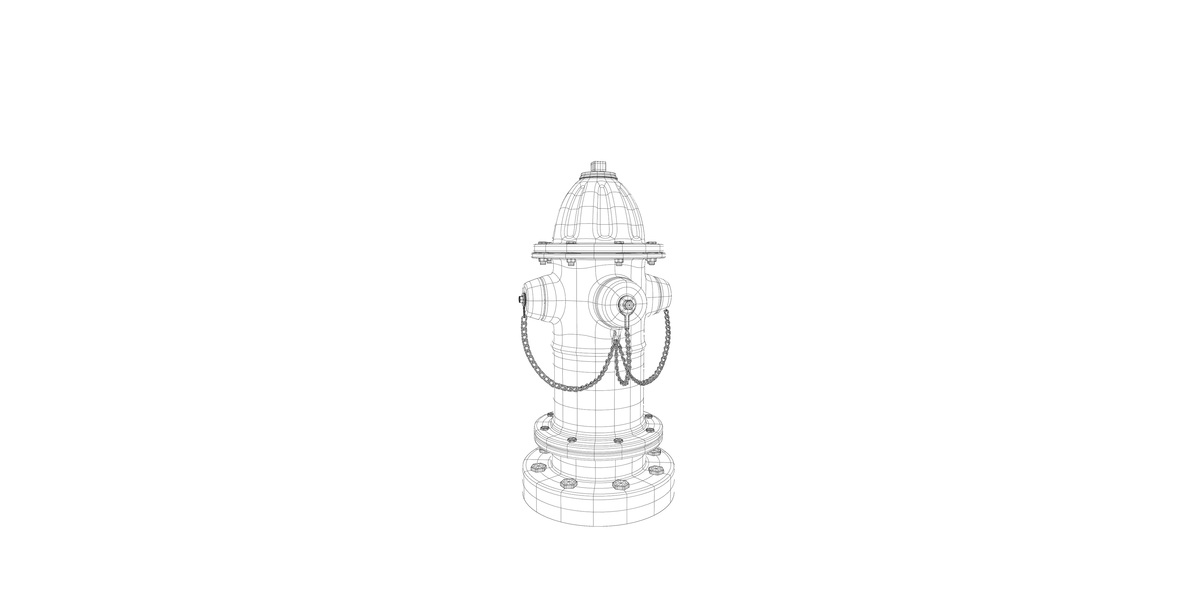
Designed as a detailed urban utility prop, the model features a recognizable fire hydrant structure with multiple mechanical components and a realistic metal-focused material setup. Its clean quad-based geometry, UV mapping and PBR workflow make it easy to integrate into Blender scenes and customize for different environments.
Whether you are creating an architectural visualization, city street, road scene, industrial environment, landscape project, exterior render or urban environment, this fire hydrant can add an extra layer of realism without requiring you to model a street prop from scratch.
Key Features
Realistic fire hydrant design
Detailed mechanical and structural components
Clean quad-based polygon geometry
20,349 polygons
20,466 vertices
UV mapped
Non-overlapping unwrapped UVs
PBR material workflow
Realistic metal material appearance
Textures and materials included
Editable and customizable
Suitable for close and medium-distance visualization
Native Blender file included
FBX format included
Texture maps included
Designed for Realistic Environments
A fire hydrant is a small environmental detail, but adding correctly modeled infrastructure props can significantly improve the realism of an urban scene.
This asset is suitable for:
City streets
Sidewalks
Roads
Residential neighborhoods
Commercial developments
Industrial areas
Public spaces
Parks
Building exteriors
Landscape visualization
Urban planning scenes
Architectural visualization
Exterior rendering
Environment design
Film and animation scenes
Game and real-time workflows where the supplied format is supported
PBR Material Workflow
The model uses a Physically Based Rendering (PBR) material workflow designed to produce realistic surface response under different lighting conditions.
The asset includes texture and material data suitable for creating realistic metal surfaces.
You can adjust the material in Blender to change properties such as:
Surface color
Roughness
Metallic appearance
Surface response
Weathering or color variation
This makes it possible to adapt the hydrant to different urban environments and visual styles.
Clean Quad Geometry
The model contains 20,349 polygons and 20,466 vertices and uses polygonal quad geometry.
Quad-based topology provides a clean structure for editing and material work while keeping the model suitable for detailed visualization.
UV Mapped and Unwrapped
The model is UV mapped with non-overlapping unwrapped UVs, providing a prepared foundation for texture editing and customization.
You can use the existing UV layout to modify the supplied materials or create your own texture variations.
Included Files
The product package includes:
BLEND — Native Blender scene
FBX — Universal 3D exchange format
Texture Maps — Supplied texture files
GLB — Available as indicated by the source product listing
The native Blender version is recommended when working primarily in Blender because it provides the most direct access to the supplied scene and material setup.
Blender Compatibility
The supplied native scene is prepared for:
Blender 5.2
Cycles Render 4.5
The product also lists compatibility with:
Maya 23
FBX
Technical Specifications
| Specification | Details |
|---|---|
| Product Type | Fire Hydrant 3D Model |
| Geometry | Polygonal |
| Polygon Count | 20,349 |
| Vertex Count | 20,466 |
| Geometry Type | Quads |
| UV Mapping | Yes |
| UV Layout | Non-overlapping, unwrapped |
| Materials | Included |
| Textures | Included |
| Material Workflow | PBR |
| Native Software | Blender |
| Blender Version | 5.2 |
| Render Engine | Cycles 4.5 |
| Additional Software | Maya 23 |
| Exchange Format | FBX |
| Additional Format | GLB |
| Texture Package | Included |
Ideal for Architectural Visualization
Use the fire hydrant as an environmental detail in architectural and exterior visualization projects.
It can be placed alongside:
Sidewalks
Roads
Curbs
Parking areas
Residential buildings
Commercial buildings
Industrial facilities
Parks
Landscape elements
Urban furniture
Street infrastructure
Small environmental assets like hydrants can help make architectural renders feel more complete and believable.
Urban and City Scene Applications
This model works particularly well as a background or foreground prop in urban environments.
Create scenes such as:
Modern city streets
Residential neighborhoods
Downtown environments
Industrial districts
Commercial streets
Public parks
Emergency-service environments
Roadside environments
Exterior building scenes
Customization
The supplied materials can be adjusted to fit your scene.
For example, you can modify the material appearance to represent:
Freshly painted infrastructure
Aged painted metal
Weathered surfaces
Different municipal color schemes
Dirtier or cleaner environments
Because the model is UV mapped, you can also create your own texture variations.
Close-Up and Medium-Distance Rendering
The detailed construction makes the asset useful when the fire hydrant is visible in the foreground or middle distance.
For close-up renders, combine the supplied material setup with appropriate lighting, reflections and surface variation to emphasize the mechanical details and metal construction.
For wider architectural shots, the model can function as a smaller environmental detail that adds visual credibility without becoming the primary subject.
Why Add a Fire Hydrant to Your Scene?
Urban environments can look incomplete when essential street infrastructure is missing.
A correctly modeled fire hydrant can help communicate:
Scale
Street functionality
Urban realism
Infrastructure
Public-space detail
Residential or commercial context
It is especially useful when creating scenes where viewers are close enough to notice smaller environmental objects.
Production Workflow
A typical workflow is:
1. Open the Blender file
↓
2. Check the supplied materials
↓
3. Place the hydrant in your environment
↓
4. Adjust materials or colors if required
↓
5. Set up lighting
↓
6. Position the camera
↓
7. Render
Important Product Information
This is a digital 3D asset for use in compatible 3D software.
No physical fire hydrant is included.
The supplied technical specifications should be used as the reference for the product. Compatibility and material interpretation may vary when using exchange formats in software other than the native Blender environment.
