 topchannel1on1




Blender add-on
Super Scatter
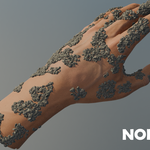
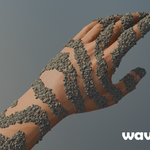
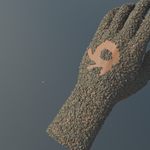
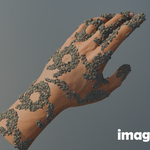
Rubble that piles where things fell, ivy that climbs where walls meet the ground, lianas slung between ruins. Select an object, click a preset, and the scene dresses itself, using a built-in library of debris and grass.
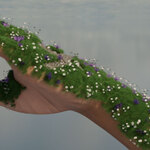
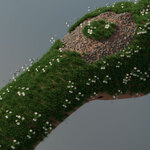
Debris, climbing vines, ivy and lianas, stacked on one scene from presets.
Debris
Rubble that knows where to fall
Debris Pile heaps broken brick, concrete, stone, splintered wood and gravel around an object, getting finer as it thins out. Pile On Top covers only the faces that point up and have nothing above them.
- Pile, Pile Height and Clumping: how much it mounds up against the object.
- Spread To: pick the floor and the rubble spills onto it.
- Keep Clear: pick paths or props nothing should land on.
- Camera Culling drops the pieces the camera can't see.
Vegetation
Vines and ivy with nothing to paint
Climbing Vines come up from the ground around the object and climb its walls. Ivy From Edges takes root along roof lines, corners and ledges and drapes down from them. Add more surfaces and the growth follows onto them.
- Vine Length, Wander and Stem Size shape the growth.
- Show Leaves with Leaf Coverage and Leaf Size for bare or lush.
- Three grass presets fill the corners where walls meet the ground, the tops of objects, or the ground underneath tables and benches.
Lianas
Jungle vines slung between ruins
Lianas finds the high points of the selected objects and hangs woody vines between them, dropping to the ground and dangling loose, twisted from several strands with leaf clumps and hanging moss.
- High to High, Ground to High and Dangling set how many of each kind.
- Sag and Sag Random set how much they droop.
- Connect Distance decides which points get joined.
Manager
Every preset stays editable
- Stack presets on one scene. Each gets its own row with eye and camera toggles, so you can compare with and without.
- Target, Scatter and Distances tabs hold every control: surfaces, density, piece size, spawn bounds, falloff and spread.
- Rebuild Preset and Reset Controls start over whenever you like.
- No black box: a preset is made of ordinary scatter systems, so you can open any of them and edit it by hand.
Tools
Scatter by hand, too
- Surface, Object, Draw and Drop Scatter: cover a surface, fill a box with objects, paint with a brush, or drop points onto whatever is beneath, aligned to it.
- Add, Erase and Edit Points to fix any single piece by hand.
- Pile and Physics settle pieces so they rest on each other naturally.
- Distribution layers and image masks, align to normals and randomise rotation and scale.
- Surface animation: points can ride a deforming surface and be baked.
Requirements
- Blender 5.1 or newer.
- Install from Preferences → Add-ons → Install from Disk, then open the The Super Addon tab in the 3D Viewport sidebar (N).
- The debris and grass library (bricks, concrete, stone, wood, gravel, tile shards, twigs, leaf litter and grass) ships with the add-on. Already own The Super Addon? Everything here is in its Scatter module.
See presets step by step in the video guide.
Open the video guide