 Red Engine Animation Studios


Light your scene in one click, not one hour.
60 studio lighting kits, backdrops, cameras and HDRIs in one Blender panel.
Good lighting is the slowest part of a render to get right. You add a light, move it, change the power, add another, build a backdrop, set up a camera, and an hour later you are still not rendering. Most of that work is the same every time.
RedLight Studio Kit puts a complete lighting studio in Blender's N-panel. Drop a rig on your model, pick a look from 60 studio kits, and render. Every light, backdrop and camera stays live and editable in the same panel, in EEVEE and Cycles.
Built by Red Engine Animation Studios for our own product and character work.
Everything a studio needs, in one panel
One-Click Studio Kits
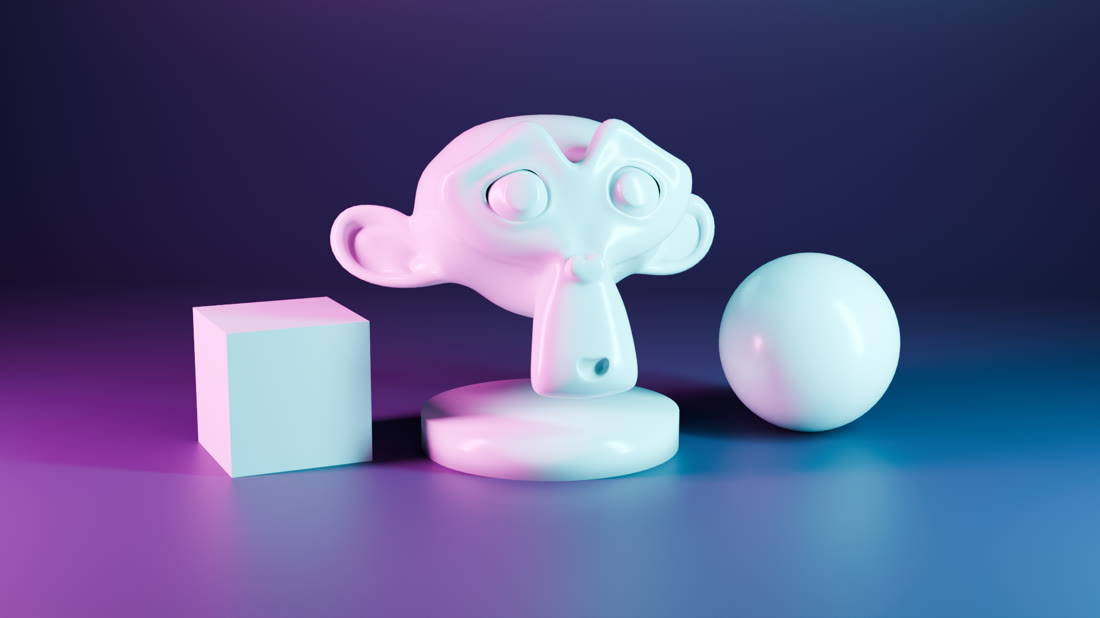
Browse 60 complete looks in a thumbnail grid and click Apply. A kit sets the lights, the world colour and the backdrop colour together, so the whole studio changes at once. Swap kits as often as you like: lights you added yourself are kept, and only the kit's own lights are replaced.
Projection Kits With Real Gobos
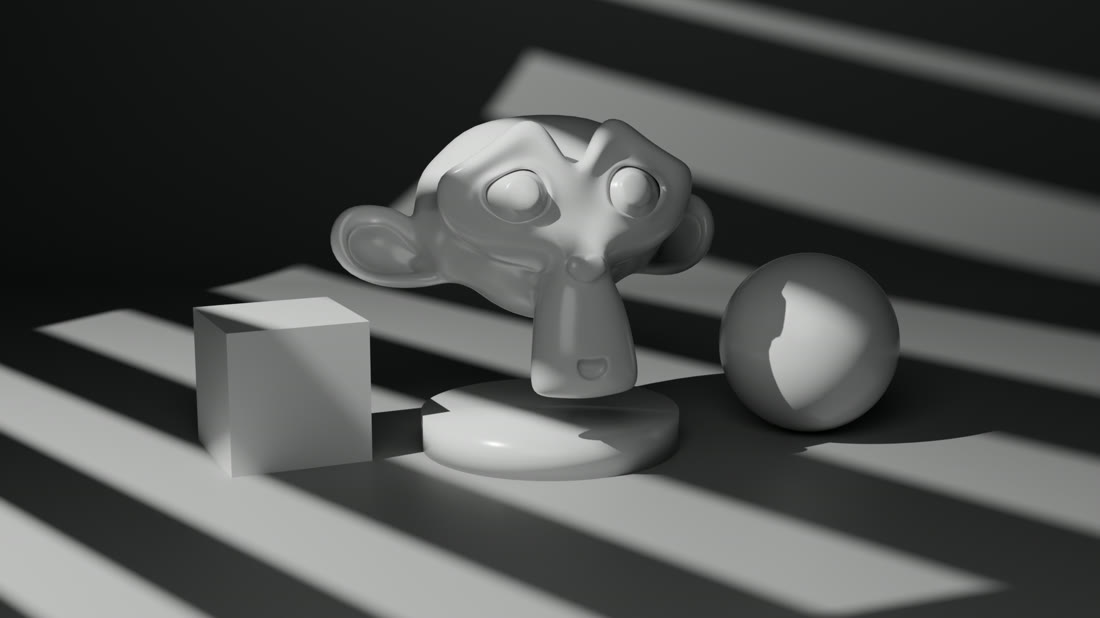

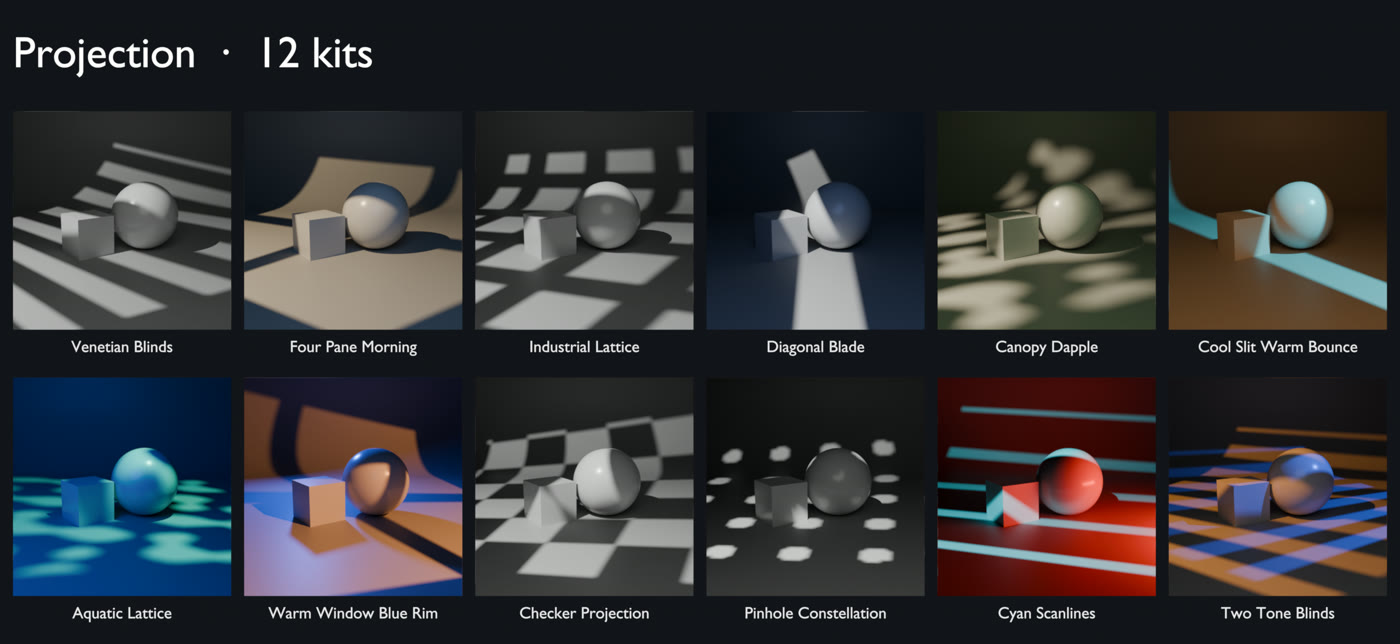
Venetian blinds, window panes, lattice grids, checkers, pinhole constellations, canopy dapple and scanlines. The patterns come from real shadow-casting masks in front of the light, not image textures or node tricks, so they render the same in EEVEE as they do in Cycles.
Move the Whole Studio at Once
Every light hangs off a single controller. Move, rotate or scale it and the entire setup follows. Fit Rig to Selection snaps the studio under your model and sizes it to fit, and light power scales with it, so your exposure does not change whether you are lighting a ring or a car.
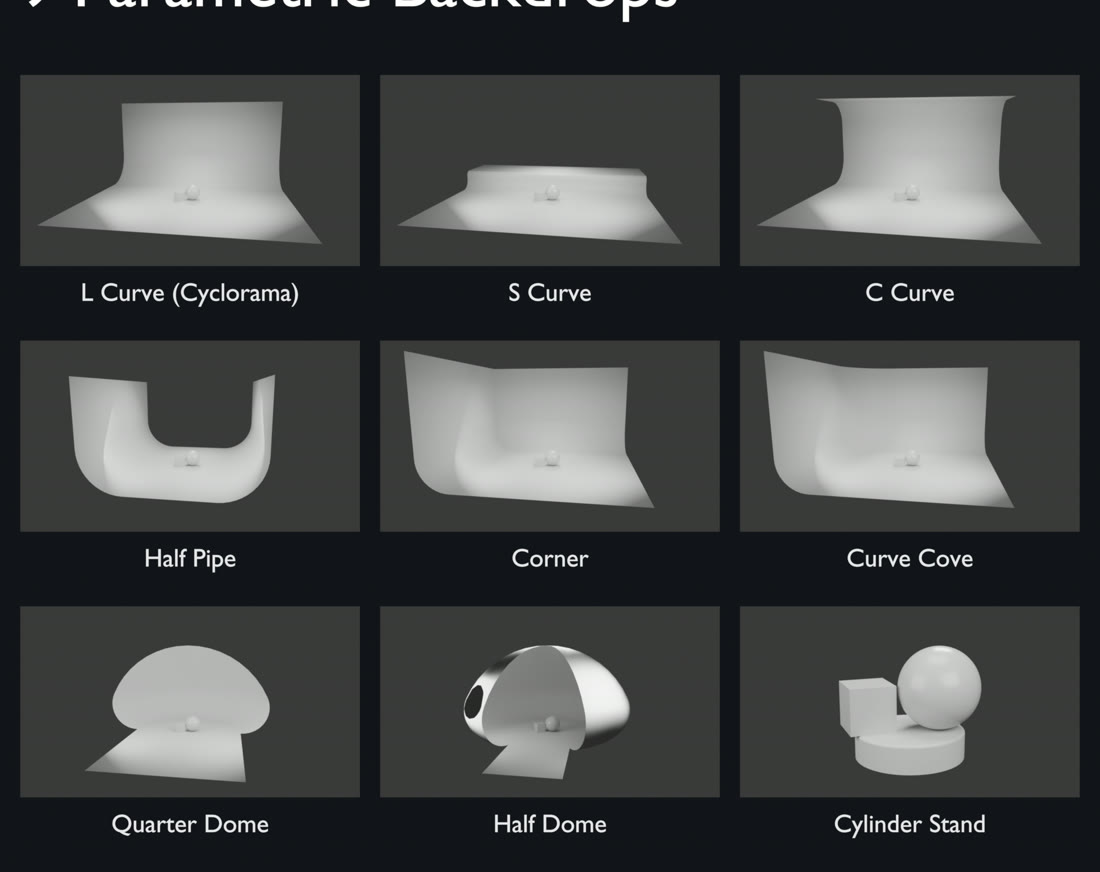
Parametric Backdrops
L Curve cyclorama, S Curve, C Curve, Half Pipe, Corner, Curve Cove, Quarter Dome, Half Dome and a Cylinder Stand. Width, depth, height, curve radii, smoothness, colour and roughness stay editable after you add them, and switching shape is one dropdown.
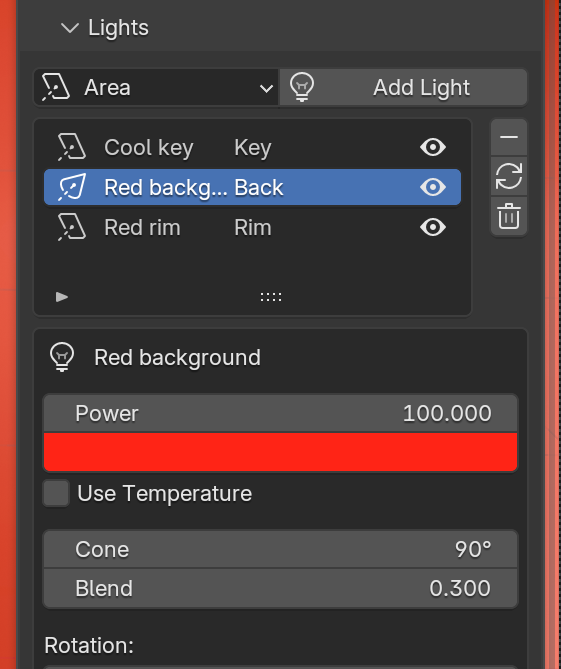
Edit Every Light Without Leaving the Panel
Add Area, Spot, Sun or Point lights and edit power, colour, Kelvin temperature, shape, size, cone, rotation and position inline. Quick presets cover Soft Key, Hard Key, Cool Fill, Warm Rim and Golden Hour. Master dims the whole rig in stops, and Exposure sets every light at once.
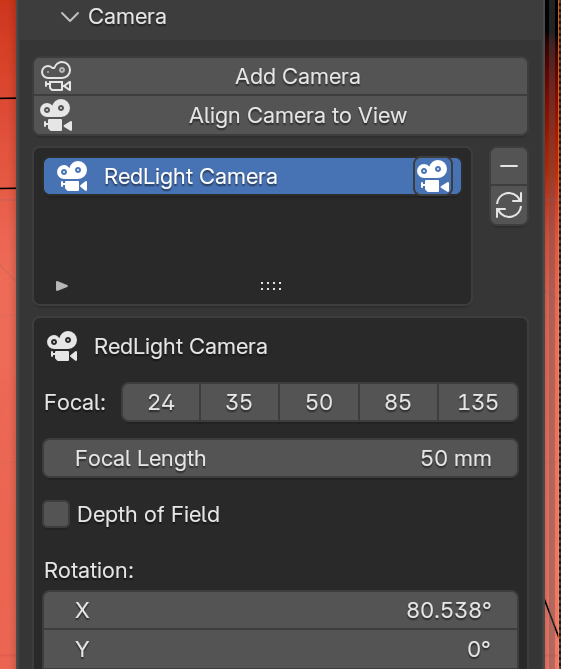
Cameras, HDRIs, Gobos and IES
Multiple cameras with focal presets, depth of field, focus picking and Align Camera to View. An HDRI browser that shows your own HDRI folder as thumbnails, with strength and rotation. Gobo images and 32 bundled IES profiles for any light, and a one-click shadow-catcher floor.
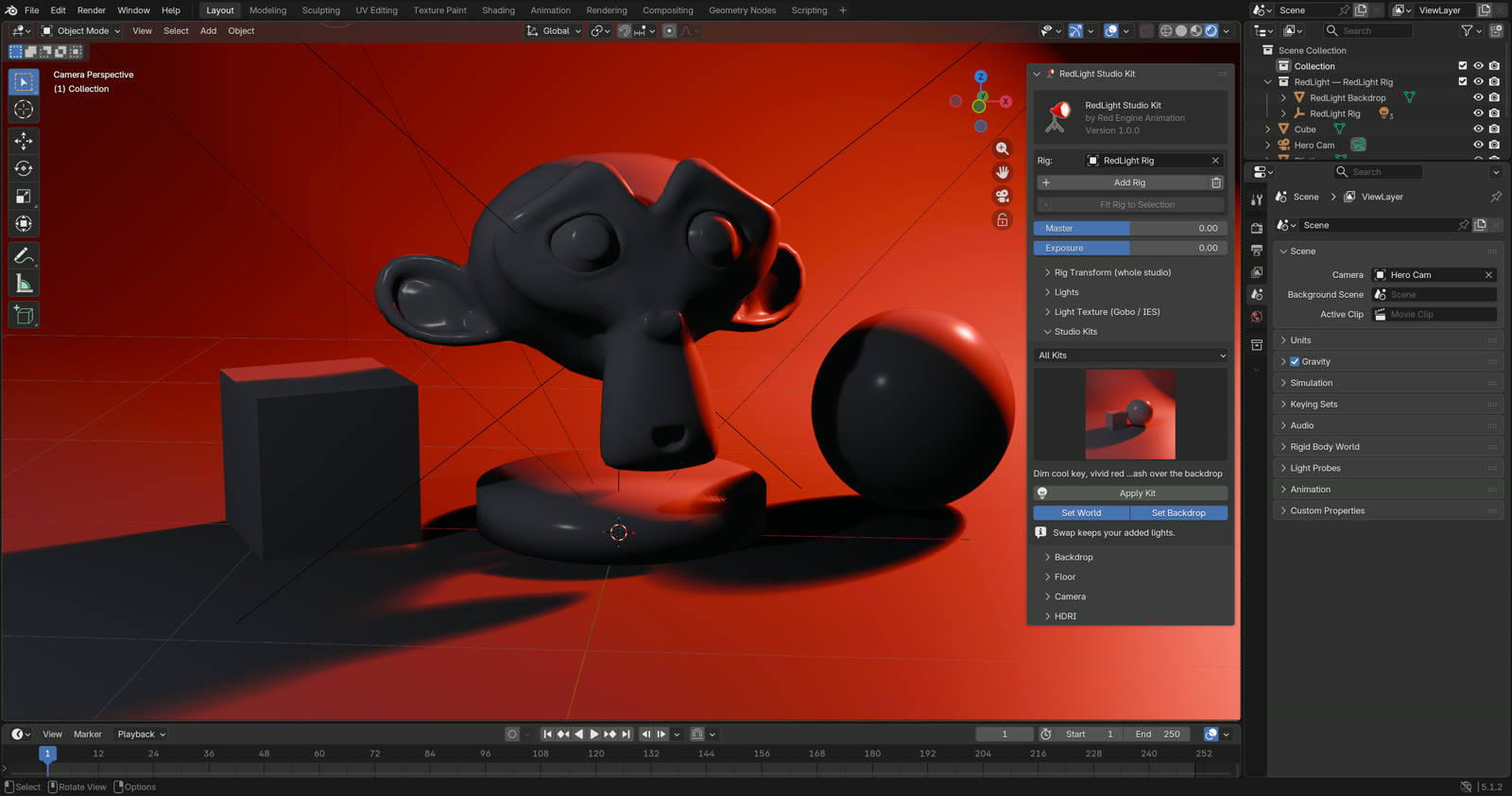
RedLight lives in its own tab in the 3D Viewport sidebar. Press N and open RedLight.
60 kits, seven categories
Filter the grid by category to find a starting point fast. Every kit is authored for a subject about 1 m tall, and Fit Rig to Selection handles any other size for you.
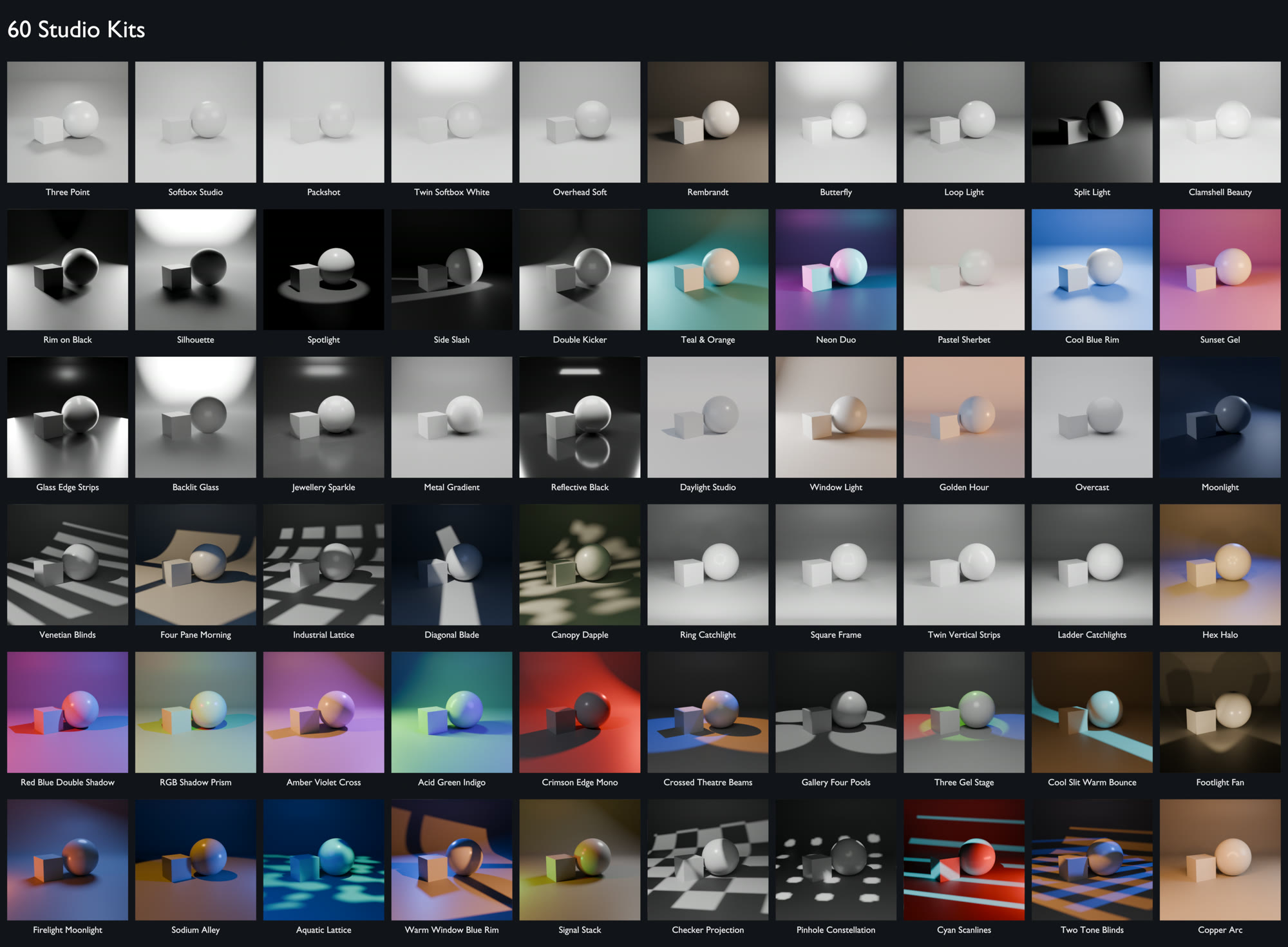
Product 5 kits
Three Point, Softbox Studio, Packshot and more. Clean, even light for product and packshot renders.
Portrait 5 kits
Rembrandt, Butterfly, Loop Light, Split Light and Clamshell Beauty. The classic portrait patterns for characters and busts.
Dramatic 10 kits
Rim on Black, Silhouette, Crossed Theatre Beams, Sodium Alley. Low-key, hard-light and stage looks.
Colour Mood 12 kits

Crimson Edge Mono, Neon Duo, Teal & Orange, RGB Shadow Prism. Coloured gels, tinted sets and coloured shadows.
Glass & Jewellery 11 kits
Glass Edge Strips, Backlit Glass, Ring Catchlight, Hex Halo. Edge strips and shaped reflections for glossy surfaces.
Natural 5 kits
Daylight Studio, Window Light, Golden Hour, Overcast and Moonlight. Sun, sky and window looks.
Projection 12 kits
Venetian Blinds, Four Pane Morning, Checker Projection, Cyan Scanlines. Real gobo patterns that work in EEVEE and Cycles.
Want your own looks in the grid? Kits are plain JSON files. Drop one into the add-on's kits folder with a preview PNG and it shows up.
What you get
Questions
Does it work in EEVEE?
Yes. Every kit, including the projection patterns, renders in EEVEE and Cycles. Only IES profiles are Cycles-only, which is a Blender limitation.
Will applying a kit delete my own lights?
No. A kit swap only replaces lights that came from a kit. Anything you added by hand stays.
My model is huge or tiny. Will the kits still work?
Yes. Fit Rig to Selection scales the studio to your model and adjusts light power so the look stays the same.
Some kits lose shadows in EEVEE. Why?
Kits with many lights, like Ring Catchlight, can fill EEVEE's default shadow memory. Raise Render Properties → Shadows → Pool Size to 1024 MB. Cycles is not affected.
Are HDRIs included?
The HDRI browser works with your own HDRI folder. None are bundled in version 1.0.
How do I install it?
Drag the zip onto the Blender window, or use Preferences → Add-ons → Install from Disk. Full steps are in INSTALL.md inside the zip.
Bundled assets: IES Lights Pack by LeoMoon (GPL-3.0), included unmodified with its license.