Redupli 1.4.3 - Blender Pipeline Helper - 10.03.2026
 Sunshine


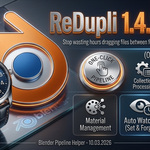
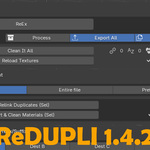
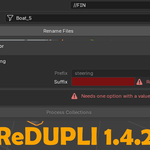
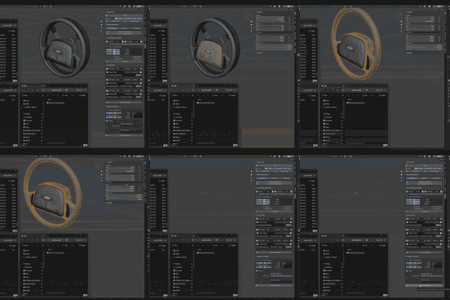
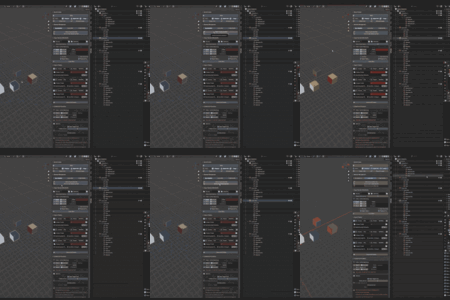
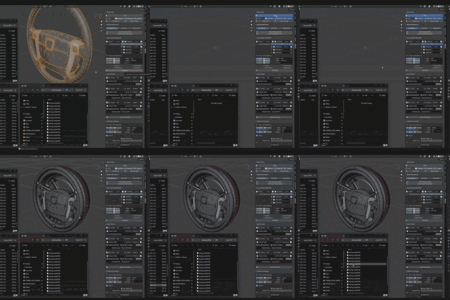
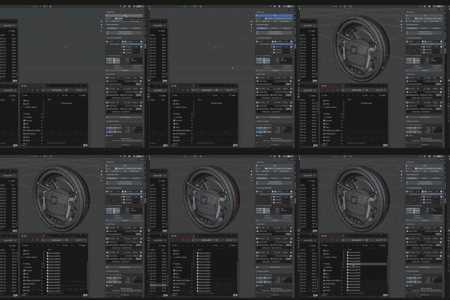
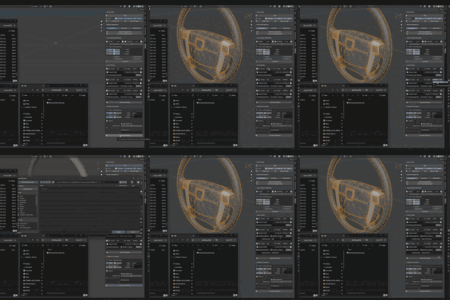
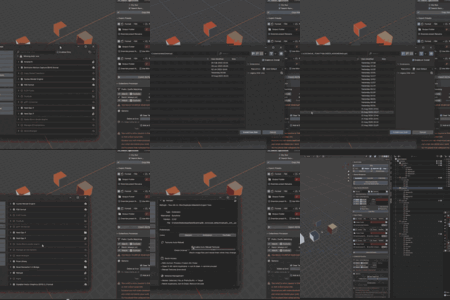
ReDupli 1.4.3 | 10.03.2026 | More automation and functions in copy files
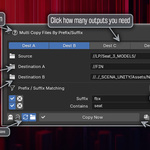
- Newest option, now you can move entire models with textures to multiple destinations at same time.
- Or selected by filter override a specific files to specific places.
- And option to watch folders for changes, and if change occurs addon will copy files for you. It is a toggle option, up to you!
ReDupli 1.4.2 | 4.03.2026 | New functions, UI rewrite and UDIM tools
New
-
UDIM Tools panel – Generates materials per UDIM tile (Base_Part1, Base_Part2, etc.), auto-detects tile indices, assigns to faces, supports Active-only and Multi-object modes, and cleans unused/orphaned slots.
-
UDIM Renamer panel – Batch renames UDIM textures using Regex with Preview and Undo (via manifest log file).
-
Live counters – Operators now show how many items will be affected (files, materials, meshes) before execution. Quick Access displays step counts for ReEx and Clean It All.
Improvements
-
Unified panel layout: Help buttons, collapsible filters, consistent bottom toggles (Dry Run, Case Sensitive, etc.).
-
Material Management split into SEL / FILE / PREFIX_SUFFIX modes with clearer grouping and warning indicators.
-
Copy Files: replaced “More Destinations” with 4 explicit destination toggles and added live total counter.
-
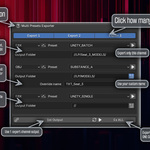
Export Presets: per-window enable toggles; “Ex ALL” respects them.
-
Quick Access: shows live step counts; Reload Textures displays number of changed files.
-
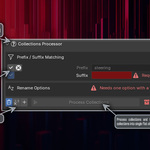
Collections Processor: live counters and safer rename validation.
Core Changes
-
Export Presets engine rewritten to use AST-based preset discovery with caching (faster and more robust).
-
Improved add-on fallback enabling (FBX, glTF).
-
Refactored material management logic and added safe visibility guard for file-wide operations.
-
Clean It All now logs results per step.
-
Safer file handling (overwrite warning when flattening directories).
-
More reliable auto-reload timer (proper unregistering).
-
Updated module registration order to include new UDIM and Renamer modules.
Changes & Fixes
-
Minimum supported Blender version set to 4.2.0.
-
Removed old “More Destinations” checkbox logic.
-
More resilient preset parsing (handles syntax issues better).
-
Fixed auto-reload timer cleanup.
ReDupli 1.3 | 22.08.2025 | New functions and more automation
- Added Quick Access panel with ReEx one-button pipeline (Process → Export All → Copy), plus shortcuts to Clean It All and Reload Images
- Added Export Presets panel: 3 preset windows (Format, Preset, Include, Output, optional Override Name), Quick Export All, and Refresh Presets
- Added Copy Files by Prefix/Suffix: Source + two destinations, filters (Prefix / Contains / Suffix, Case-sensitive), options (Recursive + create folders, Preserve structure, Dry Run)
- Added Collections Processor: Match/Exclude by Prefix & Contains with required Suffix; safe rename (Delete N at end / Add text); duplicates to target, applies modifiers & transforms, converts to mesh, joins, then renames
- Preferences: Auto-Reload Images with adjustable interval
- UI: Panels reordered to Quick Access → Material Management → Copy Files → Export Presets → Collections Processor and all open by default
- Misc. fixes and small performance/stability improvements
ReDupli 1.2 | 14.08.2025 | Rewrite for more modular code
Moved to separated file structure and added required files, code lines by Blender Market
README.md, blender_manifest.toml (For new blender), LICENSE.txt
Few bug fixes
ReDupli 1.1.1 | 18.07.2025 | New function / bug fixes
Added Clean It All function
Fixed a bug where functions won't work on hidden objects/collections
Fixed bug that caused blender to crash, when you press a CTRL + Z few times after using addon
Sort & Clean didn't work on a multiple selected objects
If you got a prefix and suffix entered and then pressed the button, nothing would happen.
A lot of small bug fixes or just cleaning up the logic in functions
ReDupli 1.1 | 07.07.2025 | Initial release |
1. Install
Download the
ReDupli.zipfile from Blender MarketIn Blender, go to Edit > Preferences > Add‑ons.
Click Install…, select the downloaded file, then enable ReDupli.
2. Open the Tool
Press N in the 3D Viewport to show the sidebar.
Click the ReDupli tab.
3. Key Functions
Relink by Name (Selected): Merge duplicate materials in your selection.
Relink All Duplicates: Scan the whole scene for duplicates.
Delete Unused Materials: Permanently remove unassigned materials.
Remove Duplicate Instances (Selected): Keep only one instance per material in your selection.
Relink by Prefix/Suffix: Merge materials sharing a name prefix or suffix.
4. Tips & Best Practices
Backup First: Always save before batch changes.
Test on a Few Objects: Start small to confirm results.
5. Support
Having trouble? Reach out for help anytime!
Discord: https://discord.com/invite/6NKQtxDTGQ
ArtStation: https://www.artstation.com/lukasz_kiebala
Thank you for using ReDupli! I hope it helps streamline your Blender workflow.
Sunshine
-
$5
Newest option, now you can move entire models with textures to multiple destinations at same time. Or selected by filter override a specific files to specific places. And option to watch folders for changes, and if change occurs addon will copy files for you. It is a toggle option, up to you! STOP folder jumping and spaming that CTRL + V, use one button to do it all automaticaly
-
$2.50
-
$1
It's best way to test out the concept for ReDupli. More expansive versions are just better with more functions! You get: ReEx, Material Managment, Multi Presets Exporter, Multi Copy Files, Collections Processor.
Have questions about this product?
Login to message