 AvvyB
AvvyB


What is Render Brick Road?
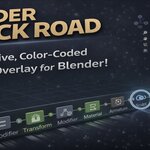
Render Brick Road adds a visual, interactive timeline to Blender that tracks every edit you make. See your full modeling history at a glance — right in the 3D viewport.
Features
Viewport Timeline Overlay
A horizontal timeline bar sits at the bottom of your 3D viewport, showing every operation as a color-coded node. Mesh operations appear as diamonds, transforms and modifiers as circles — each category gets its own color so you can scan your history at a glance.
Sidebar Panel
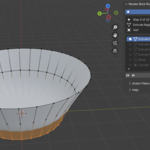
Open the N-panel and switch to the Timeline tab for a detailed, scrollable list of every tracked step. See the operation name, which object it affected, and how long ago it happened.
Jump to Any Step
Click any point in the timeline to jump directly there. Render Brick Road handles the undo/redo chain for you — just pick a step and you're there.
Action Filters
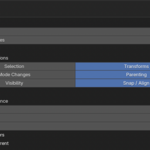
Not every action belongs in your timeline. Toggle tracking on or off for:
- Selection (select all, box select, etc.)
- Transforms (move, rotate, scale)
- Mode changes (object, edit, sculpt)
- Parenting
- Visibility (hide/show)
- Snap & Align
Filters are accessible right from the sidebar — no digging through preferences.
Overlay Settings
Adjust the overlay height, node spacing, opacity, and step number visibility from the addon preferences.
Requirements
- Blender 4.2 or newer
Installation
- Download the .zip file
- In Blender, go to Edit > Preferences > Get Extensions > Install from Disk
- Select the downloaded .zip
- The Timeline tab appears in your N-panel sidebar
