 FlinCode


Blender Render Preset Manager
Save your render settings once. Load them in one click.
Every project needs at least two render setups: a fast one for testing and a full quality one for final output. Switching between them by hand means scrolling through the Render and Output tabs, re-entering values you already configured before, and hoping you didn't miss anything.
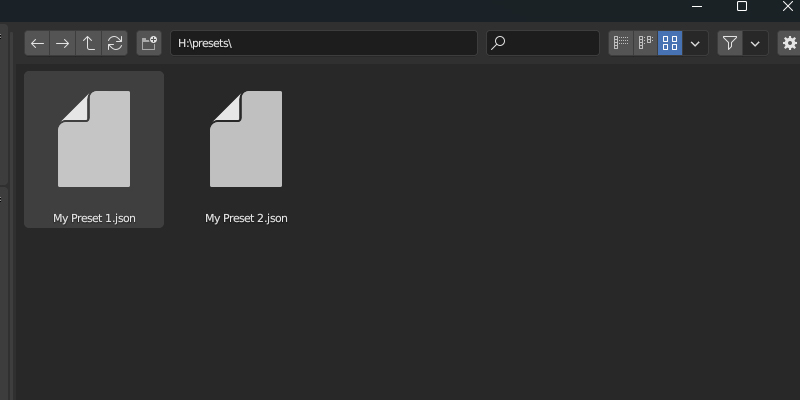
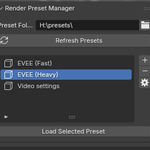
Render Preset Manager turns any combination of render and output settings into a named preset. Presets work across projects and Blender sessions, so your setups are always one click away.
Features
All render engines supported
Cycles, EEVEE, EEVEE Next and Workbench. Sampling, light paths, film, color management, motion blur and everything else in the Render tab.
Output settings included
Resolution, resolution scale, frame range, frame rate, file format, output path, post processing and much more! A single preset can cover both tabs, so one click configures your entire render.
Save only the sections you need
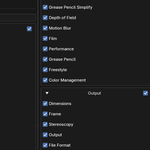
The save dialog lists every section of each tab. Tick only Sampling if that's all you want to store, or just Resolution and File Format. Sections you leave out stay untouched when the preset loads, so a resolution preset won't overwrite your carefully tuned Cycles settings.
Full preset management
Load, modify, overwrite and delete presets. Update an existing preset instead of deleting and recreating it every time you tweak a value.
Typical setups
These are just examples, you can customize how you want to create your preset
- Draft: low samples, 50% resolution, fast lookdev and animation checks
- Final: full samples, full resolution, final file format, ready when it's time to render
- Clay/Workbench: quick model reviews and turnarounds
- Low-spec: a lightweight preset for weaker machines, a max quality one for final output
Compatibility
Blender 3.0 to 5.1. The download contains one file per Blender version range (the version is at the end of the filename):
| Blender version | Addon file |
|---|---|
| 3.x | v1.1.0 |
| 4.0 / 4.1 | v2.0.1 |
| 4.2+ | v3.0.0 / v4.0.0 |
| 5.0+ | v5.0.0 |
Notes:
- EEVEE (legacy) and EEVEE Next presets are not interchangeable, the engines are completely different.
- Presets created with v5.0.0 require the v5 addon. Older presets still load fine in v5.
Why?
I created this addon because every time I needed a quick render to check something I would have to re-configure my entire render settings that were set for the final render then redo that, again when it was time to render. Even if I didn't have to do that it takes a lot of our time just to set up render settings, maybe there's a specific low-quality style you want? or high quality when you are on a high-end computer? well, that's why I made an easy way to save settings as preset that can be loaded anytime I want.
Changelogs
December 19, 2025 v5.0.0
- Added support for Blender 5.0+ (old presets are supported, but newly created presets will not work on the old add-on)
October 23, 2025 v4.0.0
- Added fine-grained control over which part of each tab you want to save
- New save dialog menu to select each section of a tab (Watch video)
- New option to modify & overwrite already saved presets
- Fixed auto refresh presets when first opened not working
- Improved compatibility
September 2, 2024 v3.0.0
- Added support for EEVEE Next
December 23, 2023 v2.0.1
- Added support for Blender 4.0+
- Added Render Preset Manager 2.0
Full documentation linked above.