 kunemann



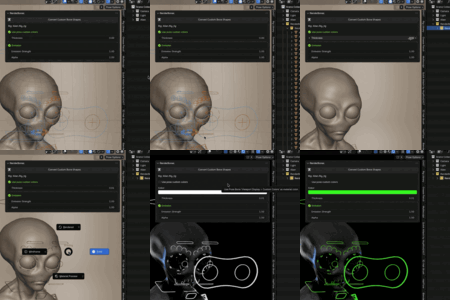



Install
-
Download
RenderBones.py. -
In Blender: Edit > Preferences > Add-ons > Install…
-
Select the file and enable RenderBones.
Location
3D Viewport > N-Panel > RenderBones
Use
-
Select an Armature.
-
Open RenderBones panel.
-
Click Convert Custom Bone Shapes.
→ Meshes appear in RenderBones / RenderBones [ArmatureName] collection.
Options
-
Use Pose Colors – use bone colors as material colors
-
Color – fallback color
-
Thickness – mesh tube thickness
-
Emission / Strength – glow control
-
Alpha – transparency
Have questions about this product?
Login to message
| Blender Extension Compatible | Yes |
| Sales | 20+ |
| Dev Fund Contributor | |
| Published | about 1 year ago |
| Blender Version | 4.3 - 4.5 |
| Extension Type | Add-on |
| Render Engine Used | Blender-Internal, Cycles, Eevee |
| License | GPL |