 Anvil Interactive Solutions



RenderForge
Block Broken Final Renders in Blender (Cycles)
RenderForge blocks final renders until your scene is actually ready.
It catches missing cameras, invalid lighting setups, and risky render settings before you waste hours on a broken final render.
RenderForge does not try to improve aesthetics.
It exists to prevent avoidable render failures and unpredictable results
at the point where mistakes are most expensive.
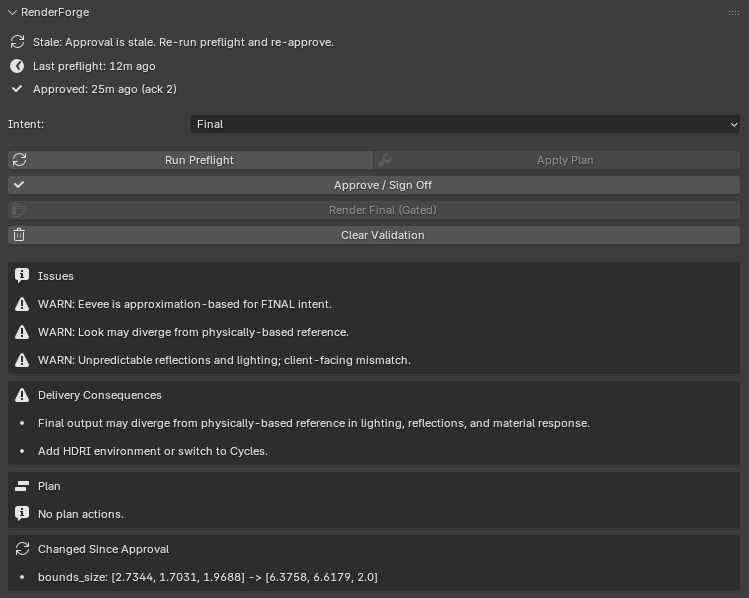
Why RenderForge Exists
Most render failures don’t come from bad taste or lack of skill.
They come from small oversights that aren’t obvious until after the render finishes.
RenderForge forces those decisions to be explicit before you hit Render.
What RenderForge Is (and Is Not)
RenderForge is:
-
• A final render validation step for Cycles
• A hard stop when critical requirements are missing
• A way to surface risk before committing to long renders
RenderForge is not:
-
• A preset pack or look generator
• An AI system that guesses intent
• A replacement for artistic judgment
If you already know how to light and render, RenderForge helps you avoid preventable mistakes.
Where RenderForge Fits in a Workflow
RenderForge runs immediately before final rendering.
If validation has not passed, final rendering is blocked.
Typical flow:
- Scene is prepared, and lighting/materials are set
- Render intent is declared (preview, lookdev, final)
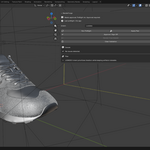
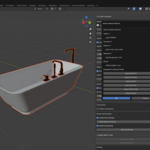
- RenderForge validates the scene against that intent
- Issues are surface,d and the render is either blocked or approved
- Final rendering is only allowed after approval
Deterministic Render Preflight
What RenderForge Checks Before Final Render
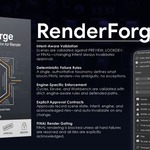
RenderForge analyzes your scene and Cycles render settings using explicit, rule-based checks.
It evaluates:
Scene scale and unit consistency
Lighting presence, types, and energy levels
Material properties that increase noise or instability
Denoising usage and its potential side effects
Cycles settings relative to the declared render intent
The result is a clear validation state, not a vague suggestion list.
Render States & Gating
RenderForge assigns the scene a persistent render state.
Possible states include:
- Unchecked — validation has not been run
- Needs Attention — risks are present and must be reviewed
- Blocked — final rendering is not allowed
- Approved — the scene is validated for the declared intent
When a scene is blocked, final rendering cannot proceed.
Recommendations With Consequences
When RenderForge surfaces an issue, it explains the consequences of ignoring it.
Examples include:
- Sample counts that are too low for the material complexity
- Lighting configurations that increase noise or instability
- Scale mismatches that affect light falloff and realism
- Denoising usage that may hide detail until final output
No changes are applied automatically.
Nothing is modified without explicit approval.
Determinism Over Automation
RenderForge prioritizes repeatable and predictable outcomes over automated guesswork.
Given the same scene and settings, it produces the same validation results every time.
This makes it suitable for:
- Production rendering workflows
- Scene handoff between artists
- Technical validation before delivery
Who RenderForge Is For
RenderForge is built for users who deliver final renders
and want to avoid preventable re-renders.
It is suited for:
- Artists producing final output regularly
- Technical and lookdev artists
- Small studios and indie teams
If you routinely think “I should double-check this before hitting render”,
RenderForge is designed for that moment.
When Not to Use RenderForge
RenderForge is not intended for quick exploratory tests
or situations where re-rendering is trivial.
It is intentionally conservative and designed for final output,
not experimentation.
Key Features
- Scene and render validation before final output
- Explicit render states and approval gating
- Lighting, material, and noise risk detection
- Intent-based validation for preview, lookdev, and final renders
- No automated changes or black-box behavior
Compatibility
-
Blender 3.6+
-
Cycles render engine
In Short
In Short
RenderForge does not make creative decisions for you.
It prevents technical oversights from wasting final render time.
Run it before the final render.
Not after.
Explicit validation.
Predictable outcomes.
No surprises.