 BlendR6


Overview
RenderScenes is a lightweight, professional Blender add-on that lets you instantly save, restore, and manage complete scene states — called RenderScenes — with a single click.
It captures everything important in your scene while fully respecting Blender’s native settings and compositor. No overrides, no bloat — just clean, intuitive tools that feel like a natural part of Blender.
Perfect for product rendering, interior design, architectural visualization, and any workflow where you need to quickly create and render multiple variations of the same scene.
Key benefits:
- One-click scene state snapshots with thumbnail previews
- Lightning-fast switching between scene versions
- Powerful batch operations and full-scene rendering
-
Clean, minimal UI that blends seamlessly with Blender
User Interface
RenderScenes features a clean, uncluttered interface that follows Blender’s design language:
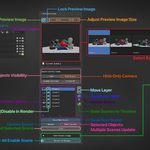
- Thumbnail preview browser for visual scene selection
- Simple list view with enable/disable toggles
- Quick access to Save, Update, Apply, Duplicate, and Render buttons
- Optional context menu integration in the Outliner and Render properties
You can choose to display the panel in the N-Panel only, Properties → Scene only, or both.
Quick Start
- Set up your scene exactly how you want it (camera, lighting, objects, resolution, etc.).
- Click Save New Scene — a new RenderScene is created with a thumbnail preview.
- Modify the scene and click Update to refresh the selected RenderScene.
- Select any RenderScene and click Load to instantly restore that exact state.
- Use Render All Scenes to batch-render everything.
Core Features
Scene State Management
- Saves: render resolution, active camera + all camera settings, world environment, object visibility/transforms/rotation modes, modifiers & Geometry Nodes values, collection visibility/exclude states.
- You control exactly what gets recorded in Addon Preferences.
Thumbnail Previews
- Automatic viewport preview capture for every RenderScene.
- Visual browser with zoomable thumbnails.
- Optional preview lock to prevent accidental overwrites.
- Works with both Cycles and Eevee (adapts to your current engine).
Batch Operations
- Batch-update selected objects across multiple RenderScenes.
- Batch-update world settings.
- Batch-update resolution/format.
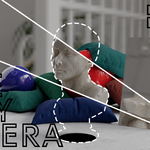
- One-click “Create RenderScene per Camera”.
Render Passes Export
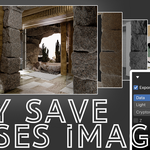
- Export Beauty + any combination of Data, Light, and Cryptomatte passes.
- Automatically sets up and cleans up File Output nodes.
- Supports subfolders per RenderScene (optional).
Batch Rendering
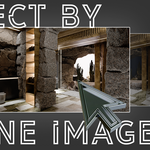
- Render all enabled RenderScenes sequentially with one button.
- Supports “Render from Selected” mode.
- Automatically restores original scene state when finished.
- Clean filename handling for passes.
Timeline Baking
- Bake every RenderScene to the timeline as keyframes.
- Creates timeline markers with camera assignments.
- Ideal for quick animation switching or storyboard previews.
Quick Visibility Tools
- One-click Hide / Unhide Selected / Unhide All.
- Hide from Camera only (ray visibility).
- Works on objects and collections.
Preferences
In Edit → Preferences → Add-ons → RenderScenes you can customize:
- Default snapshot name
- UI location (N-Panel / Properties / Both)
- Preview display mode (Solid or Material)
- Disable preview capture in Cycles Rendered mode
- Choose exactly which states to record (Render Settings, Camera, World, Objects, Modifiers, Collections)
- Enable folder-per-scene organization
Have questions about this product?
Login to message