 BlendR6


What is RenderScenes?
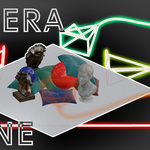
RenderScenes is a lightweight Blender add-on that lets you save, restore, and manage complete scene states (called RenderScenes) with one click. It captures camera, resolution, object visibility/transforms/modifiers, collections, world settings, and more — perfect for product rendering, interior design, and architectural visualization.
How do I install it?
Download the ZIP file, go to Edit → Preferences → Add-ons → Install, select the file, and enable the add-on. It appears in the 3D View sidebar (or Properties → Scene) under “RenderScenes”.
Does it work with both Cycles and Eevee?
Yes! It works perfectly with Cycles and Eevee. Preview thumbnails automatically adapt to your current render engine.
Can I render all Scenes automatically?
Absolutely. Click “Render All Scenes” and it will render every enabled RenderScene sequentially
Does it support render passes?
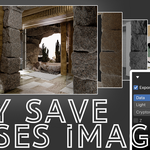
Yes. You can enable any combination of Data, Light, and Cryptomatte passes. The add-on automatically sets up temporary File Output nodes and cleans everything up after rendering.
How do the thumbnail previews work?
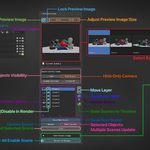
Each RenderScene automatically captures a clean viewport preview (with optional lock to prevent accidental overwrite). You can browse and select scenes visually using the thumbnail browser.
$5
Have questions about this product?
Login to message