 JB FX


RepliBake 1.8.1 User Documentation
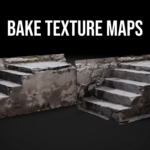
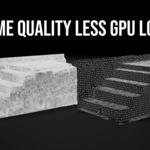
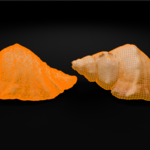
RepliBake helps Blender users create lower-poly targets and bake diffuse, roughness, and tangent-space normal maps from detailed source meshes. The add-on combines Blender's native QuadriFlow remesher, mesh diagnostics, target preparation, projection controls, and Cycles baking in the 3D View sidebar.
Requirements and installation
Classic add-on package: Blender 3.0 or newer.
Blender Extension package: Blender 4.2 or newer.
Cycles must be available for baking.
The source must be a mesh object with faces.
Install the appropriate ZIP directly without extracting it. For the classic package, use Edit > Preferences > Add-ons > Install from Disk. For the Extension package, use Edit > Preferences > Get Extensions > menu > Install from Disk. In the 3D View, press N and open the RepliBake tab.
Quick workflow
Complete each operation before pressing the next button.
- Set Source Object
- Choose a Target Ratio
- pressCheck Mesh
- press Quick Retopologize
- Confirm that the result is assigned as Low Poly Target.
- Choose a texture name and resolution, then press Prepare Diffuse Target.
- Press Bake Diffuse and wait for completion.
- Press Bake Roughness and wait for completion.
- Press Bake Normals and wait for completion.
QuadriFlow Quick Retopologize
Quick Retopology creates an evaluated temporary copy of the source. The original high-poly object is not replaced.
Target Ratio
Controls the approximate target face count relative to the evaluated source. QuadriFlow may round the output to create a coherent quad layout. RepliBake checks the actual output and rejects a reduction that returns as many or more faces than the input.
QuadriFlow options
Use Mesh Symmetry: Helps centered symmetrical meshes. It is disabled automatically for off-center separated islands.
Preserve Sharp: Attempts to retain sharp features. Disable it when difficult scans repeatedly fail.
Preserve Mesh Boundary: Attempts to retain open borders. Complex damaged boundaries may work better with it disabled.
Conform Result to Source: Projects the generated vertices back toward the evaluated source to reduce spikes and surface drift.
Automatic Mesh Handling
Fix Issues: Enabled by default. On the temporary copy, it merges extremely close duplicate vertices, removes vertices and edges without faces, removes degenerate faces, and recalculates inconsistent connected normals. Repairs run only when the relevant issue is detected.
Separate Islands: Enabled by default. Disconnected components are identified, processed one after another, and combined into one target object.
Delete Tiny Islands: Disabled by default. When enabled with Separate Islands, classified tiny components are omitted from the generated target. When disabled, tiny components unsuitable for QuadriFlow are preserved unchanged.
Tiny-island classification uses vertex count, polygon count, relative surface area, and the requested per-island face budget. Review deletion carefully because small pieces may be intentional teeth, buttons, screws, jewelry, leaves, or accessories.
Island recovery in version 1.8.1
Meaningful islands are processed from largest to smallest. If an island fails or returns far above its assigned budget, RepliBake recreates it and tries once more with symmetry, sharp preservation, and boundary preservation disabled and a less aggressive budget.
If both attempts fail, the complete operation is cancelled and partial temporary results are removed. RepliBake does not copy a large failed island unchanged into a result that appears successfully reduced.
The progress bar updates between island operations. Blender may still appear busy while an individual native QuadriFlow call is running.
Mesh compatibility and cautions
RepliBake works best with reasonably clean, continuous meshes or clearly separated asset parts.
Usually suitable
Sculpted props and characters used as baking sources
Photogrammetry meshes with manageable density
Separate rigid asset pieces
Meshes containing minor loose geometry or duplicate vertices
Meshes with a realistic reduction target
May require cleanup or separate processing
Severe self-intersections
Large internal faces or hidden shells
Non-manifold regions
Large holes and damaged boundaries
Extremely thin or overlapping layers
Clothing positioned close to a body
Touching fingers, lips, eyelids, teeth, or mechanical pieces
Hundreds or thousands of disconnected fragments
Extreme polygon-size variation
Extremely dense scans that exceed available memory
Geometry Nodes output with unrealized or invalid geometry
Curves, text, volumes, or metaballs not converted to mesh
Passing Check Mesh means no known fast diagnostic blocker was found. It does not guarantee that QuadriFlow's numerical solver can produce a result. Hidden intersections, thin double surfaces, internal shells, memory pressure, and incompatible preservation constraints may still cause failure.
Current scan repair limits
Version 1.8.1 can automatically correct moderate problems such as loose vertices, wire edges, near-duplicate vertices, degenerate faces, inconsistent connected normals, and disconnected islands.
It does not reconstruct severe self-intersections, determine which internal surfaces are intentional, close every hole, or safely merge thin layered surfaces. These operations require artist judgment or a more destructive remeshing method.
An adaptive Voxel Remesh recovery system is being explored as a future improvement. It is not included in version 1.8.1. Voxel recovery could improve success on difficult scans, but may close holes, merge nearby parts, remove thin features, or soften sharp detail. The untouched high-poly source would remain the final baking source.
Baking maps
Prepare Diffuse Target
Creates or reuses the diffuse destination image and prepares the target material nodes. It does not start a bake.
Bake Diffuse
Bakes source color and connects the result to a compatible Principled BSDF Base Color input when Connect Baked Maps is enabled.
Bake Roughness
Bakes the source Principled Roughness value through protected temporary material copies. Constant, image-driven, and procedural Principled roughness are supported. The result uses Non-Color data.
Mixed shaders or custom material networks may not provide one unambiguous roughness source and can require a dedicated bake material.
Bake Normals
Bakes tangent-space normal detail. The result uses Non-Color data and is connected through a Normal Map node when automatic connection is enabled.
Projection controls
Margin: Extends pixels beyond UV boundaries to reduce seams.
Max Ray Distance: Limits how far rays search for source geometry.
Automatic Projection Cage: Creates a virtual outward projection offset without deforming the target.
Cage Size: Defaults to
0.1. Reduce it when nearby surfaces bleed into the map.Temporary Normal-Bake Scale: Temporarily enlarges the target only during normal baking and restores its exact transform afterward.
Normal Target Scale: Start at
1.01; try1.02,1.03, and then1.05only when necessary.
Keep the high- and low-poly meshes aligned. Do not permanently scale or move the target to create projection clearance.
Common errors and solutions
| Error or symptom | Likely cause | What to do |
|---|---|---|
| Mesh passed Check Mesh but QuadriFlow failed | Hidden intersections, internal shells, numerical failure, memory pressure, or incompatible constraints | Increase Target Ratio; disable symmetry and preservation settings; isolate and clean the failing part; use Voxel Remesh manually on a duplicate if necessary |
| Island failed both QuadriFlow attempts | A meaningful separated part could not be solved even with relaxed recovery | Clean or Voxel Remesh that part separately, use a higher ratio, or retopologize it manually |
| Estimated result below four faces | The selected ratio is mathematically unusable | Increase Target Ratio |
| Output remains above the approximate budget | Preserved tiny islands or native output rounding exceed the requested total | Enable Delete Tiny after inspection, use a lower ratio, or remove unnecessary pieces manually |
| Retopology produces spikes | Surface drift, internal geometry, or nearest-surface ambiguity | Enable Conform Result to Source; remove internal shells; process close layers separately |
| Quick Retopology is very slow | Dense evaluated source, many islands, repeated recovery, or limited memory | Use a lighter duplicate, process parts separately, choose a less aggressive ratio, or create a manual Voxel Remesh proxy |
| Target has no UV map | No destination coordinates exist | Enable Create UVs When Missing, rebuild RepliBakeUV, or unwrap manually |
| Diffuse bake is black | Missing source color, wrong destination, misalignment, or an older disconnected source image | Check Base Color, source/target alignment, and destination image; reconnect the original source image when needed |
| Roughness is black, white, or flat | No clear Principled roughness or an ambiguous shader mix | Inspect the source material and prepare a dedicated roughness bake material if needed |
| Normal map has black patches | Projection rays miss because the target intersects the source | Use automatic cage size 0.1, then increase temporary normal scale gradually |
| Details bleed between parts | Cage or ray distance reaches nearby geometry | Reduce Cage Size, Max Ray Distance, and temporary scale; bake parts separately |
| Blender runs out of memory | Input mesh or texture resolution is too large | Save first, reduce resolution, split the asset, or use a lighter proxy |
Reset RepliBake
Press Reset RepliBake at the bottom of the panel to clear selected source, target, bake-image fields, diagnostics, and custom settings. The reset restores installation defaults but does not delete Blender objects, meshes, materials, or images.
Issues RepliBake does not currently solve
| Issue | Limitation | Required action |
|---|---|---|
| Animation-ready edge flow | Automatic quads do not guarantee facial or joint deformation loops | Manually refine or rebuild deformation-critical topology |
| Severe self-intersections | The intended exterior surface may be ambiguous | Repair manually or use a carefully configured Voxel Remesh proxy |
| Hidden internal geometry | Automatic deletion could remove intentional surfaces | Inspect and remove internal shells manually |
| Thin layered surfaces | Projection and conformity may select the wrong layer | Separate and process layers individually |
| Complex mixed shaders | There may be no single correct roughness source | Prepare a dedicated bake material or channel |
| UDIM output | Version 1.8.1 manages standard individual images | Use a dedicated UDIM workflow |
| Perfect exact polygon count | Quad layouts require face-budget rounding | Accept a small variance or edit afterward |
| Native Blender or hardware crashes | QuadriFlow, Cycles, drivers, and memory are controlled by Blender and the system | Reduce the workload, update Blender or drivers, or use another machine |
| Guaranteed recovery for every scan | Robust Voxel-based recovery is still in development | Clean or Voxel Remesh a duplicate manually and keep the original as the bake source |
Safe production checklist
Save the
.blendbefore retopologizing a dense asset.Confirm the correct High Poly Source.
Press Check Mesh and review warnings.
Inspect before enabling Delete Tiny Islands.
Keep the original detailed source untouched.
Confirm the generated face-count report before baking.
Keep source and target aligned.
Inspect UVs, seams, cavities, thin parts, and nearby surfaces.
Save external texture files when required and pack images for a self-contained project.
This documentation describes RepliBake 1.8.1. Final behavior can vary with Blender version, hardware, source complexity, and the native QuadriFlow solver.
 Included
Includes 12 months of
- Support from JB FX
- Product updates
Extend this product’s Support Period +12 months: 50% of product price
Have questions before purchasing?
Login to message
| Blender Extension Compatible | Yes |
| Published | about 2 months ago |
| Blender Version | 4.2 - 5.2 |
| Extension Type | Add-on |
| Render Engine Used | Cycles, Eevee |
| License | GPL |

Discover more products like this
retopo Blender remesh pbr texture baking texture-baking texturebaking automatic retopology auto remesh