Rescene
 SkdSam


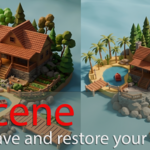
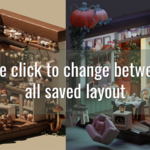

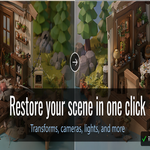
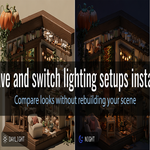
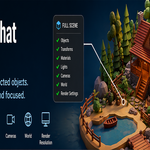
Start saving and restoring scene variations in minutes
Re:Scene gives you a fast way to capture Blender scene states so you can jump between layout, lighting, camera, and look-dev variations without rebuilding them by hand.
1. Install and Open
Install and enable Rescene in Blender3.6+, then open 3D Viewport > Sidebar > Rescene .
2. Save a State
Click Add, name your state, and choose whether to save All in Scene or Selected Only.
3. Choose What Restores
Enable the categories you want the state to control, including transforms, visibility, materials, lights, cameras, render settings, world, modifiers, custom properties, and shape keys.
4. Apply and Iterate
Use Apply State to switch setups instantly, then Update, Duplicate, Lock, or Retake as your project evolves.
Optional tools like thumbnail asset folders, Render All States, and Layout Shuffle help speed up iteration even further.
What Rescene can capture and restore today
Rescene is designed to store the scene decisions that matter most, so switching between creative directions feels instant, reliable, and production-friendly.
Saved Scene States
Store state names, notes, timestamps, lock status, and thumbnail previews for clear versioning and fast browsing.
Object Transforms and Visibility
Restore object position, rotation, scale, visibility, and collection membership within the current scene.
Materials and Object Data
Reapply material slot assignments, modifier visibility states, custom properties, and shape key values on supported objects.
Lighting Setups
Recall light type, color, intensity, shadow settings, contact shadow controls, and common built-in light properties.
Camera Setups
Restore camera type, lens settings, clip range, sensor size, framing shift, depth of field, focus target, and active camera assignment.
World and HDRI State
Restore the active world, node mute states, image or HDRI references, and unlinked node input values.
Render Setup
Switch between saved render engine and resolution settings for draft, preview, or final-output workflows.
Selective Restore Control
Each state can be applied with high-level restore toggles, including a Selected Objects Only workflow for targeted changes.
Re:Scene is focused on restoring existing scene data reliably. The current version does not create missing objects, materials, worlds, modifiers, or shape keys during apply.
Have questions about this product?
Login to message
| Blender Extension Compatible | Yes |
| Dev Fund Contributor | |
| Published | 6 months ago |
| Blender Version | 3.6 - 5.1 |
| Extension Type | Add-on |
| Render Engine Used | Cycles, Eevee |
| License | Mit |