 netkingZ

RETOPOLOGY ADD-ON · BLENDER 4.5+
Sketch the flow.
Retopia does the rest.
Every retopo tool you need. One add-on.
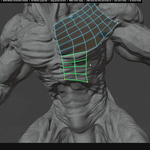
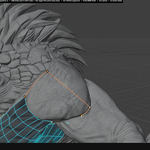
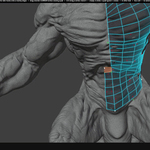
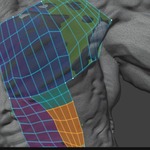
Draw your topology straight onto the sculpt. NKZ Retopia places every vertex on the surface, builds clean quad grids, keeps spacing even and handles symmetry — while every loop stays your decision.
15 TOOLS SMART SYMMETRY STANDARD BLENDER MESH RUNS OFFLINE
MANIFEST
Tailored to Your Workflow
The goal of Retopia is to provide a versatile toolkit that empowers artists to define their own creative process and find the exact tools that resonate with their style.
- • Diverse Approaches: We believe diversity in methodology is what makes art unique. Multiple workflows coexist within a single add-on.
- • Your Pipeline, Your Rules: Pick the exact actions, strokes, and helpers that fit your personal pipeline—no rigid, one-size-fits-all constraints.
- • All-In-One Ecosystem: Find comprehensive options tailored to every step of your process, right where you need them.
YOUR PIPELINE DIVERSE METHODOLOGIES TOTAL FREEDOM
NEW IN 2.0.0
From raw AI mesh
to clean topology.
Now for Blender 5.3
Retopia 2.0 adds a full Sculpt Prep toolkit for AI-generated meshes and scans — slice them into parts, repair holes, keep heavy meshes fast — and introduces Guided Patches: draw a network of lines and every region fills with clean quads at once.
SCULPT PREP SPLIT CUT PATCH REPAIR GUIDED PATCHES · BETA
◆ SCULPT PREP — MADE FOR AI MESHES AND SCANS
Messy, heavy, full of holes? Get the sculpt ready before you retopologise. Works on any selected mesh — no need to start Retopia first.
SCULPT PREP · NEW
Split Cut
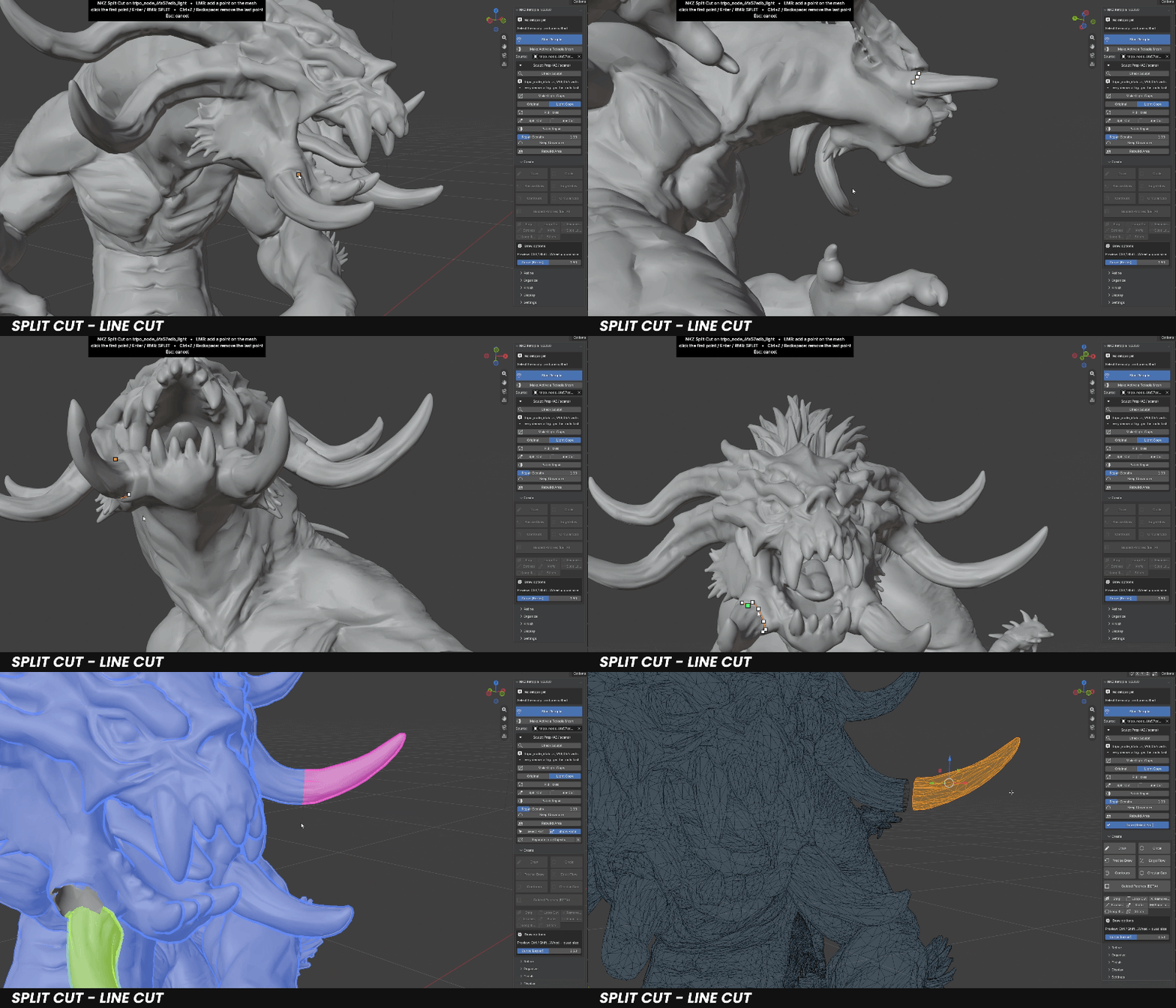
Click points on the sculpt around a part — they stay on the surface when you orbit. Close the line and the mesh is sliced through the faces, exactly where you drew. It stays one mesh, opened along the cut, and every part gets its own colour. Select Part picks a part to move or delete it; Separate into Objects when you want real objects.
SCULPT PREP · NEW
Patch Repair
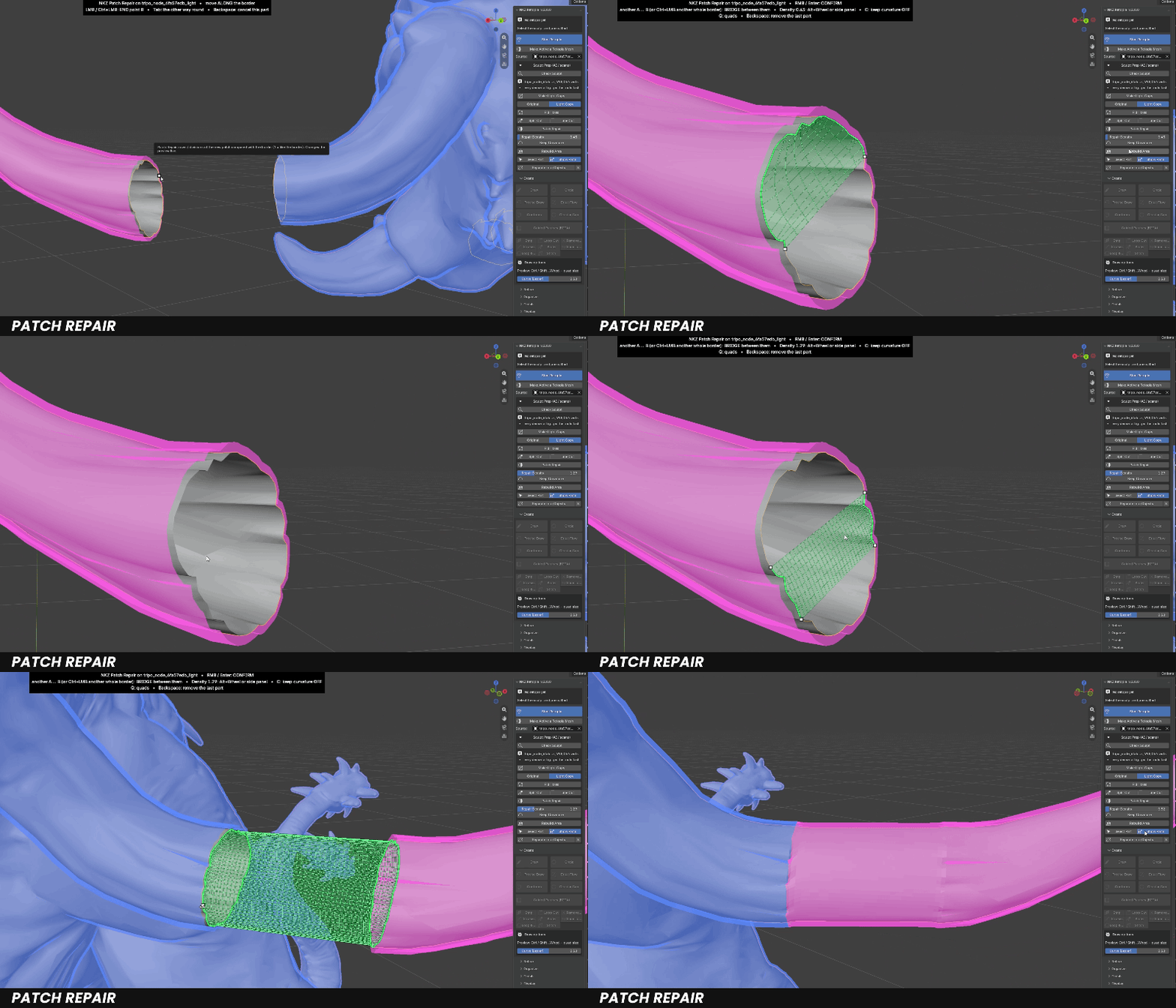
Works right on the open border. Click where you start, follow the border, click where you stop — a live preview shows the new surface before anything changes.
▸ One part of a border: filled up to a straight line.
▸ Two parts: a bridge between them.
▸ Ctrl+click a whole border: the hole is closed — two whole borders are joined by a tube.
▸ Density and Keep Curvature change the preview live; clean quad grids wherever the border allows.
SCULPT PREP · NEW
Make Light Copy
Millions of faces? Work on a lighter copy, like ZBrush Decimation, with a progress bar while it builds. Every tool stays fast, the original is never touched, and you switch between Original and Light Copy at any time.
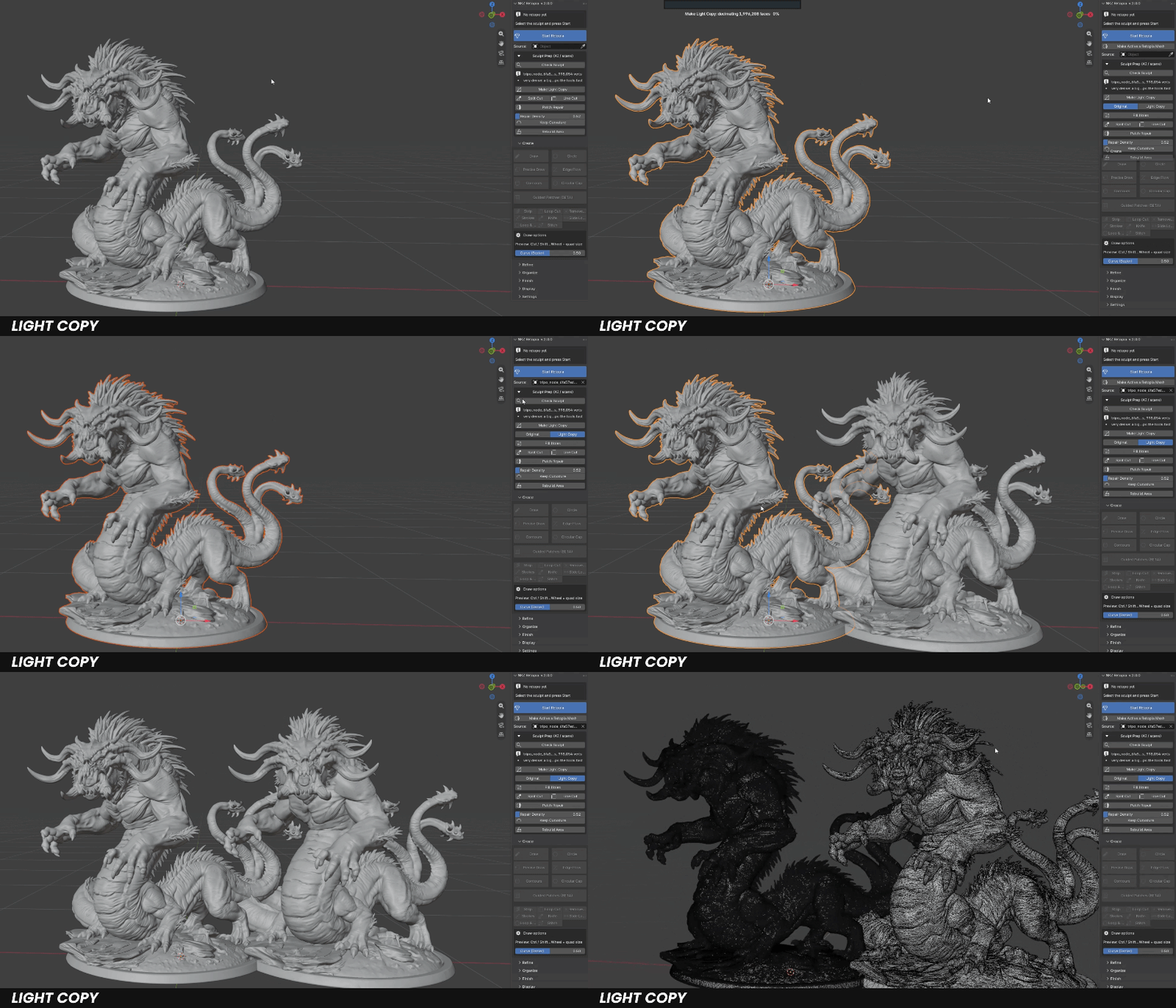
Check Sculpt — faces, loose parts, holes, non-manifold edges and inverted normals at a glance. Nothing is changed.
Fill Holes — closes the holes of the light copy, so the tools never fall through.
Rebuild Area — click around a broken area and it is rebuilt as a clean, even patch that follows the shape.
◆ GUIDED PATCHES BETA
Draw the network, get the quads. Built for AI meshes, where you want structure fast.
CREATE · BETA
Guided Patches
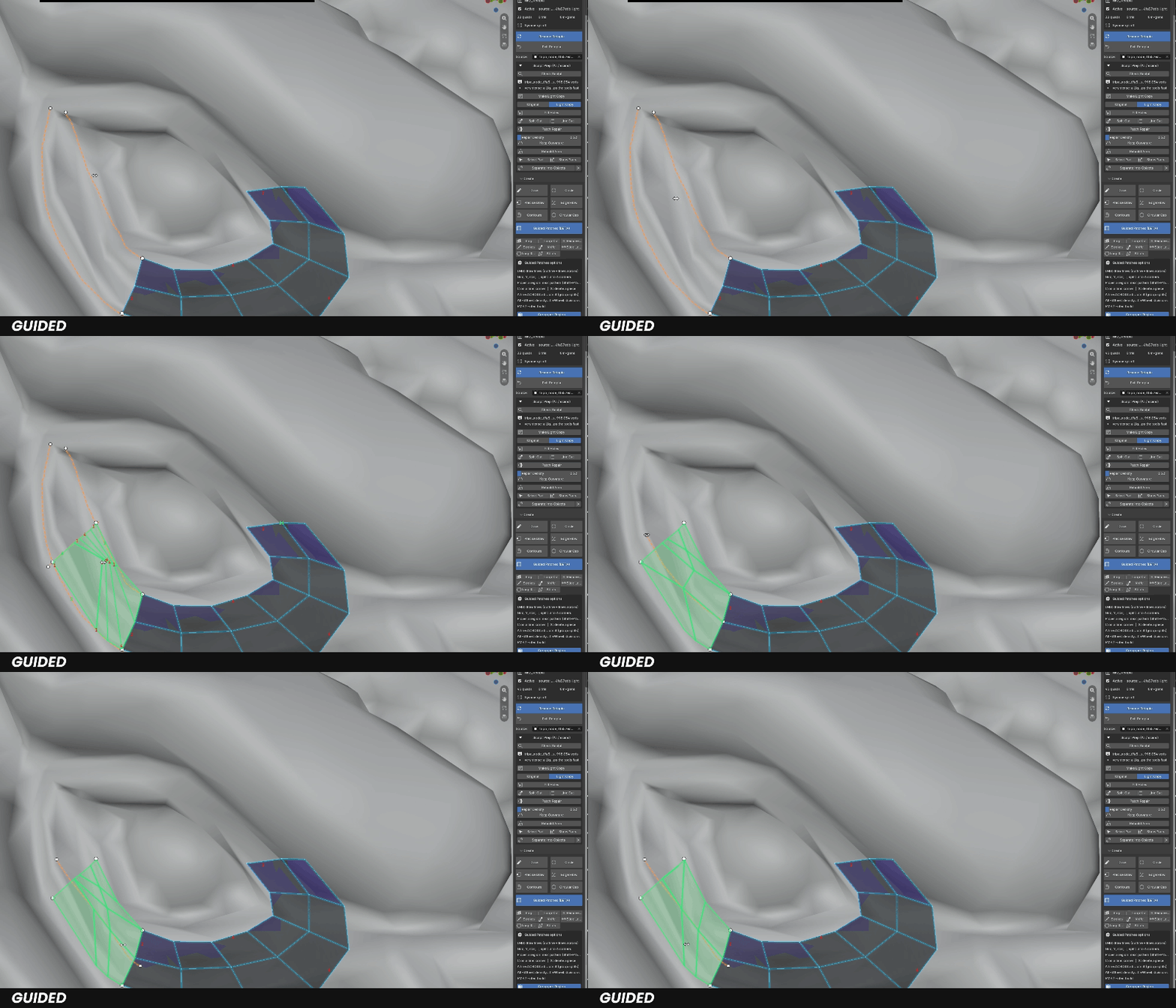
Draw an outline and the lines across it, in any order: every closed region is filled at once, with shared sides that always match. A live preview appears as soon as the network closes.
▸ Patterns — grids first; Y, star, T or split where a grid can't fit. Hover a region and press P to cycle the clean ones.
▸ Group per Region — every region gets its own face group and colour, ready for UV islands.
▸ Re-pattern — draw a line across a patch you already built: it splits exactly where you passed, keeps its outline, and both parts are rebuilt with clean quads — a grid first, other layouts with P.
▸ Lines snap onto your existing retopo, so new patches weld on by themselves.
◆ BUILD THE TOPOLOGY. YOUR WAY.
Sketch whole regions, place single quads, or extend with rigid strips — pick the tool that fits the area.
BUILD
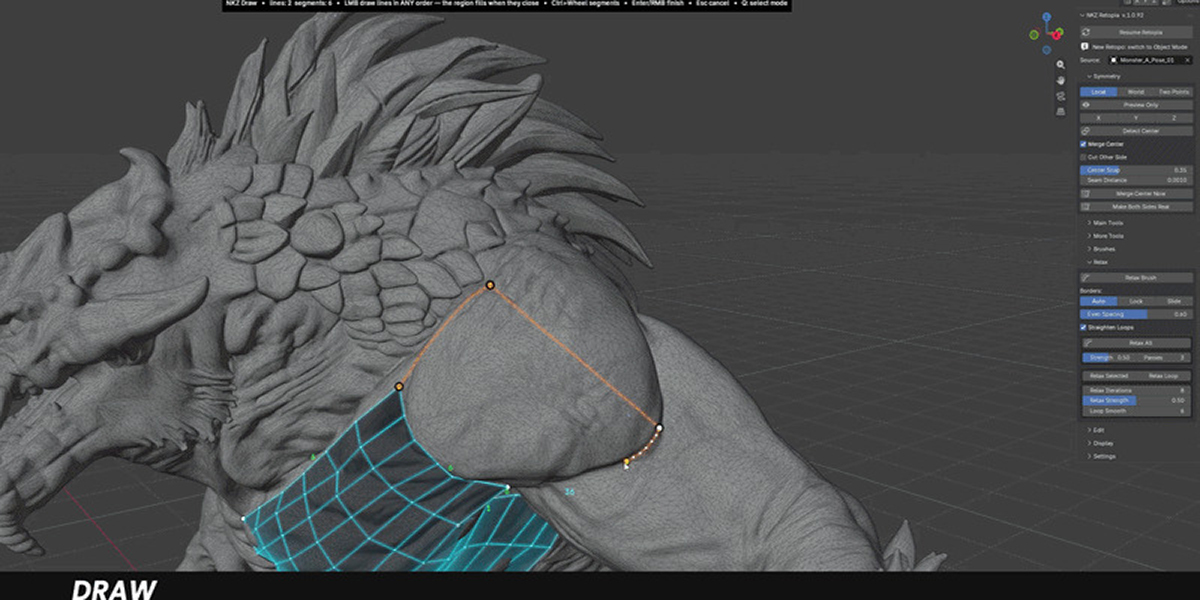
Draw
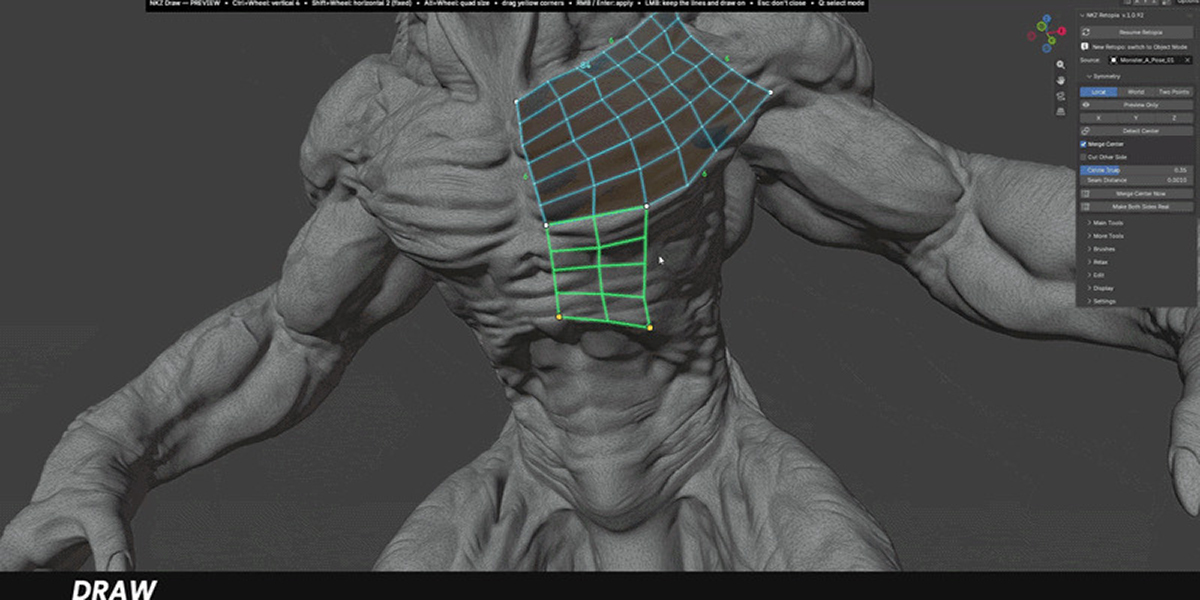
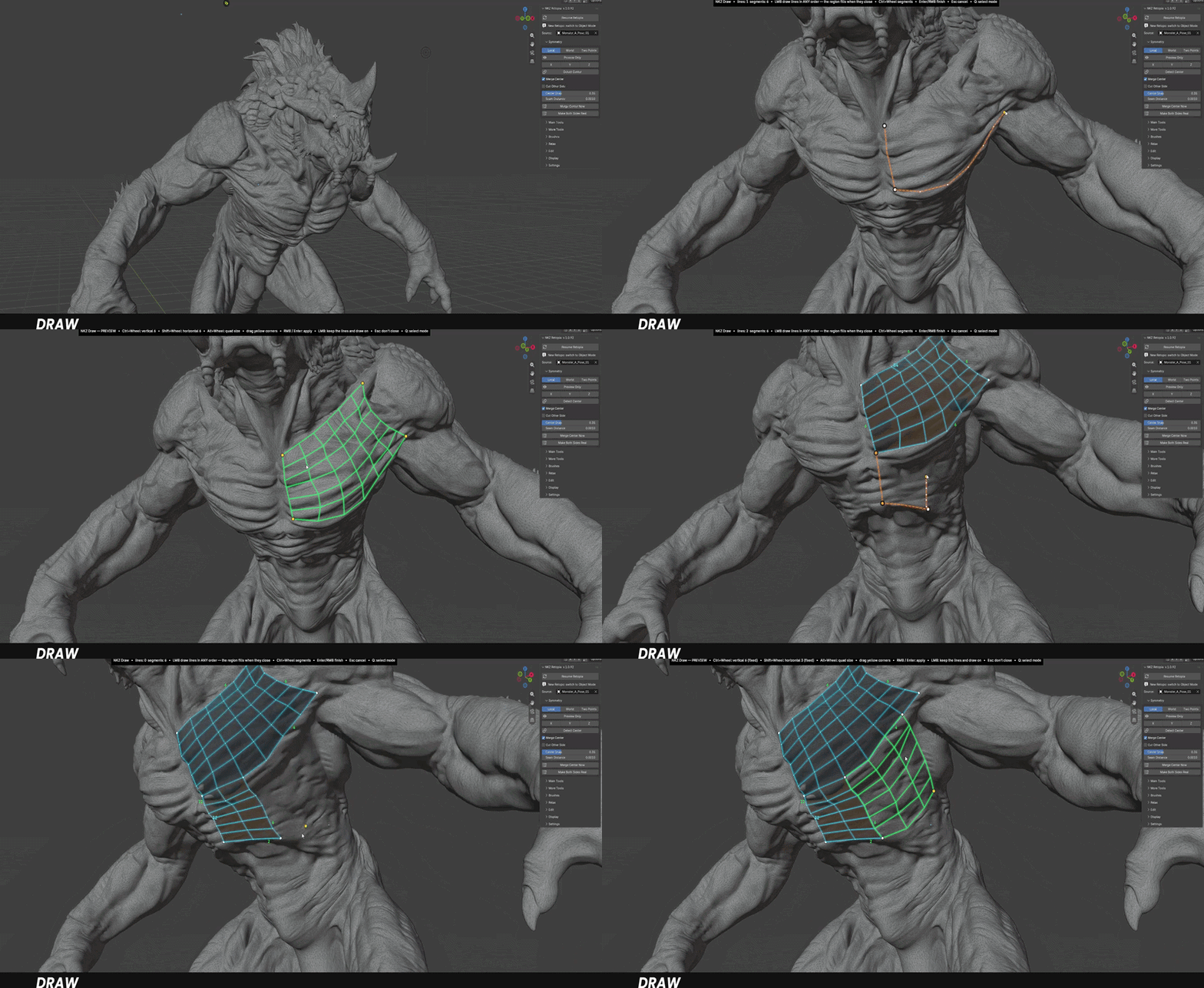
Sketch the sides of a region in any order: Retopia recognises the shape and fills it with an ordered quad grid. Preview it, drag the corners, adjust the density, then apply.
BUILD
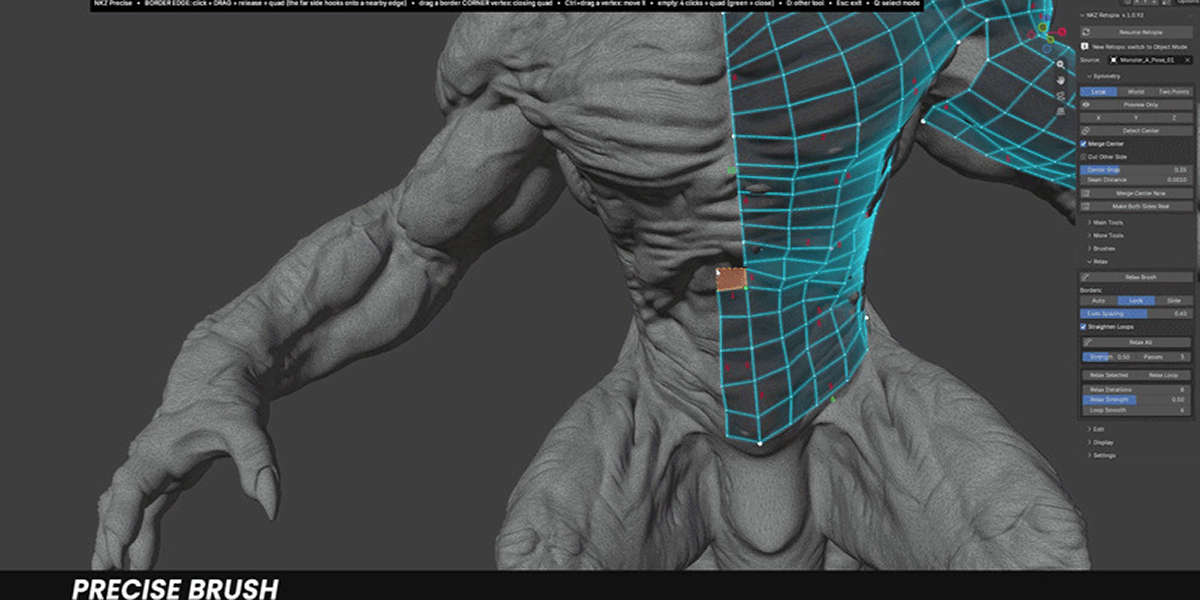
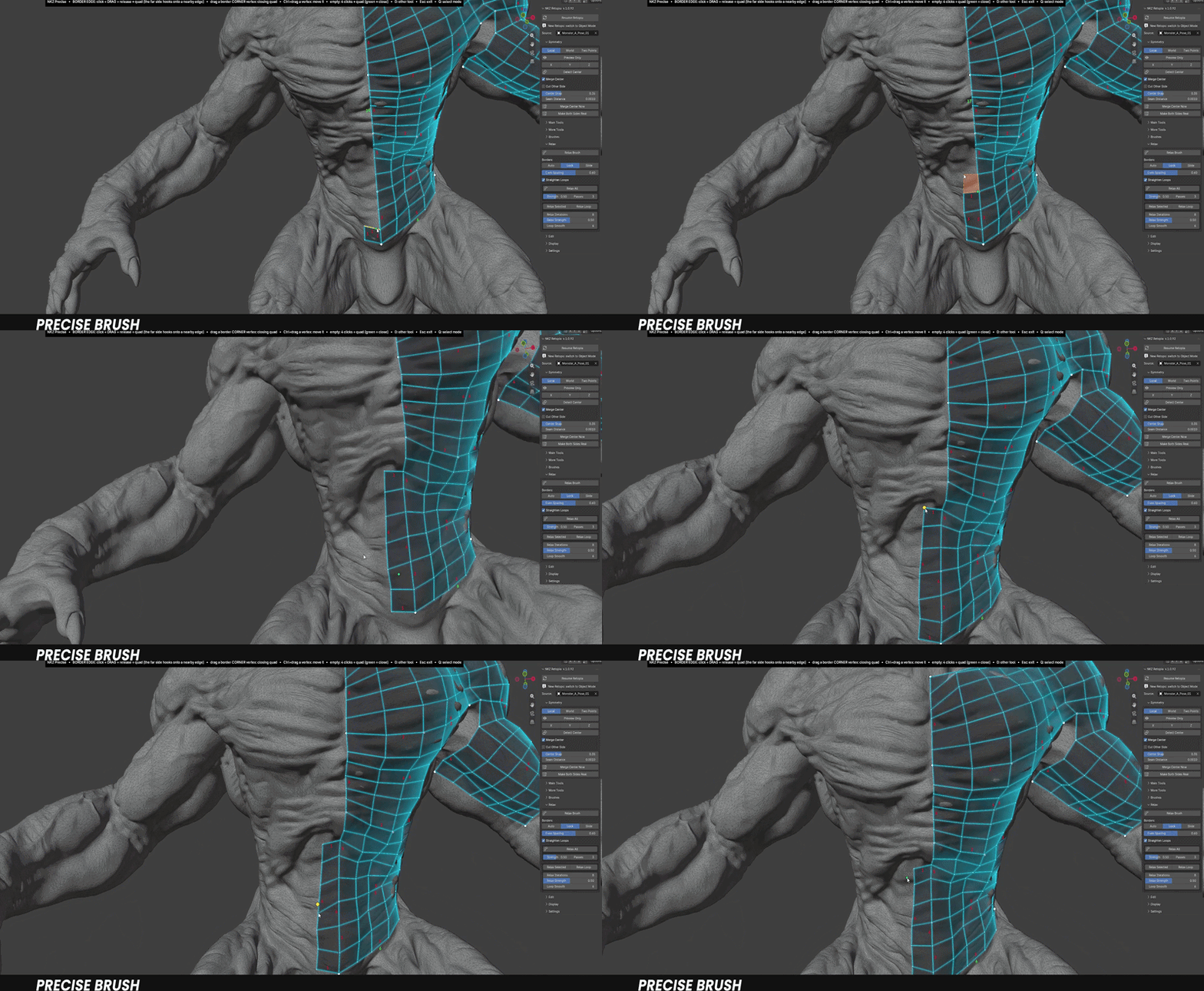
Precise Draw
Click, drag, release: extrude quads from any edge or corner, and snap them onto nearby geometry to close structures in one move.
BUILD
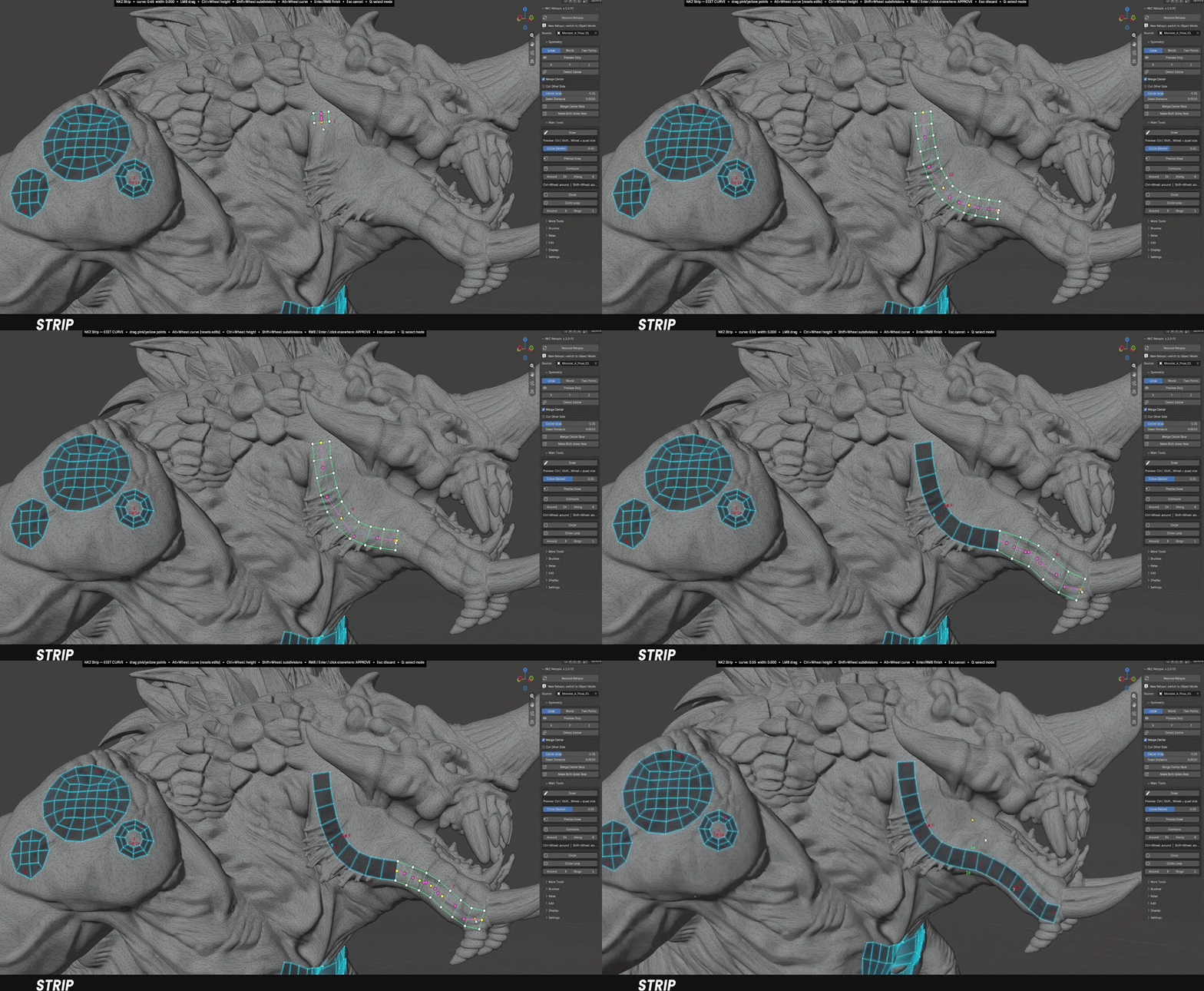
Strip
Draw a stroke and get a rigid band of square quads. Change height and subdivisions on the fly with the mouse wheel.
◆ WRAP THE FORM. CLOSE THE GAPS.
Loops that hug limbs, eyes and mouths — built in seconds.
SHAPE
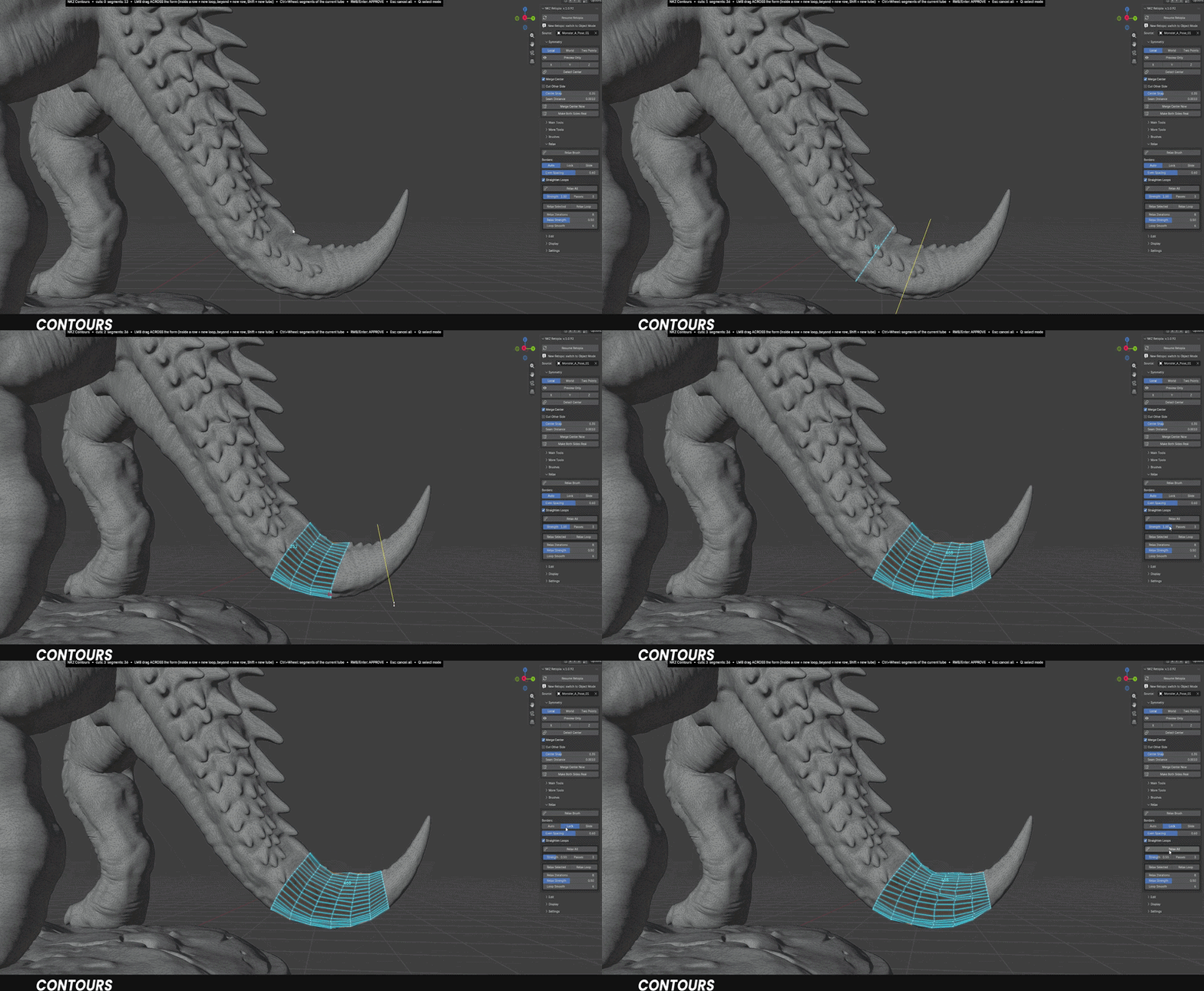
Contours
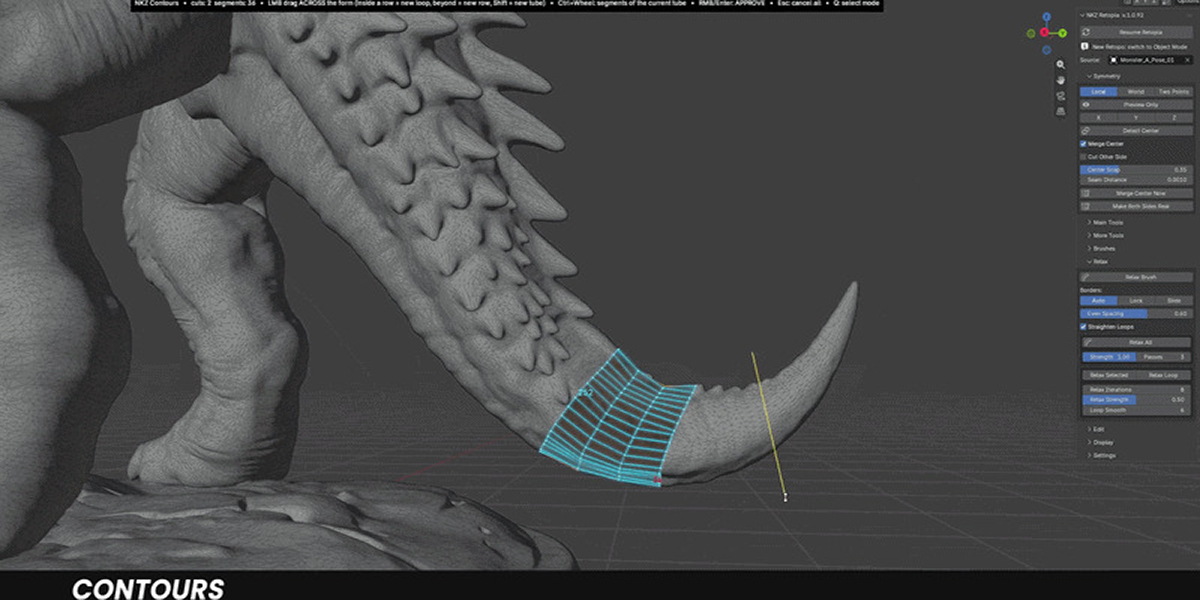
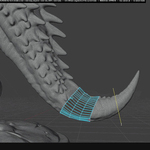
Drag across an arm, a finger or a neck and get a ring that wraps the form. Density adapts to the rest of your retopo; add rows, insert loops, change segments at any time.
REFINE
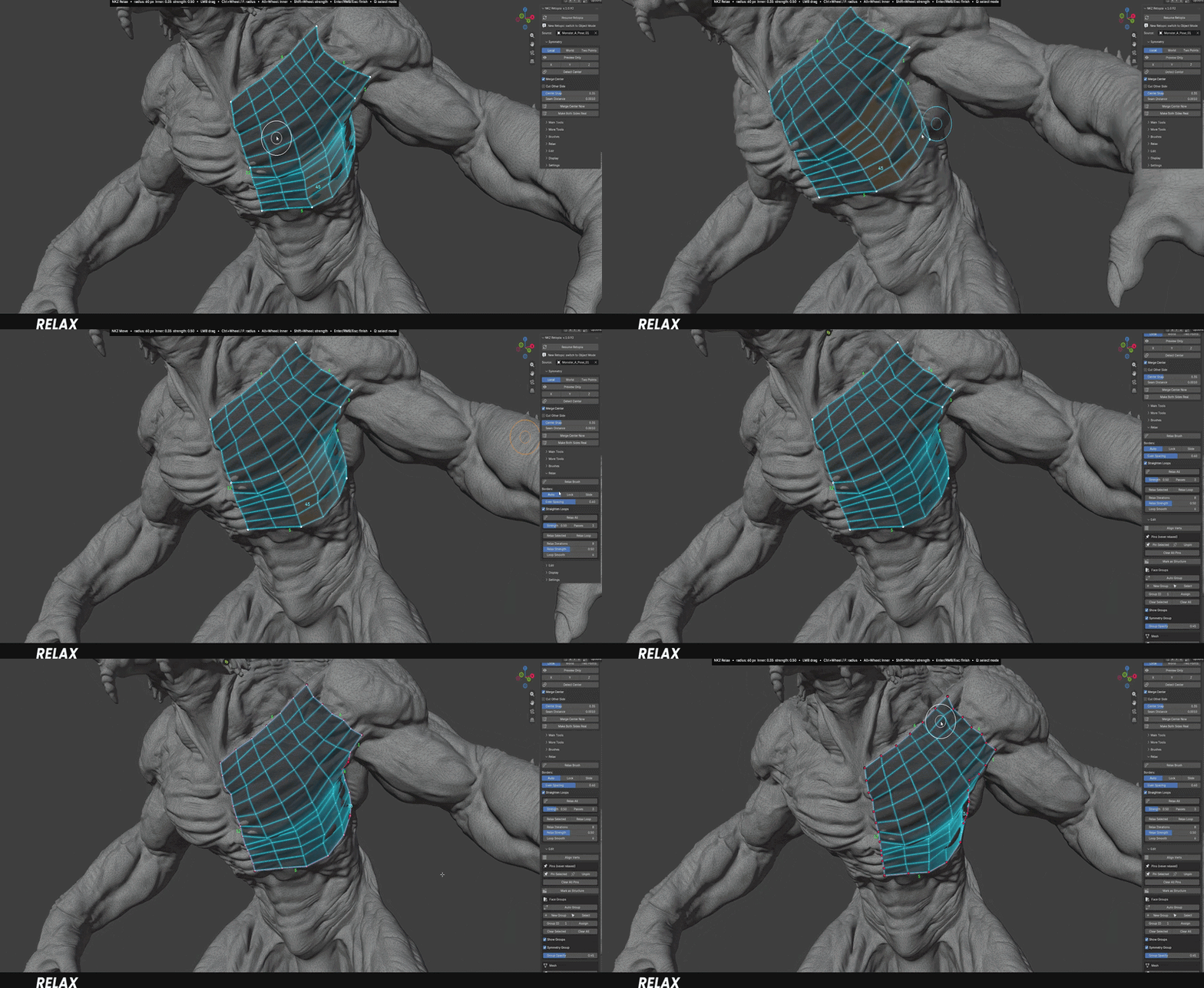
Relax
Brush over the mesh to even out spacing and square up the quads. Vertices are highlighted as you go, and faces never fold or overlap.
◆ SMARTER THAN IT LOOKS.
The details that save hours on real production models.
SMART
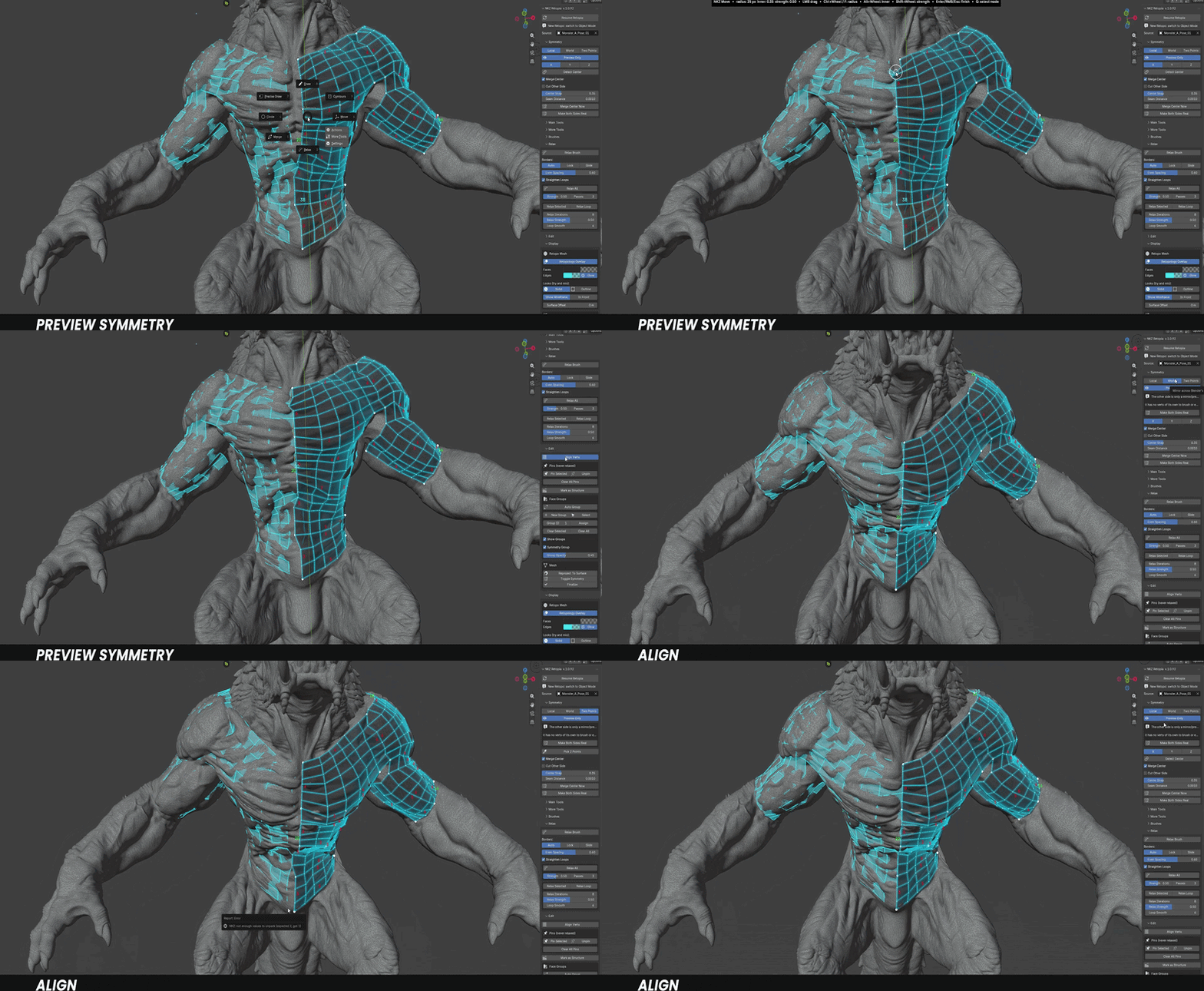
Smart Symmetry
Finds the true centre of your sculpt, even when a weapon, a tail or a big hand makes it uneven. Work live, or keep the mirror as a see-through preview.
Structure Numbers & Side Totals — the segment count of every piece and every joined side, to plan the next patch so it connects cleanly.
Always-right normals — every face points outward, automatically, after every action.
Solid + Glow display — a clear, modern look over the sculpt, with In Front when you need to see through.
Resume anytime — close the file, come back later, pick up exactly where you left off.
VERSION 1.1 · FREE UPDATE
What's new in NKZ Retopia
Tubes drawn in one stroke, bands along any line, a live check of your topology and smarter face groups — plus a much faster viewport on dense retopo.
NEWCONTOURS
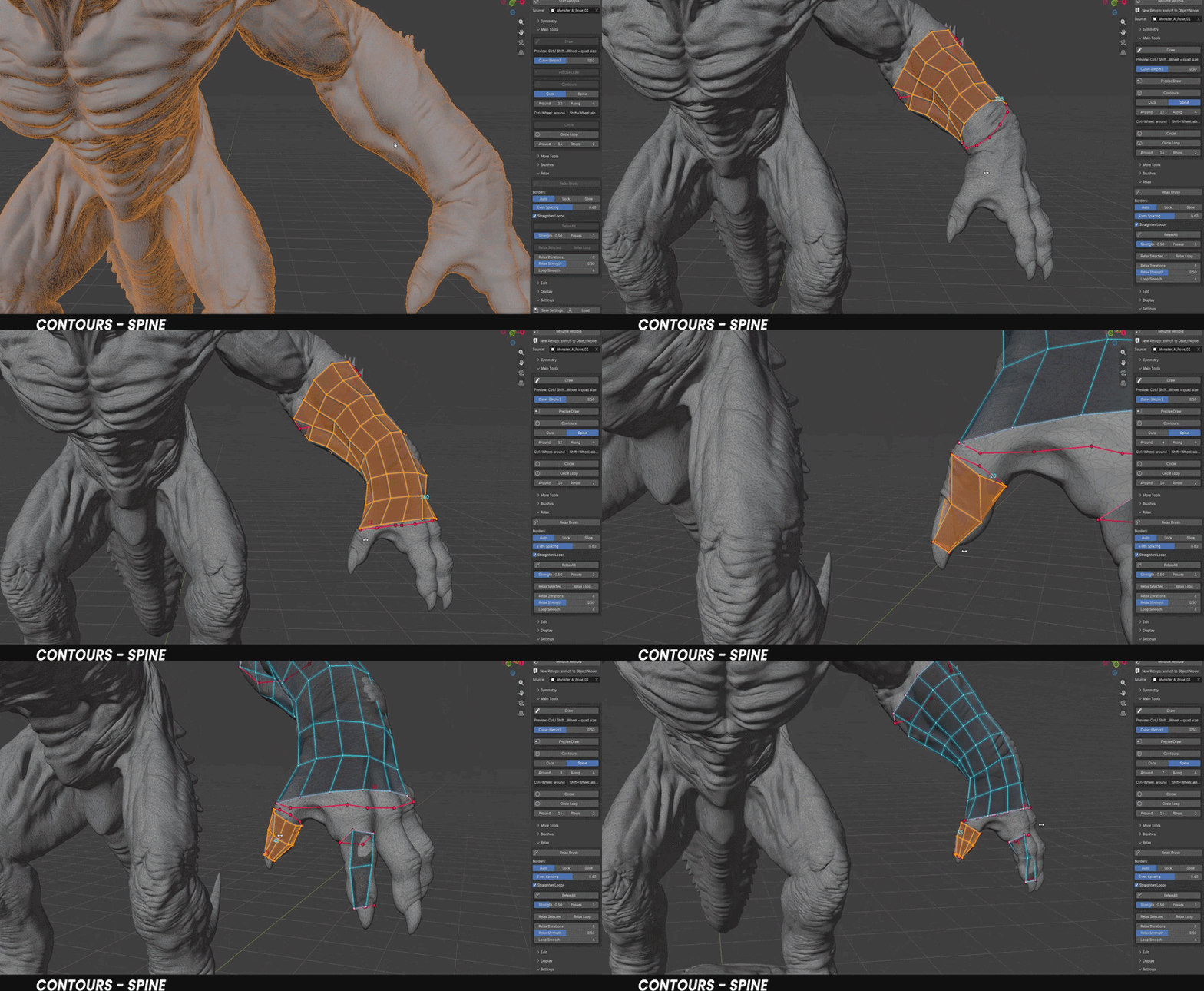
Spine
Draw one line along an arm, a leg or a finger: every ring of the tube is created at once, perpendicular to the limb and taken from its real cross-section.
- The tube starts and ends exactly where your line does.
- Start a line on the end of a tube to extend it — draw from one tube to another to join them. Ctrl: always a new tube.
- The same result from any point of view; end rings stay locked to the sculpt when you relax.
NEWSTRIP
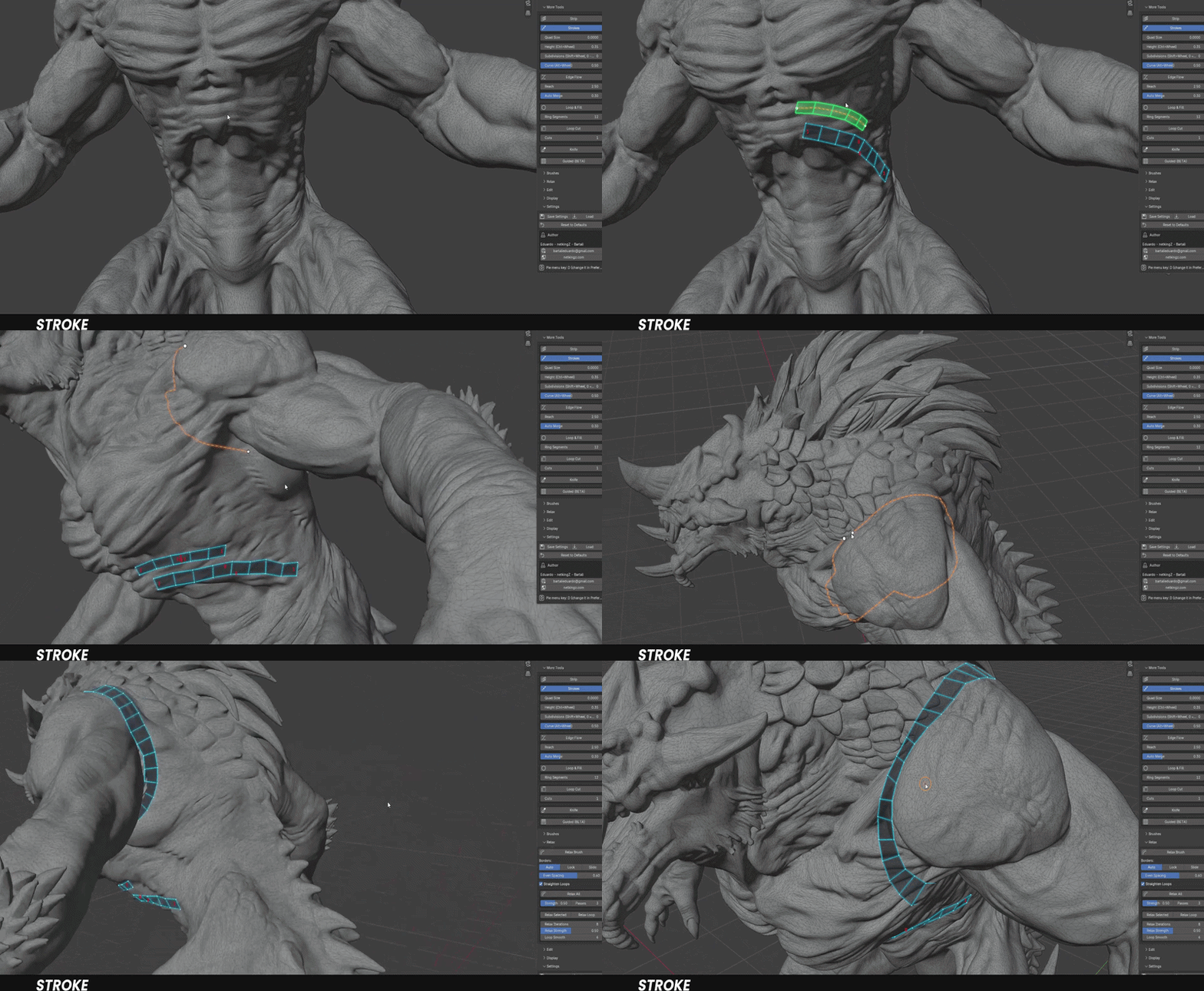
Strokes
A new mode of the Strip: the line you draw becomes the centre of a band of quads, extruded evenly on both sides.
- Extend the line with more strokes, or close it on its start for a ring.
- Ctrl+Wheel for the width, Shift+Wheel for the divisions — the same keys as the Strip.
- Right-click to preview, right-click again to build.
NEWDISPLAY
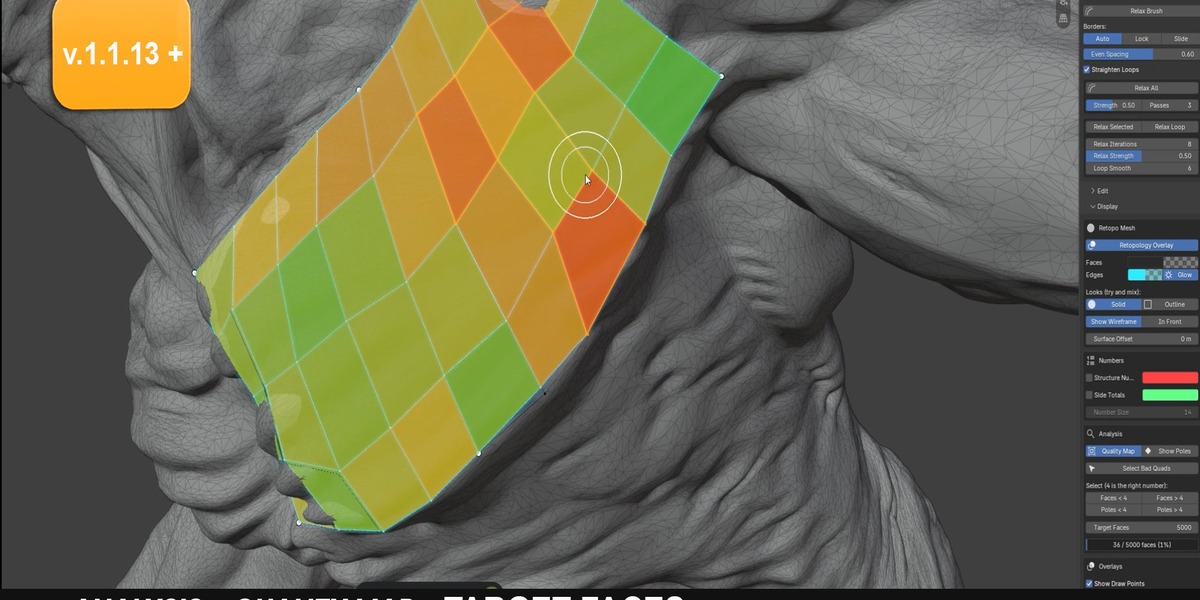
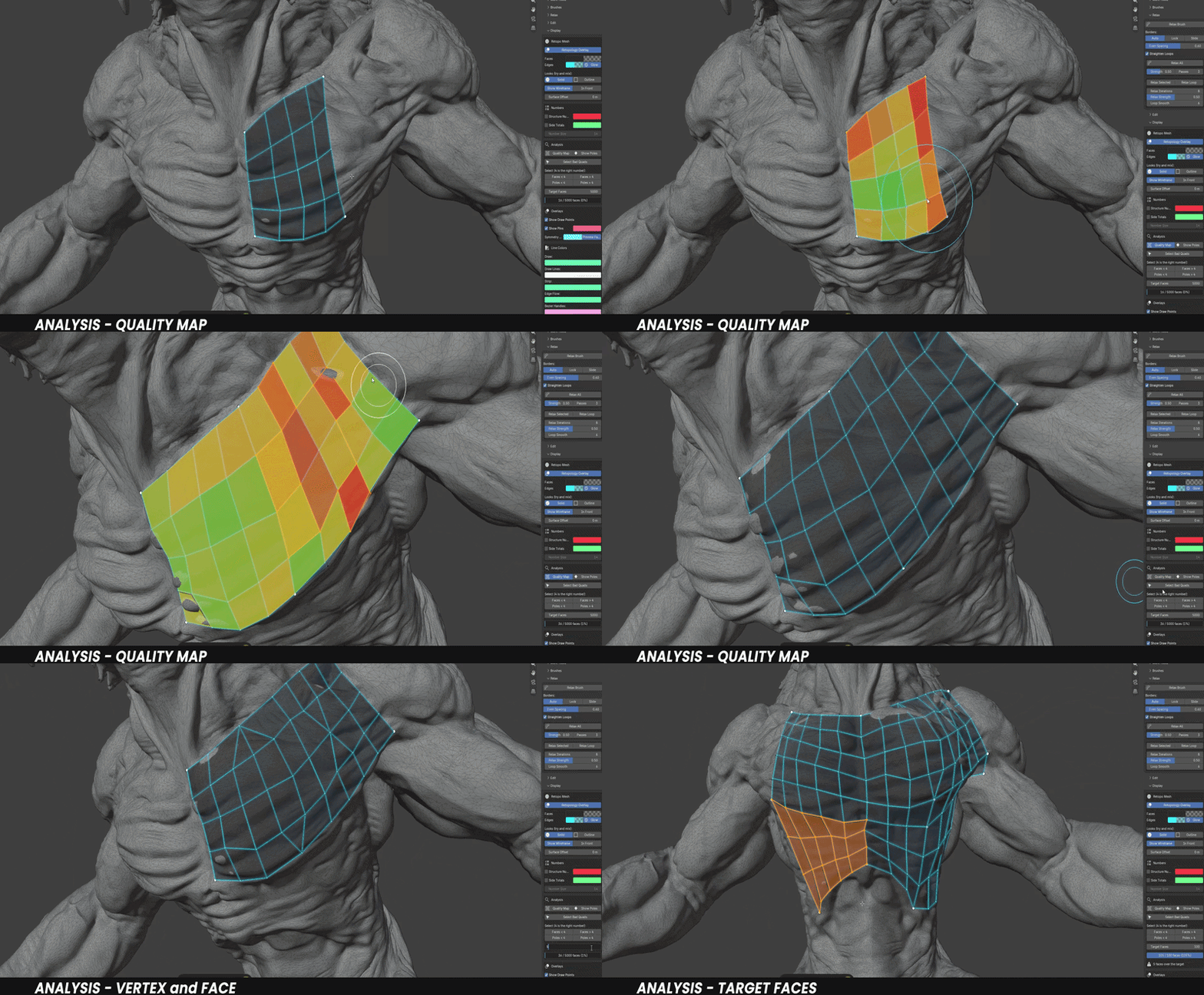
Analysis
See the health of your topology at a glance, always drawn on top of everything else.
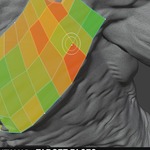
- Quality Map: every face coloured green, yellow or red by its angles, proportions and size.
- Show Poles: poles, triangles and n-gons highlighted.
- Select by count (Faces < 4 / > 4, Poles < 4 / > 4) and Select Bad Quads, ready for Relax.
- Target Faces: a polygon budget with a progress bar (mirror included).
IMPROVEDEDIT
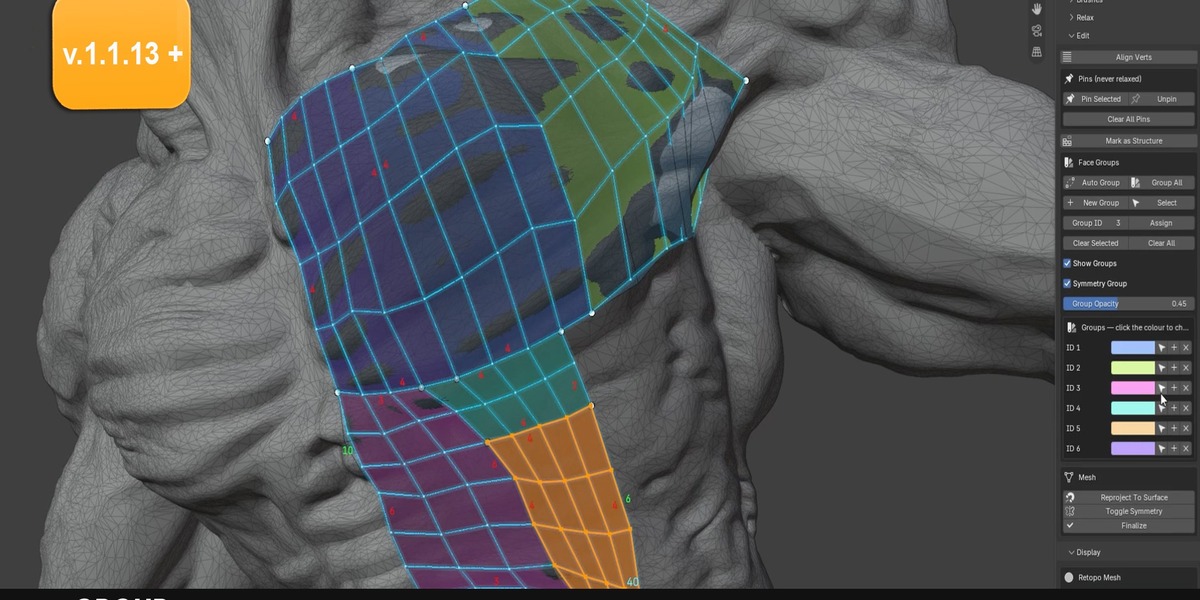
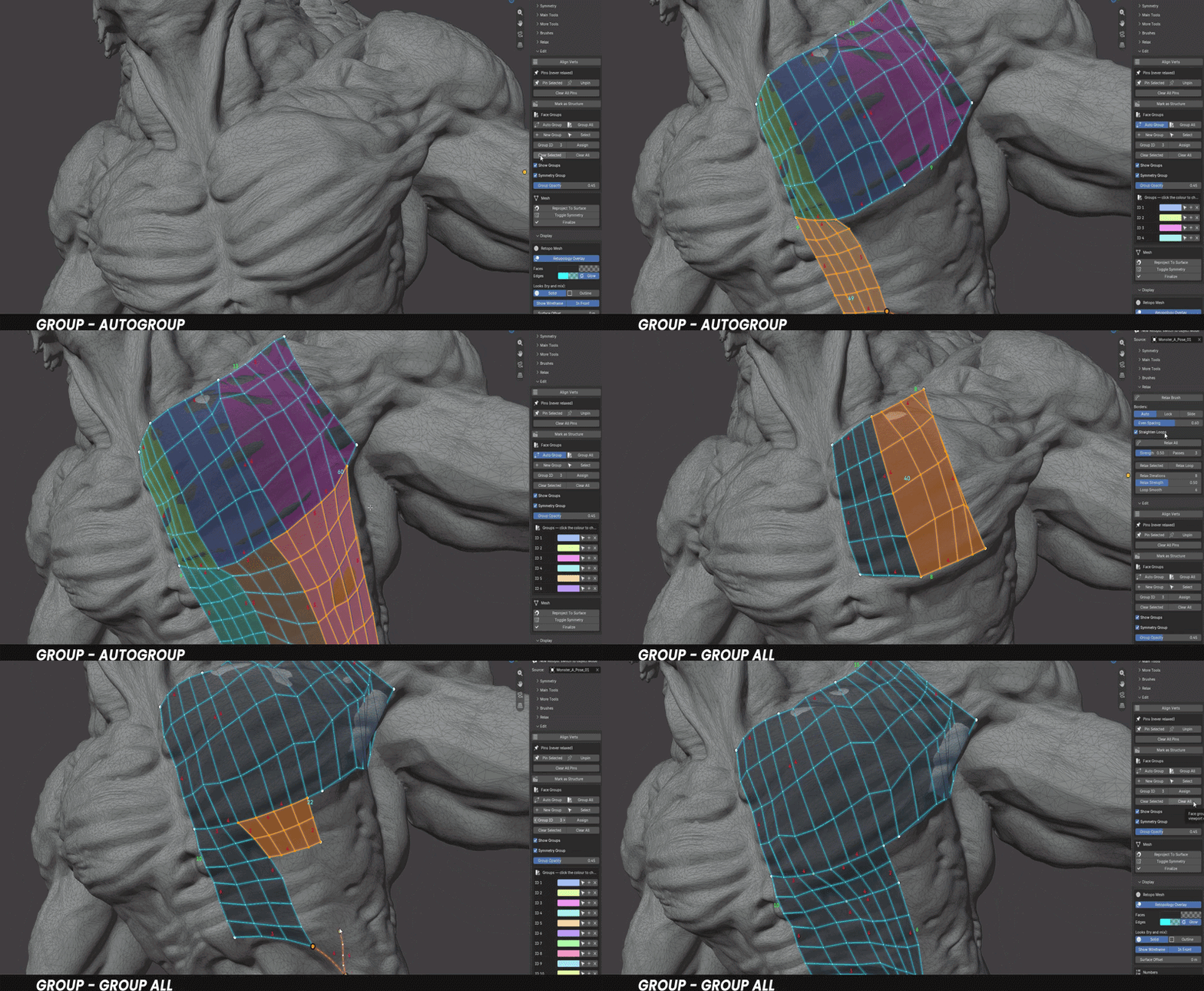
Face Groups
Keep every part of the retopo readable with colour-coded groups.
- Auto Group: every new structure gets its own group the moment it's created.
- Group All: one click gives every structure a group of its own, with a unique ID.
- Each retopo object now keeps its own group list — older files are converted automatically.
ALSO IN THIS UPDATE
Tangential Relax Faster viewport on dense meshes Strip & Edge Flow built on the surface Guided (BETA) Clear error reports
VERSION 1.2 · FREE UPDATE
Three new finishing tools
NEWIN THE PIE MENU
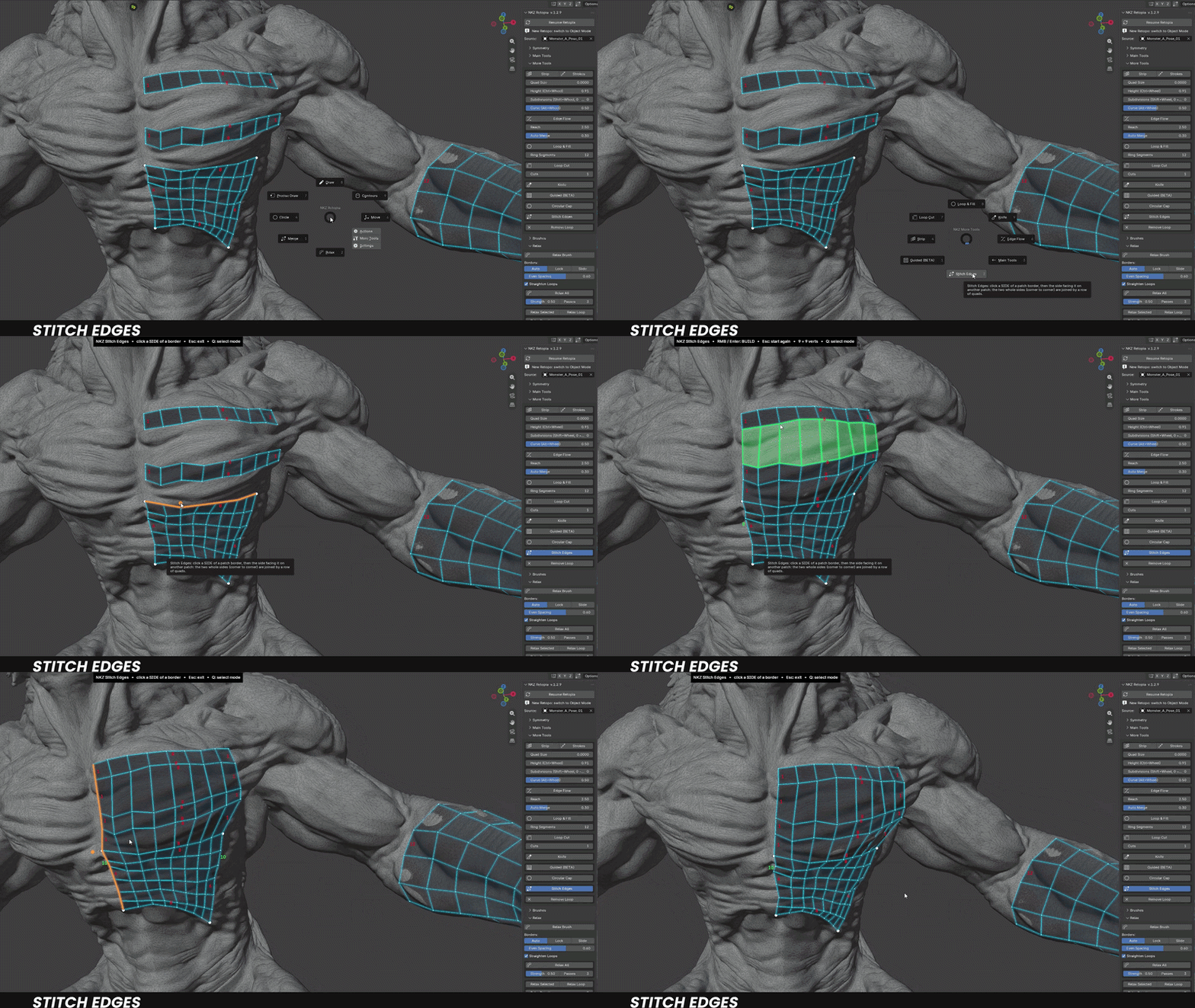
Stitch Edges
Join two separate patches in two clicks. Pick a side, pick the side facing it, and NKZ Retopia bridges them with a row of quads — the whole side, corner to corner, however long or curved.
NEWTUBES & TIPS
Circular Cap
Close the open end of a finger, a horn or a claw: click the farthest tip and clean circular topology follows the real shape all the way there, ending exactly where you clicked. Ctrl+Wheel sets the rings.

NEWCLEAN-UP
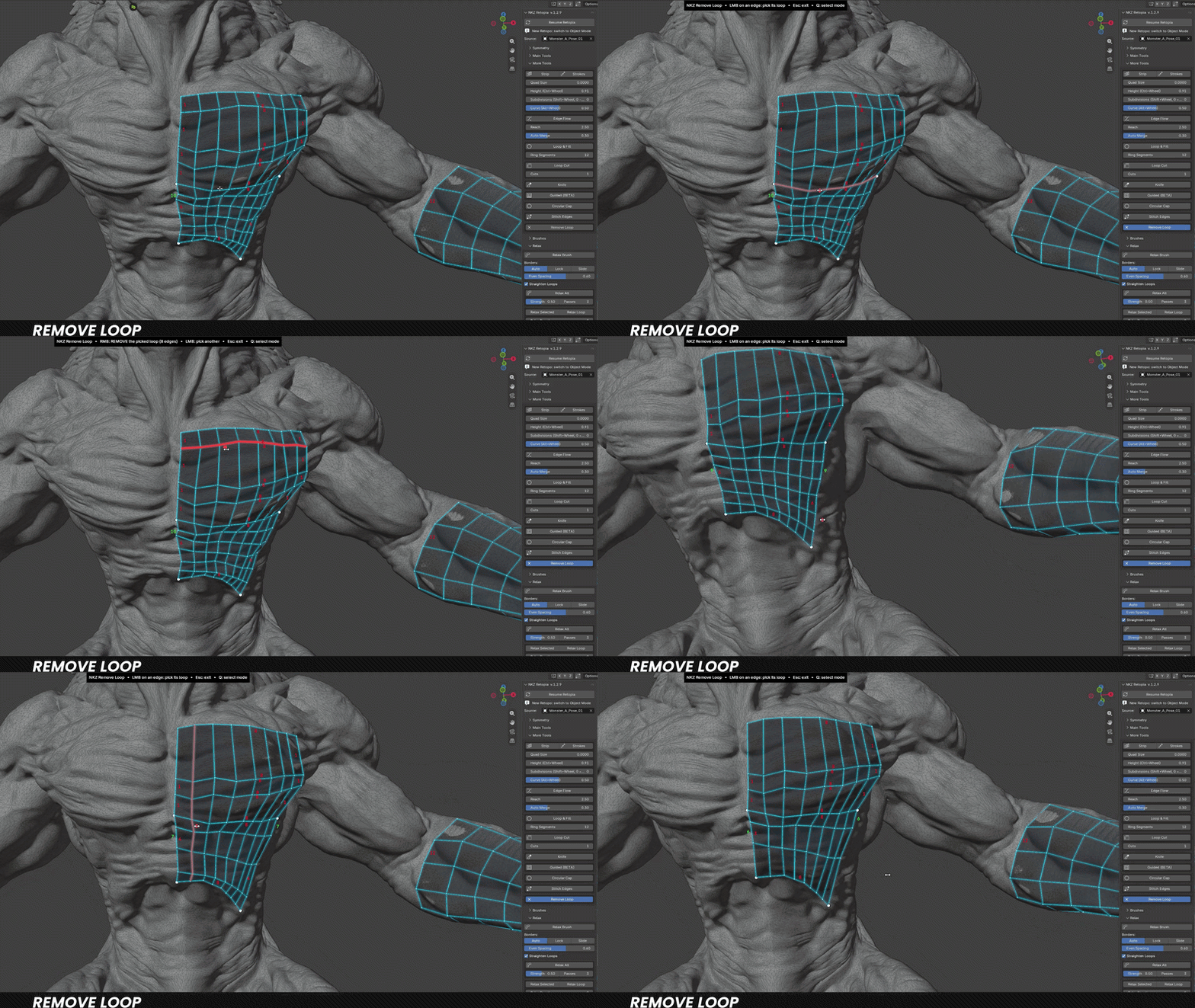
Remove Loop
Too dense? Click an edge to light up its whole loop, right-click to remove it — the rows on both sides merge cleanly.
VERSION 1.3 · FREE UPDATE
Faster patches, smarter fills, a clear preview
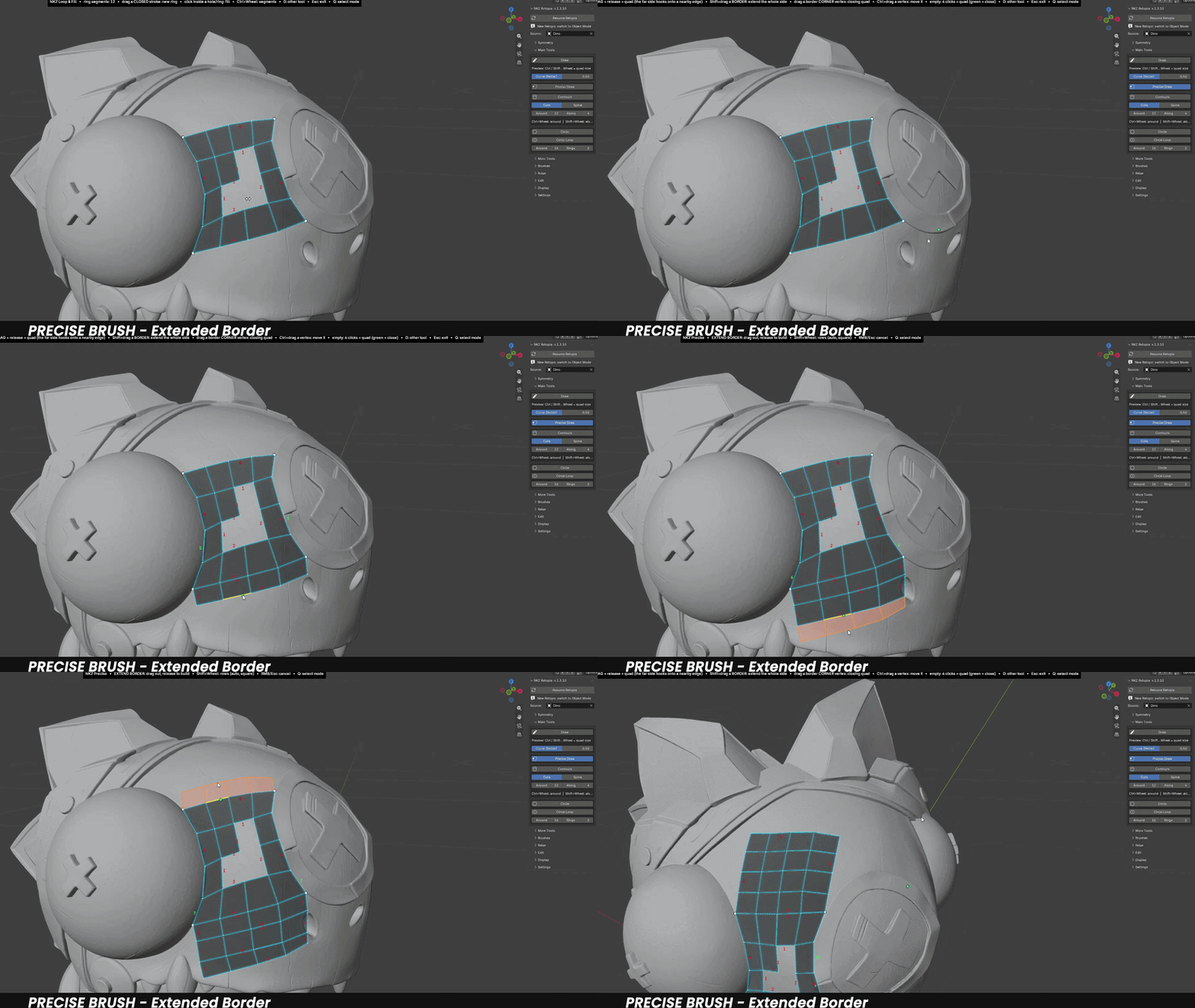
NEWPRECISE DRAW
Extend Border
Shift+drag from any border and the whole side grows new rows of quads that follow your mouse.
- Rows are laid over the sculpt one at a time, so the quads stay square even on curved surfaces.
- Drag sideways and the band leans with you.
- Rows are set automatically, or choose them with Shift+Wheel.
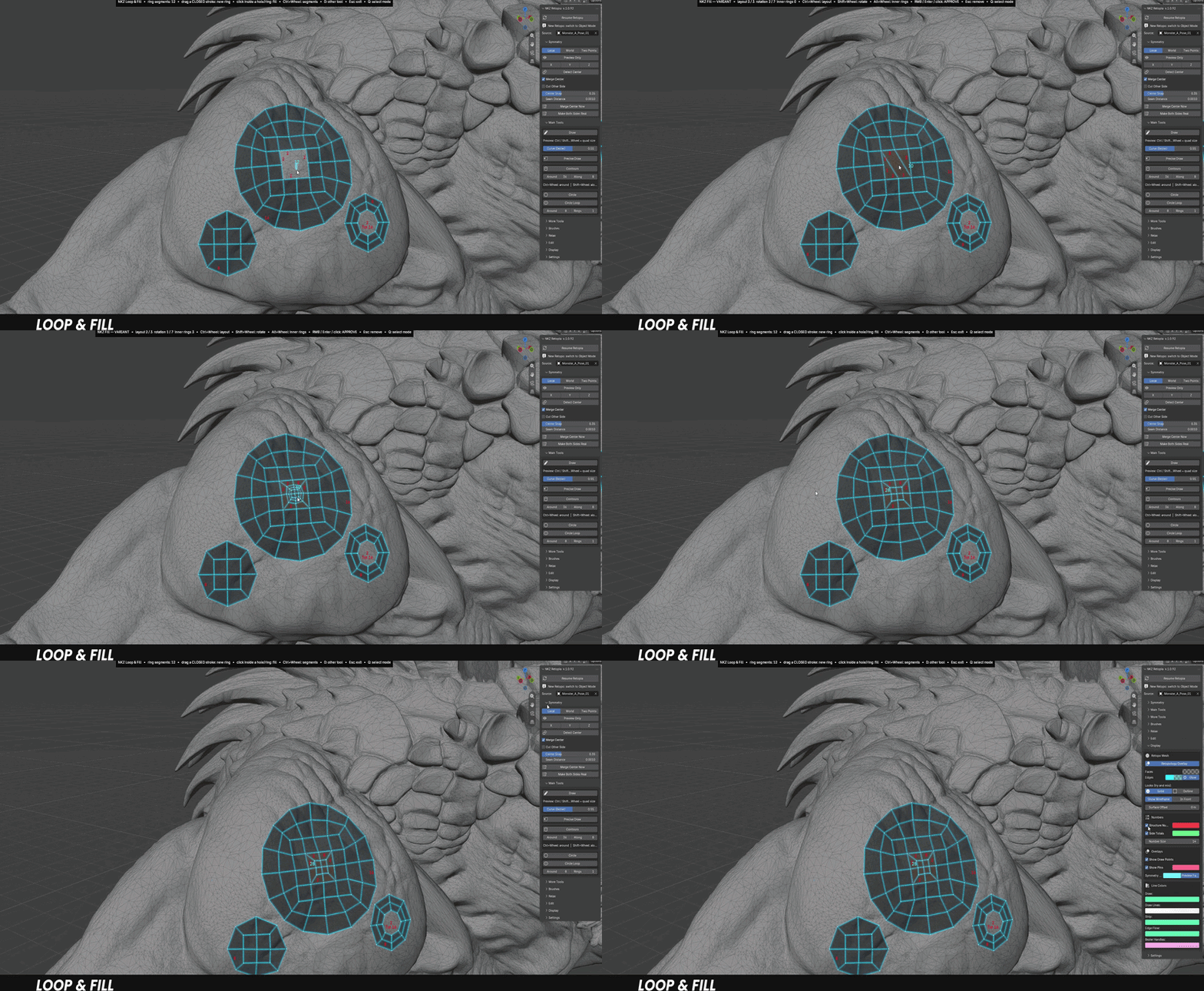
IMPROVEDLOOP & FILL
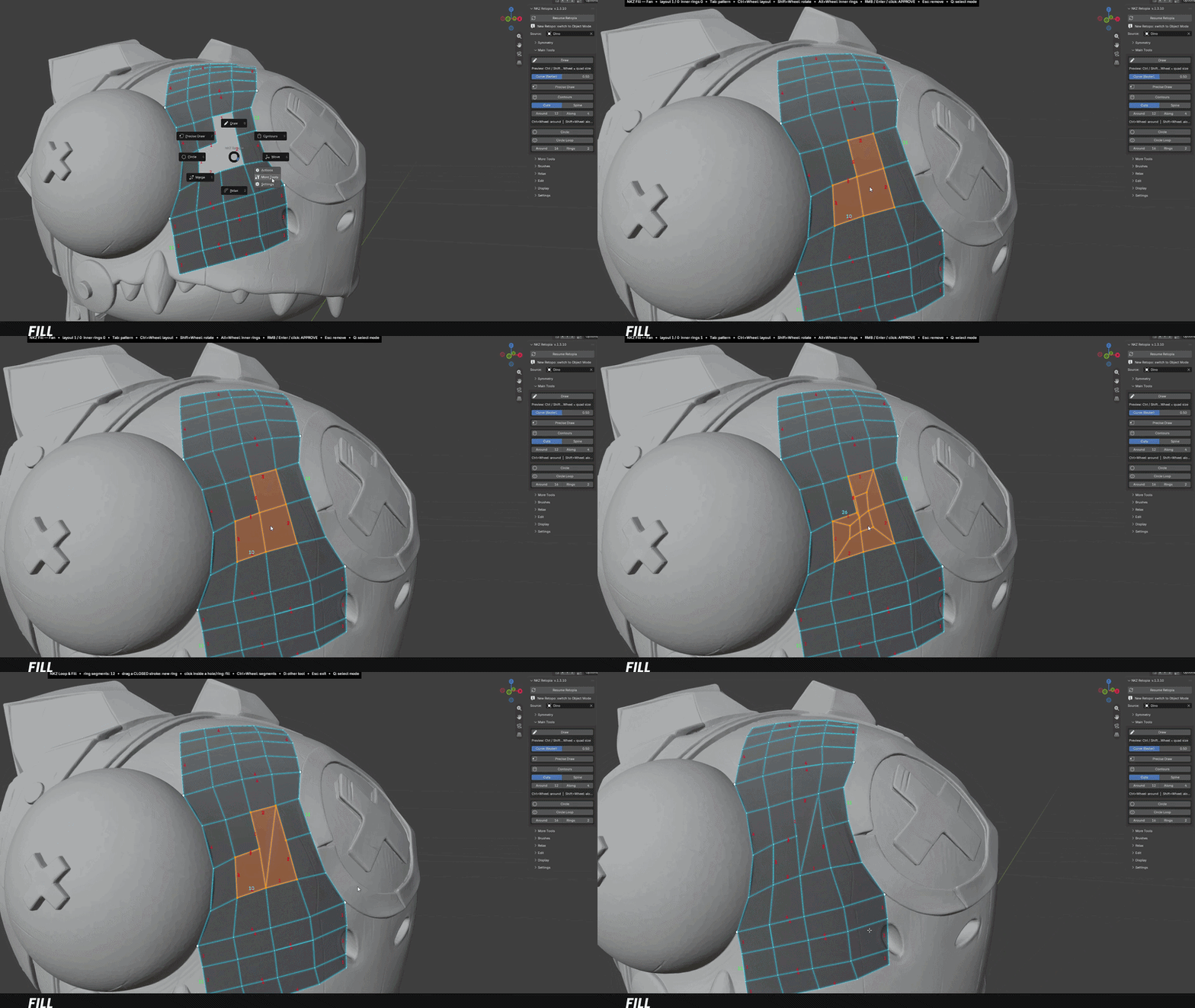
Fill Patterns
Click inside a hole and press Tab to switch the topology before you confirm.
- Grid, 3 Poles, 5 Poles and Fan: always clean, all-quad results.
- Small holes with an inner corner are refilled with exactly the faces you removed.
- Ctrl+Wheel: layout · Shift+Wheel: rotation · Alt+Wheel: inner rings · Right-click: confirm.
NEWDISPLAY
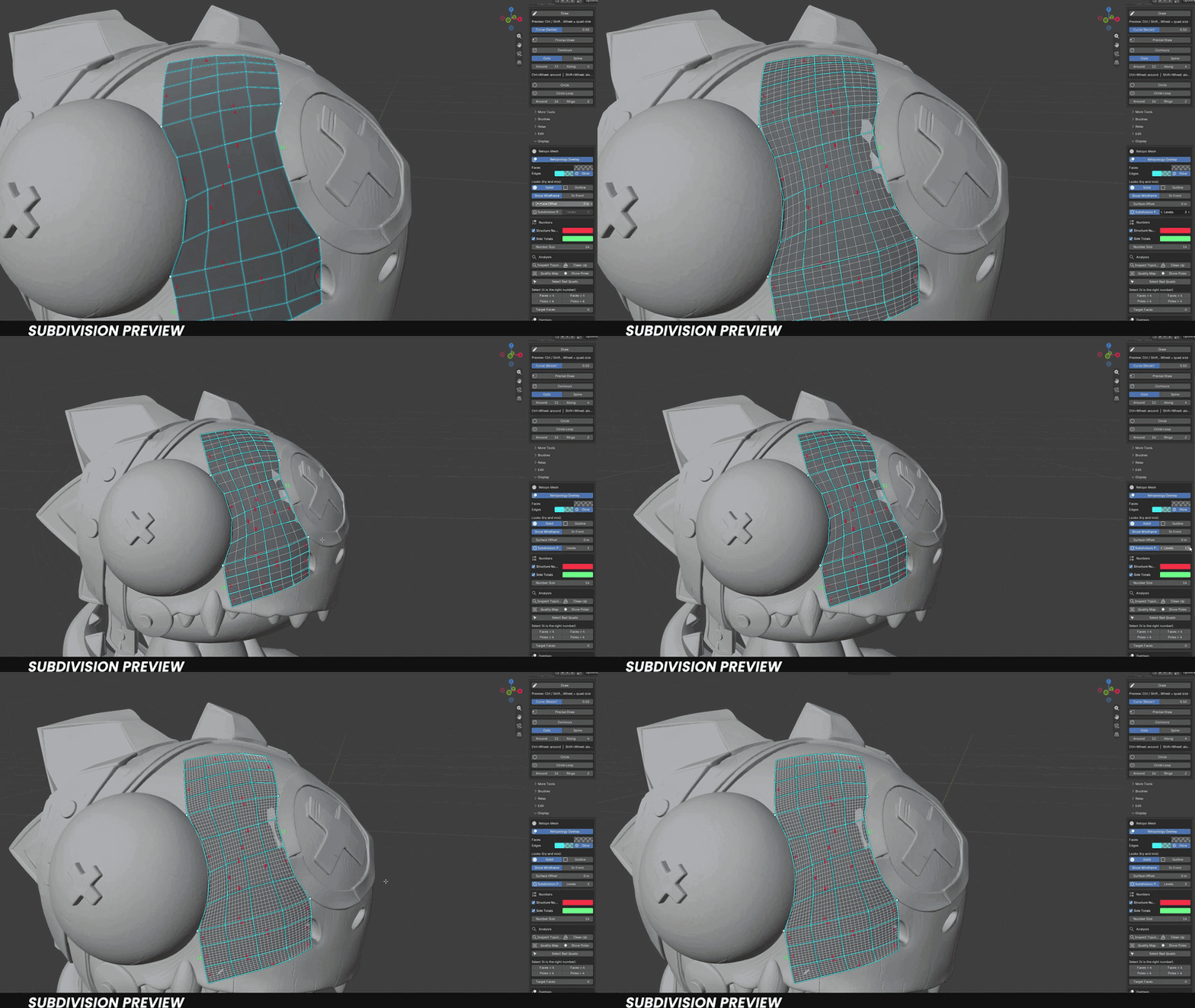
Subdivision Preview
See how your retopo will look once subdivided, live, while you work.
- The smoothed result is laid on the sculpt with even, undistorted lines.
- It stays inside the borders of your retopo, with your cage drawn on top.
- One click on or off, with 1–3 levels. Nothing is applied to your mesh.
NEWVERSION 1.4
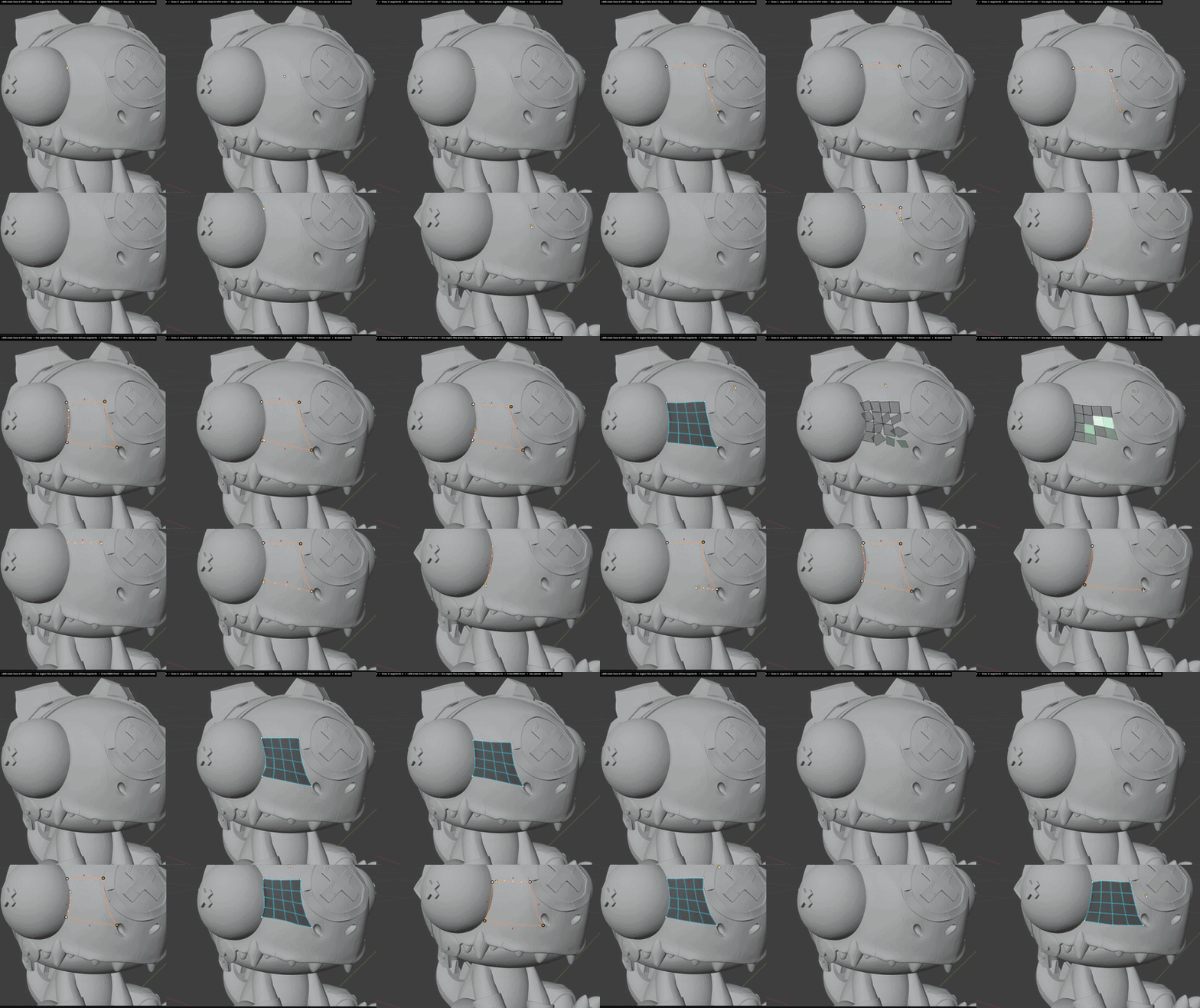
Creation Animation
Right-click to confirm a preview and the new polygons settle into place with a short animation.
- 12 styles: Grow, Ripple, Sweep, Drop, Assemble, Pop, Sparkle, Spin, Flip, Tornado, Scatter and Bounce.
- Works with Draw, Strip, Edge Flow, Strokes, Contours, Circular Cap, Stitch Edges, Extend Border and Loop & Fill.
- Adjustable speed, or switch it off in Display.
NEWVERSION 1.4.18
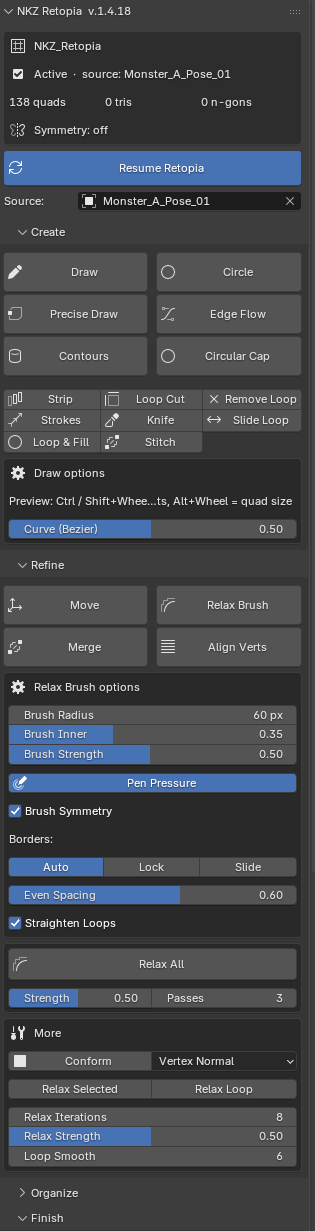
A Redesigned Panel
The side panel now follows the way you work: Create, Refine, Organize, Finish.
- Status card: your retopo, its source, quads / tris / n-gons and symmetry at a glance.
- Big buttons for the main tools, so they are always easy to find.
- One options box that shows the settings of the tool you are using. A shorter, cleaner panel.
- Convert to Final Mesh: turn the retopo into a plain mesh, ready for the next step.
◆ ALSO IN THE TOOLKIT
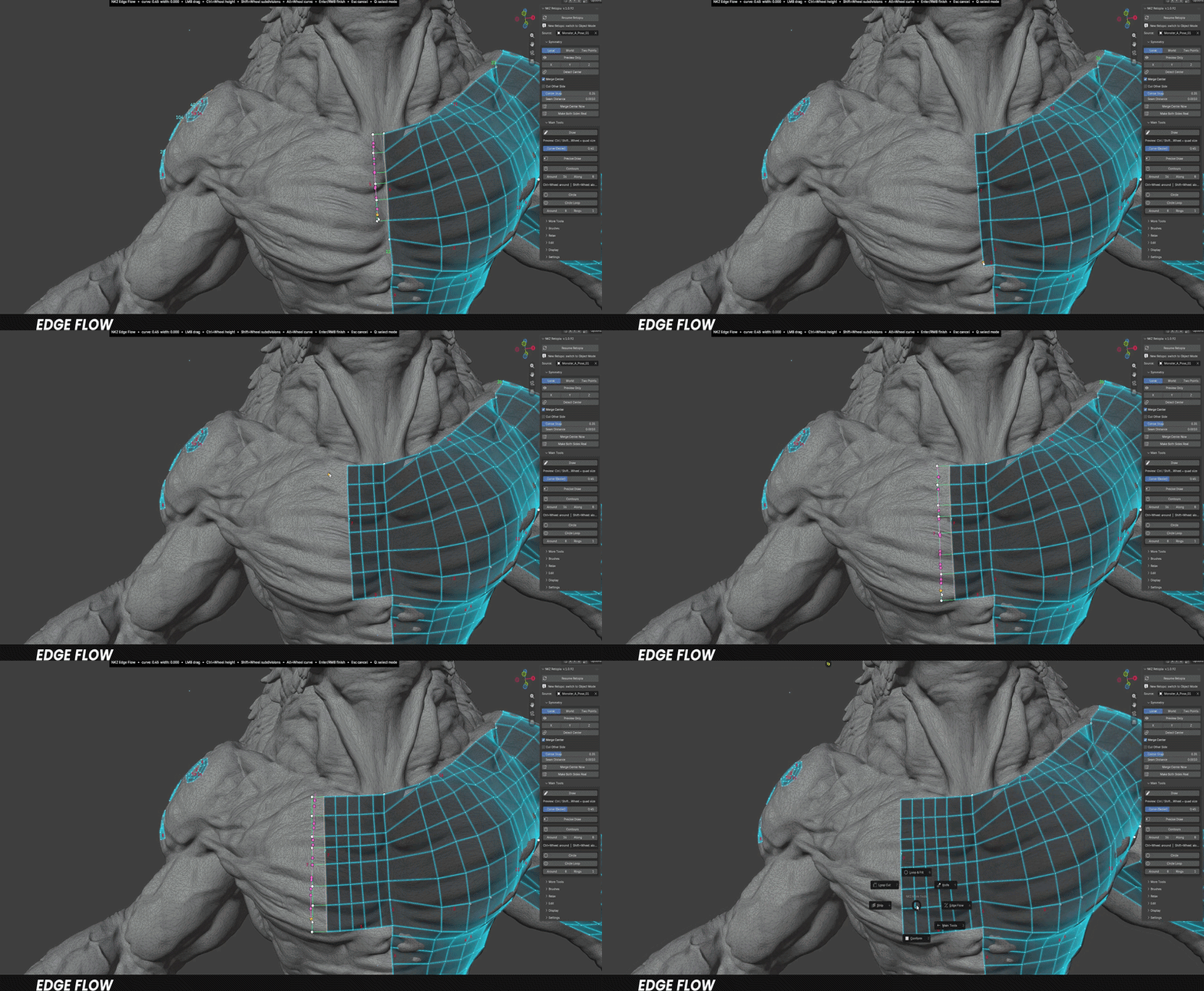
Edge Flow — continue an existing row, perfectly matched.
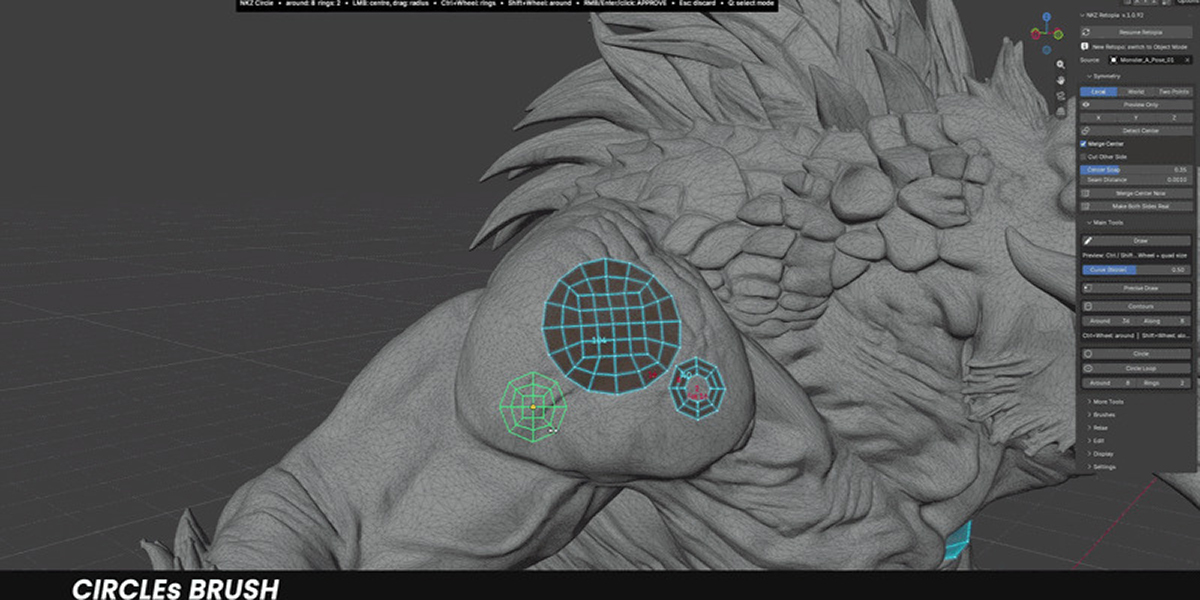
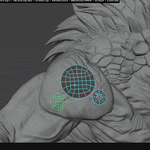
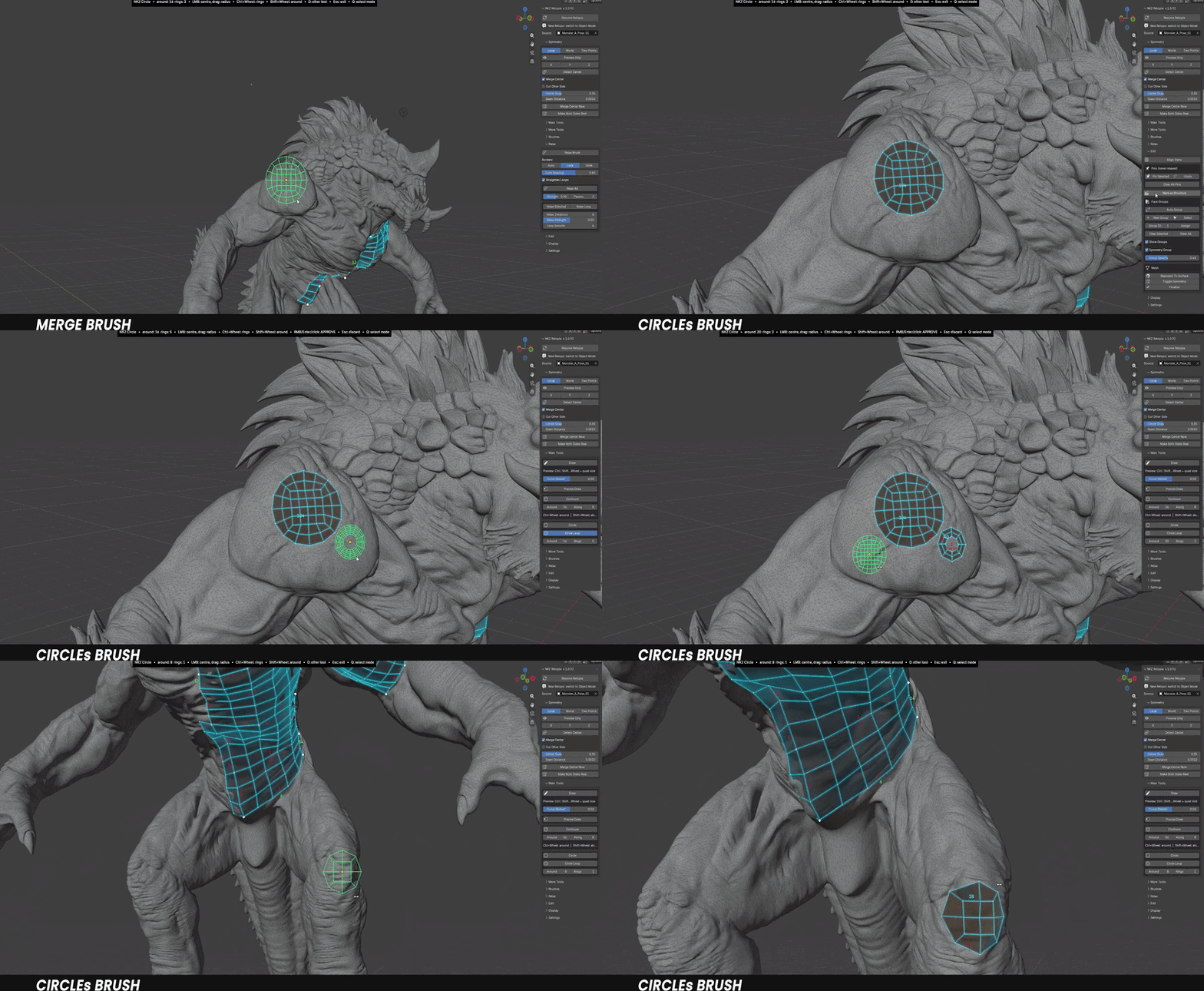
Circle & Circle Loop — all-quad disks or rings for eyes, mouths and pipes.
Loop & Fill — create rings and fill holes with the cleanest layout.
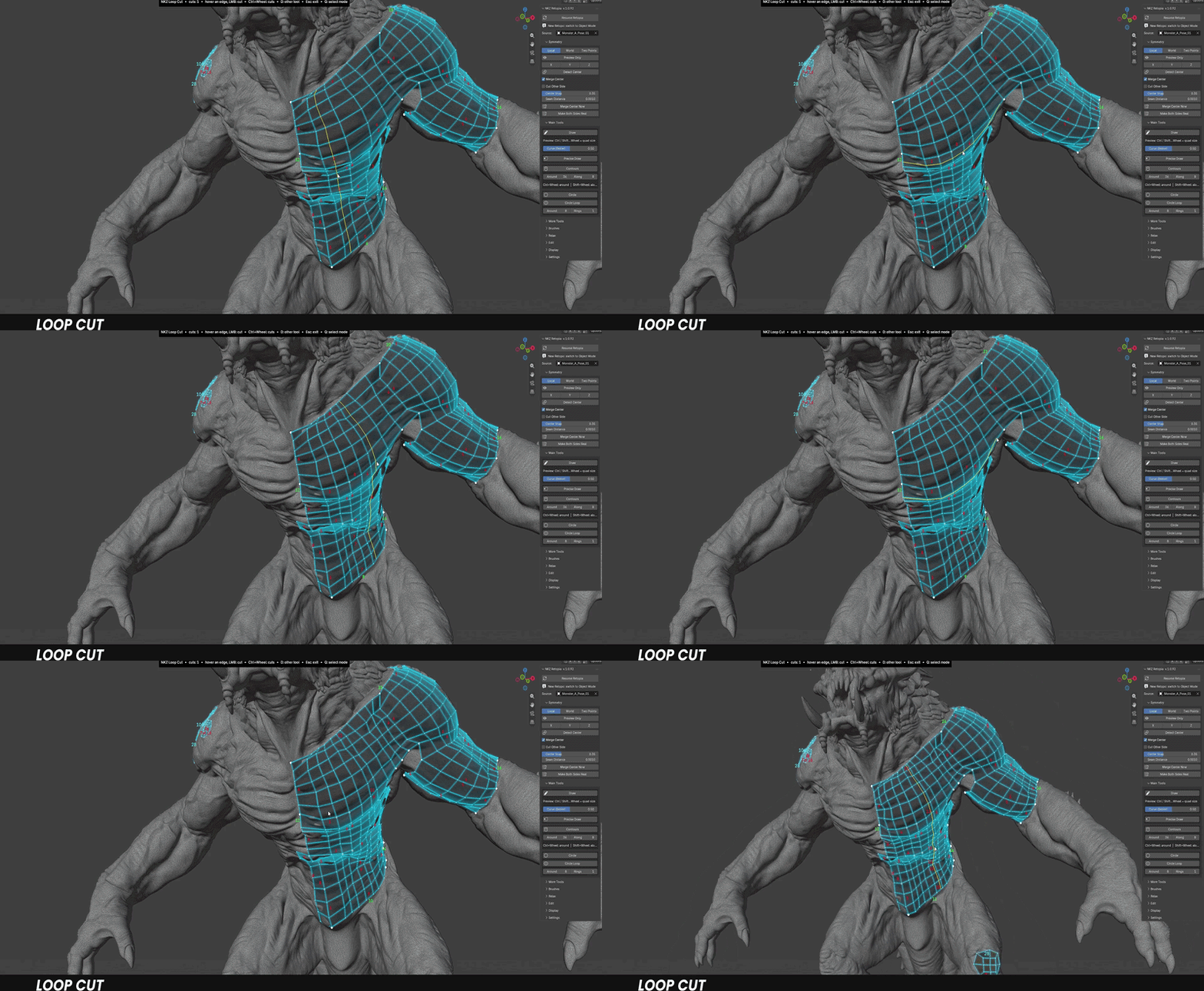
Loop Cut and Knife — add loops under the mouse, plan several cuts and apply them at once.
Move, Conform, Merge, Align — the brushes and actions to tidy up any area.
Pins and Face Groups with Auto Group — lock what's done, colour-code what you build.
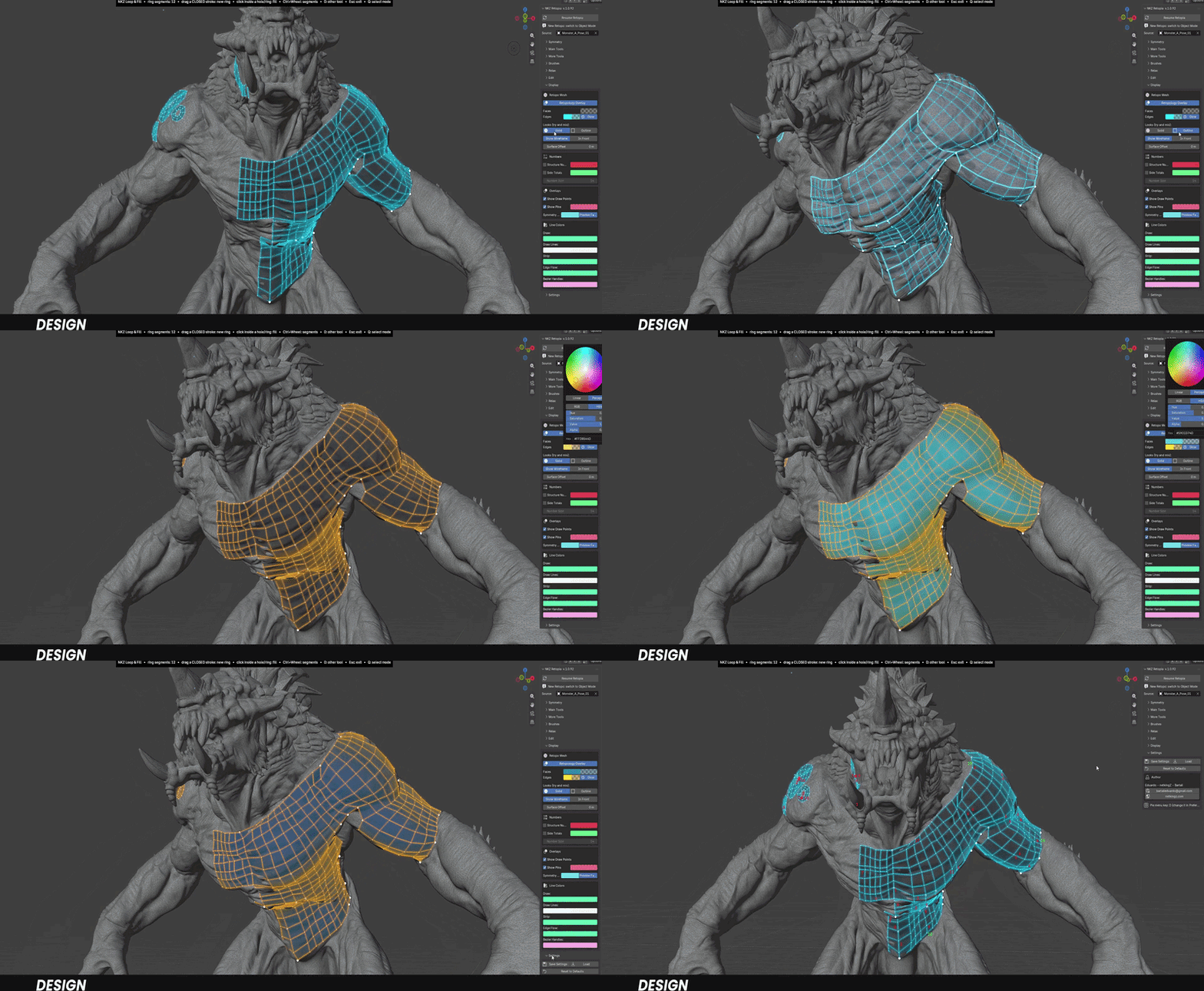
◆ FROM SCULPT TO CLEAN MESH
1Select your sculpt or scan.
2Press Start Retopia: a separate retopo mesh is created and linked to it.
3Press D to open the tool pie and start building.
◆ YOUR SCULPT STAYS SAFE. YOUR MESH STAYS YOURS.
✓ Standard geometry — the result is a normal Blender mesh: keep editing it with any tool.
✓ Runs locally — no cloud, no account, no extra libraries.
✓ Never folds — Relax and every tool protect your mesh from flipped or overlapping faces.
What you get
▸ NKZ Retopia 1.x.x as a Blender extension (.zip)
▸ Full written documentation in the Documentation tab
▸ Updates through Superhive
▸ Use what you make in commercial work
Compatibility
Blender 4.5 or newer — developed and tested on Blender 5.2. Licensed under GPL-3.0-or-later.
RETOPOLOGY THAT FEELS LIKE DRAWING
Stop placing vertices. Start drawing loops.
NKZ Retopia · by Eduardo Bartali · NETKINGZ — netkingz.com
