Retopo Linked Subdivision
 Necropanik


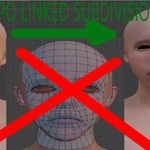

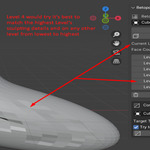
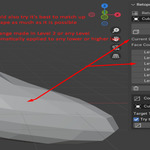
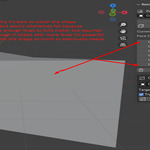
Retopo Linked Subdivision (BETA)
Blender 3.6 → 4.5 | Windows
Retopo Linked Subdivision allows sculpting across multiple linked subdivision levels while keeping the original object intact. Subdivision levels are stored as layers (not applied), preserving performance while behaving like real geometry.
Important: For best results, build the mesh from scratch using the add-on’s linked subdivisions. Existing meshes will still subdivide and link correctly, but without full automatic retopo benefits.
Short Description
Retopo Linked Subdivision works by storing subdivision levels as linked layers instead of applying them directly. You can sculpt on any subdivision level, and changes automatically propagate to all other levels while preserving each level’s poly count.
The Original Object always remains untouched. This makes high-to-low baking, LOD creation, and performance-friendly sculpting possible without traditional retopology.
Key Features
-
Original object always stays intact
-
Add standard subdivision levels
-
Linked subdivision layers (except Original Object)
-
All levels adapt to the highest sculpted level
-
One-click duplication for baking or LODs
-
Delete individual levels or clear all levels
-
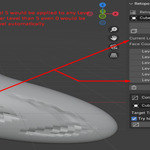
Real-time face count per level
-
Integrated into the 3D Viewport sidebar
Why Choose This Addon
-
Linked subdivision levels from low ↔ high
-
Automatic shape syncing across levels
-
Preserve clean low and high poly meshes without retopology
-
Optimized for viewport performance
-
Lightweight, fast, and easy to learn
-
Ideal for sculpting and game-ready LODs
-
Track subdivision face counts
-
Convert quads to tris
-
Convert tris back to quads when adding subdivisions
How To Use
-
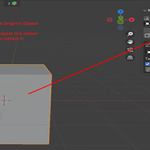
Start with any 3D object (cube or base mesh recommended).
-
Original Object remains unchanged
-
Level 0 matches the original
-
Level 1+ are subdivided and linked
-
-
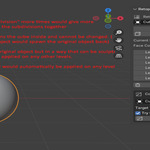
Select your object. The addon auto-detects it.
-
Click Add Subdivision to create linked levels and start sculpting on any level.
-
Sculpting on one level updates all other linked levels automatically, except the Original Object.
-
Click Duplicate to apply a subdivision level for baking or LOD export.
-
Use Delete to remove the current level and higher levels.
-
Use Clear All to remove all subdivision levels.
-
Use Convert to Tris to triangulate.
-
Use Add Subdivision to convert tris back into quads.
About Future Updates
-
Currently supports Blender 3.6 and 4.5
-
Edit Mode is limited to Level 0 (higher levels require duplication)
-
Planned face-count–based subdivision control
-
Undo / Redo support (Clear All currently cannot be undone)
-
Continuous updates focused on stability and poly count control
Have questions about this product?
Login to message
| Published | 9 months ago |
| Blender Version | 3.6 - 4.5 |
| Extension Type | N/A |
| Render Engine Used | Arnold, Blender-Internal, Blender-Game-Engine, Cycles, Eevee, Freestyle, Luxrender, Mental-Ray, Octane, Vray, Yafaray |
| License | GPL |