Retopowrap
 Hidden Dream Studio's


Overview
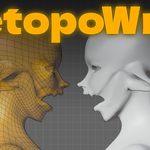
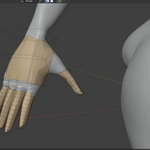
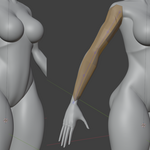
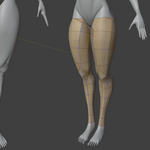
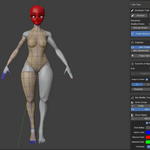
RetopoWrap is a Blender add-on that revolutionizes retopology by converting freehand sketches into production-ready quad topology. Using Blender's native Annotate tool, artists can draw topology guides directly onto their high-resolution sculpts, and generates clean, optimized geometry in real time.
Requirements
Blender 3.6 or higher
Installation
Installation Steps
Download retopowrap.zip from your purchase
Open Blender → Edit → Preferences → Add-ons
Click "Install" and select the downloaded zip file
Enable the checkbox next to RetopoWrap
Save Preferences to keep add-on enabled
Using RetopoWrap
Tutorials will be provided, however to get started here is a brief breakdown.
Step 1 : Enter Orthographic mode
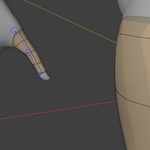
Step 2 : Draw a line where you want topology to land
Step 3 : Convert the annotate line into a line of vertices, this spine determines the procedural modifier for the quaded topology
Step 4 : CRTL+A to change the influence of each vertices, expanding where the coverage of the mesh
Step 5 : Make use of the tools provided within the addon to change , add or remove elements of your mesh
Step 6 : Make edits as when and when the edge flows are correct, sub-divide the model’s then move over to sculpt mode
Step 7 : Turn on infinite snapping, this will take a few seconds to activate but once activated it will provide tension and gravity to the mesh so that it conforms to the body
Step 8 : Activate Auto-smoothing for evenly spaced topology
Step 9 : Celebrate ^. ^
-
$25
-
$100
-
$150
Have questions about this product?
Login to message
| Sales | 10+ |
| Dev Fund Contributor | |
| Published | 8 months ago |
| Blender Version | 3.6 - 5.0 |
| Extension Type | N/A |
| License | GPL |
Discover more products like this
flow simulation game ready Automatic clean topology character speed edgeflow quad poly Fast retopology draw wrapping Production retopo remesh