 RGSoftware


RG CAD Tools
Videos at - https://www.youtube.com/@RGSoftware-p5q
Stop fighting with Blender's default workflow. RG CAD Tools brings the precision and speed of professional CAD software directly into Blender.
Draft with confidence using familiar Line and Polyline commands. Snap to endpoints, midpoints, and intersections with pixel-perfect accuracy. Move, copy, and rotate using the basepoint workflow you already know from AutoCAD.
Extend, trim, break, fillet, and lengthen edges with surgical precision. Align objects by faces or vertex pairs in seconds. Measure distances and total lengths without manual calculations.
Every tool respects your input. F8 for orthogonal mode. F3 to toggle snapping. XYZ keys for axis constraints. Type exact values when you need them.
Built for architects, product designers, and anyone who demands precision from their 3D workflow. No more imprecise drags. No more guessing. Just efficient, command-based control.
RG CAD Tools. CAD power inside Blender.
How to Install RG CAD Tools
Installing RG CAD Tools takes less than a minute.
First, download the rg_cad_tools.zip file from your purchase confirmation or account page.
Open Blender. Navigate to Edit, then Preferences, then Add-ons. Click the Install button in the top right corner. Locate and select your downloaded rg_cad_tools.zip file. Click Install Add-on.
Find RG CAD Tools in the list and check the box to enable it. The addon activates immediately.
Access the tools by pressing the N key in the 3D viewport to open the sidebar. Look for the RG CAD tab. All commands and settings are organized in collapsible panels.
RG CAD Tools requires Blender 4.0 or newer. No additional dependencies needed.
Snap System
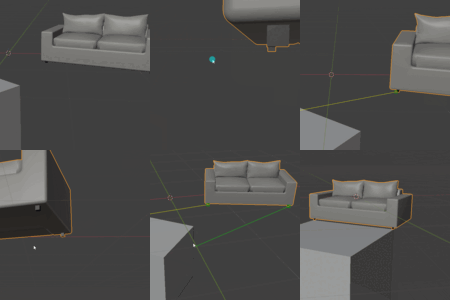
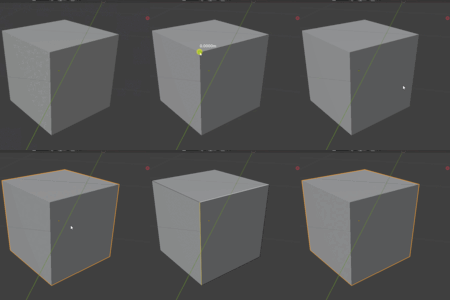
Endpoint (□ Square) - Snap to vertex endpoints
Midpoint (△ Triangle) - Snap to edge centers
Intersection (× X) - Snap where edges cross
Nearest (⋈ Hourglass) - Snap to closest point on edge/face
Snap Controls:
Individual on/off toggles for each type
Global enable/disable (F3 during commands)
Configurable color and size in preferences
Measurement Tools
Measure Distance - Click two points to measure distance between them
Measure Selected - Calculate total length of selected edges/objects
HUD Display - Persistent on-screen display of measurements with position controls
Drawing Tools
Line - Draw single edges by clicking start and end points
Polyline - Draw connected line segments in one continuous object
Drawing Features:
Orthogonal mode (F8) - constrain to X/Y/Z axes
Numeric input - type exact distances
Axis constraints (X/Y/Z keys)
Global snap toggle (F3)
Alignment Tools
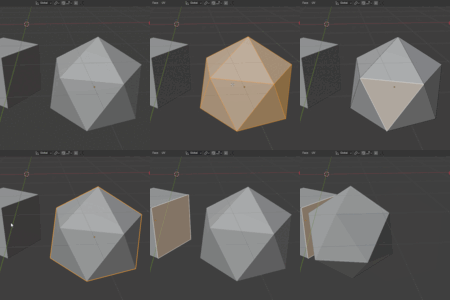
Align/Scale by Vertex Pairs - Align object using 2 source to 2 target point pairs
Align by Face - Align objects using selected faces with flip normal option
Transform Tools
Copy - Copy objects from basepoint to target point(s)
Move - Move objects from basepoint to target point
Rotate - Rotate objects around basepoint
Modify Tools
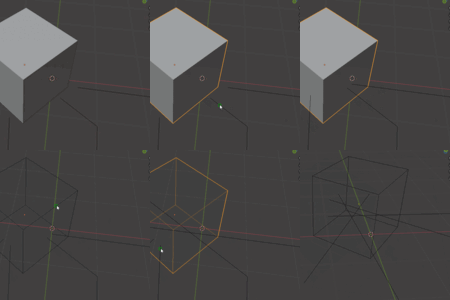
Explode
Split edge-only objects into separate edge objects
Break
Remove segment between two points on an edge
Fillet
Extend/trim two edges to meet at intersection
Lengthen
Extend or shorten edge with drag or numeric input
Extend
Extend edges to intersect with boundary objects
Trim
Remove edge segments using cutting objects
Edge Intersection
Add vertices at edge-edge or edge-face intersections
Additional Information
Additional Features
Undo (Ctrl+Z) - Step back through command phases
Right-click - Confirm selections / end commands
Escape - Cancel current operation
Custom Orientation - Align world coordinates to face or edge
Preferences
Snap symbol color picker
Snap symbol size (8-20)
Default snap type states
HUD position controls
Reset to defaults button
UI Organization
Tools are grouped in collapsible panels: Measure Tool, Draw, Align/Scale by Vertex Pairs, Align by Face, Modify, Extend, Trim
RG CAD Tools — Revision History
================================
1.15.28 (2026-04-27)
---------------------
Added
- Snapping: curve objects are now supported as snap targets. Curves
are evaluated to temporary mesh data internally, allowing endpoint,
midpoint, nearest, and intersection logic to use the existing mesh
snapping paths without converting the scene object.
(core.py, RG_GeometryCache.get_detailed_data)
Changed
- Snapping performance: repeated face-mesh vertex world/2D projections
are memoized per snap pass, and repeated ray target / depsgraph work
in the snap hot path was reduced.
(core.py, rg_smart_snap)
Fixed
- Snapping: close-zoom visible objects are no longer dropped solely
because projected bounding-box corners are clipped or fail to enclose
the cursor. Candidate detection now falls back to a lazy cursor-ray
vs object-AABB test when the projected bbox rejects an object.
(core.py, RG_GeometryCache.find_candidates)
- Measure Distance: cancelling with Esc or right-click now clears the
active HUD prompt, so "Pick end point (Esc to cancel)" no longer
remains after cancel.
(measure.py, RG_OT_Measure.finish)
1.15.27 (2026-04-27)
---------------------
Fixed
- Copy / Move / Rotate selection: object picking now matches the
visible pickbox for wire and edge hits. The final edge test uses
screen-space pixel distance instead of a fixed world-unit distance
from the view ray, preventing distant objects from being selected
in dense scenes.
(transform.py, RG_OT_Transform.pick_object)
- Snapping precision: endpoint snapping on face meshes now has a
tight screen-space fallback when the fast hit-polygon lookup misses
a visually nearby vertex. Endpoint lock was widened slightly, and
same-priority snap candidates now prefer screen distance before
depth, so the snap point better matches the cursor position.
(core.py, rg_smart_snap)
Added
- Copy / Move / Rotate selection: Ctrl+Z now undoes selection steps
during the initial object-selection phase, restoring the previous
source selection and active/source object references.
(transform.py, RG_OT_Transform.modal_select)
1.15.26 (2026-04-23)
---------------------
Changed
- Snapping sensitivity: snap detection radius 35 → 50 px.
(core.py, rg_smart_snap pixel_threshold)
- Endpoint / midpoint attraction tightened: they now dominate only
within a 10 px lock radius; outside that the closer snap wins.
Replaces the previous 15 px flat attraction zone that made
endpoints "pull" the cursor too aggressively.
(core.py, rg_smart_snap NEAREST vs ENDPOINT/MIDPOINT)
1.15.25 (2026-04-23)
---------------------
Changed
- Snapping: candidate selection is now screen-space — any visible
object whose projected 2D bbox overlaps the cursor is a candidate,
regardless of scale or depth.
(core.py, RG_GeometryCache.find_candidates)
- Snapping on wire / edge-only meshes iterates mesh.vertices and
mesh.edges directly in 2D, replacing the KDTree-at-projected-depth
path. Endpoints on curve-to-mesh output snap reliably without
zoom; view movement is only needed for true occlusion.
(core.py, rg_smart_snap wireframe branch)
Added
- Draw Polyline: committed segments are highlighted with an orange
overlay during the modal.
(draw_tools.py, RG_OT_DrawPolyline.draw_callback)
- Draw Polyline: on command end the drawn polyline is selected and
made the active object.
(draw_tools.py, RG_OT_DrawPolyline.finish)
1.15.24 (2026-04-23)
---------------------
Fixed
- Snapping: ENDPOINT and INTERSECTION now work on edge-only meshes
produced by Curve > Convert To > Mesh. Previously only MIDPOINT and
NEAREST were detected on such objects.
Root cause: the wireframe branch of rg_smart_snap projected the
mouse into 3D at the depth of the object origin. Curve-to-mesh
conversions often leave the origin at world (0,0,0) while the
vertices sit elsewhere, so the KDTree search point landed at the
wrong depth and returned no candidates. Depth reference is now the
evaluated mesh's bounding-box center, which is always inside the
real geometry regardless of where the origin sits.
(core.py, rg_smart_snap wireframe branch)