 GreenJadeLeaf


RGBA Transfer is an addon that allows to bake, edit and transfer RGBA channels.
It has a wrapper around the native Blender baking function which extends existing functionality.
It adds operators to edit the color and the alpha channels of images and mesh color attributes.



RGBA Transfer Features
-
Blender baking wrapper
Transfer color and alpha channels
Bake to images and mesh color attributes
Transfer images across similar meshes with different topology
Speed up bakes with subprocessing
Bake with a mask to select which mesh areas to influence
Reiterate bakes in case of edits conveniently
-
RGBA operators
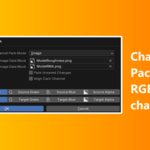
Channel packing
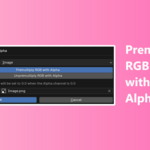
Premultiply Color with Alpha
Preview Material with a custom bake configuration
Create a setup to transfer images
Create a setup to bake normals from a source high poly mesh to a target low poly mesh
RGBA Transfer Documentation
https://greenjadeleaf.github.io/rgba-transfer/
Practical use cases
-
Example A
A mesh has paint work but the topology must be changed because the mesh deformation or rendering has flaws.
The color image map can be transferred from the initial mesh to the modified mesh to preserve most of the paint work.
The source and target meshes must have a similar shape.
-
Example B
A mesh has paint work but the UV map must be changed because there is visible texture stretching or overlapping.
The color image map can be transferred from the initial UV map to the modified UV map to preserve most of the paint work.
The source mesh must have the initial and the modified UV map to perform the transfer.
-
Example C
Bake images with transparency on the surface of meshes.
It can be performed with 3D texture painting but it is limited in 2D screen space whereas baking with meshes allows more accuracy and casts images in 3D space.
-
The bake operator in RGBA Transfer can blend the baked image with the existing image.
When you buy this product, you make further product updates possible.