Ring Path Selection
 Nodes Interactive

Ring Path Selection tool is an asset compatible with Blender 5.1+.
How to Install
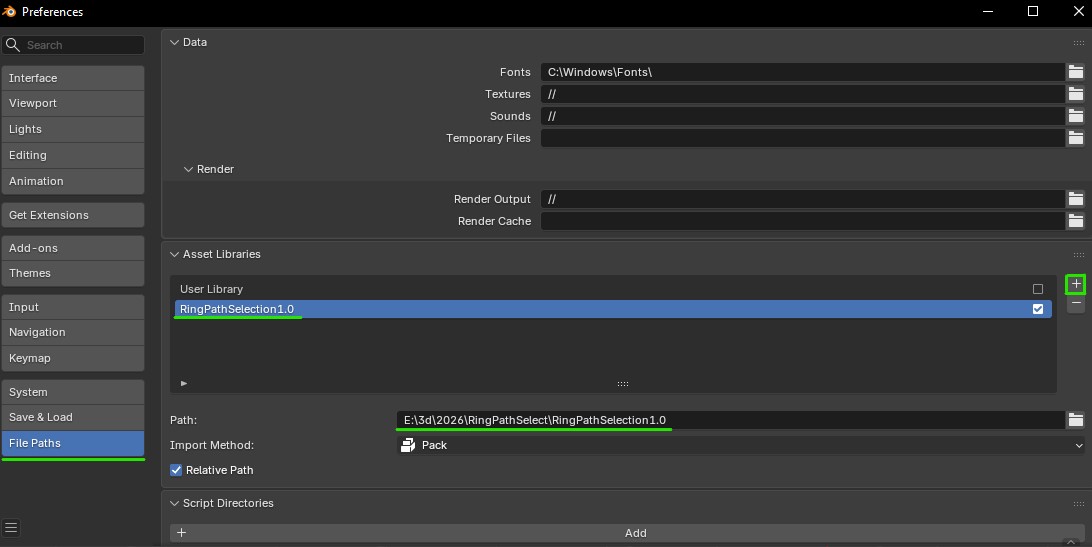
To install, set the folder containing RingPathSelection.blend as Asset Library in Blender's Preferences->File Paths->Asset Libraries.
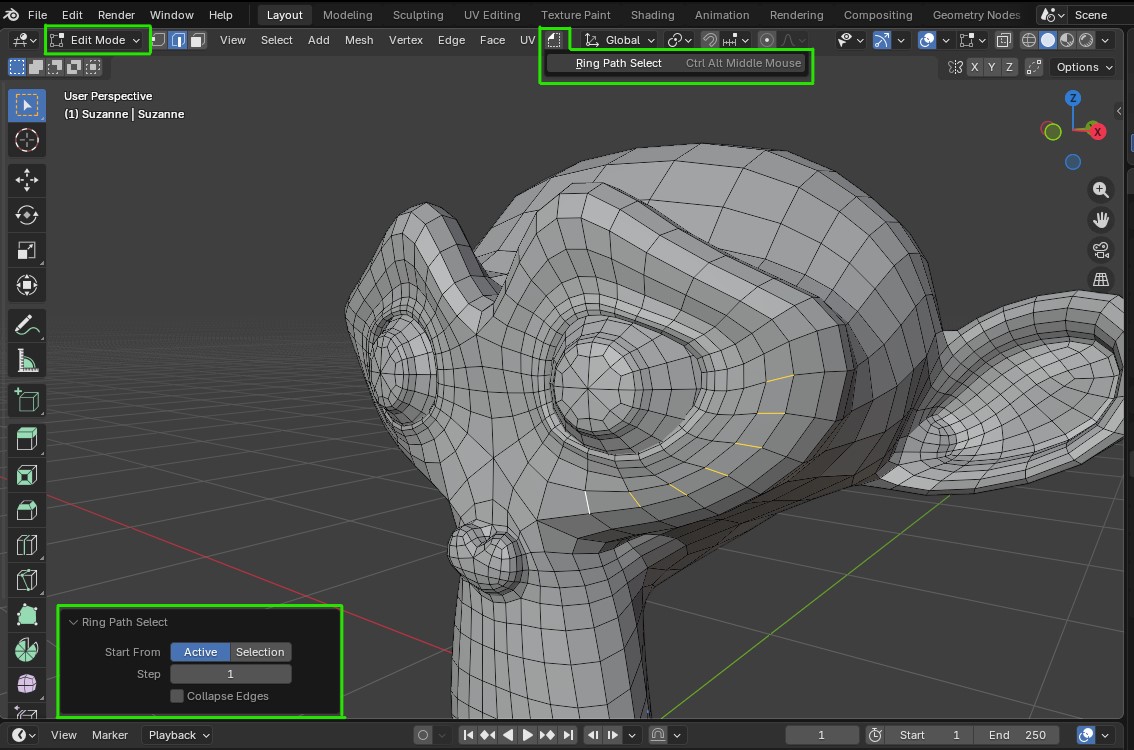
Once set up, the Ring Path Select will appear in the Unassigned Tools menu in the Edit Mode, where the shortcut can be assigned by right clicking on it (recommended: Ctrl+Alt+Middle Mouse Button)
In the bottom left corner is a panel with some additional features that will appear once the Ring Path Selection is used.
Features
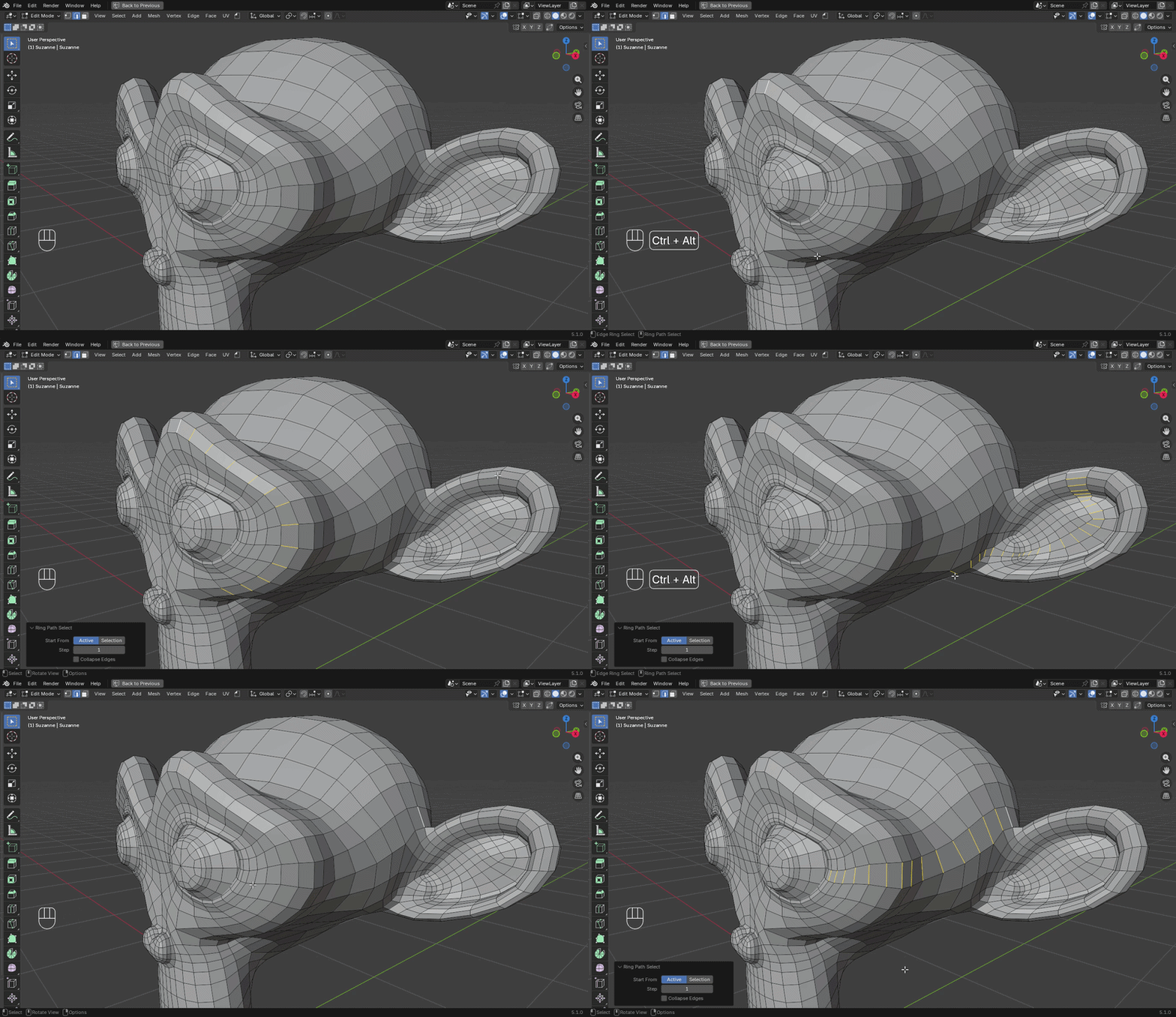
This tool works similarly to Pick Shortest Path operator in Blender. By clicking on the edge the path's end is picked for the Ring Path Select.
Start From Active
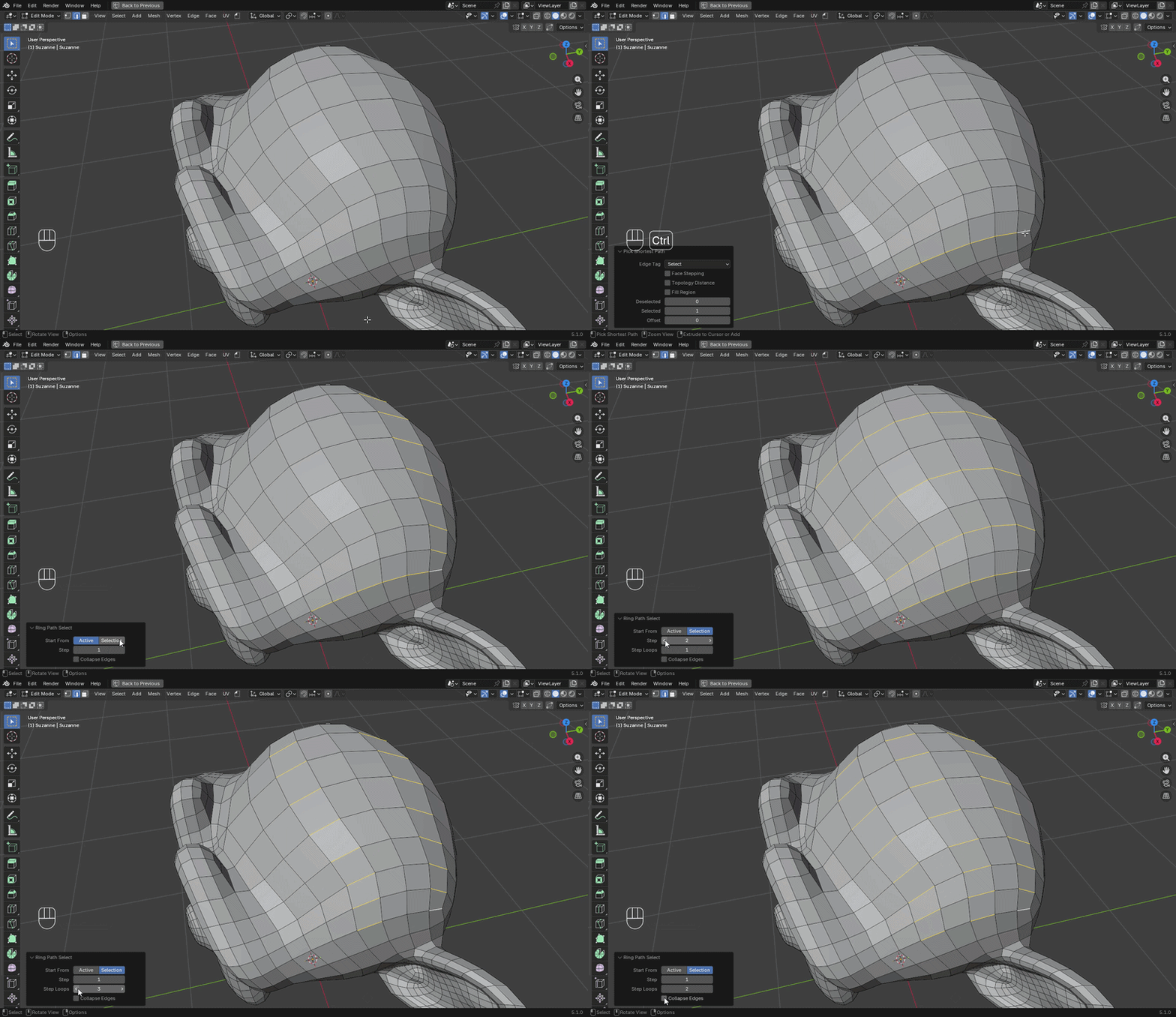
Start From Selection
Ring path can be expanded using Start From Selection mode.
-
$4.99
Fully featured product + organized node tree with descriptions + support for the creator! For personal and commercial use.
-
$2.99
Fully featured product + organized node tree with descriptions + support for the creator! For personal and commercial use.
-
$0
Fully featured product. Node tree is disguised. For personal and commercial use.
Have questions about this product?
Login to message
| Sales | 40+ |
| Downloads | 200+ |
| Published | 6 months ago |
| Blender Version | 5.1 - 5.2 |
| License | Royalty Free |