Roadmarkfx
 Skettch


FAQ
Does it work without UV unwrapping?
Yes. Markings are placed with Empty gizmos in 3D space and computed in the shader — no UVs, no texture painting. UVs are only needed for the optional Apply/Bake feature.
Will it change my existing ground material?
It injects non-destructively into your Principled BSDF chain. Removing any marking — or pressing Delete All — restores the original wiring exactly. Your asphalt setup is never rebuilt or replaced.
Does it work in EEVEE?
Yes — pure shader nodes, no OSL, no drivers. Both Cycles and EEVEE are fully supported. Note that EEVEE recompiles shaders when you change values; a brief stutter after tweaking a slider is Blender behavior, not a bug.
Does it work on uneven or sloped ground?
Yes. Markings project along their Empty's local Z axis, so they follow bumpy asphalt, ramps and slopes automatically — no conforming geometry needed.
Can markings follow a curved road?
Yes — every marking has a Curvature slider that bends it along a circular arc (0.1 = 10 m radius), with dash spacing measured correctly along the curve. For S-curves, chain two segments with opposite curvature values. Free-form spline following is not supported.
Can I write custom bay numbers? Letters too?
Numbers: yes — three procedural stencil digits per marking (0–9, blank), or auto-incrementing Number Rows that number an entire row from any start value. Letters are not supported yet; it's on the roadmap.
Is it heavy on the viewport?
The 2.x architecture samples all damage textures once per material (shared Damage Field), paint markings contain zero texture nodes, and entire parking lots can draw as a single shader block. For layout work there's a zero-cost Fast Preview toggle, and for final scenes the Apply/Bake button flattens everything into ordinary image textures.
What exactly does Apply/Bake do?
It runs a quick Cycles bake of the whole marked-up material into packed BaseColor / Roughness / Normal images (1K–8K, your choice), plugs them into the Principled BSDF and removes the marking node chains. Zero procedural cost afterwards. It requires a UV-unwrapped object with a single material — and since it flattens the markings, save your .blend (or duplicate the material) before baking.
Can I edit many markings at once?
Yes — every marking has a selection checkbox. Use All/None, then apply a condition preset to the whole selection or use Global Adjust to live-tune wear, damage and paint values across all of them with redo-panel sliders.
Can I animate markings?
The controller Empties are regular Blender objects — location, rotation and scale can be keyframed, so markings can move or grow over time. The wear pattern is anchored to world space, so a moving marking realistically slides "under" its damage.
A marking showed up on another object — why?
Markings live in the material, so any object sharing that material shows them. Make the ground material single-user first if you don't want that.
I updated the addon and my old markings look wrong / slow.
Open the panel — it detects markings built with an older architecture and shows an Upgrade Markings button that rebuilds them in place, keeping placement and all values. Press Purge Unused afterwards to clear leftover node groups.
Which Blender versions are supported?
Blender 4.0 through 5.x. The addon uses the modern node-group interface API and is tested on current stable and recent daily builds.
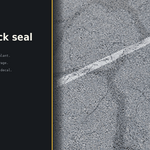
Does the tar (Bitumen Crack Seal) behave like the paint markings?
It uses the same placement system but has its own material logic — near-black, glossy, raised bead, and it ignores paint condition presets on purpose. Add tar markings last so they cross over your painted lines, like real crack sealing does.
I found a bug / have a feature request.
Message us through the product page — include your Blender version and, if possible, a screenshot of the panel and the marking settings. Feature requests are very welcome; several of the current tools started as customer suggestions.
© SKETTCH · ROADMARKFX · 2026
Have questions about this product?
Login to message
| Sales | 10+ |
| Dev Fund Contributor | |
| Published | about 2 months ago |
| Blender Version | 5.0 - 5.2 |
| Render Engine Used | Cycles, Eevee |
| License | Royalty Free |
Discover more products like this
roadpaint addon road PBR road sign procedural roadsign marking lane markings roadmark mark