Rock Forge - Procedural Rock Generator for Blender
 Orbbit Tools


Rock Forge — Documentation
Blender 4.2 LTS or newer · version 1.13.0
1. Installation
As an extension (recommended)
Edit > Preferences > Get Extensions > Install from Disk...- Pick
rock_forge-1.13.0.zip. - The Rock Forge tab appears in the 3D viewport sidebar (
N).
As a classic add-on
Edit > Preferences > Add-ons > Install...- Pick the same zip and tick the checkbox.
Installing over a previous version replaces it. Rocks in saved files keep their settings and pick up the new engine automatically.
2. Quick start
- Open the sidebar (
N) and go to the Rock Forge tab. - Press Add Rock. You have a rock. The small arrow next to the button opens the type list; the style comes from the preferences.
- Random rolls type, chunk shape, seed and every shape and surface knob across its full range. It works inside the style you have set.
- Press the seed button (the refresh icon next to Seed) until a silhouette you like shows up.
- Adjust anything. It is all live and reversible.
- Press Done. UVs are unwrapped and you are left with an ordinary mesh.
Done does not change the rock. It converts exactly what you were looking at, with the same resolution and the same face count the panel shows.
3. How the engine works
Understanding the order explains most of the parameters.
loose blocks -> coarse relief -> cuts -> flattening -> FUSE (volume) ->
edge round -> scale -> fine grain -> facets -> minimum thickness ->
discard loose parts -> masks -> shading
The fuse sits in the middle, and everything that moves mass happens before it. That is deliberate: pressing geometry against a plane on a closed mesh leaves zero-area faces stacked on that plane, and a polygon with no area has no defined normal. Those are the red patches in Blender's Face Orientation overlay. Before the fuse, that sheet has no interior, so the volume discards it.
The same mechanism cleans up folds, because a union of volumes cannot intersect itself.
The trade-off, worth knowing: a volume is a low-pass filter at voxel scale. Relief finer than two or three voxels is filtered out rather than shredding the mesh. Resolution is therefore what decides how much relief survives.
Two things are not in the node tree, because Geometry Nodes has no equivalent: the edge bevel (a Bevel modifier) and flat faces (a Decimate modifier in planar mode). Both are stacked behind the generator and are baked by Done.
4. Types and styles
They are two independent axes; any combination works.
Types — the character of the stone.
| Type | What it is |
|---|---|
| Boulder | Rounded river or beach stone, soft erosion |
| Slab | Big low-lying block, sheared flat on top |
| Angular | Quarry stone: flat fracture faces, hard edges |
| Salt crystal | Crystalline blocks with sharp facets |
| Meteorite | Rounded burnt mass pitted with craters |
| Desert rock | Wind-carved sandstone, banded flanks |
| Sedimentary | Stacked layers, cliff and riverbed banding |
| Volcanic | Porous basalt, rough and pitted |
| Laminated | Stacked parallel plates |
| Pebble | Small smooth stone, for scattering by the hundred |
Styles — the finish.
| Style | Resolution | Character |
|---|---|---|
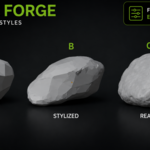
| Stylized | 40 | Faceted, flat shaded, large surfaces |
| Realistic | 64 | Fine grain, smooth shading, full detail |
| Low poly | 16 | Very few triangles, engine-ready |
The style overrides only what belongs to the finish, and adds cutting planes depending on how faceted it wants to be. Everything else the type decides.
5. Parameters
General
| Parameter | What it does |
|---|---|
| Seed | The draw. Changing it gives another stone, not the same one rescaled. |
| Scale | Stretch or flatten per axis. Applied before the relief, so flattening a rock does not stretch its surface detail. |
Shape
Four groups: Mass, Cuts, Edges, Trim. Parameters that depend on another are greyed out until it enables them.
| Parameter | What it does |
|---|---|
| Chunks | How many masses are fused. Few (3-6) reads compact; many starts reading as a cluster of bubbles. |
| Chunk Size | Size of each mass relative to the core. |
| Chunk Shape | Blob, Block, Hex column, Wedge or Disc. |
| Chunk Flatten | Squashes each block into a slab. |
| Chunk Align | At 1 they all face the same way and stack like a deck of cards. |
| Irregularity | How far blocks move from the centre. Changes the shape, not the relief. |
| Bias | Pushes the mass in one direction: leaning or asymmetric rocks. |
| Thickness | Minimum thickness allowed anywhere. Fixes paper-thin blades and leaves solid areas untouched. Ships at maximum. |
| Thickness Variation | Varies that minimum with noise, so the mended edge does not read as machined. |
| Split Mass | Spreads the blocks over three spots instead of one. |
| Split Bias, Third Bias | Where the second and third groups go. Apart, you get a formation; at zero they fold back into the main mass. |
| Cuts | Planes the rock is pressed against. Each one leaves a real flat face. |
| Cut Depth | How deep they bite, as a fraction of the radius. 1.0 grazes; 0.5 halves the rock. |
| Cut Bias | At 1 the planes stand vertical and carve side walls. |
| Edge Round | Softens the whole rock, edges and faces alike. |
| Edge Bevel | Low poly only. Width of the flat chamfer along every sharp edge. Not a rounding: a real strip of its own. |
| Bevel Angle | How sharp an edge must be before the chamfer touches it. |
| Base Flatten | Trims the bottom so the rock sits on the ground. The mass below is removed, not squashed against the plane. |
| Top Flatten, Top Tilt | Shears the top into one large face, and its slope. |
Surface
| Parameter | What it does |
|---|---|
| Noise Type | Perlin (soft), Voronoi (cells, porous rock) or Mixed. |
| Macro Scale / Strength | The relief you see in the silhouette. The knob that most changes the rock's character. |
| Medium Scale / Strength | Intermediate relief. The strength is set by the style: this is the lumpy band that competes with the outline, so Stylized and Realistic keep it low. |
| Fine Scale / Strength | Grain. Applied after the fuse, so fracture faces are not glassy. |
| Erosion | Weathering: smooths upward faces, keeps relief on the flanks. |
| Cracks / Crack Scale | Grooves following cell borders. Use sparingly. |
| Strata / Scale / Angle | Sedimentary layers. The angle reaches 180 degrees, so layers can tip right over. |
| Layer Step | Slides each layer sideways: stacked plates with real steps, like slate. |
| Facet / Facet Scale | Breaks the surface into flat plates meeting at sharp creases. |
Quality
| Parameter | What it does |
|---|---|
| Resolution | The performance knob and a design knob: it decides facet size, how much the blocks fuse, and how much relief survives the volume. |
| Flat Faces | Merges neighbouring near-coplanar faces into one large plane, which is the low poly and stylized look. The angle spans 5 to 15 degrees. At 0 the mesh stays all quads, the better base for sculpting. |
| Adaptivity | Simplifies flat areas when meshing. Fewer polygons, less regular topology. |
| Vertex Masks | Writes the RF_Mask colour attribute. |
| Shade Smooth, Smooth Angle | Smooth shading by angle. Off gives the faceted look. |
6. Tools
Save / Load / Delete preset — your own presets, stored as JSON in Blender's config folder. They survive restarts and add-on updates.
Make a cluster — scatters copies into their own collection, each with its own seed, spread evenly rather than clumping in the middle.
New variation — duplicates the selected rock with a different seed.
7. Materials
Rock Forge writes a colour attribute named RF_Mask with three ready-made masks:
- Red — upward-facing surfaces, where moss sits.
- Green — crevices, where dirt collects.
- Blue — exposed edges, where colour wears light.
Add a Color Attribute node with that name in your material and use the channels as masks. Changing the attribute name would break existing files, so it is fixed.
8. Language
English and Spanish. Preferences > Add-ons > Rock Forge > Language; by default it follows Blender's interface language.
The panel switches instantly. Tooltips need Blender reopened: they are property descriptions, and Blender reads those once, when the add-on registers. The preferences panel shows a note while the two are out of sync.
9. Performance
- Keep Resolution low while working. It is the dominant cost.
- Preview Resolution (add-on preferences) lightens only the viewport while you edit. Done always uses the full value, and the panel says so whenever the preview is below 100%.
- Ten rocks in a scene at default resolution stay comfortable.
10. Reporting a problem
With the rock selected and still procedural, open a Text Editor, load tools/report_rock.py and press Run Script.
It writes a report into the blend file as a text block named rock_forge_informe, and saves a copy as a .txt in the project folder, or in Documents. The report has the rock's complete configuration, ready to paste and reproduce, plus a mesh measurement: face count, flipped faces, thin areas, non-manifold edges, separate bodies, and where in the rock's height any problems sit.
That is far more useful than a screenshot, because it makes the exact rock reproducible.
11. Known limits
- Rocks built from wide flat plates (Disc shape with high Chunk Flatten) are the hardest case for Thickness: the minimum is measured against the shortest side of the bounding box, which on a plate is already small, so it only removes part of the thin areas.
- Extreme Random rolls occasionally leave a handful of non-manifold edges (measured: 2 rolls in 40, at most 3 edges). Nudging any slider usually clears it.
- Automatic LODs and large-scale batch scattering are not included
Discover more products like this
stone Asset Generator terrain low poly boulder environment rock-generator game ready cliff rocks Procedural Rocks stylized