 Joe Garth
Installation
- Download Rockify_Plugin_v#.#.#.zip file.
- Open blender and navigate to Edit > Preferences
- Click the Addons Tab on the left
- Go to install and select the .zip file you previously downloaded
- Rockify is now installed, go to the search function in the addons tab and type 'rockify' and you will now be able to see the plugin
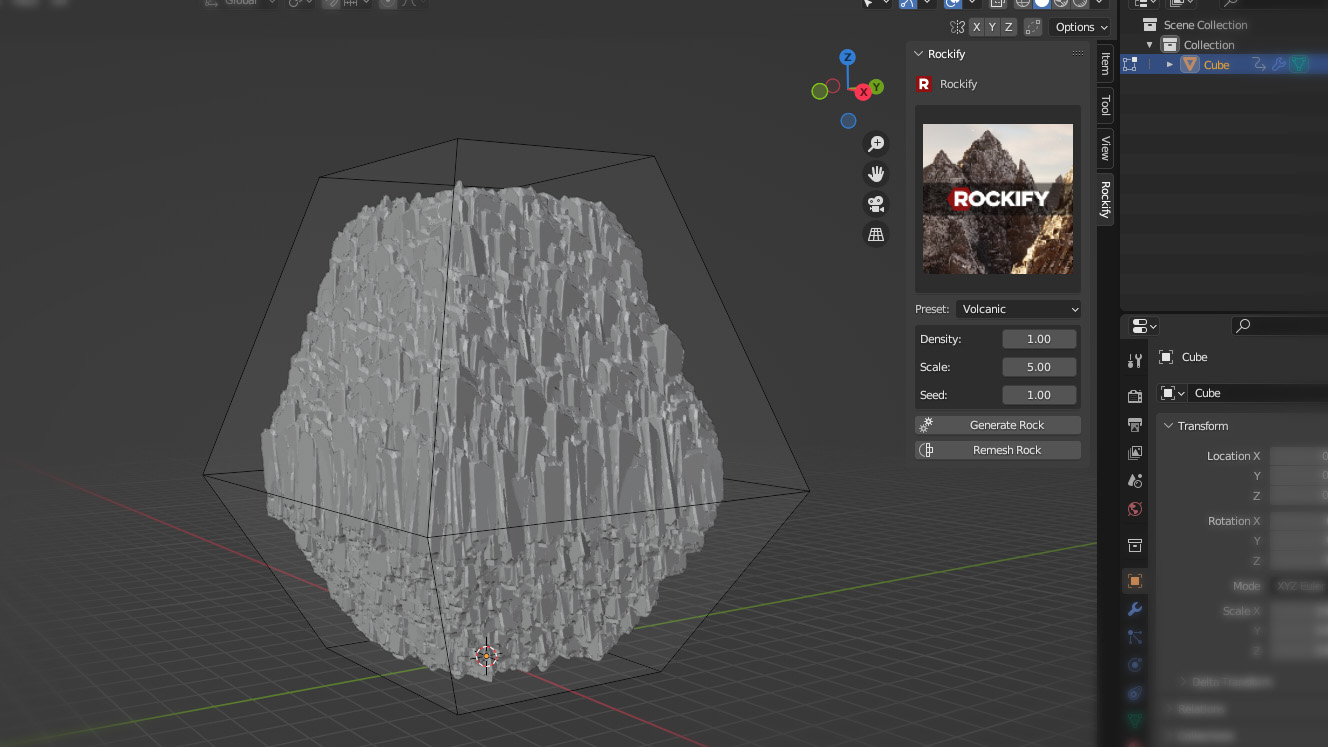
- To view the plugins user interface, go to your blender viewport and hit 'n' on the keyboard.
- This will activate the sidebar to the right. You will find the Rockify tab there.
Smart Material
- Open the .zip
-
Navigate to Rockify\Resources\Substance\CliffRock.spsm
- Extract to desktop
- Go to Substance painter, go to File > Import Resources. Choose import to project
- Bake all maps for your imported asset, then Drag and drop the smart material from the asset panel to the layers panel and your object will be automatically textured.
$29.99
Have questions about this product?
Login to message
| Sales | 800+ |
| Rating | 11 ratings |
| Published | about 3 years ago |
| Blender Version | 3.6 - 4.5 |
| License | GPL |
