Sasse - Stylized Assets, Shaders & Effects
 SpectralVectors


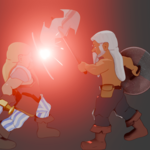
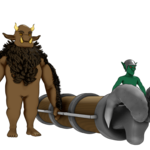
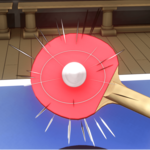
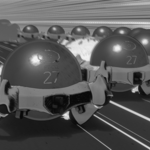

Installation for New Users
Download the .zip file, unzip and place the folder in the directory you use for your Blender Assets.
Blender’s Asset Library organizes via folder, rather than file, so the library will be added via its folder name.
e.g. I have a ‘Blender’ folder for all my Blender related files (blends, meshes, textures, renders etc) that contains an ‘Assets’ folder. After downloading and decompressing ‘SASSE.zip’, I place the ‘SASSE’ folder in ‘Blender/Assets’.
Then, in Blender, go to ‘Edit > Preferences > File Paths’, under ‘Asset Libraries’ click the + button and add the path to the folder.
e.g. in this case, the final path would be ‘Blender/Assets/SASSE’.
You can then choose if you want to append or link assets by default.
Installation for Updates / Upgrades
Each version of SASSE is fully self-contained, so to update the library, first remove the old version, then install the new one.
Usage
After Installation you should see SASSE as an option in your Asset Browser.
If you are not sure how to access the Asset Browser, the simplest way is to open a Default Blender file, move your mouse cursor down into the Timeline, and click on the Clock icon.
This will open up a menu that allows you to change to a different area, on the far right side, in the middle, click ‘Asset Browser’, with a Library icon.
Once the Asset Browser is open, you should see ‘SASSE Library’ on the left side.
If you don’t see SASSE Library in the panel on the left, double-check the installation instructions and ensure that you are using an up to date version of Blender.
Click on the arrow to view the categories:
- Assets
- Compositor
- Effects
- HDRI
- Linework
- Materials
- Nodes
- Scenes
- Textures
Assets
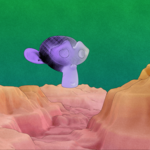
Generally static objects, ground planes and curves that can be dragged or drawn directly into the scene.
Compositor
Node groups that can be dragged and dropped in the Compositor, includes Linework, Impact Frames, Paper Texture etc.
Effects
A varied series of effects that can either be dragged directly into the scene, or directly onto an existing scene object.
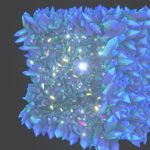
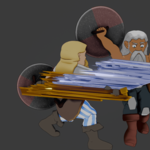
e.g. drag the Action Cylinder or Planes directly into the scene to use them, but effect like Impact Cracks, Electric Sphere and Trails need to be applied to an object to work.
HDRI
Stylized sky HDRI provided by RalphSH. A little low-res, but it can be smoothed in Compositing.
Linework
Drag and Drop outlines, create inner lines via edge marks, or draw lines onto objects or into the scene.
Materials
Drag and Drop materials, Base and Specialized Shaders are general purpose, Foliage Shaders are designed to work with the Foliage Assets, and Individual Asset Shaders is a convenience folder.
Nodes
Drag and Drop seamless textures, frame step utilities, foliage textures, and shader node groups into the Shader or Geometry Node Editor.
Scenes
Drag and drop a Scene into the viewport to start with an HDRI, Render Passes and a Compositor setup enabled.
Textures
Drag and Drop the Seamless or Foliage Textures into the Shader Editor.
-
$35
Complete Library - ~200 assets including effects, shaders, node groups, textures and more!
-
$1
18 of the ~200 assets from the complete library
Have questions about this product?
Login to message
| Sales | 20+ |
| Rating | 2 ratings |
| Dev Fund Contributor | |
| Published | about 2 years ago |
| Blender Version | 4.1 - 5.1 |
| Render Engine Used | Eevee |
| License | Royalty Free |

Discover more products like this
procedural geometry nodes NPR VFX sasse stylized asset library effects Cartoon anime toon visual effects