 one99addons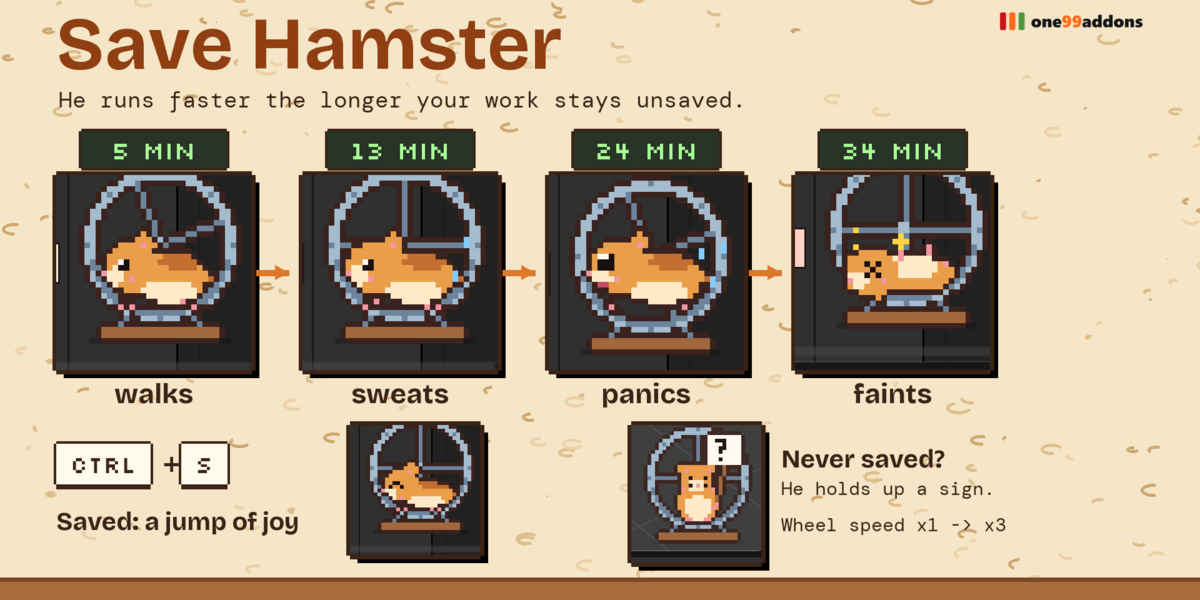
🐹 Save Hamster
A pixel hamster in his wheel runs faster and faster the longer your work stays unsaved.
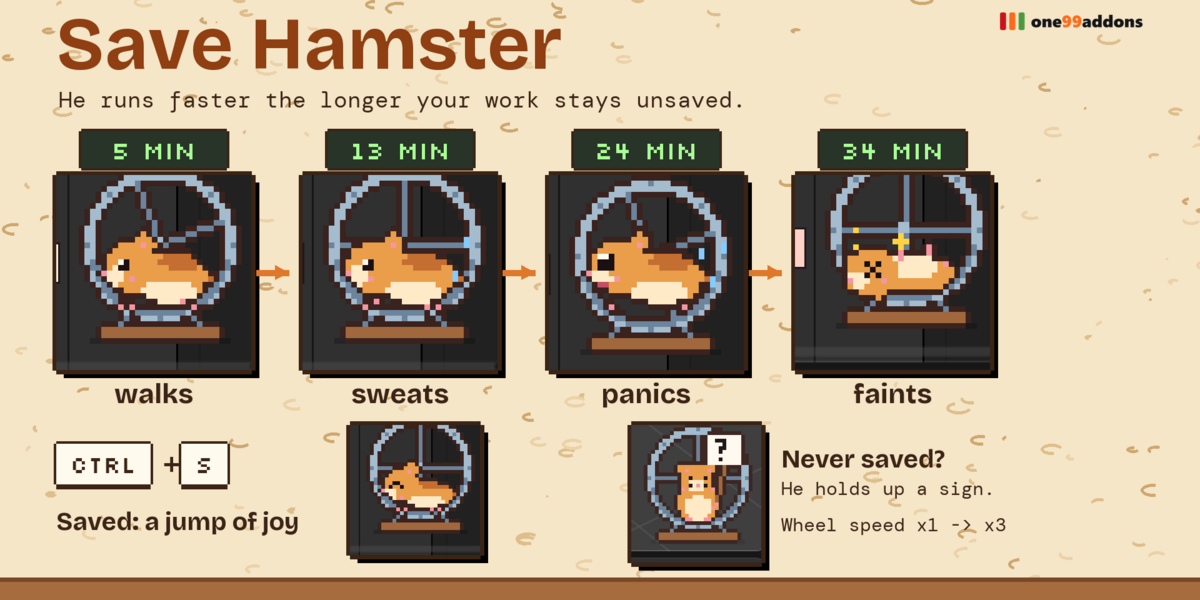
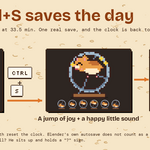
He lives in the corner of your Timeline. The longer you go without Ctrl+S, the faster he runs. Save, and he does a jump of joy.
The problem
Blender crashes, laptops die, and "I'll save in a minute" becomes an hour of lost work. Autosave helps, but you never know how long it has been since YOUR last real save, and warning pop-ups are ugly and easy to ignore.
What it does
- A save clock with legs. As soon as the file has unsaved changes, a clock starts and the hamster starts running in his wheel.
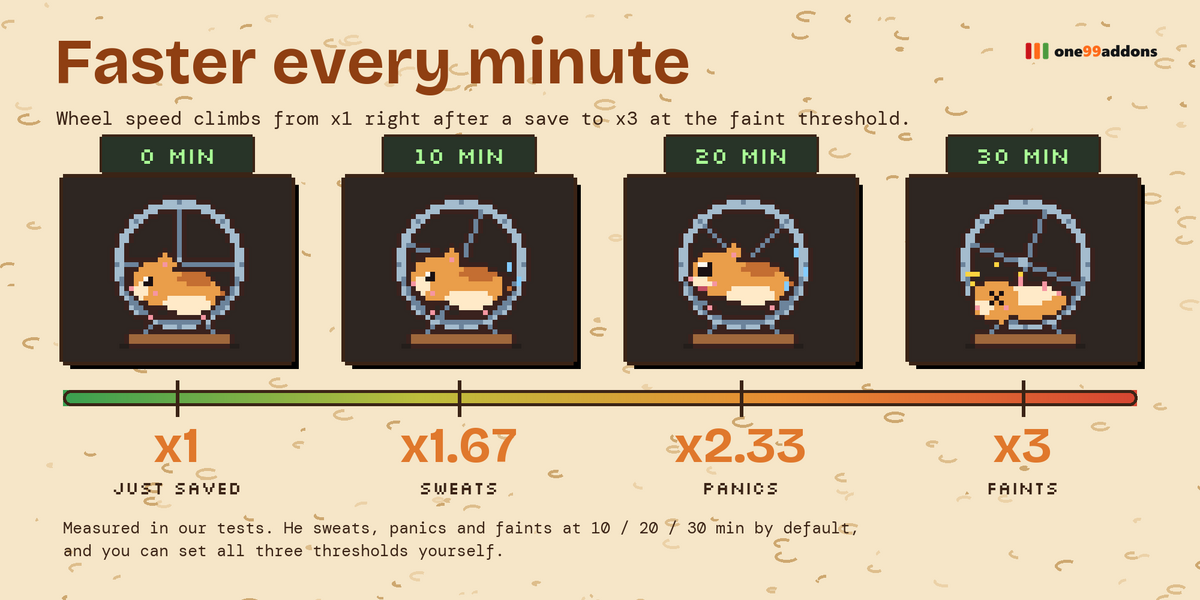
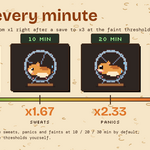
- Faster every minute. He walks, then sweats (10 min), panics with flying sweat drops (20 min) and faints with stars around his head (30 min). Running speed goes from x1 to x3.
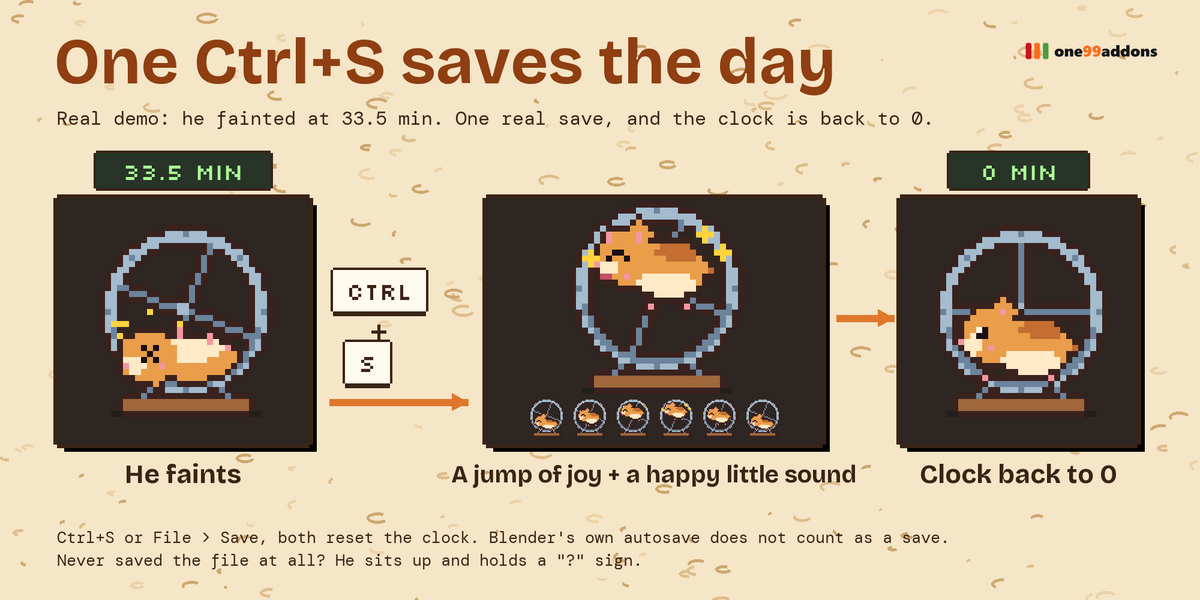
- One Ctrl+S saves the day. Ctrl+S (or File > Save) resets the clock and he does a happy jump with a little sound.
- Never saved? A file that was never saved gets its own animation: he sits up holding a "?" sign.
- Click him. He squeaks. Clicks anywhere else go to Blender as usual.
Settings
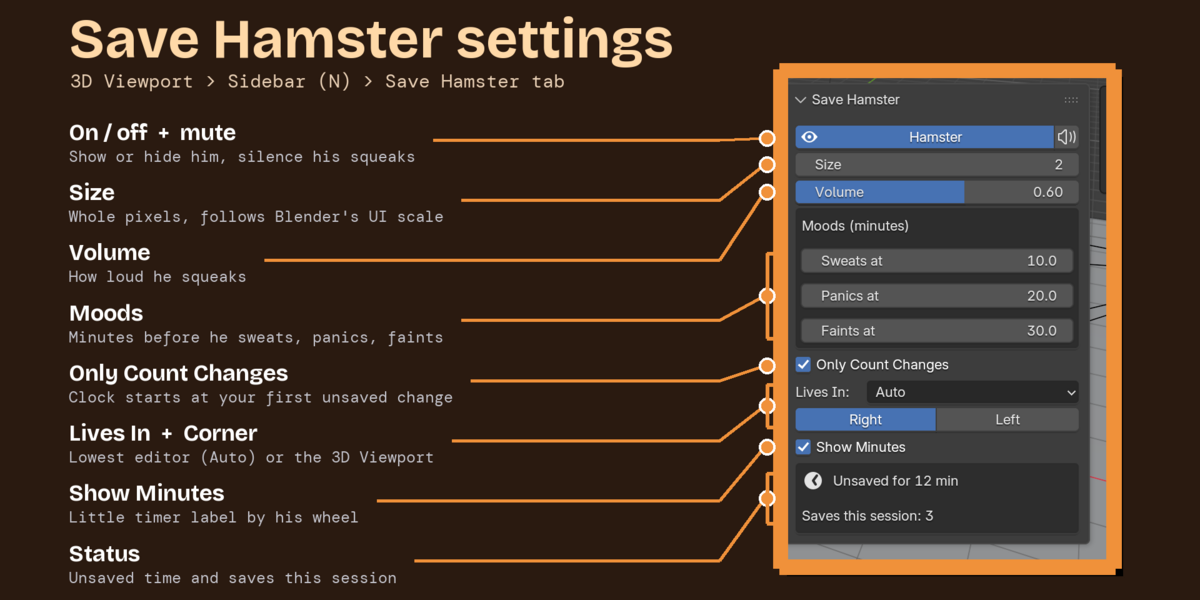
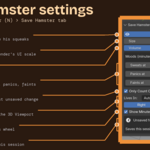
Settings are in 3D Viewport > Sidebar (N) > Save Hamster tab (or Preferences > Add-ons), with a quick toggle in the Window menu.
- Hamster / Mute: hide him (the clock keeps running), silence him.
- Size 1 to 6: whole pixels, multiplied by Blender's UI scale.
- Volume: for squeaks and the jump.
- Sweats at / Panics at / Faints at: minutes for each mood (default 10 / 20 / 30).
- Only Count Changes: the clock starts at your first unsaved change (default) or right at the last save.
- Lives In: Auto, Lowest Editor or 3D Viewport. Corner: bottom-right or bottom-left.
- Show Minutes: a small "12 min" label next to his wheel, plus a status box and a save counter.
Good to know
- 36 hand-made pixel frames and 5 original sounds.
- Light: about 0.1 ms of Python per update. Playback of a 252,000-triangle animation: 18.2 fps with all our pixel pets on, 18.2 fps off.
- Next to Pixel Sprout or Undo Ghost in the same corner, the pets slide next to each other instead of overlapping.
Tips
- Set Faints at to 15 minutes for a stricter reminder.
- Default Timeline too short? Auto puts him in the 3D Viewport corner; drag the Timeline a bit taller and he moves into it.
Requirements and install
Blender 5.2 or newer (tested on 5.2.2 LTS, Windows). No internet, no external libraries.
- Download save_hamster_v1.0.1.zip (do not unzip it).
- In Blender: Edit > Preferences > Add-ons, open the drop-down arrow at the top right, choose Install from Disk... and pick the zip.
- Tick Save Hamster. That's it.
Limits
Add-ons cannot draw on Blender's status bar, so he lives in the corner of the lowest editor instead. Blender's own autosave (the recovery file) does not count as a save. Changes made only by scripts may not mark the file as unsaved; switch off Only Count Changes in that case. He lives in the first (main) Blender window.
More pixel pets
Collect the whole family: Desk Cat, Desk Frog, Desk Axolotl, Desk Bat, Pixel Sprout, Timeline Snail, Undo Ghost, Desk Duck. They all live happily in the same Blender window.
Made by one99addons.