Save Selection
 Miha Marinko
How to use
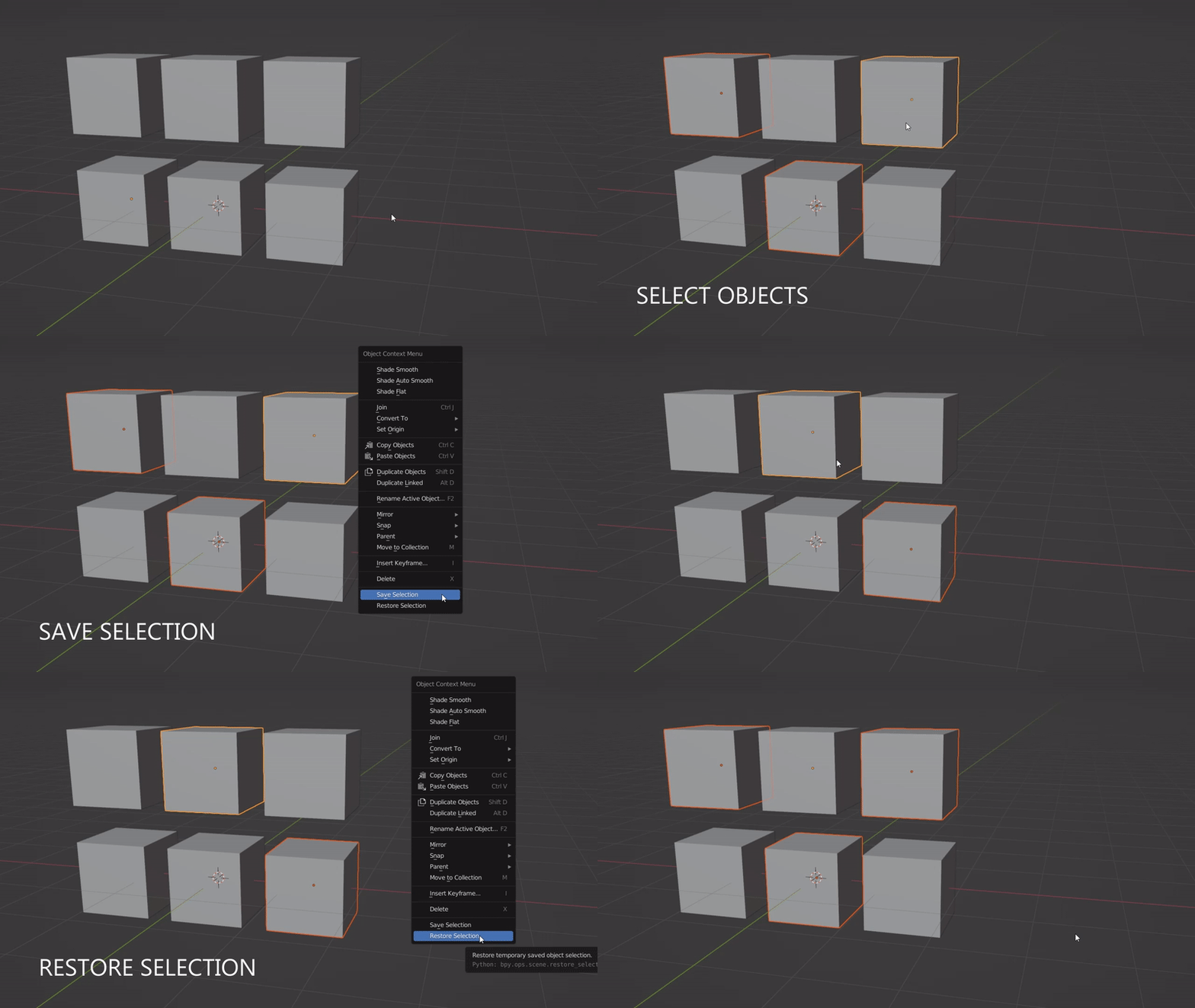
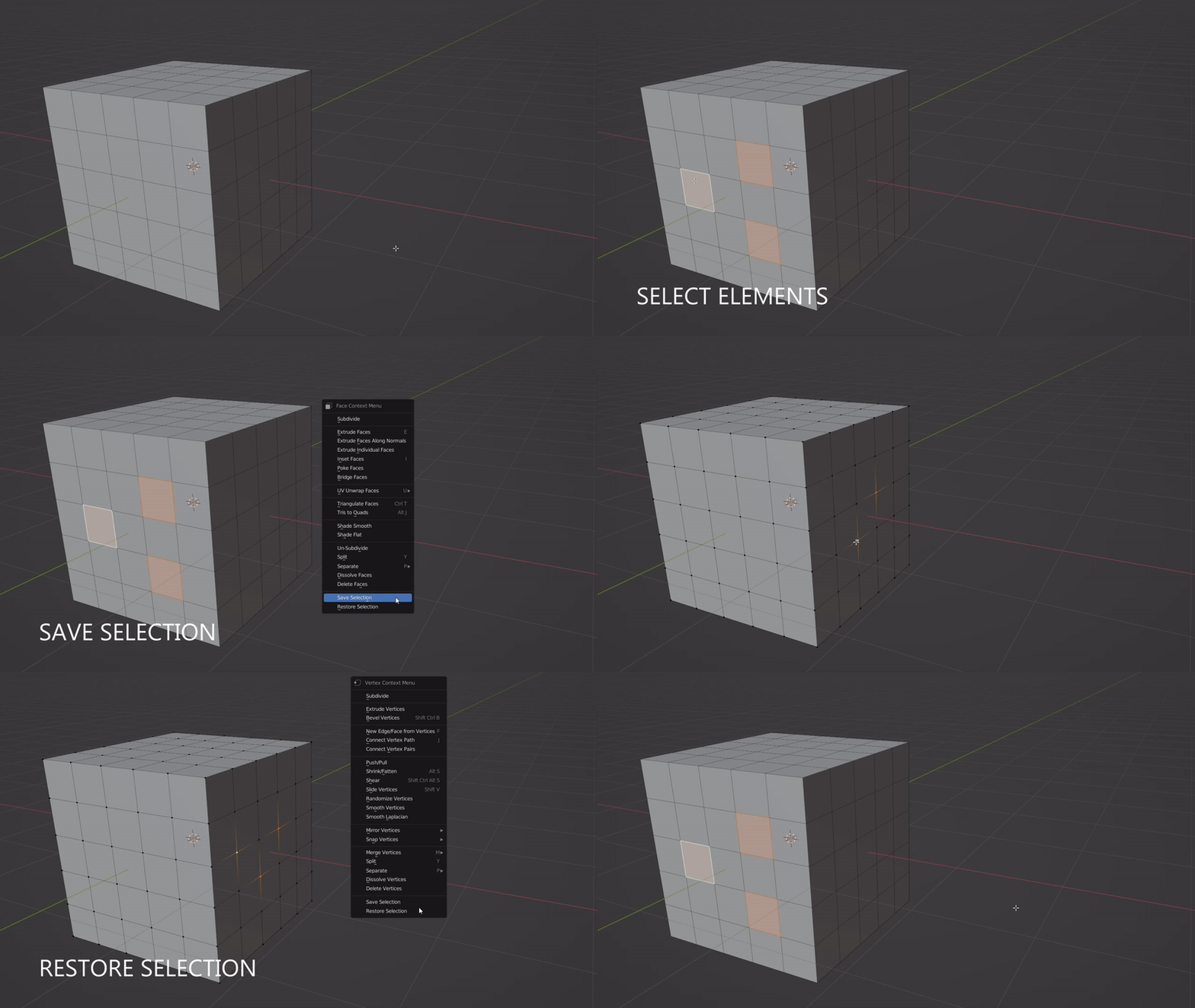
Buttons Save Selection and Restore Selection are located at the bottom of the Object Context Menu (shortcut: Right Mouse Button) in object and edit mode.
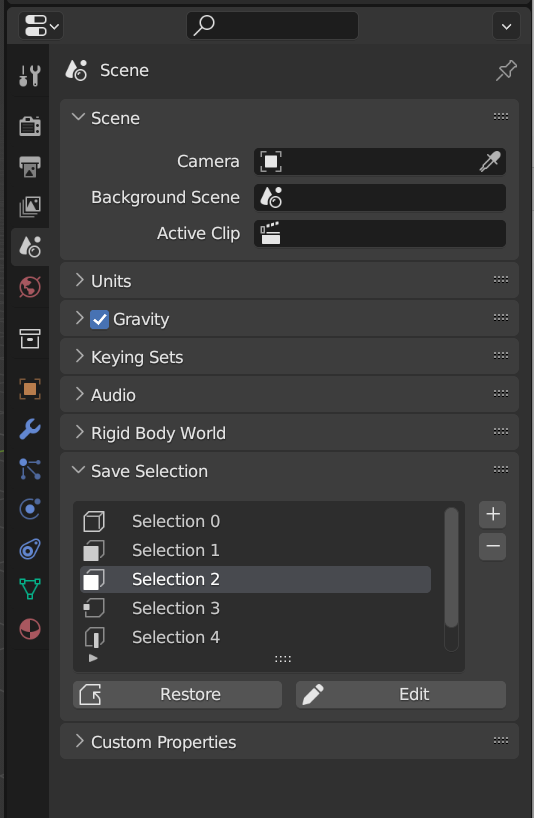
You can see your stored selections under Scene Properties in Save Selection tab.
+ Stores current selection
- Removes chosen selection
Restore Brings back the chosen selection
Edit Overwrites chosen selection
Your selection mode will be automaticly detected and stored. When restoring selection the selection mode will be restored along with stored geometry elements.
Instalation
- Download the latest addon release
- Open Blender
- Go to Edit > Preferences > Add-ons
- Click Install...
- Locate the downloaded .zip file and double click on it
- Congratulations, you've successfully installed the addon!
