 TobiMade
Scene Cost Profiler is a Blender add-on that analyzes your scene's real-time performance cost and helps you optimize it — all without leaving the viewport.
Point it at any scene and get instant, per-object breakdowns of geometry complexity, shader cost, modifier overhead, and texture VRAM usage. A weighted scoring system ranks every object from low to critical, so you immediately know what's hurting your framerate.
Built for game artists, archviz professionals, and anyone shipping real-time 3D content who needs to hit performance targets.
Key Features:
- One-Click Scene Analysis: Profile every object in your scene (or just your selection) in milliseconds. Vertices, triangles, materials, modifiers, textures — all measured and scored.
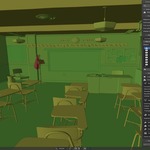
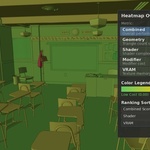
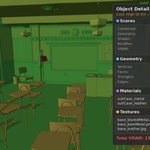
- Performance Heatmap: Color-code your entire scene from green (cheap) to red (expensive). Pick any metric: combined cost, geometry, shader complexity, modifier load, or VRAM.
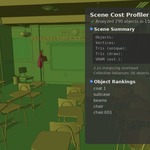
- Object Rankings: Sortable, filterable list of every object ranked by cost. Severity icons flag the worst offenders at a glance.
- Detailed Breakdown: Expand any object to see its geometry stats, material node counts, modifier costs, and per-texture VRAM usage.
- Performance Budgets: Set triangle, VRAM, and shader complexity limits. Three built-in presets (Mobile VR, Desktop Game, High-End/Film) or define your own.
- 6 Optimization Tools: Decimate, reduce subdivision, merge duplicate vertices, merge identical materials, apply high-cost modifiers, or auto-optimize everything over budget.
- Export Reports: Save full analysis as JSON or CSV for pipelines, documentation, or team reviews.
- Custom Scoring Weights: Tune how much geometry, shaders, modifiers, and textures contribute to the final score.
- Non-Destructive by Default: Decimate and subdivision tools add modifiers you can remove. Destructive operations (apply, merge) require explicit action.
- Blender 4.2 – 5.0+ Compatible: Works with Blender 4.2 LTS and newer, including Blender 5.0.



$14.99
Have questions about this product?
Login to message
| Blender Extension Compatible | Yes |
| Published | 7 months ago |
| Blender Version | 4.2 - 5.0 |
| Extension Type | Add-on |
| Render Engine Used | Arnold, Blender-Internal, Blender-Game-Engine, Cycles, Eevee, Freestyle, Luxrender, Mental-Ray, Octane, Vray, Yafaray |
| License | GPL |
