 Mamba CG


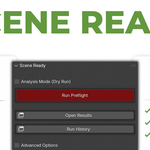
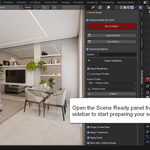
Yes. Scene Ready allows you to:
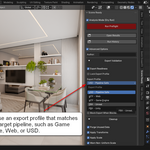
- Import and export profiles as JSON
- Add predefined Profile Packs (Unity Mobile, Unreal Nanite, Web AR)
- Overwrite existing profiles if needed. This makes it possible to adapt the addon to studio-specific or project-specific requirements without modifying the code.
A BLOCKED status does not mean Blender cannot export the file. It means the scene violates critical rules for the selected export profile.
For example, issues like unapplied transforms, incorrect unit scale, missing textures, or excessive geometry may still export but can cause problems in engines, pipelines, or clients’ tools.
Scene Ready is designed to detect downstream risks, not just whether an export button works.
No, not unless you explicitly allow it.
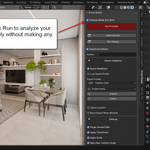
By default, Scene Ready runs in Analysis Mode (Dry Run), which never modifies your scene.
This mode is safe to use at any stage of production and is intended for inspection only.
Changes are applied only when you disable Dry Run and deliberately use one of the Fix actions. Even then, the addon applies strict safety rules and skips protected or linked data.
Have questions about this product?
Login to message
| Blender Extension Compatible | Yes |
| Sales | 10+ |
| Published | 8 months ago |
| Blender Version | 4.0 - 5.0 |
| Extension Type | Add-on |
| Render Engine Used | Cycles, Eevee |
| License | GPL |
Discover more products like this
missing textures pipeline-tool preflight scale fix naming-convention scene validation gltf-export geometry check Production Workflow studio pipeline export ready scene cleanup