Scene State Bookmarks - Save and Restore Full Scene States in One Click
 Salman Naseem



Does this work with Blender 5.0?
Yes. Scene State Bookmarks is fully compatible with Blender 4.2, 4.3, 4.4 and Blender 5.0 on Windows, macOS and Linux. The addon automatically detects which version of Blender you are running and uses the correct API for that version. You do not need to do anything different between versions
Can I use partial restore to apply just the render settings from one bookmark without changing my current visibility?
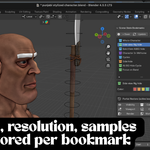
Yes and this is one of the most powerful features of the addon. Select any bookmark from the list then scroll to the Partial Restore section at the bottom of the panel. Click the Render button and only the render engine and resolution from that bookmark will be applied. Your current object visibility, collections, viewport angle, camera and world all stay exactly as they are.
Are my bookmarks saved when I close the blend file
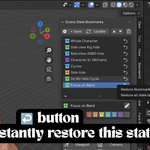
Yes. All bookmark data is stored directly inside the blend file as custom scene properties. When you reopen the file all your bookmarks are exactly where you left them. If you share the blend file with a teammate they will also see all the bookmarks when they open it.
Have questions about this product?
Login to message
| Blender Extension Compatible | Yes |
| Published | 4 months ago |
| Blender Version | 3.2 - 5.2 |
| Extension Type | Add-on |
| Render Engine Used | Blender-Game-Engine, Cycles, Eevee |
| License | GPL |
