 atticus_id


— Get a Clear Overview of Your Scene’s Resources
Easily Manage Every Resource
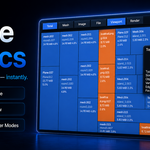
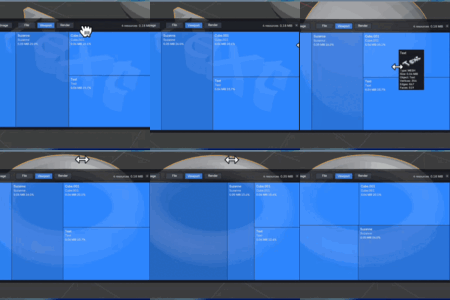
Scene Statics is a addon designed specifically for Blender users to provide precise resource management. It helps you quickly view the mesh and texture usage in your scene and easily identify and optimize resource usage through a clear, intuitive tree map interface.
Key Features:
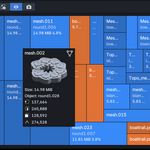
Mesh & Texture Usage Overview Visualize mesh and texture usage with a tree map, allowing you to easily identify large files and high-usage resources.
Mesh & Image Preview View previews of meshes and images directly in the viewport without extra steps, allowing you to stay on top of resource details in real-time.
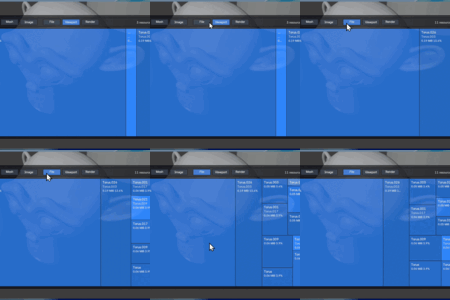
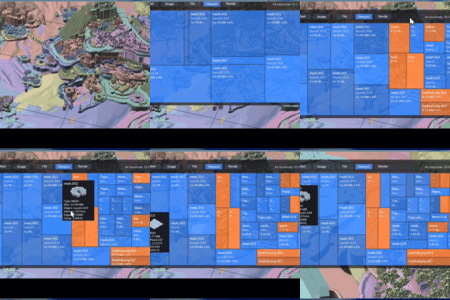
File/Viewport/Render Mode Switching Switch between modes to view resources in different contexts: file, viewport, and render mode, giving you more flexibility.
Quickly Locate Heavy Assets Quickly locate the most space-consuming assets in your scene and optimize project load and render times.
-
Real-Time Updates Any optimization actions you make, such as reducing polygon count or using lower-resolution images, will immediately reflect in the corresponding data block's usage percentage. This lets you clearly see if your optimizations are improving the scene.
Statistic Categories:
Total Shows the overall percentage of image textures, giving you a quick overview of your scene's total resource usage.
Mesh Displays the usage of all meshes in the scene, helping you inspect the size and usage of each mesh.
Image Displays the usage of all image assets in the scene, helping you identify the texture resources and their usage.
Statistic Modes:
File Mode Calculates only the file’s resource usage, showing the size and percentage of resources stored in the file.
Viewport Mode Calculates only the meshes and textures visible in the current viewport, giving you insight into the resources actually displayed while editing.
Render Mode Calculates only the meshes and textures used in the render, helping you optimize resources and eliminate unnecessary assets.
Why Choose Scene Statics?
Optimize Performance: Reduce unnecessary memory usage, optimize scene management, and improve your workflow.
Save Time: No need to check resources one by one; resource usage is clear at a glance, saving you time on searches and organization.
Easy to Use: An intuitive interface with a clear tree map makes resource management simple and efficient.
Experience it now
Update Log
0.2.1
Features
Added triangle count (
Tris) to mesh hover cards.Formatted mesh topology numbers with thousands separators.
Added a user preference for hover preview size.
UI Display
Added Blender-style icons for toolbar filters and hover-card mesh/image/topology indicators, including the
MARKERicon for triangle counts.Changed toolbar filter buttons into compact icon-based segmented groups.
Removed the redundant
Type: MESHline from hover cards.Let hover cards escape the treemap canvas while staying within Blender viewport bounds.
Fixed missing faces in some mesh previews.