Scene Statics
 atticus_id


Overview
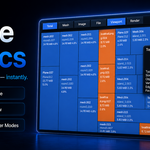
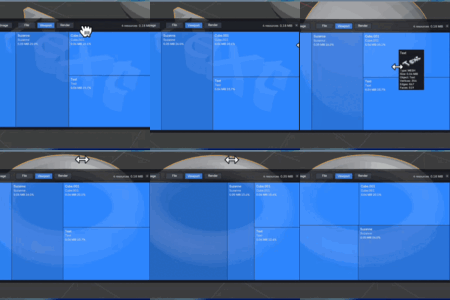
Scene Statics is a Blender extension that visualizes estimated scene resource usage with a treemap overlay in the 3D Viewport.
It helps you quickly answer questions like:
Which meshes are taking the most space?
Which images are the heaviest?
What is visible in the current viewport vs. what exists in the file?
Which assets should I inspect first when optimizing a scene?
The overlay is designed to give you a fast visual overview, not a low-level memory profiler.
Requirements
Blender 4.5 or newer
Installation
Download the ZIP package from your Superhive order page.
Open Blender.
Go to Edit > Preferences > Extensions or Add-ons.
Choose Install from Disk / Install, then select the ZIP file.
Enable Scene Statics.
After enabling the extension, you can launch the overlay from the top bar button provided by Scene Statics.
What the Add-on Shows
Scene Statics currently focuses on two resource categories:
Mesh
Image
Each tile represents one resource entry and displays its relative share inside the currently active result set.
Display Categories
Total
Shows both mesh and image resources together.
Mesh
Shows only mesh-related resources.
Image
Shows only image resources.
Visibility Modes
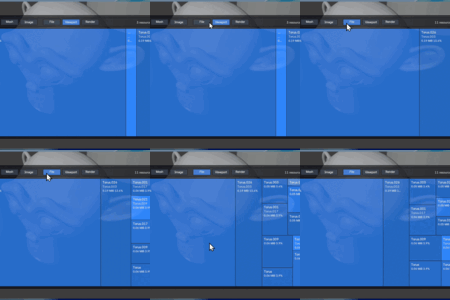
File
Shows resources found in the file.
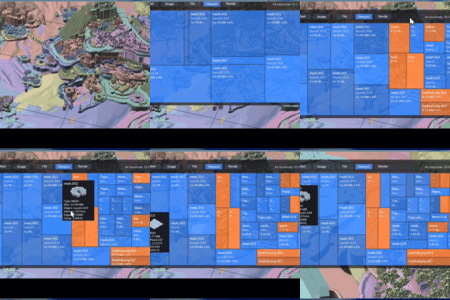
Viewport
Shows resources relevant to what is currently visible in the viewport.
Render
Shows resources relevant to render-visible content.
Basic Workflow
Open the Scene Statics overlay.
-
Choose a category:
Total
Mesh
Image
-
Choose a scope:
File
Viewport
Render
Inspect the largest tiles first.
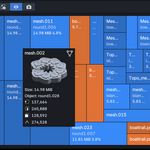
Hover a tile to see more information.
Use the context actions to focus related data when available.
This makes it easy to identify oversized textures, duplicated data usage, and heavy geometry at a glance.
Hover Preview
Depending on the resource type, the hover card can display:
a mesh preview
an image preview
additional metadata such as size and topology information
How Percentages Work
Each tile percentage is calculated relative to the resources currently shown in the overlay.
In other words:
resource estimated size / total estimated size of the currently displayed tiles
Because of this, percentages will change when you switch category or visibility mode.
What “Estimated Size” Means
Scene Statics does not report Blender’s exact internal allocator usage.
Instead, it calculates a stable estimate so assets can be compared consistently inside the treemap.
Images
Image size is estimated from:
width
height
channel count
bit depth used by Blender at runtime
Meshes
Mesh size estimation includes:
vertices
edges
loops
polygons
supported custom mesh attributes
This makes the tool useful for comparison and optimization decisions, even though it is not intended to replace a dedicated memory profiler.
Notes and Limitations
Values are estimates, not exact byte-for-byte memory reports.
Shared mesh or image data may be deduplicated where possible.
Results depend on the active category and scope.
Very complex scenes may take longer to refresh.
The add-on currently focuses on mesh and image resource analysis rather than all Blender data-block types.
Recommended Use Cases
Scene cleanup before handoff
Texture budget review
Heavy asset inspection
Viewport optimization passes
Render preparation
Finding oversized resources in large production files
Support
If you run into an issue, please contact support through the Superhive product page and include:
your Blender version
the add-on version
a short description of the problem
screenshots if relevant
a minimal file or reproduction steps when possible
-
$19.99
solo artist
-
$48
Up to 3 users for small teams
-
$149
Up to 10 users for studio
Have questions about this product?
Login to message
| Blender Extension Compatible | Yes |
| Published | 5 months ago |
| Blender Version | 4.5 - 5.1 |
| Extension Type | Add-on |
| Render Engine Used | Cycles, Eevee |
| License | GPL |