SceneCheck - One-Click Scene Validator for Error-Free Renders and Deliveries
 Salman Naseem


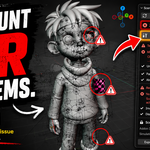
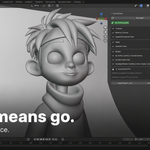
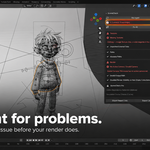
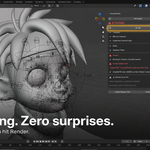
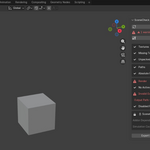
1. What does SceneCheck actually check? Eight checks, all included: missing textures (including unassigned Image Texture nodes), unpacked external images, absolute file paths, missing or render-disabled camera, invalid render output path, collections with mesh content hidden from render, addon dependency detection, and simulation cache checks.
2. Does SceneCheck fix problems automatically, or just report them? Both, depending on the issue. Unpacked textures, absolute paths, and hidden mesh collections all have a one-click Fix button. Missing textures, camera problems, and output path issues are reported but not auto-fixed, because those need a human decision (which file to relink to, which camera to use, where output should actually go). SceneCheck won't guess on your behalf for those.
3. Will SceneCheck delete anything in my file? No. It's a checker, not a cleaner. It never purges unused data, deletes objects, or removes anything you didn't explicitly ask it to fix. Its only write actions are packing specific flagged images, relativizing specific flagged paths, and un-hiding specific flagged collections from render.
4. Does it work in Blender 5.x? Yes. SceneCheck targets Blender 4.2 LTS and is tested through the 5.x series, including the compositor's renamed node-tree property in 5.0.
5. Does SceneCheck need an internet connection? No. It's fully offline and requests no network permissions at all. It only reads scene file paths (textures, libraries, sounds) and writes report files next to your .blend.
6. Is there a separate "Pro" purchase or tier? No. SceneCheck is one paid product with all 8 checks included, no tiers, no toggle, no license key. Addon Dependency Detection and Simulation Cache Checks run automatically alongside the other 6, every time you click Run SceneCheck.
7. Does SceneCheck slow down large scenes? For scenes with 2000 or more images, the scan runs in chunks across timer ticks instead of one blocking loop, so the UI stays responsive during the scan.
8. How does SceneCheck handle UDIM textures? A UDIM tile set is checked as one logical image, not tile by tile, so a missing tile is reported once against the set instead of flooding the panel with per-tile duplicates.
9. What happens with linked library data? Images and addon-dependent nodes that come from a linked library are flagged but never auto-fixed. SceneCheck marks them "linked, edit in source file" instead of reaching into a library it doesn't own.
10. Can SceneCheck relink a missing texture for me? No, not automatically. Relinking requires knowing which file should replace the broken link, which is a judgment call SceneCheck can't safely make for you. It flags exactly which image and which object is affected so you can fix it fast by hand.
11. What does "Run SceneCheck Automatically on Save" actually do? When enabled in preferences, SceneCheck runs a full scan right before the file saves and shows a popup if unresolved errors remain. It never blocks or delays the save; it's a warning, not a gate.
12. What formats can I export a report in? Plain text (.txt), for a quick human-readable summary, or JSON (.json), for pipeline scripts or automated tooling to parse. Both are written next to your saved .blend file.
13. Do I need to save my file before using SceneCheck? You can run the scan on an unsaved file. But relativizing paths and exporting a report both need a save location, so SceneCheck will tell you to save first rather than fail silently.
14. How accurate is Addon Dependency Detection? It's best-effort by design. It can only see what's resolvable in the current Blender session, so it needs to run while the dependency addon is still installed and enabled on your machine, before the file is sent, not after, on a machine that lacks it.
15. Which simulation types does the Cache check cover? Cloth, Soft Body, Fluid (Liquid and Gas/Smoke tracked separately), Dynamic Paint, Particle Hair Dynamics, Particle Emitters, and the scene's Rigid Body World.
16. Does SceneCheck work with Geometry Nodes? Addon Dependency Detection scans standalone node groups, which includes Geometry Nodes group trees referenced by GN modifiers, so a non-built-in GN node from another addon gets flagged the same as a material node would.
17. Is SceneCheck compatible with EEVEE and Cycles? Yes. The checks operate on scene data (images, paths, camera, output settings, collections, simulations), not on renderer-specific settings, so they apply the same regardless of which render engine you're using.
18. Can SceneCheck batch-scan multiple files at once? Not yet. Multi-file batch scanning is on the roadmap but isn't in the current release; today's scan covers the currently open scene.
19. What license is SceneCheck released under? GPL-3.0-or-later.
20. Will SceneCheck ever flag a false positive on my output path? The output path check only warns on an absolute path when it points outside your saved project folder. An absolute path that still lives inside your project folder (for example, one written by Blender's own file browser) is not flagged, since that's not actually a portability risk.
Have questions about this product?
Login to message
| Published | 3 months ago |
| Blender Version | 3.2 - 5.2 |
| Extension Type | Add-on |
| Render Engine Used | Cycles, Eevee |
| License | GPL |

Discover more products like this
Quality Control Import-Export pipeline Scene missing textures Render production tools validation