 DC Labs



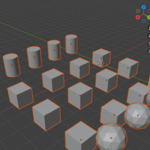
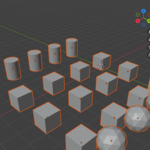
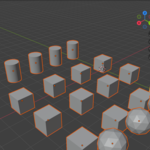
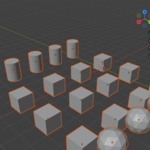
SceneMedic — Scene Cleanup & Optimization Dashboard
Your .blend file is sick. SceneMedic diagnoses it and treats it in one click.
Where did 800 MB come from?
You appended an asset — it brought its own copy of a material you already had. You duplicated a crate twelve times — Blender created twelve separate mesh datablocks for twelve identical crates. You deleted a dozen objects — their meshes, materials, and actions are still sitting in the file. You imported textures three different ways and now three image datablocks point at the same PNG.
None of this is visible. Nothing in Blender's interface tells you it's happening. You just notice, six months in, that the file takes forever to open, the viewport stutters when you orbit, and a scene of simple props somehow weighs several hundred megabytes.
SceneMedic finds all of it and tells you exactly what it's costing you.
Hit Diagnose Scene. Get a clear list of everything wasteful in your file, with an estimated memory saving next to each item and a headline number at the top. Then hit Treat All Safe Issues and watch it go to zero.
Six diagnostic checks
🎨 Duplicate Materials WoodMat, WoodMat.001, WoodMat.002 — the classic result of appending assets over and over. SceneMedic fingerprints the actual shader node graph, not just the name, so materials merge only when their setups genuinely match. That variant you deliberately tweaked? Left alone.
🖼️ Duplicate Images Multiple image datablocks pointing at the same file on disk, each one eating texture memory for nothing.
🔗 Instanceable Meshes The biggest performance win in the tool. Twelve identical crates, each carrying its own full mesh datablock, become twelve objects sharing one. SceneMedic fingerprints topology — vertex, edge and face counts plus sampled coordinates — to find geometry that's truly identical. Already-instanced objects are skipped.
🗑️ Orphan Data Datablocks with zero users, hiding in your file across eight types: meshes, materials, images, node groups, actions, textures, curves, and armatures.
🔍 Oversized Textures Every image above your chosen cap — 1K, 2K, 4K or 8K — flagged with the memory you'd reclaim by downscaling.
⚠️ Missing Files Broken texture paths that will render blank or pink. Find them now, not at 3 a.m. when the render farm reports back.
Diagnose. Then treat.
The findings list gives you a category icon, a plain-language summary, and a size estimate per item — plus a Potential savings headline for the whole file. Click any finding for detail.
Treat All Safe Issues then runs the full course — merge duplicate materials, merge duplicate images, auto-instance identical meshes, purge orphans — and re-diagnoses automatically so you see the result immediately.
Need control instead? The Individual Treatments panel gives you all six operations separately, so you can instance without purging, or purge without merging.
And a Scene Stats panel shows you the raw numbers any time: objects, datablocks, total vertices, total triangles, estimated texture memory.
Built to be safe
Bulk cleanup tools make people nervous, and they should. So SceneMedic is deliberately conservative:
- Treat All only performs reversible, in-file operations. Nothing it does touches a file on your disk.
- Two treatments are excluded from Treat All on purpose — texture downscaling (it alters image data in memory) and missing-file relinking (it rewrites paths). Both stay manual-only, your call, every time.
- Full Ctrl+Z support on every operation.
- Linked and library datablocks are reported but never modified. Your library links stay intact.
- Materials merge only on identical node setups. Similar names are not enough.
Who it's for
- Archviz artists — heavy scenes full of appended furniture and vegetation, where duplicate materials multiply fast
- Game artists — prop libraries and repeated modular pieces that should be instanced but aren't
- Studio & freelance artists — deliver clean files. Nobody wants to receive a 900 MB .blend of a coffee table.
- Anyone whose Blender has gotten slow and doesn't know why
Compatibility
- Blender 4.2 LTS and newer, including the 5.x series
- Works with Cycles, EEVEE, and any third-party renderer — cleanup happens at the datablock level
- Pure Python, zero dependencies
FAQ
Will merging materials change how my scene looks? No. Only genuinely identical node setups are merged, so the result is visually the same material.
Will auto-instancing break anything? Instanced objects keep their own transforms and modifiers — only the mesh data is shared. Worth knowing going forward: editing one instanced object in Edit Mode now edits all of them. Make Single User reverses it any time.
Does downscaling overwrite my original texture files? No. It happens in memory only. Your source files on disk are untouched unless you save the images yourself.
Is Purge safe? It removes only zero-user datablocks. If you're keeping a spare material that isn't assigned to anything yet, click its Fake User shield first — that's true of Blender's own purge as well.
Are the savings figures exact? They're good-faith estimates from vertex counts, image dimensions and bit depth — Blender doesn't expose exact per-datablock memory to addons. Use them to judge scale, not as an audited measurement.
Pairs with Optimesh Pro
SceneMedic optimizes your file — datablocks, links, duplication, memory. Optimesh Pro optimizes your geometry — the meshes themselves.
Different problems, same goal. Grab both from the DC Labs store.
Questions? Use the Contact Creator button — every purchase includes support, and bug reports get fixed fast.