Scenestreamliner
 Make It Move Media





🚀 How to Install the SceneStreamliner Extension in Blender 4.5
Step 1 — Download the Extension
Get the
.zipfile for SceneStreamliner (keep it zipped).
Step 2 — Open the Extensions Manager
In Blender, go to Edit → Preferences….
Select the new Extensions section on the left.
Step 3 — Install Extension
In the Extensions Manager, click the “Install from Disk” button (top-right).
Browse to the
.zipfile you downloaded.Click Install Extension.
Step 4 — Enable SceneStreamliner
Blender will add SceneStreamliner to your installed Extensions list.
Enable it with the checkbox if not already enabled.
Step 5 — Access the Extension
Open a 3D Viewport.
Press N to open the sidebar.
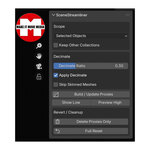
Go to the Streamline tab → SceneStreamliner panel.