 ZibadMend


Why do I get a "No Audio Devices Found!" warning when I check 'Record Audio'?
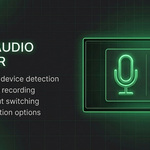
This happens if your operating system blocks desktop applications from accessing the microphone. Go to your OS Privacy Settings (e.g., Windows Settings > Privacy > Microphone) and ensure "Allow desktop apps to access your microphone" is turned ON. Then, uncheck and re-check the 'Record Audio' button in Blender.
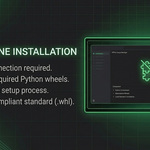
How do I install the required engine completely offline?
The add-on comes with a "wheels" folder containing everything needed. Simply install the add-on via Blender Preferences, open the Screen Recorder panel, and click the "Install Engine (Offline)" button. Restart Blender once you see the success message.
I drew a custom region. How do I confirm or remove it?
After drawing your region, interactive "Apply" and "Cancel" buttons will appear in the center of the box. You can click them, or simply press the [Enter] key to confirm, and [Esc] to cancel.
Will the green selection box appear in my final recorded video or screenshot?
No! The add-on calculates the coordinates mathematically. During recording, the visual indicator expands exactly 2 pixels outward and turns red, ensuring the border itself is completely excluded from your captured media.
Why did the recording process stop automatically with a red error box?
The add-on features a Live Error Monitor. If the internal FFmpeg engine crashes (e.g., due to an unplugged microphone or invalid resolution), it halts the process and shows the last 3 lines of the error in the UI. Click "Open Full Error Log" for detailed troubleshooting.
What does the "Compress & Optimize" option do in the GIF settings?
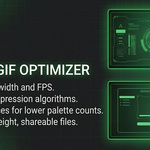
Raw GIFs can result in massive file sizes. Enabling this checkbox applies an advanced FFmpeg palette-generation algorithm (bayer dithering & diff mode) that heavily reduces the file size while maintaining excellent visual quality.
What does the "Auto Close Panel" feature do?
When checked, the Screen Recorder sidebar (N-Panel) will automatically collapse the moment your recording or countdown starts. This prevents the UI panel from being captured in your final video.
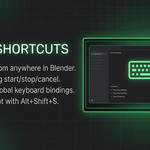
The keyboard shortcuts (Alt+Shift+R / S) are not working. Why?
Make sure your mouse cursor is inside the main Blender window. If another application is focused, Blender cannot register the keystrokes. You can also check Edit > Preferences > Keymap to ensure no other add-on is overriding these specific shortcuts.
Can I scale down my video resolution (e.g., to 75%) without crashing?
Yes! In standard FFmpeg, scaling to odd numbers (like 1383px) causes a crash. Our add-on automatically handles the complex math behind the scenes, rounding the final dimensions to the nearest even number so you can safely use any percentage between 1% and 100%.
Why does the green region box disappear when I close the N-Panel?
This is a Smart Panel-Aware feature designed to keep your workspace clean. The box is hidden when you don't need it, but it mathematically remembers its position. Simply reopen the Screen Recorder panel, and the box will instantly reappear.
-
$9
1 User
-
$39
5 Users
-
$79
10 Users
-
$349
50 Users
 Included
Includes 12 months of
- Support from ZibadMend
- Product updates
Extend this product’s Support Period +12 months: 50% of product price
Have questions before purchasing?
Login to message
Discover more products like this
Zero-Lag Screen Capture Offline Screen Recording Blender Screen Recorder Internal Screen Capture Viewport Capture Tool Professional Addon for Blender Blender Tutorial Production Blender GIF Maker blender workflow tool Blender Extension Pro High-Quality Viewport Recording GIF Optimizer Addon