 Dejan Pejacki



Sculptbuddy: Custom Pie Menu & Brush Selector
Sculptbuddy is a lightweight, workflow-first Blender add-on that brings your favorite sculpting brushes directly to your cursor. Stop hunting through dense side panels or leaving the viewport just to switch from Draw to Clay Strips.
🚀 Key Features
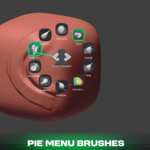
- Radial Pie Menu: Hold a hotkey to instantly summon a ring of your most-used brushes.
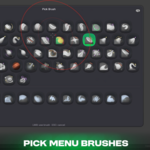
- Hex-Grid Picker: Open an organized visual grid to browse your entire brush collection.
- Asset Library Integration: Automatically pulls brushes directly from your active Blender Asset Libraries.
- Zero Viewport Distraction: Keep your eyes on your model while switching tools seamlessly.
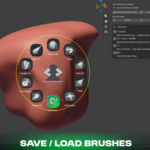
- Fully Customizable: Easily assign, reorder, and swap out brushes in your quick-access slots.
🎮 Fluid Hotkey Workflow
Sculptbuddy uses muscle-memory shortcuts designed to keep your hand on the keyboard and eyes on the mesh.
- W (Hold): Summon the brush ring. Release over a brush to select it.
- Q: Open the full hex selector to pick any brush without changing your ring.
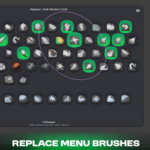
- W + Hover + Q / RMB: Swap the hovered ring slot with a new brush from the hex grid.
- Esc: Dismiss any open menu instantly.
⚡ Why It Saves Time
- Muscle Memory: The W key hold-and-release mechanic turns brush switching into a sub-second flick.
- On-the-Fly Editing: You do not need to open an options menu to change your layout; just hover and tap Q or RMB to update your ring instantly.
- Non-Destructive Browsing: The Q menu lets you grab a rare brush for a single stroke without messing up your core radial setup.
