What Blender versions does SculptPilot support?
What Blender versions does SculptPilot support?
SculptPilot requires Blender 4.3 or newer because it uses Blender's asset-based brush system. It has been verified in Blender 5.0.
Does SculptPilot work outside Sculpt Mode?
What is the default hotkey?
What is Workspace Mode?
Can I customize the look of the wheel?
How do I select a brush or tool?
Is AI required for the AutoPilot page?
How do I install SculptPilot?
How do I select a brush or tool?
Open the wheel, move the cursor over a brush or tool, and release to activate it. Quickly tap the hotkey to keep the wheel open, then click items individually. Press Esc or right-click to close the wheel without selecting anything.
What does the Vertex Paint wheel do?
What do the outer controls do?
What does AI mesh optimization change?
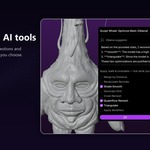
It reviews active-mesh statistics and suggests from a fixed list of Blender operations, such as Merge by Distance, Recalculate Normals, Shade Smooth, Decimate, Voxel Remesh, Quadriflow Remesh, and Triangulate. You choose what to apply, and Blender Undo remains available.
Is my work sent to cloud AI services?
Is AI required for the AutoPilot page?
No. SculptPilot can track local brush usage without AI. Enabling local Ollama adds an optional organization pass for the usage-based page.
Can I customize the look of the wheel?
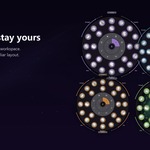
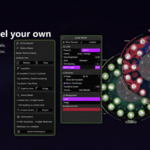
Yes. SculptPilot includes Green, Blue, Orange, Purple, and Slate colour themes, plus Standard, Liquid Glass, and Constellation visual styles. You can also adjust brightness, anti-aliasing, thumbnails, scale, and background images.
What does the Weight Paint wheel do?
Is my work sent to cloud AI services?
No. The optional AI workflow is designed for a local Ollama server running on your computer. Core features do not send your scene or brush usage to an online AI service.
What are the optional AI features?
Does SculptPilot work outside Sculpt Mode?
SculptPilot has separate wheels for Sculpt Mode, Weight Paint, Vertex Paint, and Image Paint. Each mode opens controls designed for that workflow.
Can I change the hotkey?
What is Workspace Mode?
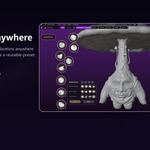
Workspace Mode is a flexible quick-access layout for your recent brushes, recent tools, cloth items, and selected custom slots. You can move buttons, scale them, reset a layout, and save named presets.
What does AI mesh optimization change?
Can I change the hotkey?
Yes. Open Edit > Preferences > Add-ons / Extensions > SculptPilot. In the Keybinding section, choose a new key or mouse input and optionally add Ctrl, Shift, Alt, or OS modifiers.
Can I use a custom background image?
What does AI mesh optimization change?
It reviews active-mesh statistics and suggests from a fixed list of Blender operations, such as Merge by Distance, Recalculate Normals, Shade Smooth, Decimate, Voxel Remesh, Quadriflow Remesh, and Triangulate. You choose what to apply, and Blender Undo remains available.
What does the Weight Paint wheel do?
The Weight Paint wheel provides a visual 0.0 to 1.0 weight ramp plus quick access to Paint, Blur, Average, and Smear tools.
What are the optional AI features?
SculptPilot can optionally connect to a local Ollama installation to organise the AutoPilot page around your tracked brush use and suggest mesh optimization actions. AI is disabled by default.
What is the default hotkey?
The default hotkey is D. Move your cursor over the 3D Viewport and press D while in Sculpt Mode, Weight Paint, Vertex Paint, or Image Paint.
Is AI required for the AutoPilot page?
No. SculptPilot can track local brush usage without AI. Enabling local Ollama adds an optional organization pass for the usage-based page.
What are the optional AI features?
SculptPilot can optionally connect to a local Ollama installation to organise the AutoPilot page around your tracked brush use and suggest mesh optimization actions. AI is disabled by default.
What are the optional AI features?
SculptPilot can optionally connect to a local Ollama installation to organise the AutoPilot page around your tracked brush use and suggest mesh optimization actions. AI is disabled by default.
How do I install SculptPilot?
In Blender, go to Edit > Preferences > Get Extensions. Open the top-right menu, choose Install from Disk, and select the SculptPilot ZIP downloaded from Superhive. Enable it if Blender does not do so automatically.
Is AI required for the AutoPilot page?
No. SculptPilot can track local brush usage without AI. Enabling local Ollama adds an optional organization pass for the usage-based page.
Can I use a custom background image?
Yes. In SculptPilot preferences, set Background to Image, then choose a supplied preset or your own image. Opacity, brightness, and tint controls help keep the buttons readable.
Is my work sent to cloud AI services?
No. The optional AI workflow is designed for a local Ollama server running on your computer. Core features do not send your scene or brush usage to an online AI service.
Can I change the hotkey?
Yes. Open Edit > Preferences > Add-ons / Extensions > SculptPilot. In the Keybinding section, choose a new key or mouse input and optionally add Ctrl, Shift, Alt, or OS modifiers.
Can I change the hotkey?
Yes. Open Edit > Preferences > Add-ons / Extensions > SculptPilot. In the Keybinding section, choose a new key or mouse input and optionally add Ctrl, Shift, Alt, or OS modifiers.
Is my work sent to cloud AI services?
No. The optional AI workflow is designed for a local Ollama server running on your computer. Core features do not send your scene or brush usage to an online AI service.
Can I use a custom background image?
Yes. In SculptPilot preferences, set Background to Image, then choose a supplied preset or your own image. Opacity, brightness, and tint controls help keep the buttons readable.
How do I select a brush or tool?
Open the wheel, move the cursor over a brush or tool, and release to activate it. Quickly tap the hotkey to keep the wheel open, then click items individually. Press Esc or right-click to close the wheel without selecting anything.
What do the outer controls do?
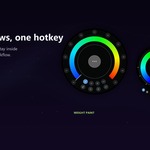
The outer arcs provide live control of Size, Strength, Flow, and Opacity. Drag along an arc to adjust the active brush value directly in the viewport.
What do the outer controls do?
The outer arcs provide live control of Size, Strength, Flow, and Opacity. Drag along an arc to adjust the active brush value directly in the viewport.
What Blender versions does SculptPilot support?
SculptPilot requires Blender 4.3 or newer because it uses Blender's asset-based brush system. It has been verified in Blender 5.0.
Can I use a custom background image?
Yes. In SculptPilot preferences, set Background to Image, then choose a supplied preset or your own image. Opacity, brightness, and tint controls help keep the buttons readable.
Can I customize the look of the wheel?
Yes. SculptPilot includes Green, Blue, Orange, Purple, and Slate colour themes, plus Standard, Liquid Glass, and Constellation visual styles. You can also adjust brightness, anti-aliasing, thumbnails, scale, and background images.
What do the outer controls do?
The outer arcs provide live control of Size, Strength, Flow, and Opacity. Drag along an arc to adjust the active brush value directly in the viewport.
What is the default hotkey?
The default hotkey is D. Move your cursor over the 3D Viewport and press D while in Sculpt Mode, Weight Paint, Vertex Paint, or Image Paint.
Does SculptPilot work outside Sculpt Mode?
SculptPilot has separate wheels for Sculpt Mode, Weight Paint, Vertex Paint, and Image Paint. Each mode opens controls designed for that workflow.
How do I install SculptPilot?
In Blender, go to Edit > Preferences > Get Extensions. Open the top-right menu, choose Install from Disk, and select the SculptPilot ZIP downloaded from Superhive. Enable it if Blender does not do so automatically.
What does AI mesh optimization change?
It reviews active-mesh statistics and suggests from a fixed list of Blender operations, such as Merge by Distance, Recalculate Normals, Shade Smooth, Decimate, Voxel Remesh, Quadriflow Remesh, and Triangulate. You choose what to apply, and Blender Undo remains available.
What does the Weight Paint wheel do?
The Weight Paint wheel provides a visual 0.0 to 1.0 weight ramp plus quick access to Paint, Blur, Average, and Smear tools.
What does the Weight Paint wheel do?
The Weight Paint wheel provides a visual 0.0 to 1.0 weight ramp plus quick access to Paint, Blur, Average, and Smear tools.
What is the default hotkey?
The default hotkey is D. Move your cursor over the 3D Viewport and press D while in Sculpt Mode, Weight Paint, Vertex Paint, or Image Paint.
What Blender versions does SculptPilot support?
SculptPilot requires Blender 4.3 or newer because it uses Blender's asset-based brush system. It has been verified in Blender 5.0.
What does AI mesh optimization change?
It reviews active-mesh statistics and suggests from a fixed list of Blender operations, such as Merge by Distance, Recalculate Normals, Shade Smooth, Decimate, Voxel Remesh, Quadriflow Remesh, and Triangulate. You choose what to apply, and Blender Undo remains available.
Does SculptPilot work outside Sculpt Mode?
SculptPilot has separate wheels for Sculpt Mode, Weight Paint, Vertex Paint, and Image Paint. Each mode opens controls designed for that workflow.
What Blender versions does SculptPilot support?
SculptPilot requires Blender 4.3 or newer because it uses Blender's asset-based brush system. It has been verified in Blender 5.0.
Is my work sent to cloud AI services?
No. The optional AI workflow is designed for a local Ollama server running on your computer. Core features do not send your scene or brush usage to an online AI service.
What does the Weight Paint wheel do?
The Weight Paint wheel provides a visual 0.0 to 1.0 weight ramp plus quick access to Paint, Blur, Average, and Smear tools.
What does the Weight Paint wheel do?
The Weight Paint wheel provides a visual 0.0 to 1.0 weight ramp plus quick access to Paint, Blur, Average, and Smear tools.
How do I select a brush or tool?
Open the wheel, move the cursor over a brush or tool, and release to activate it. Quickly tap the hotkey to keep the wheel open, then click items individually. Press Esc or right-click to close the wheel without selecting anything.
Does SculptPilot work outside Sculpt Mode?
SculptPilot has separate wheels for Sculpt Mode, Weight Paint, Vertex Paint, and Image Paint. Each mode opens controls designed for that workflow.
How do I install SculptPilot?
In Blender, go to Edit > Preferences > Get Extensions. Open the top-right menu, choose Install from Disk, and select the SculptPilot ZIP downloaded from Superhive. Enable it if Blender does not do so automatically.
How do I install SculptPilot?
In Blender, go to Edit > Preferences > Get Extensions. Open the top-right menu, choose Install from Disk, and select the SculptPilot ZIP downloaded from Superhive. Enable it if Blender does not do so automatically.
What do the outer controls do?
The outer arcs provide live control of Size, Strength, Flow, and Opacity. Drag along an arc to adjust the active brush value directly in the viewport.
Does SculptPilot work outside Sculpt Mode?
SculptPilot has separate wheels for Sculpt Mode, Weight Paint, Vertex Paint, and Image Paint. Each mode opens controls designed for that workflow.
What is the default hotkey?
The default hotkey is D. Move your cursor over the 3D Viewport and press D while in Sculpt Mode, Weight Paint, Vertex Paint, or Image Paint.
What are the optional AI features?
SculptPilot can optionally connect to a local Ollama installation to organise the AutoPilot page around your tracked brush use and suggest mesh optimization actions. AI is disabled by default.
What is the default hotkey?
The default hotkey is D. Move your cursor over the 3D Viewport and press D while in Sculpt Mode, Weight Paint, Vertex Paint, or Image Paint.
Can I customize the look of the wheel?
Yes. SculptPilot includes Green, Blue, Orange, Purple, and Slate colour themes, plus Standard, Liquid Glass, and Constellation visual styles. You can also adjust brightness, anti-aliasing, thumbnails, scale, and background images.
How do I install SculptPilot?
In Blender, go to Edit > Preferences > Get Extensions. Open the top-right menu, choose Install from Disk, and select the SculptPilot ZIP downloaded from Superhive. Enable it if Blender does not do so automatically.
Is AI required for the AutoPilot page?
No. SculptPilot can track local brush usage without AI. Enabling local Ollama adds an optional organization pass for the usage-based page.
Can I change the hotkey?
Yes. Open Edit > Preferences > Add-ons / Extensions > SculptPilot. In the Keybinding section, choose a new key or mouse input and optionally add Ctrl, Shift, Alt, or OS modifiers.
What are the optional AI features?
SculptPilot can optionally connect to a local Ollama installation to organise the AutoPilot page around your tracked brush use and suggest mesh optimization actions. AI is disabled by default.
Is AI required for the AutoPilot page?
No. SculptPilot can track local brush usage without AI. Enabling local Ollama adds an optional organization pass for the usage-based page.
How do I select a brush or tool?
Open the wheel, move the cursor over a brush or tool, and release to activate it. Quickly tap the hotkey to keep the wheel open, then click items individually. Press Esc or right-click to close the wheel without selecting anything.
Can I customize the look of the wheel?
Yes. SculptPilot includes Green, Blue, Orange, Purple, and Slate colour themes, plus Standard, Liquid Glass, and Constellation visual styles. You can also adjust brightness, anti-aliasing, thumbnails, scale, and background images.
Can I customize the look of the wheel?
Yes. SculptPilot includes Green, Blue, Orange, Purple, and Slate colour themes, plus Standard, Liquid Glass, and Constellation visual styles. You can also adjust brightness, anti-aliasing, thumbnails, scale, and background images.
What does the Weight Paint wheel do?
The Weight Paint wheel provides a visual 0.0 to 1.0 weight ramp plus quick access to Paint, Blur, Average, and Smear tools.
How do I select a brush or tool?
Open the wheel, move the cursor over a brush or tool, and release to activate it. Quickly tap the hotkey to keep the wheel open, then click items individually. Press Esc or right-click to close the wheel without selecting anything.
Is my work sent to cloud AI services?
No. The optional AI workflow is designed for a local Ollama server running on your computer. Core features do not send your scene or brush usage to an online AI service.
Is my work sent to cloud AI services?
No. The optional AI workflow is designed for a local Ollama server running on your computer. Core features do not send your scene or brush usage to an online AI service.
What does the Weight Paint wheel do?
The Weight Paint wheel provides a visual 0.0 to 1.0 weight ramp plus quick access to Paint, Blur, Average, and Smear tools.
What does the Weight Paint wheel do?
The Weight Paint wheel provides a visual 0.0 to 1.0 weight ramp plus quick access to Paint, Blur, Average, and Smear tools.
What does AI mesh optimization change?
It reviews active-mesh statistics and suggests from a fixed list of Blender operations, such as Merge by Distance, Recalculate Normals, Shade Smooth, Decimate, Voxel Remesh, Quadriflow Remesh, and Triangulate. You choose what to apply, and Blender Undo remains available.
What Blender versions does SculptPilot support?
SculptPilot requires Blender 4.3 or newer because it uses Blender's asset-based brush system. It has been verified in Blender 5.0.
What Blender versions does SculptPilot support?
SculptPilot requires Blender 4.3 or newer because it uses Blender's asset-based brush system. It has been verified in Blender 5.0.
What does AI mesh optimization change?
It reviews active-mesh statistics and suggests from a fixed list of Blender operations, such as Merge by Distance, Recalculate Normals, Shade Smooth, Decimate, Voxel Remesh, Quadriflow Remesh, and Triangulate. You choose what to apply, and Blender Undo remains available.
What Blender versions does SculptPilot support?
SculptPilot requires Blender 4.3 or newer because it uses Blender's asset-based brush system. It has been verified in Blender 5.0.
How do I install SculptPilot?
In Blender, go to Edit > Preferences > Get Extensions. Open the top-right menu, choose Install from Disk, and select the SculptPilot ZIP downloaded from Superhive. Enable it if Blender does not do so automatically.
How do I install SculptPilot?
In Blender, go to Edit > Preferences > Get Extensions. Open the top-right menu, choose Install from Disk, and select the SculptPilot ZIP downloaded from Superhive. Enable it if Blender does not do so automatically.
What does AI mesh optimization change?
It reviews active-mesh statistics and suggests from a fixed list of Blender operations, such as Merge by Distance, Recalculate Normals, Shade Smooth, Decimate, Voxel Remesh, Quadriflow Remesh, and Triangulate. You choose what to apply, and Blender Undo remains available.
What is the default hotkey?
The default hotkey is D. Move your cursor over the 3D Viewport and press D while in Sculpt Mode, Weight Paint, Vertex Paint, or Image Paint.
Can I change the hotkey?
Yes. Open Edit > Preferences > Add-ons / Extensions > SculptPilot. In the Keybinding section, choose a new key or mouse input and optionally add Ctrl, Shift, Alt, or OS modifiers.
Is AI required for the AutoPilot page?
No. SculptPilot can track local brush usage without AI. Enabling local Ollama adds an optional organization pass for the usage-based page.
Can I change the hotkey?
Yes. Open Edit > Preferences > Add-ons / Extensions > SculptPilot. In the Keybinding section, choose a new key or mouse input and optionally add Ctrl, Shift, Alt, or OS modifiers.
Can I change the hotkey?
Yes. Open Edit > Preferences > Add-ons / Extensions > SculptPilot. In the Keybinding section, choose a new key or mouse input and optionally add Ctrl, Shift, Alt, or OS modifiers.
Does SculptPilot work outside Sculpt Mode?
SculptPilot has separate wheels for Sculpt Mode, Weight Paint, Vertex Paint, and Image Paint. Each mode opens controls designed for that workflow.
How do I select a brush or tool?
Open the wheel, move the cursor over a brush or tool, and release to activate it. Quickly tap the hotkey to keep the wheel open, then click items individually. Press Esc or right-click to close the wheel without selecting anything.
What do the outer controls do?
The outer arcs provide live control of Size, Strength, Flow, and Opacity. Drag along an arc to adjust the active brush value directly in the viewport.
What do the outer controls do?
The outer arcs provide live control of Size, Strength, Flow, and Opacity. Drag along an arc to adjust the active brush value directly in the viewport.
Is my work sent to cloud AI services?
No. The optional AI workflow is designed for a local Ollama server running on your computer. Core features do not send your scene or brush usage to an online AI service.
What do the outer controls do?
The outer arcs provide live control of Size, Strength, Flow, and Opacity. Drag along an arc to adjust the active brush value directly in the viewport.
Does SculptPilot work outside Sculpt Mode?
SculptPilot has separate wheels for Sculpt Mode, Weight Paint, Vertex Paint, and Image Paint. Each mode opens controls designed for that workflow.
What are the optional AI features?
SculptPilot can optionally connect to a local Ollama installation to organise the AutoPilot page around your tracked brush use and suggest mesh optimization actions. AI is disabled by default.
Does SculptPilot work outside Sculpt Mode?
SculptPilot has separate wheels for Sculpt Mode, Weight Paint, Vertex Paint, and Image Paint. Each mode opens controls designed for that workflow.
What are the optional AI features?
SculptPilot can optionally connect to a local Ollama installation to organise the AutoPilot page around your tracked brush use and suggest mesh optimization actions. AI is disabled by default.
What do the outer controls do?
The outer arcs provide live control of Size, Strength, Flow, and Opacity. Drag along an arc to adjust the active brush value directly in the viewport.
Is AI required for the AutoPilot page?
No. SculptPilot can track local brush usage without AI. Enabling local Ollama adds an optional organization pass for the usage-based page.
Is AI required for the AutoPilot page?
No. SculptPilot can track local brush usage without AI. Enabling local Ollama adds an optional organization pass for the usage-based page.
Is AI required for the AutoPilot page?
No. SculptPilot can track local brush usage without AI. Enabling local Ollama adds an optional organization pass for the usage-based page.
Is my work sent to cloud AI services?
No. The optional AI workflow is designed for a local Ollama server running on your computer. Core features do not send your scene or brush usage to an online AI service.
What are the optional AI features?
SculptPilot can optionally connect to a local Ollama installation to organise the AutoPilot page around your tracked brush use and suggest mesh optimization actions. AI is disabled by default.
What are the optional AI features?
SculptPilot can optionally connect to a local Ollama installation to organise the AutoPilot page around your tracked brush use and suggest mesh optimization actions. AI is disabled by default.
What does the Weight Paint wheel do?
The Weight Paint wheel provides a visual 0.0 to 1.0 weight ramp plus quick access to Paint, Blur, Average, and Smear tools.
What does the Weight Paint wheel do?
The Weight Paint wheel provides a visual 0.0 to 1.0 weight ramp plus quick access to Paint, Blur, Average, and Smear tools.
Does SculptPilot work outside Sculpt Mode?
SculptPilot has separate wheels for Sculpt Mode, Weight Paint, Vertex Paint, and Image Paint. Each mode opens controls designed for that workflow.
Does SculptPilot work outside Sculpt Mode?
SculptPilot has separate wheels for Sculpt Mode, Weight Paint, Vertex Paint, and Image Paint. Each mode opens controls designed for that workflow.
What do the outer controls do?
The outer arcs provide live control of Size, Strength, Flow, and Opacity. Drag along an arc to adjust the active brush value directly in the viewport.
What do the outer controls do?
The outer arcs provide live control of Size, Strength, Flow, and Opacity. Drag along an arc to adjust the active brush value directly in the viewport.
How do I select a brush or tool?
Open the wheel, move the cursor over a brush or tool, and release to activate it. Quickly tap the hotkey to keep the wheel open, then click items individually. Press Esc or right-click to close the wheel without selecting anything.
How do I select a brush or tool?
Open the wheel, move the cursor over a brush or tool, and release to activate it. Quickly tap the hotkey to keep the wheel open, then click items individually. Press Esc or right-click to close the wheel without selecting anything.
How do I select a brush or tool?
Open the wheel, move the cursor over a brush or tool, and release to activate it. Quickly tap the hotkey to keep the wheel open, then click items individually. Press Esc or right-click to close the wheel without selecting anything.
Can I change the hotkey?
Yes. Open Edit > Preferences > Add-ons / Extensions > SculptPilot. In the Keybinding section, choose a new key or mouse input and optionally add Ctrl, Shift, Alt, or OS modifiers.
What is the default hotkey?
The default hotkey is D. Move your cursor over the 3D Viewport and press D while in Sculpt Mode, Weight Paint, Vertex Paint, or Image Paint.
What is the default hotkey?
The default hotkey is D. Move your cursor over the 3D Viewport and press D while in Sculpt Mode, Weight Paint, Vertex Paint, or Image Paint.
What is the default hotkey?
The default hotkey is D. Move your cursor over the 3D Viewport and press D while in Sculpt Mode, Weight Paint, Vertex Paint, or Image Paint.
How do I install SculptPilot?
In Blender, go to Edit > Preferences > Get Extensions. Open the top-right menu, choose Install from Disk, and select the SculptPilot ZIP downloaded from Superhive. Enable it if Blender does not do so automatically.
What Blender versions does SculptPilot support?
SculptPilot requires Blender 4.3 or newer because it uses Blender's asset-based brush system. It has been verified in Blender 5.0.
What Blender versions does SculptPilot support?
SculptPilot requires Blender 4.3 or newer because it uses Blender's asset-based brush system. It has been verified in Blender 5.0.
Can I change the hotkey?
Yes. Open Edit > Preferences > Add-ons / Extensions > SculptPilot. In the Keybinding section, choose a new key or mouse input and optionally add Ctrl, Shift, Alt, or OS modifiers.
What are the optional AI features?
SculptPilot can optionally connect to a local Ollama installation to organise the AutoPilot page around your tracked brush use and suggest mesh optimization actions. AI is disabled by default.
How do I select a brush or tool?
Open the wheel, move the cursor over a brush or tool, and release to activate it. Quickly tap the hotkey to keep the wheel open, then click items individually. Press Esc or right-click to close the wheel without selecting anything.
Is my work sent to cloud AI services?
No. The optional AI workflow is designed for a local Ollama server running on your computer. Core features do not send your scene or brush usage to an online AI service.
Does SculptPilot work outside Sculpt Mode?
SculptPilot has separate wheels for Sculpt Mode, Weight Paint, Vertex Paint, and Image Paint. Each mode opens controls designed for that workflow.
How do I install SculptPilot?
In Blender, go to Edit > Preferences > Get Extensions. Open the top-right menu, choose Install from Disk, and select the SculptPilot ZIP downloaded from Superhive. Enable it if Blender does not do so automatically.
Does SculptPilot work outside Sculpt Mode?
SculptPilot has separate wheels for Sculpt Mode, Weight Paint, Vertex Paint, and Image Paint. Each mode opens controls designed for that workflow.
What Blender versions does SculptPilot support?
SculptPilot requires Blender 4.3 or newer because it uses Blender's asset-based brush system. It has been verified in Blender 5.0.
Is my work sent to cloud AI services?
No. The optional AI workflow is designed for a local Ollama server running on your computer. Core features do not send your scene or brush usage to an online AI service.
What is the default hotkey?
The default hotkey is D. Move your cursor over the 3D Viewport and press D while in Sculpt Mode, Weight Paint, Vertex Paint, or Image Paint.
Can I change the hotkey?
Yes. Open Edit > Preferences > Add-ons / Extensions > SculptPilot. In the Keybinding section, choose a new key or mouse input and optionally add Ctrl, Shift, Alt, or OS modifiers.
Can I change the hotkey?
Yes. Open Edit > Preferences > Add-ons / Extensions > SculptPilot. In the Keybinding section, choose a new key or mouse input and optionally add Ctrl, Shift, Alt, or OS modifiers.
What does the Weight Paint wheel do?
The Weight Paint wheel provides a visual 0.0 to 1.0 weight ramp plus quick access to Paint, Blur, Average, and Smear tools.
How do I select a brush or tool?
Open the wheel, move the cursor over a brush or tool, and release to activate it. Quickly tap the hotkey to keep the wheel open, then click items individually. Press Esc or right-click to close the wheel without selecting anything.
How do I install SculptPilot?
In Blender, go to Edit > Preferences > Get Extensions. Open the top-right menu, choose Install from Disk, and select the SculptPilot ZIP downloaded from Superhive. Enable it if Blender does not do so automatically.
What do the outer controls do?
The outer arcs provide live control of Size, Strength, Flow, and Opacity. Drag along an arc to adjust the active brush value directly in the viewport.
What does the Weight Paint wheel do?
The Weight Paint wheel provides a visual 0.0 to 1.0 weight ramp plus quick access to Paint, Blur, Average, and Smear tools.
What do the outer controls do?
The outer arcs provide live control of Size, Strength, Flow, and Opacity. Drag along an arc to adjust the active brush value directly in the viewport.
Is my work sent to cloud AI services?
No. The optional AI workflow is designed for a local Ollama server running on your computer. Core features do not send your scene or brush usage to an online AI service.
How do I install SculptPilot?
In Blender, go to Edit > Preferences > Get Extensions. Open the top-right menu, choose Install from Disk, and select the SculptPilot ZIP downloaded from Superhive. Enable it if Blender does not do so automatically.
How do I select a brush or tool?
Open the wheel, move the cursor over a brush or tool, and release to activate it. Quickly tap the hotkey to keep the wheel open, then click items individually. Press Esc or right-click to close the wheel without selecting anything.
Does SculptPilot work outside Sculpt Mode?
SculptPilot has separate wheels for Sculpt Mode, Weight Paint, Vertex Paint, and Image Paint. Each mode opens controls designed for that workflow.
Does SculptPilot work outside Sculpt Mode?
SculptPilot has separate wheels for Sculpt Mode, Weight Paint, Vertex Paint, and Image Paint. Each mode opens controls designed for that workflow.
What Blender versions does SculptPilot support?
SculptPilot requires Blender 4.3 or newer because it uses Blender's asset-based brush system. It has been verified in Blender 5.0.
What Blender versions does SculptPilot support?
SculptPilot requires Blender 4.3 or newer because it uses Blender's asset-based brush system. It has been verified in Blender 5.0.
Can I change the hotkey?
Yes. Open Edit > Preferences > Add-ons / Extensions > SculptPilot. In the Keybinding section, choose a new key or mouse input and optionally add Ctrl, Shift, Alt, or OS modifiers.
How do I select a brush or tool?
Open the wheel, move the cursor over a brush or tool, and release to activate it. Quickly tap the hotkey to keep the wheel open, then click items individually. Press Esc or right-click to close the wheel without selecting anything.
Can I change the hotkey?
Yes. Open Edit > Preferences > Add-ons / Extensions > SculptPilot. In the Keybinding section, choose a new key or mouse input and optionally add Ctrl, Shift, Alt, or OS modifiers.
What are the optional AI features?
SculptPilot can optionally connect to a local Ollama installation to organise the AutoPilot page around your tracked brush use and suggest mesh optimization actions. AI is disabled by default.
Can I change the hotkey?
Yes. Open Edit > Preferences > Add-ons / Extensions > SculptPilot. In the Keybinding section, choose a new key or mouse input and optionally add Ctrl, Shift, Alt, or OS modifiers.
What do the outer controls do?
The outer arcs provide live control of Size, Strength, Flow, and Opacity. Drag along an arc to adjust the active brush value directly in the viewport.
What is the default hotkey?
The default hotkey is D. Move your cursor over the 3D Viewport and press D while in Sculpt Mode, Weight Paint, Vertex Paint, or Image Paint.
How do I select a brush or tool?
Open the wheel, move the cursor over a brush or tool, and release to activate it. Quickly tap the hotkey to keep the wheel open, then click items individually. Press Esc or right-click to close the wheel without selecting anything.
What are the optional AI features?
SculptPilot can optionally connect to a local Ollama installation to organise the AutoPilot page around your tracked brush use and suggest mesh optimization actions. AI is disabled by default.
What is the default hotkey?
The default hotkey is D. Move your cursor over the 3D Viewport and press D while in Sculpt Mode, Weight Paint, Vertex Paint, or Image Paint.
What does the Weight Paint wheel do?
The Weight Paint wheel provides a visual 0.0 to 1.0 weight ramp plus quick access to Paint, Blur, Average, and Smear tools.
What do the outer controls do?
The outer arcs provide live control of Size, Strength, Flow, and Opacity. Drag along an arc to adjust the active brush value directly in the viewport.
What is the default hotkey?
The default hotkey is D. Move your cursor over the 3D Viewport and press D while in Sculpt Mode, Weight Paint, Vertex Paint, or Image Paint.
What are the optional AI features?
SculptPilot can optionally connect to a local Ollama installation to organise the AutoPilot page around your tracked brush use and suggest mesh optimization actions. AI is disabled by default.
What Blender versions does SculptPilot support?
SculptPilot requires Blender 4.3 or newer because it uses Blender's asset-based brush system. It has been verified in Blender 5.0.
How do I install SculptPilot?
In Blender, go to Edit > Preferences > Get Extensions. Open the top-right menu, choose Install from Disk, and select the SculptPilot ZIP downloaded from Superhive. Enable it if Blender does not do so automatically.
What does the Weight Paint wheel do?
The Weight Paint wheel provides a visual 0.0 to 1.0 weight ramp plus quick access to Paint, Blur, Average, and Smear tools.
Can I change the hotkey?
Yes. Open Edit > Preferences > Add-ons / Extensions > SculptPilot. In the Keybinding section, choose a new key or mouse input and optionally add Ctrl, Shift, Alt, or OS modifiers.
What do the outer controls do?
The outer arcs provide live control of Size, Strength, Flow, and Opacity. Drag along an arc to adjust the active brush value directly in the viewport.
What do the outer controls do?
The outer arcs provide live control of Size, Strength, Flow, and Opacity. Drag along an arc to adjust the active brush value directly in the viewport.
Does SculptPilot work outside Sculpt Mode?
SculptPilot has separate wheels for Sculpt Mode, Weight Paint, Vertex Paint, and Image Paint. Each mode opens controls designed for that workflow.
How do I select a brush or tool?
Open the wheel, move the cursor over a brush or tool, and release to activate it. Quickly tap the hotkey to keep the wheel open, then click items individually. Press Esc or right-click to close the wheel without selecting anything.
How do I install SculptPilot?
In Blender, go to Edit > Preferences > Get Extensions. Open the top-right menu, choose Install from Disk, and select the SculptPilot ZIP downloaded from Superhive. Enable it if Blender does not do so automatically.
What Blender versions does SculptPilot support?
SculptPilot requires Blender 4.3 or newer because it uses Blender's asset-based brush system. It has been verified in Blender 5.0.
What does the Weight Paint wheel do?
The Weight Paint wheel provides a visual 0.0 to 1.0 weight ramp plus quick access to Paint, Blur, Average, and Smear tools.
What is the default hotkey?
The default hotkey is D. Move your cursor over the 3D Viewport and press D while in Sculpt Mode, Weight Paint, Vertex Paint, or Image Paint.
What does the Weight Paint wheel do?
The Weight Paint wheel provides a visual 0.0 to 1.0 weight ramp plus quick access to Paint, Blur, Average, and Smear tools.
How do I install SculptPilot?
In Blender, go to Edit > Preferences > Get Extensions. Open the top-right menu, choose Install from Disk, and select the SculptPilot ZIP downloaded from Superhive. Enable it if Blender does not do so automatically.
Can I change the hotkey?
Yes. Open Edit > Preferences > Add-ons / Extensions > SculptPilot. In the Keybinding section, choose a new key or mouse input and optionally add Ctrl, Shift, Alt, or OS modifiers.
How do I select a brush or tool?
Open the wheel, move the cursor over a brush or tool, and release to activate it. Quickly tap the hotkey to keep the wheel open, then click items individually. Press Esc or right-click to close the wheel without selecting anything.
How do I install SculptPilot?
In Blender, go to Edit > Preferences > Get Extensions. Open the top-right menu, choose Install from Disk, and select the SculptPilot ZIP downloaded from Superhive. Enable it if Blender does not do so automatically.
What is the default hotkey?
The default hotkey is D. Move your cursor over the 3D Viewport and press D while in Sculpt Mode, Weight Paint, Vertex Paint, or Image Paint.
What is the default hotkey?
The default hotkey is D. Move your cursor over the 3D Viewport and press D while in Sculpt Mode, Weight Paint, Vertex Paint, or Image Paint.
How do I install SculptPilot?
In Blender, go to Edit > Preferences > Get Extensions. Open the top-right menu, choose Install from Disk, and select the SculptPilot ZIP downloaded from Superhive. Enable it if Blender does not do so automatically.
How do I install SculptPilot?
In Blender, go to Edit > Preferences > Get Extensions. Open the top-right menu, choose Install from Disk, and select the SculptPilot ZIP downloaded from Superhive. Enable it if Blender does not do so automatically.
Can I change the hotkey?
Yes. Open Edit > Preferences > Add-ons / Extensions > SculptPilot. In the Keybinding section, choose a new key or mouse input and optionally add Ctrl, Shift, Alt, or OS modifiers.
How do I install SculptPilot?
In Blender, go to Edit > Preferences > Get Extensions. Open the top-right menu, choose Install from Disk, and select the SculptPilot ZIP downloaded from Superhive. Enable it if Blender does not do so automatically.
What Blender versions does SculptPilot support?
SculptPilot requires Blender 4.3 or newer because it uses Blender's asset-based brush system. It has been verified in Blender 5.0.
Can I change the hotkey?
Yes. Open Edit > Preferences > Add-ons / Extensions > SculptPilot. In the Keybinding section, choose a new key or mouse input and optionally add Ctrl, Shift, Alt, or OS modifiers.
What Blender versions does SculptPilot support?
SculptPilot requires Blender 4.3 or newer because it uses Blender's asset-based brush system. It has been verified in Blender 5.0.
How do I select a brush or tool?
Open the wheel, move the cursor over a brush or tool, and release to activate it. Quickly tap the hotkey to keep the wheel open, then click items individually. Press Esc or right-click to close the wheel without selecting anything.
What Blender versions does SculptPilot support?
SculptPilot requires Blender 4.3 or newer because it uses Blender's asset-based brush system. It has been verified in Blender 5.0.
Does SculptPilot work outside Sculpt Mode?
SculptPilot has separate wheels for Sculpt Mode, Weight Paint, Vertex Paint, and Image Paint. Each mode opens controls designed for that workflow.
How do I select a brush or tool?
Open the wheel, move the cursor over a brush or tool, and release to activate it. Quickly tap the hotkey to keep the wheel open, then click items individually. Press Esc or right-click to close the wheel without selecting anything.
What do the outer controls do?
The outer arcs provide live control of Size, Strength, Flow, and Opacity. Drag along an arc to adjust the active brush value directly in the viewport.
Does SculptPilot work outside Sculpt Mode?
SculptPilot has separate wheels for Sculpt Mode, Weight Paint, Vertex Paint, and Image Paint. Each mode opens controls designed for that workflow.
Does SculptPilot work outside Sculpt Mode?
SculptPilot has separate wheels for Sculpt Mode, Weight Paint, Vertex Paint, and Image Paint. Each mode opens controls designed for that workflow.
What is the default hotkey?
The default hotkey is D. Move your cursor over the 3D Viewport and press D while in Sculpt Mode, Weight Paint, Vertex Paint, or Image Paint.
What is the default hotkey?
The default hotkey is D. Move your cursor over the 3D Viewport and press D while in Sculpt Mode, Weight Paint, Vertex Paint, or Image Paint.
How do I select a brush or tool?
Open the wheel, move the cursor over a brush or tool, and release to activate it. Quickly tap the hotkey to keep the wheel open, then click items individually. Press Esc or right-click to close the wheel without selecting anything.
What Blender versions does SculptPilot support?
SculptPilot requires Blender 4.3 or newer because it uses Blender's asset-based brush system. It has been verified in Blender 5.0.
What is the default hotkey?
The default hotkey is D. Move your cursor over the 3D Viewport and press D while in Sculpt Mode, Weight Paint, Vertex Paint, or Image Paint.
What is the default hotkey?
The default hotkey is D. Move your cursor over the 3D Viewport and press D while in Sculpt Mode, Weight Paint, Vertex Paint, or Image Paint.
How do I install SculptPilot?
In Blender, go to Edit > Preferences > Get Extensions. Open the top-right menu, choose Install from Disk, and select the SculptPilot ZIP downloaded from Superhive. Enable it if Blender does not do so automatically.
What do the outer controls do?
The outer arcs provide live control of Size, Strength, Flow, and Opacity. Drag along an arc to adjust the active brush value directly in the viewport.
How do I install SculptPilot?
In Blender, go to Edit > Preferences > Get Extensions. Open the top-right menu, choose Install from Disk, and select the SculptPilot ZIP downloaded from Superhive. Enable it if Blender does not do so automatically.
What Blender versions does SculptPilot support?
SculptPilot requires Blender 4.3 or newer because it uses Blender's asset-based brush system. It has been verified in Blender 5.0.
What do the outer controls do?
The outer arcs provide live control of Size, Strength, Flow, and Opacity. Drag along an arc to adjust the active brush value directly in the viewport.
Can I change the hotkey?
Yes. Open Edit > Preferences > Add-ons / Extensions > SculptPilot. In the Keybinding section, choose a new key or mouse input and optionally add Ctrl, Shift, Alt, or OS modifiers.
Can I change the hotkey?
Yes. Open Edit > Preferences > Add-ons / Extensions > SculptPilot. In the Keybinding section, choose a new key or mouse input and optionally add Ctrl, Shift, Alt, or OS modifiers.
What do the outer controls do?
The outer arcs provide live control of Size, Strength, Flow, and Opacity. Drag along an arc to adjust the active brush value directly in the viewport.
What Blender versions does SculptPilot support?
SculptPilot requires Blender 4.3 or newer because it uses Blender's asset-based brush system. It has been verified in Blender 5.0.
What Blender versions does SculptPilot support?
SculptPilot requires Blender 4.3 or newer because it uses Blender's asset-based brush system. It has been verified in Blender 5.0.
How do I select a brush or tool?
Open the wheel, move the cursor over a brush or tool, and release to activate it. Quickly tap the hotkey to keep the wheel open, then click items individually. Press Esc or right-click to close the wheel without selecting anything.
What Blender versions does SculptPilot support?
SculptPilot requires Blender 4.3 or newer because it uses Blender's asset-based brush system. It has been verified in Blender 5.0.
Can I change the hotkey?
Yes. Open Edit > Preferences > Add-ons / Extensions > SculptPilot. In the Keybinding section, choose a new key or mouse input and optionally add Ctrl, Shift, Alt, or OS modifiers.
What is the default hotkey?
The default hotkey is D. Move your cursor over the 3D Viewport and press D while in Sculpt Mode, Weight Paint, Vertex Paint, or Image Paint.
What is the default hotkey?
The default hotkey is D. Move your cursor over the 3D Viewport and press D while in Sculpt Mode, Weight Paint, Vertex Paint, or Image Paint.
How do I install SculptPilot?
In Blender, go to Edit > Preferences > Get Extensions. Open the top-right menu, choose Install from Disk, and select the SculptPilot ZIP downloaded from Superhive. Enable it if Blender does not do so automatically.
How do I select a brush or tool?
Open the wheel, move the cursor over a brush or tool, and release to activate it. Quickly tap the hotkey to keep the wheel open, then click items individually. Press Esc or right-click to close the wheel without selecting anything.
How do I select a brush or tool?
Open the wheel, move the cursor over a brush or tool, and release to activate it. Quickly tap the hotkey to keep the wheel open, then click items individually. Press Esc or right-click to close the wheel without selecting anything.
How do I install SculptPilot?
In Blender, go to Edit > Preferences > Get Extensions. Open the top-right menu, choose Install from Disk, and select the SculptPilot ZIP downloaded from Superhive. Enable it if Blender does not do so automatically.
What is the default hotkey?
The default hotkey is D. Move your cursor over the 3D Viewport and press D while in Sculpt Mode, Weight Paint, Vertex Paint, or Image Paint.
How do I install SculptPilot?
In Blender, go to Edit > Preferences > Get Extensions. Open the top-right menu, choose Install from Disk, and select the SculptPilot ZIP downloaded from Superhive. Enable it if Blender does not do so automatically.
What Blender versions does SculptPilot support?
SculptPilot requires Blender 4.3 or newer because it uses Blender's asset-based brush system. It has been verified in Blender 5.0.
Can I change the hotkey?
Yes. Open Edit > Preferences > Add-ons / Extensions > SculptPilot. In the Keybinding section, choose a new key or mouse input and optionally add Ctrl, Shift, Alt, or OS modifiers.
Can I change the hotkey?
Yes. Open Edit > Preferences > Add-ons / Extensions > SculptPilot. In the Keybinding section, choose a new key or mouse input and optionally add Ctrl, Shift, Alt, or OS modifiers.
What Blender versions does SculptPilot support?
SculptPilot requires Blender 4.3 or newer because it uses Blender's asset-based brush system. It has been verified in Blender 5.0.
Can I change the hotkey?
Yes. Open Edit > Preferences > Add-ons / Extensions > SculptPilot. In the Keybinding section, choose a new key or mouse input and optionally add Ctrl, Shift, Alt, or OS modifiers.
How do I install SculptPilot?
In Blender, go to Edit > Preferences > Get Extensions. Open the top-right menu, choose Install from Disk, and select the SculptPilot ZIP downloaded from Superhive. Enable it if Blender does not do so automatically.
What is the default hotkey?
The default hotkey is D. Move your cursor over the 3D Viewport and press D while in Sculpt Mode, Weight Paint, Vertex Paint, or Image Paint.
What Blender versions does SculptPilot support?
SculptPilot requires Blender 4.3 or newer because it uses Blender's asset-based brush system. It has been verified in Blender 5.0.
What Blender versions does SculptPilot support?
SculptPilot requires Blender 4.3 or newer because it uses Blender's asset-based brush system. It has been verified in Blender 5.0.
What is the default hotkey?
The default hotkey is D. Move your cursor over the 3D Viewport and press D while in Sculpt Mode, Weight Paint, Vertex Paint, or Image Paint.
How do I install SculptPilot?
In Blender, go to Edit > Preferences > Get Extensions. Open the top-right menu, choose Install from Disk, and select the SculptPilot ZIP downloaded from Superhive. Enable it if Blender does not do so automatically.
What is the default hotkey?
The default hotkey is D. Move your cursor over the 3D Viewport and press D while in Sculpt Mode, Weight Paint, Vertex Paint, or Image Paint.
How do I install SculptPilot?
In Blender, go to Edit > Preferences > Get Extensions. Open the top-right menu, choose Install from Disk, and select the SculptPilot ZIP downloaded from Superhive. Enable it if Blender does not do so automatically.
How do I install SculptPilot?
In Blender, go to Edit > Preferences > Get Extensions. Open the top-right menu, choose Install from Disk, and select the SculptPilot ZIP downloaded from Superhive. Enable it if Blender does not do so automatically.
How do I install SculptPilot?
In Blender, go to Edit > Preferences > Get Extensions. Open the top-right menu, choose Install from Disk, and select the SculptPilot ZIP downloaded from Superhive. Enable it if Blender does not do so automatically.
What Blender versions does SculptPilot support?
SculptPilot requires Blender 4.3 or newer because it uses Blender's asset-based brush system. It has been verified in Blender 5.0.
What Blender versions does SculptPilot support?
SculptPilot requires Blender 4.3 or newer because it uses Blender's asset-based brush system. It has been verified in Blender 5.0.
What Blender versions does SculptPilot support?
SculptPilot requires Blender 4.3 or newer because it uses Blender's asset-based brush system. It has been verified in Blender 5.0.
What Blender versions does SculptPilot support?
SculptPilot requires Blender 4.3 or newer because it uses Blender's asset-based brush system. It has been verified in Blender 5.0.
 GenDex Studios





 Included