
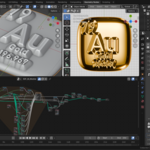
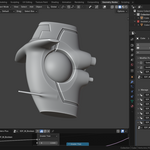
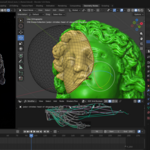
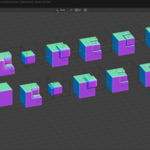
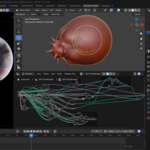
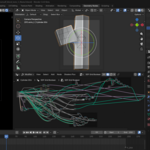

Sdf Boolean Mixer

Bukoros Design in Geometry Node Groups


Item Rating

This item has an average rating of 4 from 6 ratings by the community.

67%
17%
0%
17%
0%

Purchase this item to leave a review!

  • iamsirone
    about 2 months ago

    I love it. And how it works: it just slows down my pc when I start getting crazy adding thing n having fun. Just wondering what kind of setup u have to run this plug-in. Thank you for your hard work. Hope you keep it running

    • Nikita Bukoros

      about 1 month ago

      Just quite regular MSI gaming laptop, but yes, this tool is not for quick n heavy hardsurfacing, I made it mainly for product design, there is also "increase resoultion" toggle I use to work with draft shape with bigger voxel size and then turning it for final mesh

  • Georgian
    3 months ago

    Sdf Boolean Mixer has quickly become my go-to tool for extremely complex geometries. Utilizing Signed Distance Fields (SDF) allows for immense creative freedom, blending shapes in a fluid, organic way that is impossible with traditional modeling methods. While optimizing these intricate models for Unreal Engine 5 game development requires extra effort and a rigorous retopology or baking process, the final results are absolutely worth the time invested.

  • Cola
    8 months ago

    This is well worth the price. I simply added two primitive objects, selected them both, then clicked one of the options (addon version). In 20 seconds, I knew this was a good purchase. I’ll be testing it with other types of meshes and play with the settings next. There was a lot of work put into the geometry nodes. It’s a beast!

  • Maxim Kravtsov
    10 months ago

    Amazing tool that simplifies working with new SDF nodes, bringing the experience closer to C4D.

  • Mikhail
    6 months ago

    Great asset. I would get the Nodes + Addons if you are interested in SDF Modeling and you don't want to learn the very deep Geometry Nodes. But, the only reason I'm giving it 4 stars because I can't seem to set color of each boolean. How would you do that to set colors that blend between each intersection or difference boolean?

    • Nikita Bukoros

      6 months ago

      Grid operations creates totally new mesh, so material info is destroyed in Geometry Nodes. For this, there are two node groups in Assets - "Set Material", and "Create Mask". They are not added to the addon panel, however. "Set Material" simply overwrites material on the mesh, And "Create Mask" - creates geometry attribute based on selected object distance proximity, which can be used as a mask in Shader Editor nodes. As far as Material is kind of integer value, not float, it is not possible to procedurally blend materials automatically inside the SDF boolean process

  • picard
    10 months ago

    With the nodes + addon version, as a beginner, I only get horrible voxel borders. Without a small set of tutorials, this addon is useless, sorry. We would have liked to understand how to create the beautiful shape at the beginning of the video, but there's nothing but cubes ;)

    • Nikita Bukoros

      10 months ago

      It’s quite common for beginners to run into issues - they usually message me, and we sort things out, and even if they understand the tool is not for them, they usually just ask for refund as a last option.

      You, however, chose to vent your frustration directly in a review instead. Well, let’s be honest: if the tool isn’t the issue, no amount of software will compensate for… other limitations.

  • Displaying 6 ratings
  • Only Node Groups for Asset Library

    $3
  • Node Groups for Asset Library + Addon to speed up and automate assigning/editing/naming, etc.

    $9
$3

Have questions about this product?
Login to message

Details
Sales 300+
Rating
6 ratings
Dev Fund Contributor
Published 10 months ago
Blender Version 5.0 - 5.2
Render Engine Used Cycles, Eevee
License GPL
Discover more products like this

SDF chamfer smooth remesh blend volume voxel boolean