 Hugu's Works




Price
The Superhive sale has ended. Seamless CAD is now $14.9 — the regular price.
It is staying at $9.90 for roughly the next 100 copies. This is still a beta-stage price and it will go up as the add-on matures, but there is no countdown running here — if you see $9.90, that is what you pay.
Seamless CAD is under active development and is priced to reflect that. Your purchase now includes builds for Windows 10 / 11 (64-bit), Linux x86-64 and macOS (Apple Silicon) — one download, all three. They are not equally proven. Windows is the platform that is developed on, and it is the one to buy for if you want the safe choice. Linux is second, with a caveat as of October 2026: the full test suite run against the shipped Linux build no longer completes — it reaches an undo check and Blender aborts there. Older builds of the add-on do the same, so it is not a new fault, and no one has reported it while using Blender normally. macOS is the one that has never been tested by me — it is built by the same pipeline from the same source and checked as far as a build machine can check it, but no feature has been confirmed working inside Blender on a Mac. Real reports from users are what it has instead. macOS also has no Apple notarisation and may need one Terminal command to run; see the FAQ. Intel Macs are not supported. Expect rough edges, and expect things to change between updates.
❗️Linux and macOS are now part of the download, and what that does and does not mean.
They are built by the same GitHub Actions pipeline from the same source as the Windows release, against the same version of the OpenCASCADE geometry kernel, so that a bug cannot hide on one platform and not another. The pipeline checks that each one compiles, that its libraries are bundled, that the kernel starts and answers, and that nothing is missing from the package. For macOS, that is the whole of what has been verified. For Linux it is not the whole story: the headless test suite — covering geometry, measurement, STEP/IGES/STL export, the sketch solver, undo and save-and-reload — is run against the Linux package itself, unzipped and started the way you would. It passed at 8.1.5.12 (52 checks) and at 8.1.5.16 (59). Run again in October 2026 it does not complete: it reaches the undo check and Blender aborts, about six runs in seven, on Blender 5.2.1 and 5.2.3 alike. Builds of the add-on from before this release fail at the same rate, so it is not something the recent work introduced, and the test drives undo from a headless session rather than by pressing Ctrl+Z, which may be why no one has reported it. It is open. The suite is 62 checks and passes on Windows on every change. What that does not cover on either platform is anything needing a screen: dragging, redraw, the GPU overlay. No feature has been confirmed working inside Blender on a Mac by me. Several users have reported earlier builds running on both, which is why they are here rather than still behind a tester link, but nobody recorded how far they took it. If you use one of these, please tell me what worked and what did not — that is the only thing that will move either platform from "builds" to "tested".
For macOS Users
Since this build has not been notarized by Apple, macOS security features may prevent it from running. (On the other hand, since Blender unpacks the ZIP file on its own, it may run without any issues.) We would appreciate it if you could let us know which scenario you encounter.
If you experience the issue where “the add-on loads but the geometry does not display at all,” please try running the following command in Terminal and restarting Blender.
Bash
xattr -dr com.apple.quarantine ~/Library/Application\ Support/Blender/*/scripts/addons/CAD_8_1_5_1
Request for Feedback on Operation
Even a report stating “It won’t even launch” is extremely helpful. If you encounter any issues or errors, please let us know in this thread (or via the designated contact information).
[Information to Include in Your Report]
Symptoms and steps taken (Please describe what you were doing and what happened, in enough detail to allow us to reproduce the issue. Even a vague description like “I don’t remember exactly, but I was dragging something” is sufficient.)
Your OS and version
Blender version
(If it crashed) The action you were performing at the moment of the crash
[Log File Location]
Linux: /tmp/seamless_cad_server_debug.log
macOS: $TMPDIR/seamless_cad_server_debug.log
*If you launch Blender from the Terminal, you can view the add-on’s log messages directly.
We will continue to make corrections based on your feedback and work to ensure that as many users as possible can use the software with confidence.
We sincerely appreciate your cooperation.
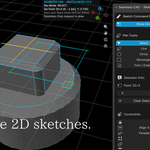
Sketches can finally see the solid underneath them. Until now a sketch was an island: you could put its plane on a face, but meeting a corner of the part you were sketching on was done by eye. Two things change that.
Geometry Snap pulls the cursor to the corners of the solids you have already built. The vertices are projected onto the sketch plane, so a corner below or above the plane can still be snapped to, at the point straight through it. It is on by default and takes precedence over grid snap, because being dragged off a corner you just met and onto the nearest grid step is not helpful.
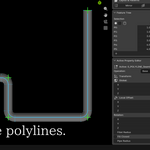
Project Geometry brings an existing edge into the sketch — click one, or hold Shift and click a face to bring in its whole outline. A circle lying parallel to the sketch plane arrives as a circle with its radius intact, not as a ring of short lines. What you get is the shape seen along the sketch plane's normal, the way a shadow falls, so a slanted face arrives foreshortened. One honest limit: this is a snapshot. Change the solid it came from and the projected lines stay where they were. They do not break, and they do not follow. The panel says so while the tool is active.
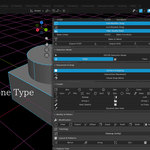
Split cuts a part with a plane. The plane is placed the way a Mirror plane is — pick the axis it faces and drag the feature to position it — and you choose to keep the side the normal points at, the other side, or both halves as separate solids. Keeping both divides the part without removing anything.
The Feature Tree stops burying itself. A curve that came from a sketch can carry thirty or more points, and selecting it used to spill every one of them down the panel. They are behind a disclosure triangle now, closed by default, with the count still visible while folded.
Sketch on Face works when nothing is selected. The button used to require an active object, which it never actually needed — clicking empty space in the viewport was enough to grey it out.
One honest caveat, unchanged: a large Inset on a face that has a fillet on it can still come out wrong. It is a defect rather than a design limit, it is written up in the manual's Limitations page, and a report with the model is welcome.
Parameters: one number can drive the whole part. A new Parameters panel holds named values —
width = 40, hole = width / 4 — and any feature's size, position, rotation, radius, count and similar fields can be driven by an expression. Change width and everything that depends on it follows. Renaming a parameter updates the expressions that use it. A typo or a circular reference is shown on its row and the model keeps its last good value instead of breaking. Expressions accept arithmetic and a short list of maths functions and nothing else, so a .blend file you receive from someone cannot run code through them. Suppress a single feature. An eye icon on each Feature Tree row takes that one feature out of the model without deleting it. Unlike the rollback pin, everything below it keeps working. One honest caveat: fillets and chamfers picked on edges of a shape you suppress can lose those edges while it is suppressed. They come back when you turn it on again.
Rename features. The name at the top of the property editor is now editable, and the object in the outliner follows it.
Also fixed along the way: changing a parameter in the moment a drag was still settling could leave the parameter showing the new value while the shape kept the old one. The new value is now applied as soon as the drag has ended.
A fillet that cannot be built no longer wrecks the shape. The geometry kernel can report success and hand back a fillet that runs off into space — a spike where a rounded edge should be. It happens where the chosen edge ends tangent to another surface, such as an edge that stops exactly on the wall of a hole. A fillet or chamfer whose result is not plausible is now discarded and the previous shape is kept, so the operation does nothing instead of doing damage. If a fillet appears to have no effect on an edge like that, this is why.
The add-on now checks which geometry kernel it is talking to. The kernel runs as a separate program, and on Linux it cannot be overwritten while it is running — so it was possible to install an update, see the new version number, and still be running the old geometry code with nothing to tell you. The add-on now asks the kernel which build it is and says so in the console if it does not match. Quitting every Blender window before installing remains the reliable way to update.
One honest caveat, unchanged by this release: a large Inset on a face that has a fillet on it can still come out wrong. It is a defect rather than a design limit, it is written up in the manual's Limitations page, and a report with the model is welcome.
Inset no longer takes the geometry kernel down on Linux and macOS. A user on Fedora reported that pushing an Inset in a little further killed the kernel every time. It did — and not only Inset. The kernel guards every geometry call so that a fault becomes an error the add-on can absorb, and 8.1.5.9 turned on the handler that converts one into the other. On Windows that combination has always worked. On Linux and macOS the guards were being compiled out entirely, because the build never defined the flag that makes them exist, so the fault was converted and then had nothing to catch it and the process died. The flag is set now. The same operation that used to end the kernel is caught, reported, and the work continues.
This also corrects what 8.1.5.9 claimed here. "An operation that would have killed the kernel should now simply fail and leave everything else standing" was true on Windows and not true on Linux or macOS, and I did not know that when I wrote it.
A shape that kills the kernel is no longer sent to it over and over. The whole history goes to the kernel on every update, so once 8.1.5.9 had taught the add-on to restart a kernel that died, a fatal shape became a loop: restart, resend, die, restart. Blender stayed open and simply went slow for good, which is how the Fedora report described it. After the second time the same history brings the kernel down, it stops being sent and the add-on says so. Change any value and updates resume.
You can tell which kernel you are running. The geometry kernel is a separate program inside the add-on, and on Linux it cannot be overwritten while it is running — so installing an update with Blender open could leave the version number saying one thing and the kernel being another. Every launch now records which binary was started, with its size and date, in the log file. If the add-on adopts a kernel it did not start, it now says that too, instead of using it silently.
The test suite now runs on Linux. All 52 checks, against the Linux package as shipped rather than a development copy. They pass. This was the plain reason the Fedora report was hard to place: until now nothing had ever been run on that platform except the build itself.
Previously, in 8.1.5.9 — round primitives matched their wireframe, and a kernel crash stopped ending the session:
Cylinders and spheres are the size the wireframe says. The wireframe box you drag into place is a stand-in; the real solid is built by the CAD kernel. For round shapes the two had never agreed — the kernel read the size field as a radius while the wireframe drew it as a width, so every cylinder and sphere came out at twice the diameter you had just lined up. Boring a hole through a box cut something twice as wide as the guide. Cones and tori were further out still: their size comes from Radius, which the wireframe was not reading at all. All four now match the solid exactly, measured against the kernel rather than by eye. Existing files are unaffected — the shapes were always the ones the kernel built, and it is the guide that has moved.
A crash in the geometry kernel no longer ends the session. The kernel runs as its own process. If it stopped, the add-on restarted it but went on asking for a workspace that had died with it, so every rebuild after that failed and the part sat frozen until Blender itself was restarted — one stumble became a dead session. The workspace is now rebuilt on the next update, and because the full history is sent each time, the shape comes straight back. Reported by a user whose kernel went down during Inset.
And the kernel is much harder to bring down in the first place. OpenCASCADE can install a handler that turns an internal fault into an ordinary error the add-on already knows how to catch. The catching code was all in place, but the handler was never switched on, so any fault took the whole process with it instead. It is switched on now, on every thread that touches geometry. An operation that would have killed the kernel should now simply fail and leave everything else standing.
Selection Mode says what it needs. Clicking a face or an edge with an ordinary shape active did nothing at all, while the hover highlight kept following the cursor — so it read as broken selection rather than the wrong order. Add the Fillet, Chamfer, Shell, Draft, Offset or Inset first and Selection Mode starts by itself, ready for the picks; that is where a selection is stored. The add-on now says so instead of dropping the click, and the Quick Start, which had those two steps reversed, has been corrected in all four languages.
Previously, in 8.1.5.8 — the keymap pass-through was fixed, vertex snapping became optional, and Rev started building revolved solids:
Your own keymap survives inside sketch and selection modes. The numpad view keys did nothing while Sketch Mode or Selection Mode was running. The pass-through for them had been written, but it tested for a key name Blender does not have — a spelling error, so it never matched and never once fired. It is fixed, and the same pass-through now covers the Industry Compatible keymap, where orbit, pan and zoom live on Alt plus a mouse button. Selection Mode is the one place that shares Alt with the add-on, for gizmo axis drags; it now decides by what sits under the cursor — on an axis or a control point you grab it, anywhere else you orbit. Reported by a user who works in the Industry Compatible keymap and could not get out of it.
Vertex snapping can be turned off. Drawing near an existing point always reused that point and joined the new geometry to it, with no way to decline. There is now a Vertex Snap toggle in the sketch sidebar, and holding Ctrl skips it for a single click or drag. Turning it off does not affect selecting vertices — picking and snapping were always separate, and picking keeps working either way.
The toggle covers both of the ways points joined on their own. Besides reusing a point while drawing, dropping a dragged vertex near another one merged the two — deleting the one you dragged and rewiring whatever referred to it. That merge used a fixed distance in scene units that did not change with zoom, so at a fine grid it could absorb a point a whole square away. It now matches the distance at which a point highlights under the cursor: if it lights up it merges, if it does not it will not. This is also what could flatten a rectangle towards a single point.
The sketch grid is drawn where the snapping is. The grid lines and the positions points snapped to could sit slightly apart — the snapping was correct and the drawing was displaced, by a sixty-fourth of a unit. It needed a particular sequence to trigger: scrolling the grid step down to its finest and back up left the step on a value that the grid's own layout could not represent. Both the layout and the step limits are fixed, so scrolling down and back up now returns the step you started from.
Edit Sketch no longer draws over itself in one colour. Reopening a sketch put the editable lines on screen in almost exactly the cyan the finished solid already uses for its wireframe, in the same place, so there was no telling which one you were working on. The sketch overlay is now violet. It always draws in front, so hue alone is enough to separate them.
Grabbing a vertex no longer nudges the shape. Clicking a point snapped the click to that point's exact centre, but the drag that followed measured from the raw cursor. The difference — up to the width of the snap radius — was applied as real movement on the first frame, so the shape shifted slightly the moment you grabbed it.
Rev builds a revolved solid. Pointing Rev at a profile produced nothing at all — the target went in and the model did not change, with no error to explain it. Every closed profile, including a finished sketch, was being handed to the revolve as a solid rather than as the flat outline it started as, and a solid cannot be swept. Rev now revolves the profile, so a sketched cross-section turns into a lathed shape the way it reads on the button.
The eyedropper beside Target UUID could not pick a sketch either. Sketches are drawn by the overlay and had nothing behind them for the click to land on, so it reported that there was no CAD object under the mouse while picking a box worked — which made it look as though a sketch was the wrong kind of target. Clicking a sketch now selects it.
One thing worth knowing about Rev, now documented in the manual: the axis has to lie in the plane of the profile. A sketch drawn flat on the ground and revolved around the vertical axis sweeps within its own plane and encloses nothing. Draw the cross-section standing up, or pick an axis that lies in the plane you drew on — the same way a lathe profile is drawn beside its centreline. The axis itself passes through the Rev feature's own Location, not the profile's.
Previously, in 8.1.5.7 — deleting a Feature Tree row cleared the shape straight away, Inset began saying that it needs a flat face, and the Offset/Inset eyedropper started measuring the face itself:
Deleting a row now clears the shape straight away. Removing rows from the Feature Tree could leave the last shape on screen until you switched workspaces — its wireframe vanished while the shaded surface stayed. Deleting a row also deletes the proxy object that went with it, and the recompute that followed was reading that object a moment after it ceased to exist; the resulting error was caught, logged where nobody looks, and the geometry was simply never rebuilt. Reported by a macOS user, and not specific to macOS.
Inset now says that it needs a flat face. On the curved side of a cylinder or a cone it does nothing, because the offset it performs assumes a plane. That was always true; what is new is that the panel tells you, rather than leaving you to wonder whether you did something wrong. Flat ends and box faces are unaffected, and curved faces are on the list.
The eyedropper now measures the face itself. Lining two faces up with the Offset or Inset eyedropper and then running Cleanup merged them only some of the time. The eyedropper was reading its reference from the drawn wireframe, which is stored at single precision, so the result landed within about a millionth of the face rather than on it — and a millionth is exactly the tolerance Cleanup uses to decide whether two faces are the same plane. It now asks the kernel for the face's exact centre and normal. Files saved before this update keep the values they were given; pick the face again to get the exact one.
Previously, in 8.1.5.6 — five sketch constraints that take a number (radius, angle, equal length, concentric, symmetric), a Measure panel reporting the part or a picked edge or face, and a scale option for STEP export so millimetres are no longer compulsory.
Previously, in 8.1.5.5 — the geometry kernel moved to OpenCASCADE 8.0.1, picking up upstream fixes for an infinite loop in boolean section, a crash in Loft with mismatched profiles, and a crash when picking an edge or face on certain shapes.
And in 8.1.5.4 — the manual, online and free to read whether or not you own the add-on: hinatahugu29.github.io/Blender_Seamless_CAD.
And in 8.1.5.3 — a stability pass driven by user reports:
- Sketches can be finalised again. Depending on where Blender was started from, finalising a sketch — or picking a face to sketch on — could fail immediately with a permission error, with nothing the user could do about it. Reinstalling or resetting to factory settings did not help, because the fault was in the add-on. Fixed.
-
Reopened files show your model again. After opening a saved
.blend, the live preview could stop updating for the rest of the session — the shape would not appear, and changing a value seemed to do nothing until you used Bake Mesh. Fixed. - WGPU Overlay is lighter, and still best left off. With this option enabled, the add-on kept redrawing the viewport continuously even when nothing was happening; it now stays idle until something actually changes. WGPU Overlay remains experimental and is off by default — the add-on is still expected to run faster with it off.
- Fine parameter edits are no longer skipped. Changes smaller than a millimetre — a fillet radius nudged from 0.2 to 0.2003, for example — could be discarded as duplicates and applied only later. They now take effect immediately.
- Housekeeping. Removed unused code that had been shipping in previous builds.
If you hit a problem, please report it with your Blender version and graphics card — the fixes above came directly from reports like that.
Seamless CAD: Parametric Solid Modeling Inside Blender
Your shapes stay editable. Seamless CAD keeps every operation as a feature tree, so you can go back to any step — a box, a boolean, a fillet — and simply retype a number. Nothing is baked into a mesh the moment you make it.
Geometry is computed by OpenCASCADE, the same industrial B-Rep kernel used by FreeCAD, running out of process so Blender stays responsive while a live preview follows your drag.
✨ Key Features
1. A Feature Tree You Can Go Back To
- Non-Destructive by Design: Every primitive, boolean and modifier stays in an editable history. Change the first step and everything after it rebuilds.
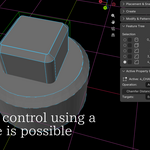
- Direct Manipulation: Drag a proxy in the viewport with Blender's normal G / R / S and the solid follows in real time.
2. Industrial CAD Kernel
- Real B-Rep Solids: True solid geometry from OpenCASCADE — not mesh approximations. No topology artifacts, no polygon stretching, no shading glitches.
- Precision: Mathematical accuracy suitable for mechanical parts, product design and 3D printing.
3. CAD Booleans, Fillets & Chamfers
- Solid Booleans: Union, Difference and Intersection that hold up on shapes where mesh booleans fall apart.
- Edge Fillets & Chamfers: Pick edges and round or bevel them. Fillet radius can be overridden per edge for variable fillets.
- More Modifiers: Shell, draft, face offset and inset, plus mirror, linear / circular arrays, and Split, which cuts a part with a plane and keeps the side you choose — or both halves.
4. STEP & SVG Interchange
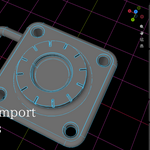
- STEP Import and Export: Bring parts in from SolidWorks, Fusion 360, Rhino or FreeCAD, and send real solids back out for CNC, mold design or additive manufacturing.
- SVG Import: Pull 2D profiles and logos straight in as CAD geometry to extrude and cut with.
Worth knowing before you rely on STEP export: the geometry written is exact B-Rep (AP214), and 1 Blender unit is written as 1 mm — the export dialog now has a scale option (1 unit = N mm), so you are no longer tied to millimetres. The file carries part names and assembly structure as well as the geometry; what it still does not carry is colour. Import does have a scale option.
5. Native Blender Integration
- Fits Blender's Habits: Lives in the sidebar, uses the transform tools you already know.
- Non-Blocking: The kernel runs as a separate process with multithreaded evaluation, so heavy recomputation does not freeze the interface.
- Bake When You Want: Convert the CAD result to a normal Blender mesh at a quality you choose.
🎥 Video Demonstration
Watch Seamless CAD in action:
🎯 Who Is This For?
- Industrial & Product Designers: Iterate on concept models with CAD precision without leaving Blender.
- Hard-Surface 3D Artists: Build mechanical parts without fighting topology cleanup.
- 3D Printing Enthusiasts: Work in solids rather than meshes, then bake or export for slicing.
- Engineers & Makers: Move parts between Blender and CAD software as STEP.
📦 What's Included?
- Seamless CAD add-on (single ZIP, installs through Blender's add-on installer)
- Everything needed to run it — the geometry kernel and its libraries are bundled, no separate CAD install or license required
- Free updates throughout the 8.x series
- Direct support from the developer
- Full source code under the GNU GPL, including the Rust and C++ geometry kernel
📖 Documentation
The manual is online and free to read before you buy: hinatahugu29.github.io/Blender_Seamless_CAD
It covers a ten-minute Quick Start, the modelling and sketching tools, quality and performance settings, STEP import/export, troubleshooting, and an honest list of known limitations.
- English — full documentation
- 日本語 — full translation
- Русский / 中文 — Quick Start (AI translation, not reviewed by a native speaker)
💻 Compatibility & System Requirements
Seamless CAD ships for Windows 10 / 11 (64-bit), Linux x86-64 and macOS on Apple Silicon, in one download.
Windows is the platform that is developed on. Linux comes from the same source through the same automated build, and since 8.1.5.12 the test suite is run against the Linux package as shipped and passes. macOS comes the same way but has never been tested by me — treat it as beta within a beta. Neither platform has had the checks that need a real screen, which are done on Windows only. macOS is ad-hoc signed and not notarised by Apple, so Gatekeeper may need one Terminal command (given above). Intel Macs are not supported — Apple Silicon only.
- Blender Version: 4.2 LTS through 5.1 (tested on 4.2, 4.3, 4.4 and 5.1). A user reports 5.2 working; that is their report, not testing done here.
- Supported OS: Windows 10 / 11 (64-bit) — developed and tested on. Linux x86-64 and macOS on Apple Silicon are included and build cleanly, but are unverified in use (see the notice above).
- Linux requirements: glibc 2.34 or newer, GLIBCXX 3.4.30, CXXABI 1.3.9 — measured from the build, and satisfied by Ubuntu 22.04, Debian 12, RHEL 9 and later. Everything else it links against is something Blender itself already needs.
- macOS requirements: Apple Silicon (arm64). Intel Macs are not supported.
- Status: Beta
- License: GNU GPL v2 or later, as required for Blender add-ons