Seamless Cad - Parametric Modeling In Blender
 Hugu's Works


Which file formats can it read and write?
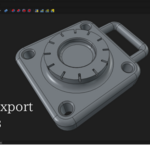
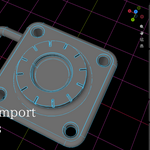
STEP import and export, and SVG import for 2D profiles. STEP is the format that matters for moving real solids to and from SolidWorks, Fusion 360, Rhino or FreeCAD, and on to CNC or 3D printing. IGES is not supported. You can also bake any result to a normal Blender mesh and use Blender's own exporters from there.
Do I need separate CAD software or licenses installed?
No. The CAD kernel (OpenCASCADE) and everything it needs are bundled with the add-on. No third-party CAD licenses, and no separate runtime to install.
Which Blender versions are compatible?
Two things to know about STEP export specifically: 1 Blender unit is written as 1 mm and there is no export scale option, so build at millimetre scale; and the file carries geometry only — no part names, no colours, no assembly structure. The surfaces themselves are exact, not triangulated. STEP import does have a scale option.
Is there a manual? Is it available in my language?
Yes, and you can read all of it before buying: hinatahugu29.github.io/Blender_Seamless_CAD
The full documentation is available in English and Japanese. A Quick Start is also available in Russian and Simplified Chinese.
To be straight with you about those last two: they were translated by AI and have not been reviewed by a native speaker, and each page says so at the top. If a translation and the English version disagree, the English version is the correct one. If you would like to help review or extend a translation, please get in touch.
The add-on's interface itself is in English in all cases.
Two things to know about STEP export specifically: 1 Blender unit is written as 1 mm and there is no export scale option, so build at millimetre scale; and the file carries geometry only — no part names, no colours, no assembly structure. The surfaces themselves are exact, not triangulated. STEP import does have a scale option.
Is there a manual? Is it available in my language?
Yes, and you can read all of it before buying: hinatahugu29.github.io/Blender_Seamless_CAD
The full documentation is available in English and Japanese. A Quick Start is also available in Russian and Simplified Chinese.
To be straight with you about those last two: they were translated by AI and have not been reviewed by a native speaker, and each page says so at the top. If a translation and the English version disagree, the English version is the correct one. If you would like to help review or extend a translation, please get in touch.
The add-on's interface itself is in English in all cases.
Is the source code available?
Yes. Blender add-ons are GPL, and this one is no exception — it ships under the GNU GPL v2 or later, and the source, including the Rust and C++ geometry kernel, is published openly. You are free to read it, learn from it and modify it.
Which Blender versions are compatible?
Blender 4.2 LTS through 5.1. Tested on 4.2, 4.3, 4.4 and 5.1.
How do I report a bug or request a feature?
Message me through Superhive, or open an issue on the project's GitHub tracker. Reports go straight to the developer — there is no support queue in between.
Are future updates included with my purchase?
Yes. All updates in the 8.x series are included free of charge.
Which file formats can it read and write?
STEP import and export, and SVG import for 2D profiles. STEP is the format that matters for moving real solids to and from SolidWorks, Fusion 360, Rhino or FreeCAD, and on to CNC or 3D printing. IGES is not supported. You can also bake any result to a normal Blender mesh and use Blender's own exporters from there.
Two things to know about STEP export specifically: 1 Blender unit is written as 1 mm and there is no export scale option, so build at millimetre scale; and the file carries geometry only — no part names, no colours, no assembly structure. The surfaces themselves are exact, not triangulated. STEP import does have a scale option.
How do I report a bug or request a feature?
Message me through Superhive, or open an issue on the project's GitHub tracker. Reports go straight to the developer — there is no support queue in between.
How do I report a bug or request a feature?
Message me through Superhive, or open an issue on the project's GitHub tracker. Reports go straight to the developer — there is no support queue in between.
Which file formats can it read and write?
STEP import and export, and SVG import for 2D profiles. STEP is the format that matters for moving real solids to and from SolidWorks, Fusion 360, Rhino or FreeCAD, and on to CNC or 3D printing. IGES is not supported. You can also bake any result to a normal Blender mesh and use Blender's own exporters from there.
Two things to know about STEP export specifically: 1 Blender unit is written as 1 mm and there is no export scale option, so build at millimetre scale; and the file carries geometry only — no part names, no colours, no assembly structure. The surfaces themselves are exact, not triangulated. STEP import does have a scale option.
What does "Beta" actually mean here?
It works, and it is being used for real modeling — but it is still under active development. Expect rough edges, expect behaviour to change between updates, and please save your work. Bug reports genuinely shape what gets fixed next. The launch price reflects this stage.
Which Blender versions are compatible?
Blender 4.2 LTS through 5.1. Tested on 4.2, 4.3, 4.4 and 5.1.
Which file formats can it read and write?
STEP import and export, and SVG import for 2D profiles. STEP is the format that matters for moving real solids to and from SolidWorks, Fusion 360, Rhino or FreeCAD, and on to CNC or 3D printing. IGES is not supported. You can also bake any result to a normal Blender mesh and use Blender's own exporters from there.
Do I need separate CAD software or licenses installed?
No. The CAD kernel (OpenCASCADE) and everything it needs are bundled with the add-on. No third-party CAD licenses, and no separate runtime to install.
What does "Beta" actually mean here?
It works, and it is being used for real modeling — but it is still under active development. Expect rough edges, expect behaviour to change between updates, and please save your work. Bug reports genuinely shape what gets fixed next. The launch price reflects this stage.
Is the source code available?
Yes. Blender add-ons are GPL, and this one is no exception — it ships under the GNU GPL v2 or later, and the source, including the Rust and C++ geometry kernel, is published openly. You are free to read it, learn from it and modify it.
Which Blender versions are compatible?
Blender 4.2 LTS through 5.1. Tested on 4.2, 4.3, 4.4 and 5.1.
Is the source code available?
Yes. Blender add-ons are GPL, and this one is no exception — it ships under the GNU GPL v2 or later, and the source, including the Rust and C++ geometry kernel, is published openly. You are free to read it, learn from it and modify it.
Which Blender versions are compatible?
Blender 4.2 LTS through 5.1. Tested on 4.2, 4.3, 4.4 and 5.1.
Is the source code available?
Yes. Blender add-ons are GPL, and this one is no exception — it ships under the GNU GPL v2 or later, and the source, including the Rust and C++ geometry kernel, is published openly. You are free to read it, learn from it and modify it.
Which Blender versions are compatible?
Blender 4.2 LTS through 5.1. Tested on 4.2, 4.3, 4.4 and 5.1.
Are future updates included with my purchase?
Yes. All updates in the 8.x series are included free of charge.
What does "Beta" actually mean here?
It works, and it is being used for real modeling — but it is still under active development. Expect rough edges, expect behaviour to change between updates, and please save your work. Bug reports genuinely shape what gets fixed next. The launch price reflects this stage.
Are future updates included with my purchase?
Yes. All updates in the 8.x series are included free of charge.
Are future updates included with my purchase?
Yes. All updates in the 8.x series are included free of charge.
Are future updates included with my purchase?
Yes. All updates in the 8.x series are included free of charge.
Do I need separate CAD software or licenses installed?
No. The CAD kernel (OpenCASCADE) and everything it needs are bundled with the add-on. No third-party CAD licenses, and no separate runtime to install.
Which file formats can it read and write?
STEP import and export, and SVG import for 2D profiles. STEP is the format that matters for moving real solids to and from SolidWorks, Fusion 360, Rhino or FreeCAD, and on to CNC or 3D printing. IGES is not supported. You can also bake any result to a normal Blender mesh and use Blender's own exporters from there.
Two things to know about STEP export specifically: 1 Blender unit is written as 1 mm and there is no export scale option, so build at millimetre scale; and the file carries geometry only — no part names, no colours, no assembly structure. The surfaces themselves are exact, not triangulated. STEP import does have a scale option.
Which Blender versions are compatible?
Blender 4.2 LTS through 5.1. Tested on 4.2, 4.3, 4.4 and 5.1.
What does "Beta" actually mean here?
It works, and it is being used for real modeling — but it is still under active development. Expect rough edges, expect behaviour to change between updates, and please save your work. Bug reports genuinely shape what gets fixed next. The launch price reflects this stage.
Which file formats can it read and write?
STEP import and export, and SVG import for 2D profiles. STEP is the format that matters for moving real solids to and from SolidWorks, Fusion 360, Rhino or FreeCAD, and on to CNC or 3D printing. IGES is not supported. You can also bake any result to a normal Blender mesh and use Blender's own exporters from there.
Two things to know about STEP export specifically: 1 Blender unit is written as 1 mm and there is no export scale option, so build at millimetre scale; and the file carries geometry only — no part names, no colours, no assembly structure. The surfaces themselves are exact, not triangulated. STEP import does have a scale option.
What does "Beta" actually mean here?
It works, and it is being used for real modeling — but it is still under active development. Expect rough edges, expect behaviour to change between updates, and please save your work. Bug reports genuinely shape what gets fixed next. The launch price reflects this stage.
Do I need separate CAD software or licenses installed?
No. The CAD kernel (OpenCASCADE) and everything it needs are bundled with the add-on. No third-party CAD licenses, and no separate runtime to install.
What does "Beta" actually mean here?
It works, and it is being used for real modeling — but it is still under active development. Expect rough edges, expect behaviour to change between updates, and please save your work. Bug reports genuinely shape what gets fixed next. The launch price reflects this stage.
Do I need separate CAD software or licenses installed?
No. The CAD kernel (OpenCASCADE) and everything it needs are bundled with the add-on. No third-party CAD licenses, and no separate runtime to install.
Which file formats can it read and write?
STEP import and export, and SVG import for 2D profiles. STEP is the format that matters for moving real solids to and from SolidWorks, Fusion 360, Rhino or FreeCAD, and on to CNC or 3D printing. IGES is not supported. You can also bake any result to a normal Blender mesh and use Blender's own exporters from there.
Two things to know about STEP export specifically: 1 Blender unit is written as 1 mm and there is no export scale option, so build at millimetre scale; and the file carries geometry only — no part names, no colours, no assembly structure. The surfaces themselves are exact, not triangulated. STEP import does have a scale option.
Which Blender versions are compatible?
Blender 4.2 LTS through 5.1. Tested on 4.2, 4.3, 4.4 and 5.1.
Do I need separate CAD software or licenses installed?
No. The CAD kernel (OpenCASCADE) and everything it needs are bundled with the add-on. No third-party CAD licenses, and no separate runtime to install.
Do I need separate CAD software or licenses installed?
No. The CAD kernel (OpenCASCADE) and everything it needs are bundled with the add-on. No third-party CAD licenses, and no separate runtime to install.
Which file formats can it read and write?
STEP import and export, and SVG import for 2D profiles. STEP is the format that matters for moving real solids to and from SolidWorks, Fusion 360, Rhino or FreeCAD, and on to CNC or 3D printing. IGES is not supported. You can also bake any result to a normal Blender mesh and use Blender's own exporters from there.
Two things to know about STEP export specifically: 1 Blender unit is written as 1 mm and there is no export scale option, so build at millimetre scale; and the file carries geometry only — no part names, no colours, no assembly structure. The surfaces themselves are exact, not triangulated. STEP import does have a scale option.
Which Blender versions are compatible?
Blender 4.2 LTS through 5.1. Tested on 4.2, 4.3, 4.4 and 5.1.
Which file formats can it read and write?
STEP import and export, and SVG import for 2D profiles. STEP is the format that matters for moving real solids to and from SolidWorks, Fusion 360, Rhino or FreeCAD, and on to CNC or 3D printing. IGES is not supported. You can also bake any result to a normal Blender mesh and use Blender's own exporters from there.
Two things to know about STEP export specifically: 1 Blender unit is written as 1 mm and there is no export scale option, so build at millimetre scale; and the file carries geometry only — no part names, no colours, no assembly structure. The surfaces themselves are exact, not triangulated. STEP import does have a scale option.
Which file formats can it read and write?
STEP import and export, and SVG import for 2D profiles. STEP is the format that matters for moving real solids to and from SolidWorks, Fusion 360, Rhino or FreeCAD, and on to CNC or 3D printing. IGES is not supported. You can also bake any result to a normal Blender mesh and use Blender's own exporters from there.
Two things to know about STEP export specifically: 1 Blender unit is written as 1 mm and there is no export scale option, so build at millimetre scale; and the file carries geometry only — no part names, no colours, no assembly structure. The surfaces themselves are exact, not triangulated. STEP import does have a scale option.
Which Blender versions are compatible?
Blender 4.2 LTS through 5.1. Tested on 4.2, 4.3, 4.4 and 5.1.
Which Blender versions are compatible?
Blender 4.2 LTS through 5.1. Tested on 4.2, 4.3, 4.4 and 5.1.
Which Blender versions are compatible?
Blender 4.2 LTS through 5.1. Tested on 4.2, 4.3, 4.4 and 5.1.
Windows 10 and 11 (64-bit) only. There is no macOS or Linux build you can buy today. The geometry kernel is compiled for Windows, so porting is a real piece of work rather than a flag flip.
Windows 10 and 11 (64-bit) only. There is no macOS or Linux build you can buy today. The geometry kernel is compiled for Windows, so porting is a real piece of work rather than a flag flip.
To be straight about where that stands: porting has started, and unsigned test builds for macOS and Linux exist. They are not a product — no guarantee they work, no code signature, and no release date. macOS code signing needs a paid Apple Developer membership that is not funded yet, and that, rather than the code, is the main thing in the way. Please buy only if you are on Windows.
Discover more products like this
iges solid modeling hard surface engineering step blender addon opencascade precision modeling booleans blender cad 3d modeling