 Skava
Skava
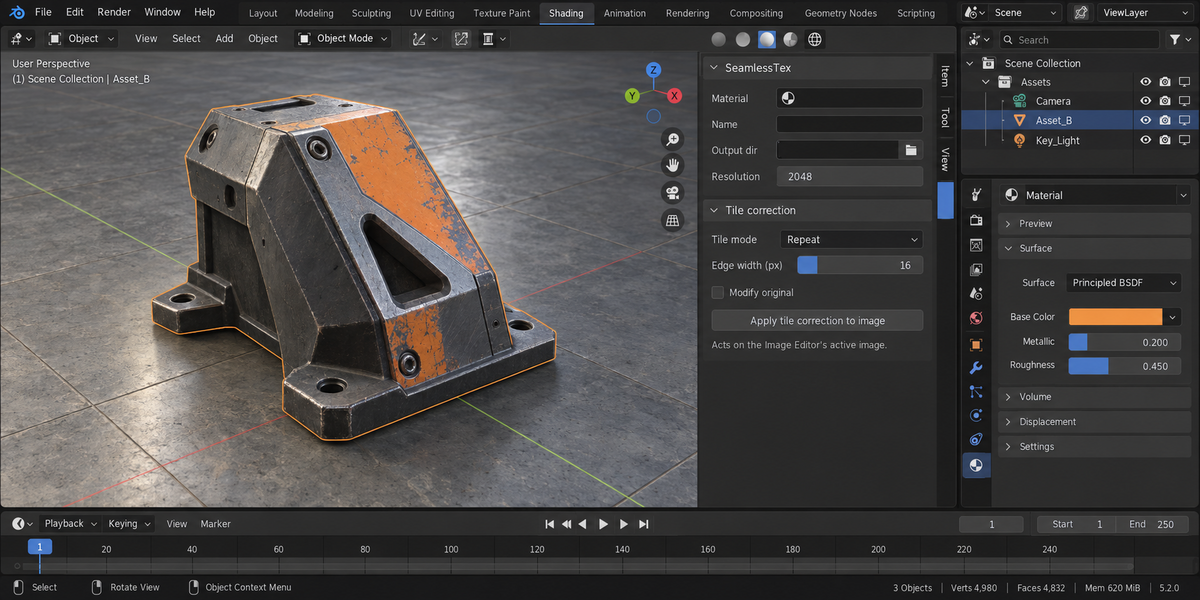
SeamlessTex — Documentation
v1.2.1 · Blender 4.2 LTS and later · Windows / macOS / Linux · Cycles for baking
1. Install
- Download the zip and leave it zipped — install it through Add-ons preferences.
- Press N in the 3D Viewport → SeamlessTex tab.
2. Quick start
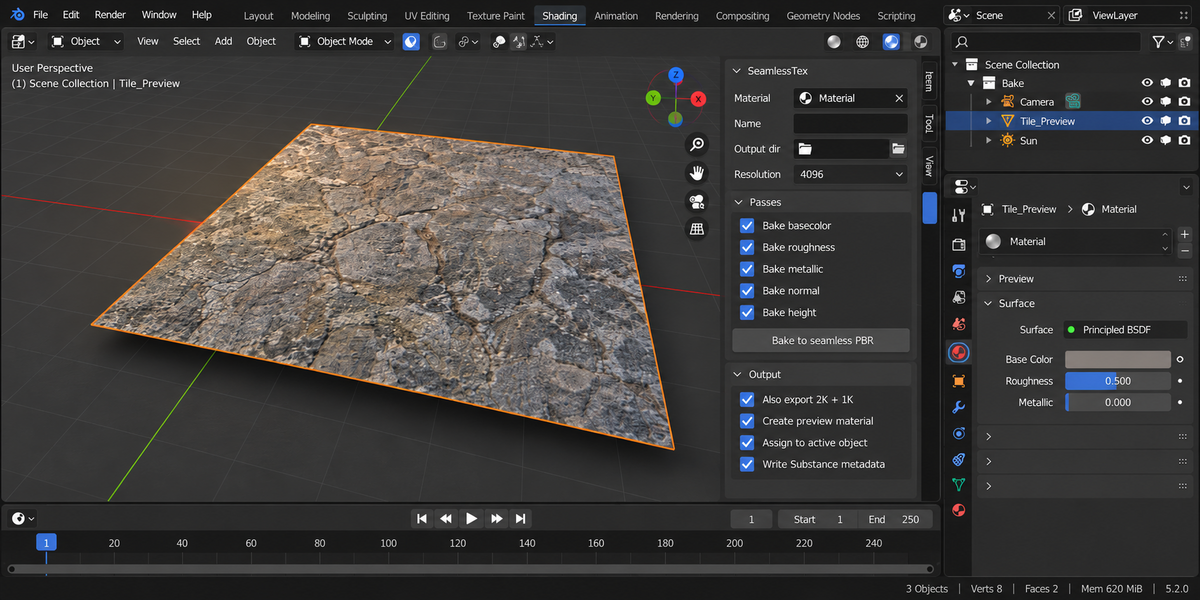
- In the SeamlessTex panel, pick the material to convert (or assign it to an active object — SeamlessTex will use the active slot).
- Set Output dir and Base name.
- Pick Resolution (2K is a good default).
- Toggle the passes you need.
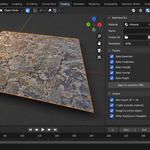
- Click Bake to seamless PBR.
Cycles auto-switches on for the bake and restores your previous engine, samples, bake settings and object selection afterwards. A temporary 1×1 plane is built behind the scenes and cleaned up when done.
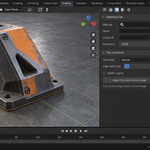
With Create preview material on (default), SeamlessTex also builds a _seamless material with every baked map wired into a Principled BSDF, so the result is immediately visible. Enable Assign to active object to drop it straight onto your selection. The bake report includes a measured wrap-seam error so you can confirm the maps really tile.
3. How seamless is achieved
Procedural shaders (Noise / Voronoi / Musgrave / Wave) wrap on integer UV boundaries. Baking onto a 1×1 plane with UVs exactly in [0,1] therefore gives a seamlessly-tileable result — no extra work needed. SeamlessTex sets this up automatically.
If your material has raster image inputs (Image Texture nodes), the bake captures those at the same UV range, but they tile only if the source images were themselves seamless. Use Tile correction for those cases.
4. Tile correction
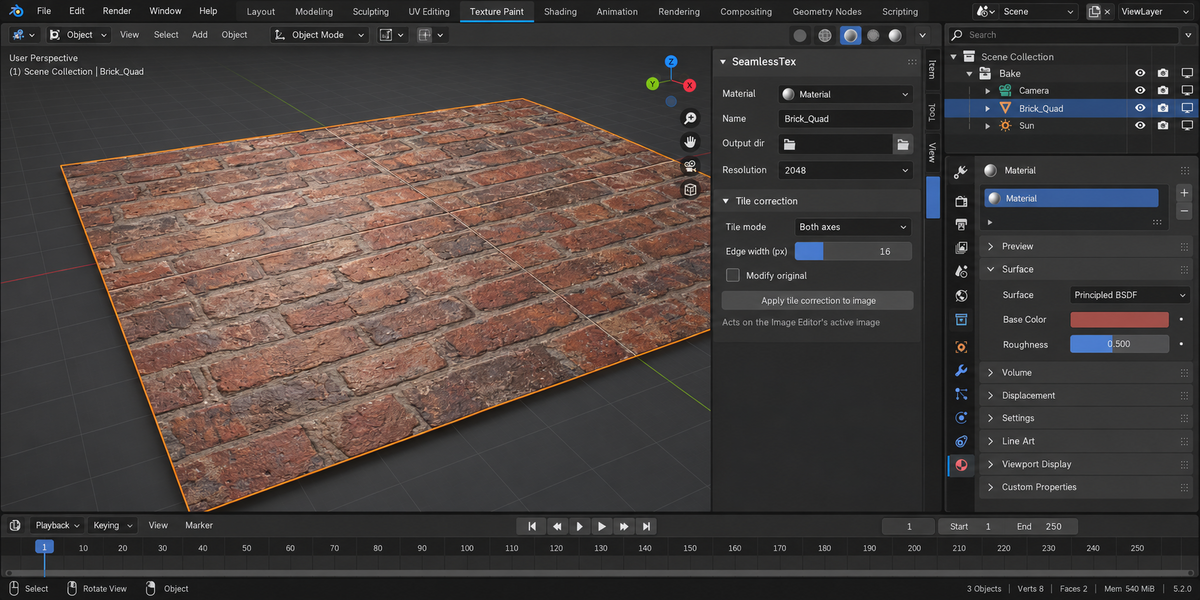
- None — leave the bake untouched.
- Edge Blend — offset-blend: near each border the image is cross-faded with a half-offset copy of itself within a configurable border (default 64px), which makes the wrapped edges mathematically continuous. Best for materials that are almost seamless and need a gentle nudge.
- Mirror Tile — replace each output with a 2×2 mirror tile. Always seamless because mirrored pixels share the boundary. Doubles texture memory; for use only when nothing else works.
5. Height → Normal
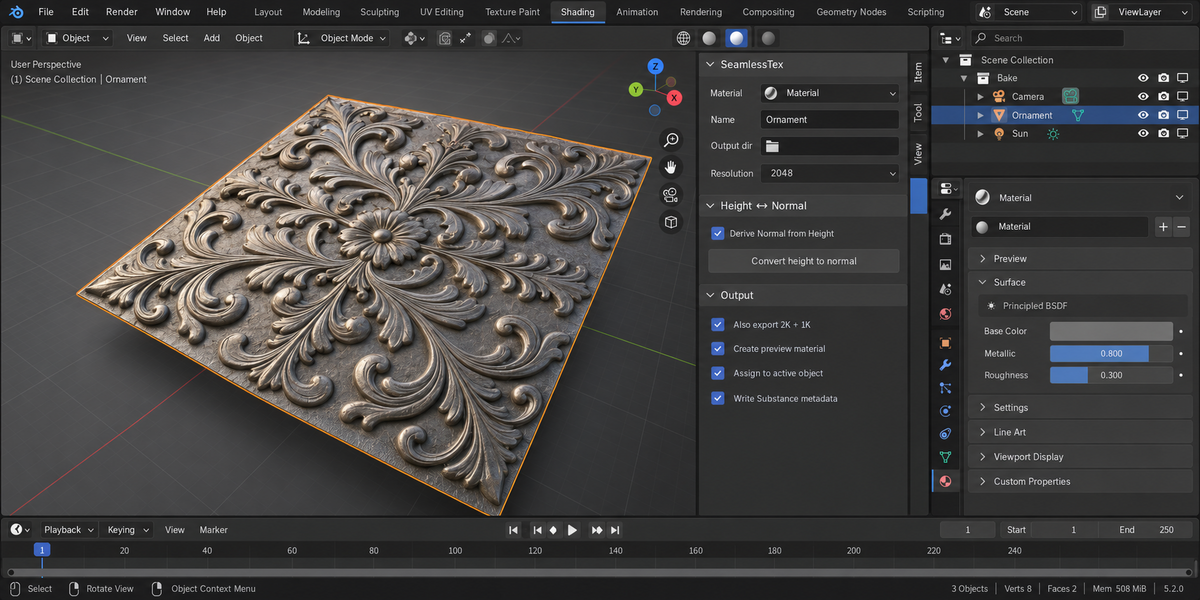
Toggle Derive Normal from Height and the bake pipeline:
- Skips the Normal pass (saves bake time).
- Bakes Height.
- Runs a Sobel filter on the height map.
- Writes the result as the Normal map.
The Strength slider multiplies the gradient — higher = more pronounced surface relief.
6. Multi-resolution
Toggle Also export 2K + 1K. After the main bake, SeamlessTex box-downsamples each map to 2K and 1K, saved as basecolor_2k.png / basecolor_1k.png etc. This is the standard way to ship LOD-friendly assets without re-baking.
7. Substance metadata
With Write Substance metadata on, SeamlessTex writes a JSON sidecar describing every map: type, file name, colour space. Substance Painter / Designer can ingest the folder as a Smart Material preset.
Note: this is metadata only, not a real .sbsar file (the Substance Archive format is proprietary and requires Adobe's SDK).
8. Standalone image tools
The Tile correction and Height-to-Normal operators also work standalone on images already open in the Image Editor:
- Open an image in the Image Editor.
- Click Apply tile correction — the tile mode chosen in the panel is applied. By default Edge Blend writes to a new _seamless image so you can compare before/after; toggle Modify original to work in place. The report shows the seam error before → after.
- Or click Convert height to normal — a new normal map image is created and shown.
9. The temp plane
SeamlessTex creates a hidden 1×1 plane object called SeamlessTex_Plane in the active scene during the bake, then removes it on completion. If the addon crashes mid-bake, the plane may persist — simply delete it manually.
10. Troubleshooting
"No material to bake" — pick a material in the panel, or select an object with a material assigned. The active slot of the active object is the fallback.
"Bake fails: object has no material slots" — shouldn't happen but indicates the temp plane was somehow stripped. Restart Blender.
"Result has visible seams" — your material is partially raster-based, not fully procedural. Enable Edge Blend with width = 5-10% of resolution. If the seams persist, switch to Mirror Tile (accepts the texture-memory hit).
"Normal map from height looks flat / too strong" — adjust the Strength slider. Default 2.0 is good for medium relief; raise to 5-10 for displacement-style detail.
"Substance Painter doesn't recognise the metadata" — currently no DCC reads our JSON automatically; the file is a descriptor for human-readable workflow. v1.1 will explore native Substance plugin integration.
11. Limitations
- Tile correction is edge-blend or mirror only — frequency-domain seam removal (FFT-based) is a v1.1 candidate.
- No real .sbsar export — Substance Archive format is proprietary.
- Multi-res downsample is box-filter only; for hero assets you may want a higher-quality external resizer.
- Mirror tile produces images at 2× resolution — adjust your UVs accordingly on the receiving mesh.
12. Changelog
v1.2.1
A map you did not ask for is no longer written into your output folder. When Normal is derived from Height and Height itself is not ticked, the height map is baked as an intermediate and kept in memory only; previously it was written to disk and deleted afterwards, so a file of yours already sitting there under that name was first overwritten and then removed. Every map is now written beside its destination and moved into place in one step, so an interrupted save cannot leave a truncated file where a good one was.
v1.2.0
- Mirror tiling reports the seam error before and after, like edge blend already did.
1.1.0
- Fixed: Edge Blend now actually removes the wrap seam (rewritten as an offset-blend; the old algorithm left the seam discontinuity unchanged).
- Fixed: re-running a bake no longer piles up .001 duplicate images or orphan ST_* datablocks.
- Fixed: your render engine, Cycles samples, bake settings and object selection are fully restored after baking.
- Fixed: honest error instead of silently writing next to an unsaved .blend when the output folder is relative.
- Fixed: standalone tools no longer appear on Render Result / Viewer images that have no editable pixels, and report clearly on images that are missing or too small.
- New: Create preview material — baked maps are wired into a ready _seamless Principled material, optionally assigned to the active object.
- New: measured wrap-seam error in bake and tile-correction reports.
- New: standalone Edge Blend works on a copy by default (before/after comparison) and respects the selected tile mode.
- Blender 4.4 / 5.x compatibility maintenance.
1.0.0
- Initial release.
13. Support & License
Through marketplace messaging. GPL-3.0.
Have questions about this product?
Login to message
| Published | about 21 hours ago |
| Blender Version | 4.2 - 5.2 |
| Extension Type | N/A |
| Render Engine Used | Cycles, Eevee |
| License | GPL |
Discover more products like this
seamless texture Material tile height map bake normal map substance Game procedural PBR multi-resolution